LinkedIn sizes
LinkedIn Carousel Size and Document Post Dimensions (2026)

Aitijya Sarkar · Updated
Founder - Oiti | LinkedIn ghostwriting | 100M+ views
Quick answer: Make LinkedIn carousel slides 1080 x 1350 pixels (4:5 portrait), keep every page the same size, and upload them as one PDF. LinkedIn takes documents up to 100 MB and 300 pages.
A LinkedIn "carousel" is a document post: a PDF that people swipe through page by page in the feed. LinkedIn doesn't publish page dimensions for it, so 1080 x 1350 is a convention. I built carousels for ghostwriting clients on that convention for years before I bothered to test it. To check it, I posted test decks at 1080 x 1350 and 1080 x 1080 and looked at what the desktop feed did to them. Nothing got cropped. Three buttons sit on top of the slides, and they're what you design around.
LinkedIn carousel specs at a glance
A carousel is one PDF (or PowerPoint or Word file) of up to 100 MB and 300 pages, with every page the same size. Design the pages at 1080 x 1350.
| Spec | Document post ("carousel") | Source |
|---|---|---|
| Recommended page size | 1080 x 1350 px (4:5), or 1080 x 1080 (1:1) | Convention; LinkedIn publishes none |
| File types | PDF, PPT, PPTX, DOC, DOCX | LinkedIn Help a518909 |
| Max file size | 100 MB | LinkedIn Help a518909, a564109 |
| Max pages | 300 | LinkedIn Help a518909, a564109 |
| Max words | 1 million | LinkedIn Help a564109 |
| Max image resolution inside | 36 megapixels | LinkedIn Help a564109 |
| Page sizes | All pages must be the same size | LinkedIn Help a518909 |
| Document title | 58 characters max | My upload test |
| Video and animation | Shown as static images | LinkedIn Help a518909 |
| Edit after posting | Caption yes, document no | LinkedIn Help a518909 |
Export to PDF before you upload, even if you built the deck in PowerPoint. LinkedIn recommends converting to PDF itself, and a PDF keeps your fonts and layout the way you set them.
Other sources: LinkedIn Help: supported file types and limits (a564109).
Three different things LinkedIn calls a carousel
"Carousel" means three separate formats on LinkedIn, and most wrong numbers online come from mixing them up: the document post (300 pages), the multi-image post (20 photos) and the carousel ad (2 to 10 cards).
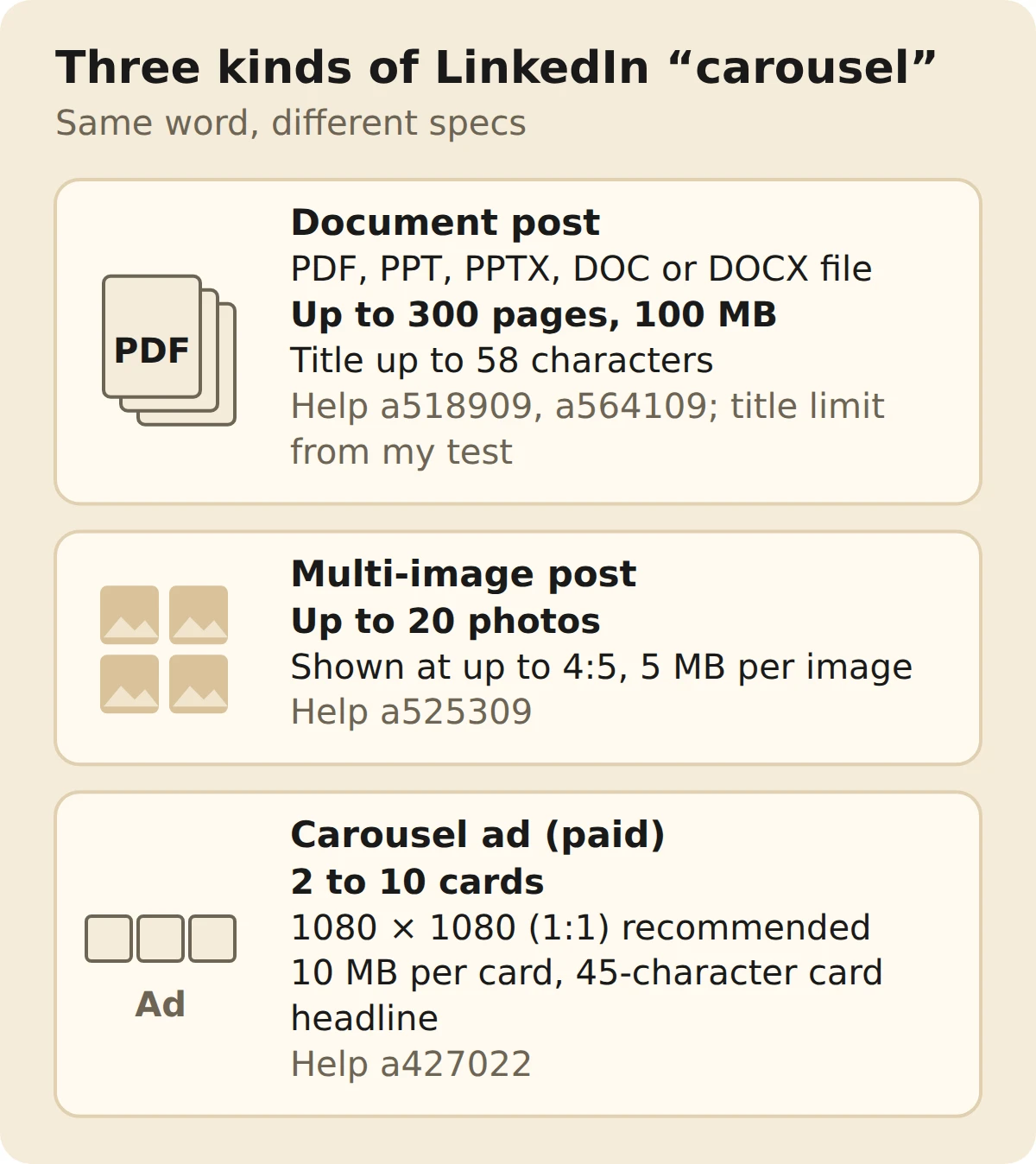
| Spec | Document post | Multi-image post | Carousel ad |
|---|---|---|---|
| What you upload | One PDF, PPT(X) or DOC(X) | Separate photos | Separate images, in Campaign Manager |
| How many | Up to 300 pages | Up to 20 photos | 2 to 10 cards |
| File limit | 100 MB for the whole file | 5 MB per photo | 10 MB per card |
| Size | 1080 x 1350 by convention | 1080 px wide recommended; 3:1 to 4:5 | 1080 x 1080 recommended, shown at 312 x 312 |
| File types | PDF, PPT, PPTX, DOC, DOCX | JPG, PNG, GIF or WebP | JPG, PNG, non-animated GIF |
| Cost | Free, organic | Free, organic | Paid |
When a guide says a carousel is "up to 20 slides" or "10 MB per slide, JPG or PNG", it's describing a multi-image post or an ad. A document post has neither limit.
Other sources: LinkedIn Help: share photos, multi-image posts (a525309), LinkedIn Help: supported image file types (a564109), LinkedIn Help: carousel ad specs (a427022).
What covers your slides in the feed
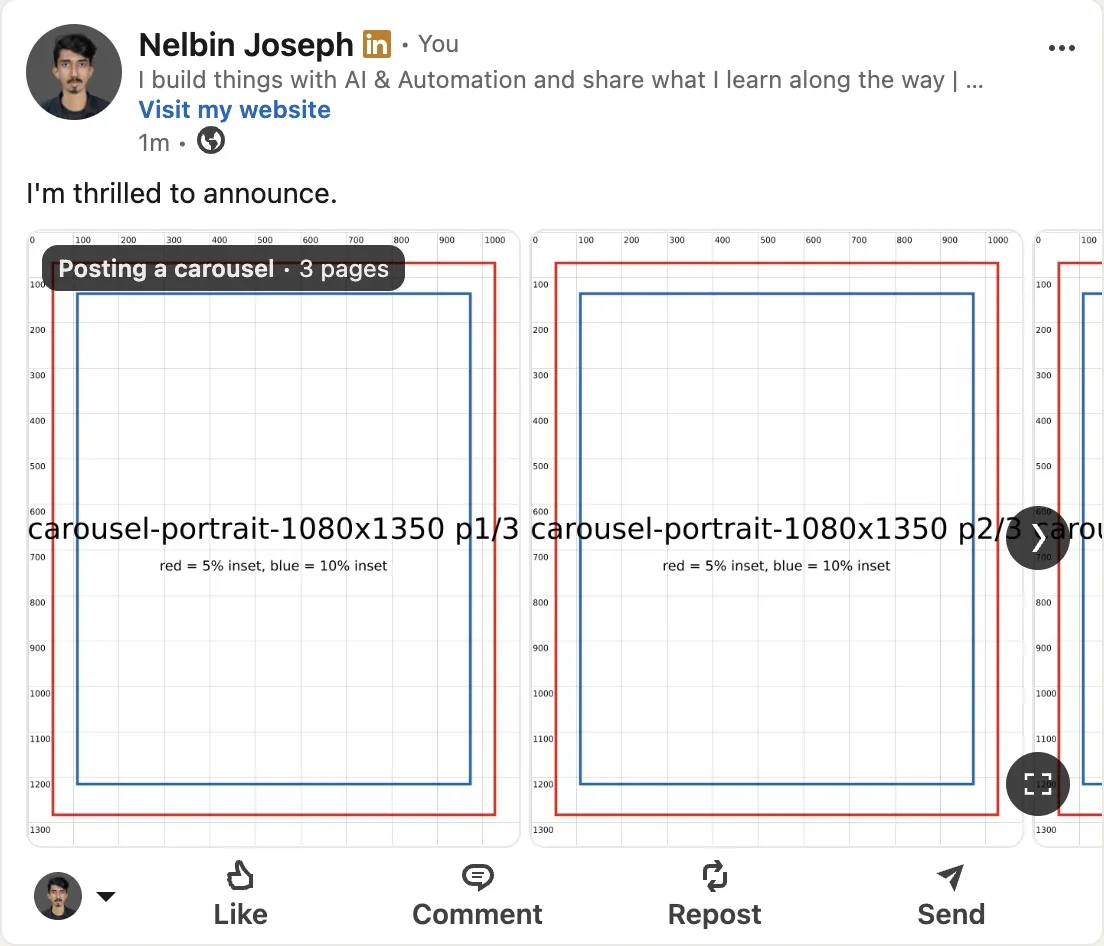
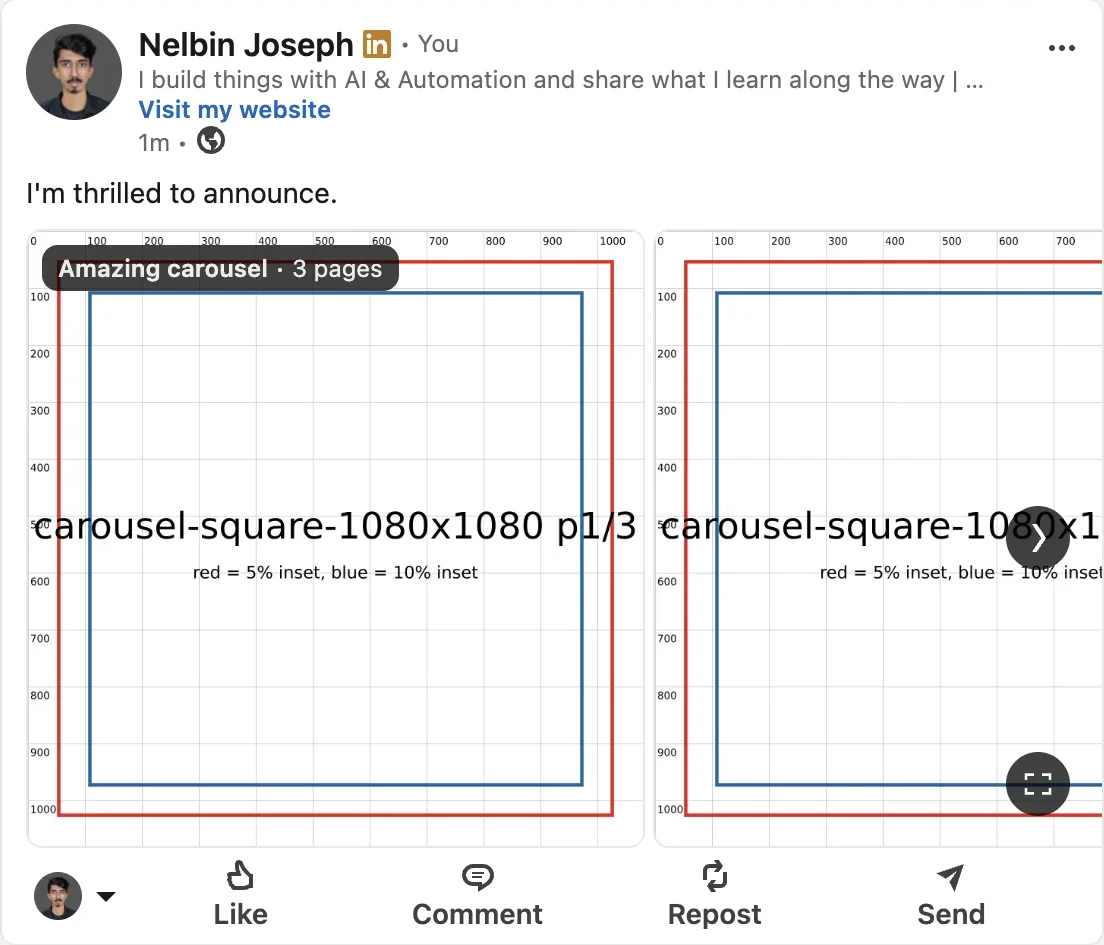
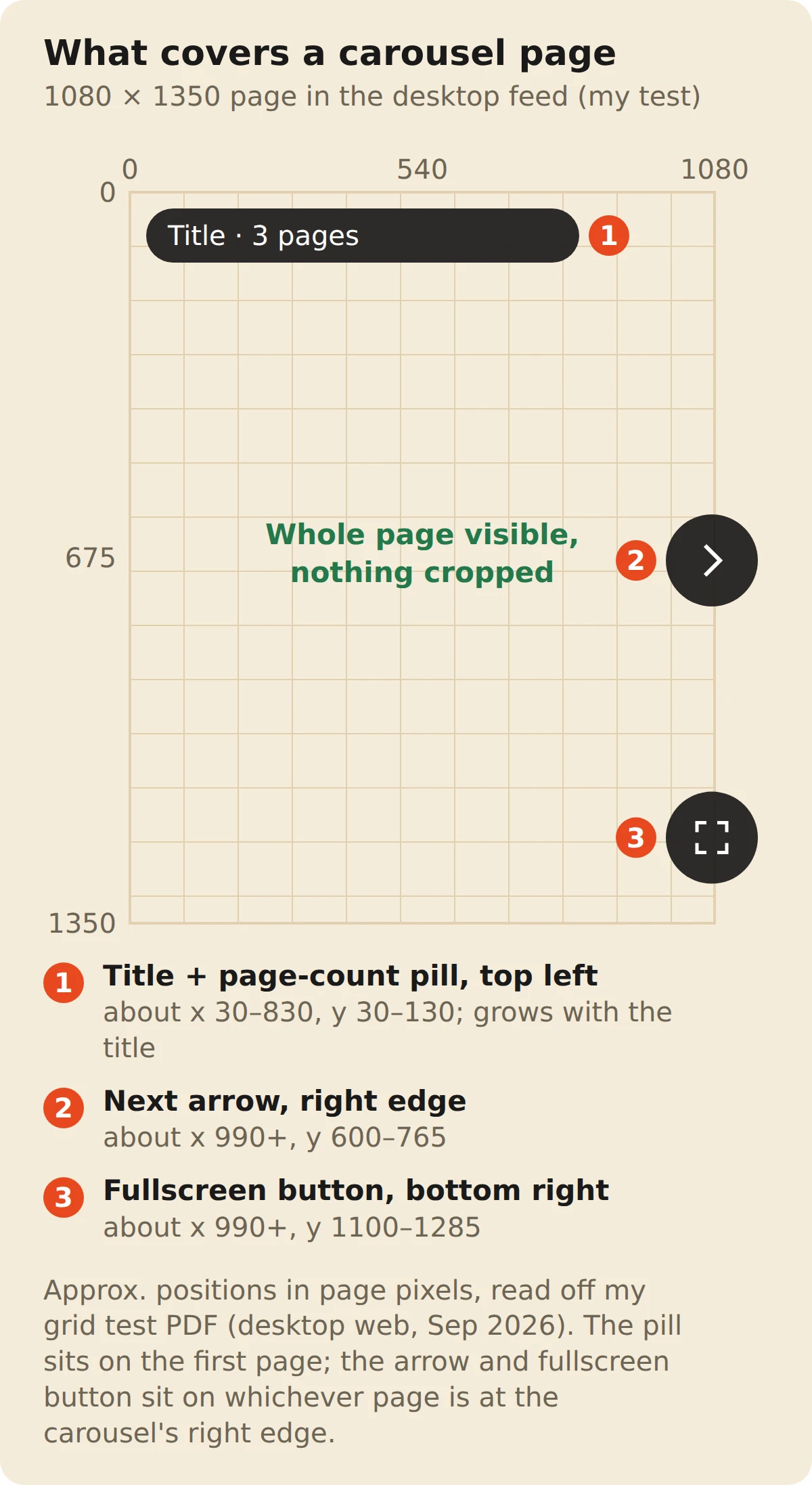
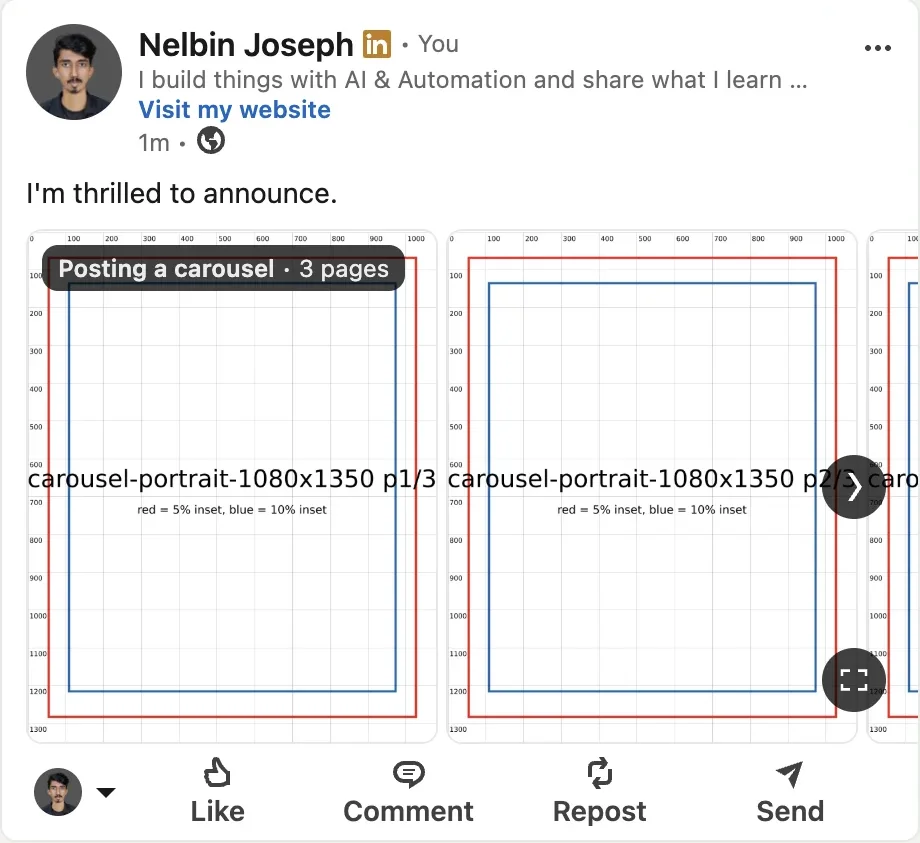
In the desktop feed, LinkedIn shows the whole page without cropping it. Three overlays sit on top: a title and page-count pill at the top-left, a next arrow on the right edge, and a full-screen button at the bottom-right. I posted two test decks, one at 1080 x 1350 and one at 1080 x 1080, each page printed with a pixel ruler and boxes inset 5% and 10% from the edges. Every ruler mark from 0 to the last row showed up in the feed.
What that means for the design:
- The title pill. It carries your document title and page count and sits across the top of page one, starting at the left. The pill stays the same size on screen while the page shrinks with the window, so it covers more of a small page. At full desktop width it sat inside the top 10%; in a narrower window it reached about 12%. With an 18-character title it also ran across more than half the page's width, and a longer title makes it wider. Don't put your hook in the top-left corner of the cover.
- The next arrow. It sits at mid-height on the right edge of the post, over whichever page is at that edge. Keep text off the right margin at mid-height.
- The full-screen button. It's at the bottom-right of the post. Keep page numbers and handles out of that corner.
A design-agency owner I wrote for learned this one on his first deck. His template set the hook huge in the top-left of the cover, and in the feed the title pill sat right across the first two words, so people read the document title where his hook should have been. We moved the hook to the middle of the cover for the next one and the problem went away.
So keep text inside a 10% margin, which is 108 pixels at the sides of a 1080-wide page and 135 at the top and bottom of a 1350-tall one. On the cover, leave the top eighth clear too (about 170 pixels on a 1350-tall page), so the title pill never sits on your first line.
The test turned up one more thing on desktop: the document strip was the same height for both decks. Portrait pages just ran narrower, so more of page two showed next to page one. I like that peek. It's a small nudge to keep swiping.
LinkedIn document size: pages versus pixels
LinkedIn document size means two different things: the file limit, which is 100 MB and 300 pages, and the page shape, where 1080 x 1350 is the convention and the one hard rule is that every page is the same size. A PDF page has no pixel count of its own, only a shape, so 1080 x 1350 px and 8 x 10 inches give you the same 4:5 page.
- US Letter (8.5 x 11 in, 612 x 792 pt). A ratio of about 1:1.29, a little taller than 4:5. It works, but a document written for print tends to have type too small for a phone.
- 1080 x 1350 px. Exactly 4:5, and designing at screen size keeps the type large enough to read on a phone.
- 16:9 slides (1920 x 1080). A landscape PowerPoint deck uploads fine, but it's a short, wide page. Rebuild it at 4:5 if it's going in the feed.
- Mixed sizes. Don't. LinkedIn says all pages must be the same size, and a PDF with layers should be flattened first.
The head of marketing at a cybersecurity startup once asked me to post her sales deck as it was, 16:9, straight out of PowerPoint. It uploaded fine. On a phone the slide text was so small that the top comment asked what slide three said. We rebuilt it at 1080 x 1350 with one idea per page, and the comments went back to being about the product.
The 36-megapixel cap only applies to images inside the document. A 1080 x 1350 page is about 1.5 megapixels, nowhere near it.
Source: LinkedIn Help: share a document in a post (a518909).
Links, animations and downloads
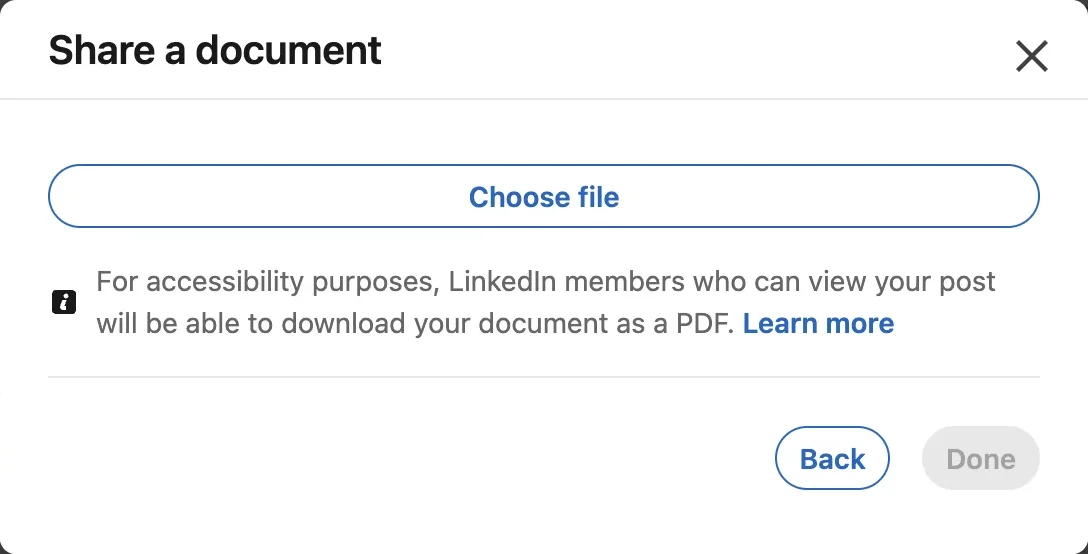
Links inside a carousel PDF aren't clickable in the feed, animations turn into still images, and anyone who can see your post can download the file as a PDF. LinkedIn states the animation rule for document posts. For links, its document ads spec says hyperlinks are only clickable once the reader downloads the file. So put the link in the post text or the first comment, not on slide 12.
Source: LinkedIn Help: document ad specs (a493903).
If a page has anything you wouldn't email to a stranger, leave it out of the deck.
How to post a carousel on LinkedIn
- 01
Export the deck.
Save it as one PDF at 1080 x 1350, every page the same size, under 100 MB and 300 pages.
- 02
Start a post.
Click "Start a post" on your homepage, then More, then the document icon.
- 03
Choose the file.
Upload from your computer, Dropbox or Google Drive.
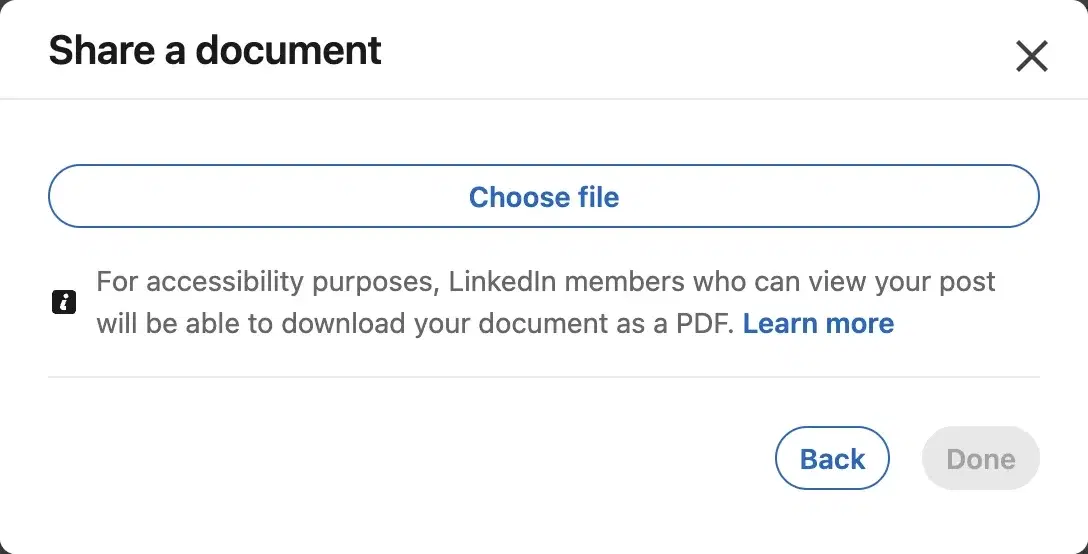
Carousels are uploaded as documents; viewers can download them as a PDF. - 04
Add a title.
It's capped at 58 characters. It shows in the pill on your cover, so keep it short.
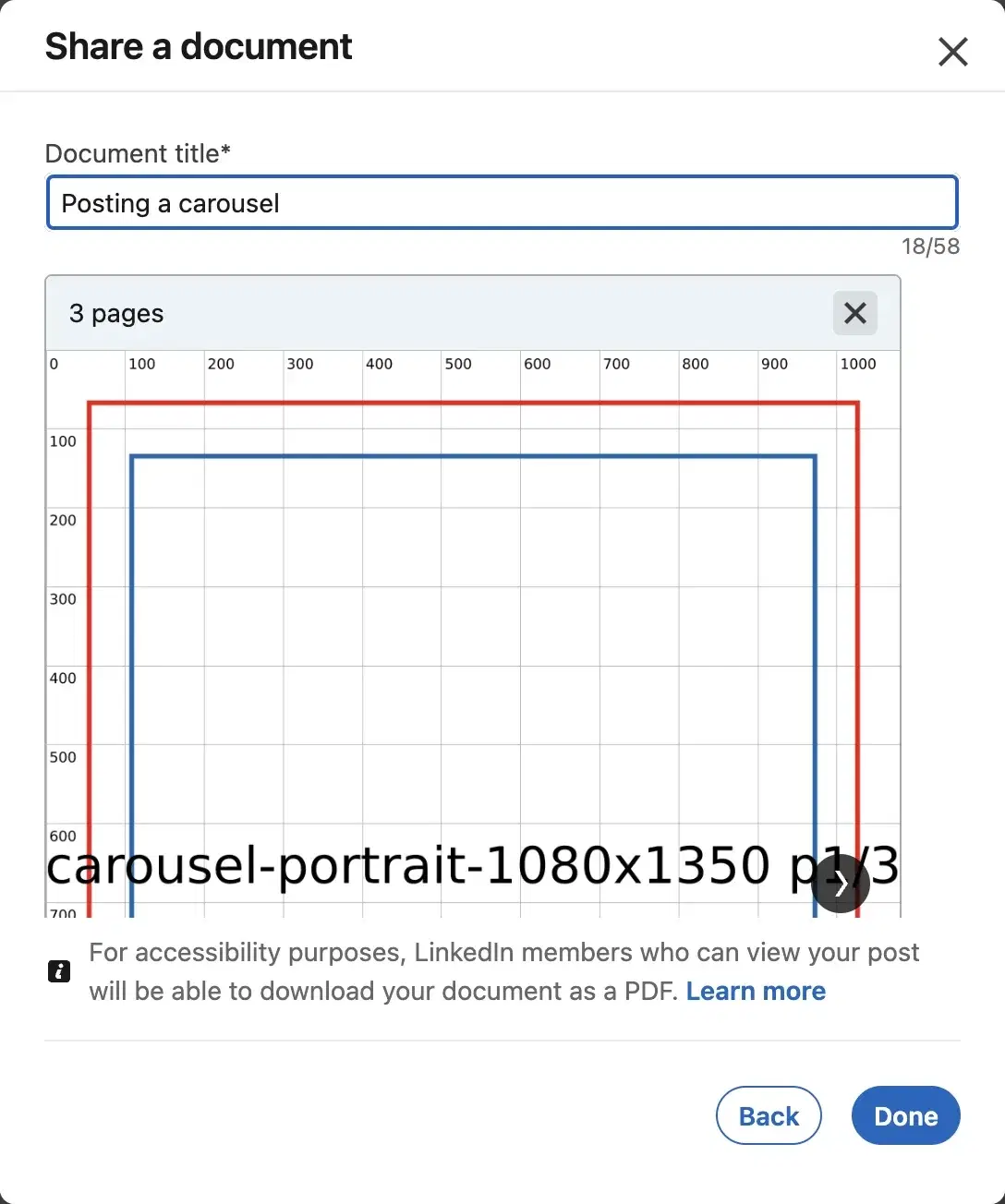
Document titles cap at 58 characters; the preview shows the page count. - 05
Write the caption and post.
Up to 3,000 characters. After it's live you can edit the caption but not the document, so check every page first.
For the caption and title limits in one place, see LinkedIn character limits.
The cheat sheet
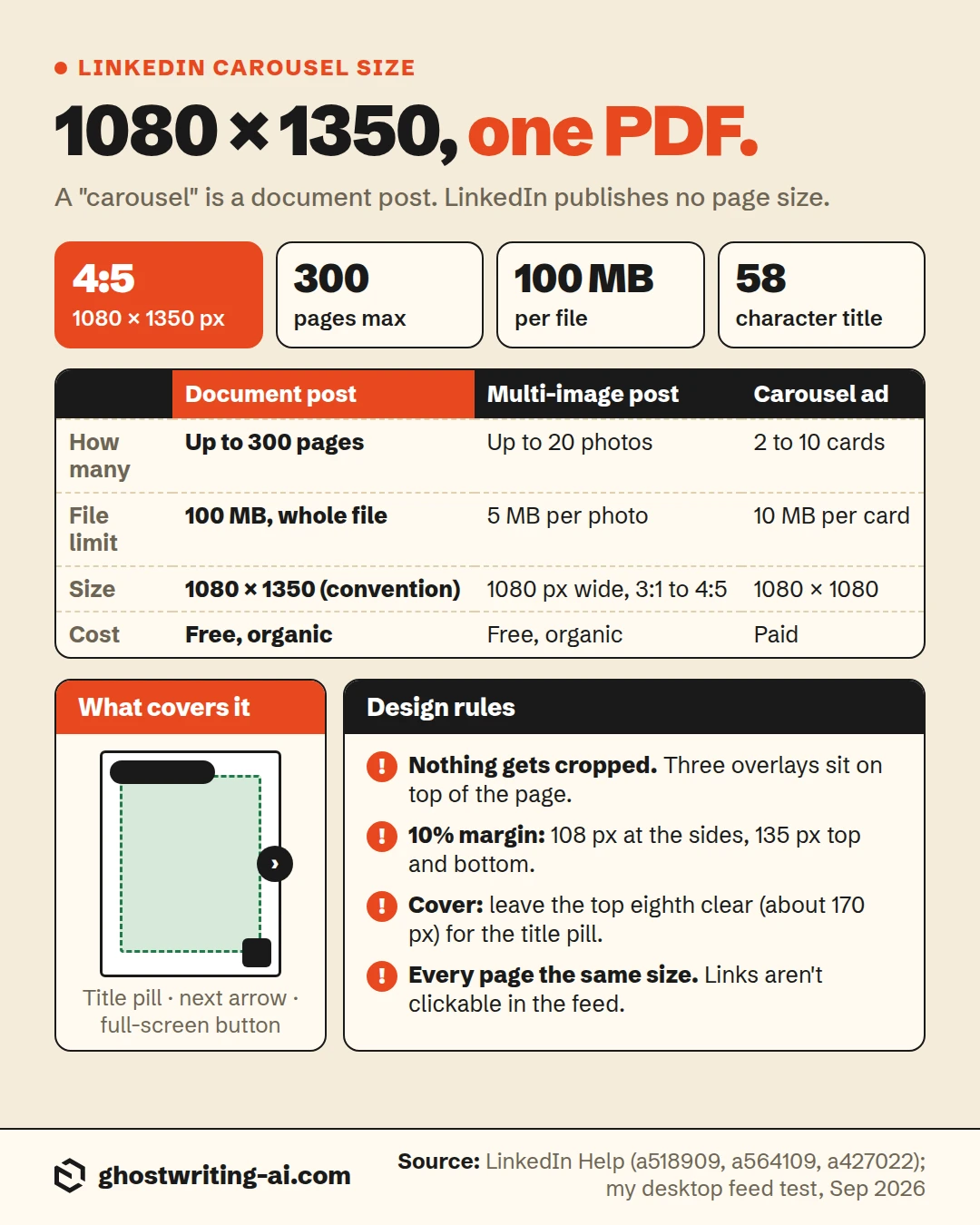
The bottom line on LinkedIn carousel size
Build every page at 1080 x 1350, export one PDF, and stay under 100 MB and 300 pages. LinkedIn doesn't crop the pages, so the mistake that costs people is putting words where its buttons sit: the title pill across the top-left of the cover, the arrow on the right edge and the full-screen button in the bottom-right corner. Keep text inside a 10% margin and leave the top of the cover clear.
Check every page before you post, too, because you can edit the caption afterwards but not the document. A climate-tech founder I wrote for spotted a wrong year on slide six about an hour after his deck went live. The choice was to delete it and lose the comments or leave it, so we left it and he corrected it in the first comment. Ever since, I flip through every page on my phone before anything goes up.
Free post mockup
See the post before your network does
Put your cover slide in as the image, write the caption above it, and download a picture of the finished post. It won't page through a whole deck, but it shows whether the hook and the cover work together before you publish.
Open the post mockup generatorFrequently asked questions
- What size should a LinkedIn carousel be?
- 1080 x 1350 pixels (4:5 portrait) per page, or 1080 x 1080 for square, with every page the same size, uploaded as one PDF. LinkedIn doesn't publish a page size; these are the conventions that read well on a phone.
- What is the LinkedIn document size limit?
- 100 MB and 300 pages per document, with up to 1 million words and images up to 36 megapixels inside it.
- How many slides can a LinkedIn carousel have?
- Up to 300 pages for a document post. The "20" you see quoted is the limit for photos in a multi-image post, and carousel ads take 2 to 10 cards. Most of mine land between 8 and 12 pages, because each one has to earn the next swipe. A career coach I wrote for once posted a 40-page complete guide. People saved it, but the comments made it clear almost nobody got to the end, and his next deck was ten pages.
- What is a LinkedIn carousel format?
- It's a document post: a PDF, PowerPoint or Word file that LinkedIn shows page by page in the feed, with an arrow to swipe through. It's different from a multi-image post and from a paid carousel ad.
- Does 1920 x 1080 work for a LinkedIn carousel?
- It uploads, but a 16:9 page is short and wide in the feed and the text shrinks. Build carousels at 1080 x 1350 instead.
- Can I mix portrait and square slides?
- No. LinkedIn says every page in a document must be the same size. Pick one shape for the whole deck.
- Are links in a LinkedIn carousel PDF clickable?
- Not in the feed. LinkedIn's document ads spec says hyperlinks only work once the reader downloads the file. Put the link in your post text.
- Can people download my LinkedIn carousel?
- Yes. Anyone who can see the post can download it as a PDF, and LinkedIn shows that note when you upload.
Right size, right shape. Now the words on the slides.
Oiti is the AI clone for LinkedIn content. It learns how you actually write, from your past posts and what you believe, and drafts the posts and slide copy that go out under your name, so they read like you typed them.
Start free7 days free.