I Tried Taplio for 2 Months: Honest Review of Features, Pros, Cons in 2026
Great inspiration library. Generic AI. Risky automation. Overpriced for content alone.

The scorecard
The scorecard (my honest verdict)
I scored Taplio across the six things that actually decide whether an AI LinkedIn content tool is worth paying for. Not "does it have a calendar" — every tool has a calendar. These six are about whether the thing writes like you, remembers you, and keeps your account safe.
- Narrative timeline (does it know who you are over time?)2 / 5
No persona knowledge base. It has a million-post inspiration library, but nothing that models you and how you’ve evolved through the years.
- Persona clone (does it write in your patterns, does it map your beliefs, writing style – and how deep is it?)2.5 / 5
Usable first drafts. But generic when you want a truly original opinion ed linkedin post.
- Long-term memory (does your feedback stick?)2 / 5
The chatbot is a thin wrapper bolted onto a pre-AI product. It doesn’t have long term memory so it doesn’t adapt itself and get better with every feedback.
- Research grounding / KB (does it pull things from your universe of notes / information like meeting notes, etc?)2.5 / 5
No web search, no PDF/YouTube, meeting notes ingestion.
- 360Brew awareness (is it built for the 2026 algorithm?)2 / 5
Optimizes for years-old viral patterns, not the original content depth LinkedIn actually rewards now.
- LinkedIn safety (official APIs or browser hacks?)1.5 / 5
Drives automation through your LinkedIn cookies. A client of mine got flagged. Taplio itself is now banned from LinkedIn.
I weighted how well it mimics your voice, long term memory, and account safety highest — that’s what really matters if you’re a solo founder, coach, or consultant who wants to create LinkedIn posts that doesn’t sound like AI slop i.e content.... LinkedIn is actually rewarding right now. Taplio’s real strengths (the inspiration library, lead gen, automation, and outbound) sit outside that rubric, not to mention it can actually get you banned.
I personally think Oiti is a better fit – it has long-term memory that uses your feedback to get better with time, a knowledge base it writes from, and LinkedIn’s official APIs instead of browser hacks. It’s also cheaper while being better: it’s just $49/month or $79/month, with a generous 7 days free and no usage limits. You can try Oiti free for 7 days and score it on the same axes.
How do I know this?
The story goes back 3 years, a LinkedIn ghostwriting client, and me accidentally stumbling on to Taplio while ghostwriting LinkedIn content for a client who got banned.
Who I am, and how I actually used Taplio
Taplio was pretty awesome way back in 2021.
Built by the team behind TweetHunter they were the one of the first in the space to try to own the LinkedIn content category. Back then, I was a LinkedIn ghostwriter: I’ve spent the last six years ghostwriting LinkedIn content for 50–60 founders, coaches, consultants, and CXOs — across SaaS, crypto, insure-tech, deep tech, basically every B2B niche there is. Somewhere north of 100 million organic views between them. In that time I’ve used virtually every LinkedIn AI tool that exists: Taplio, SocialSonic, AuthoredUp, and a long tail of others.
But the first time I heard of them was when a client came to me:
"I was using Taplio before this. They got my account banned."
That’s strange, I’d used them for the content features before and was in fact a paying customer back when they launched in 2021, for about two months, when I was growing my own account. Through the years I kept hearing this. Then I logged back in this year — 2026 — while building Oiti, the world’s first AI clone for LinkedIn (full disclosure: I think its better that Taplio) content to see what had changed.
The honest headline of this whole review: almost nothing had changed.
They bolted a chatbot onto the side. The rest is the same product I paid for in 2021, which was itself built before AI got good at writing. That’s the thing I want to walk you through, because it explains every score above.
What is Taplio?
Taplio is a LinkedIn-only content and outbound tool: AI content creation, a scheduling calendar, analytics, and a lead-generation / outbound suite that pulls data from a chrome extension that uses your LinkedIn cookies. It was one of the earliest movers in the space, built by the team behind TweetHunter, and was acquired by Lemlist (the cold-email company).
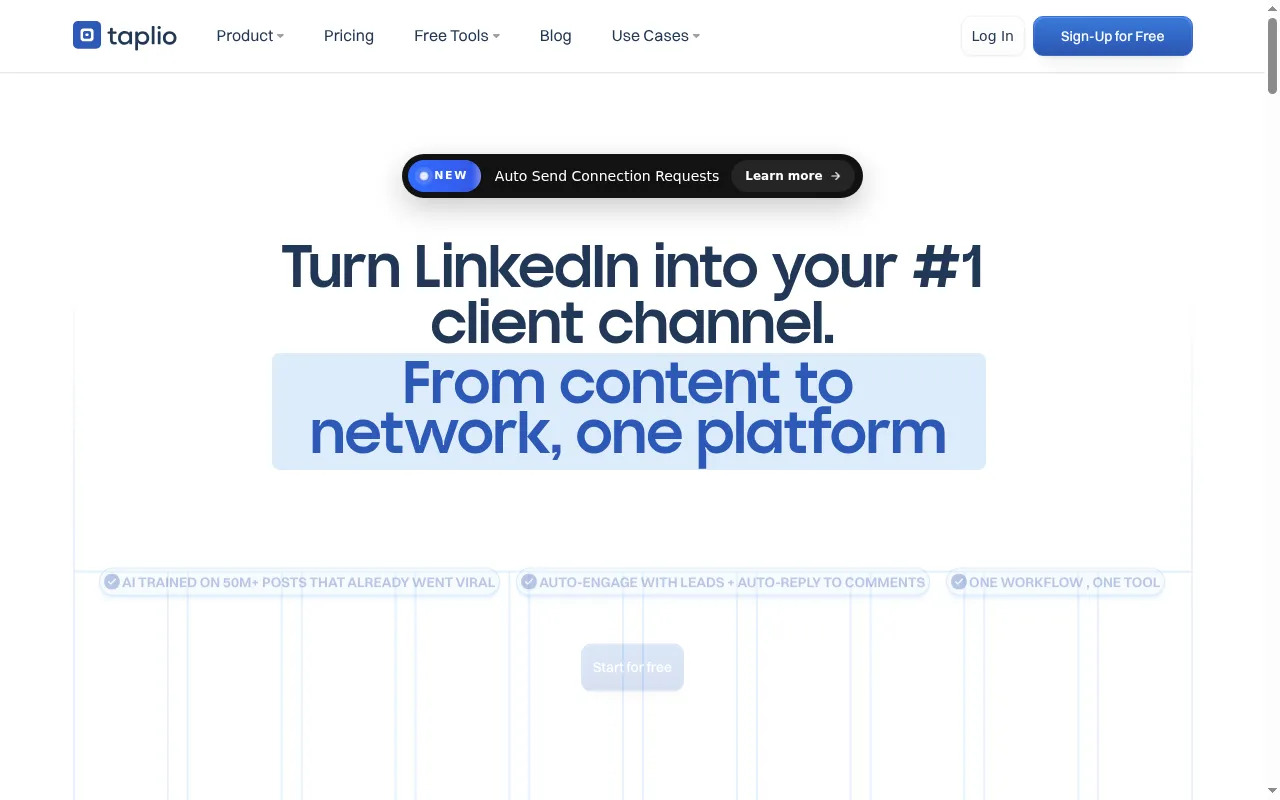
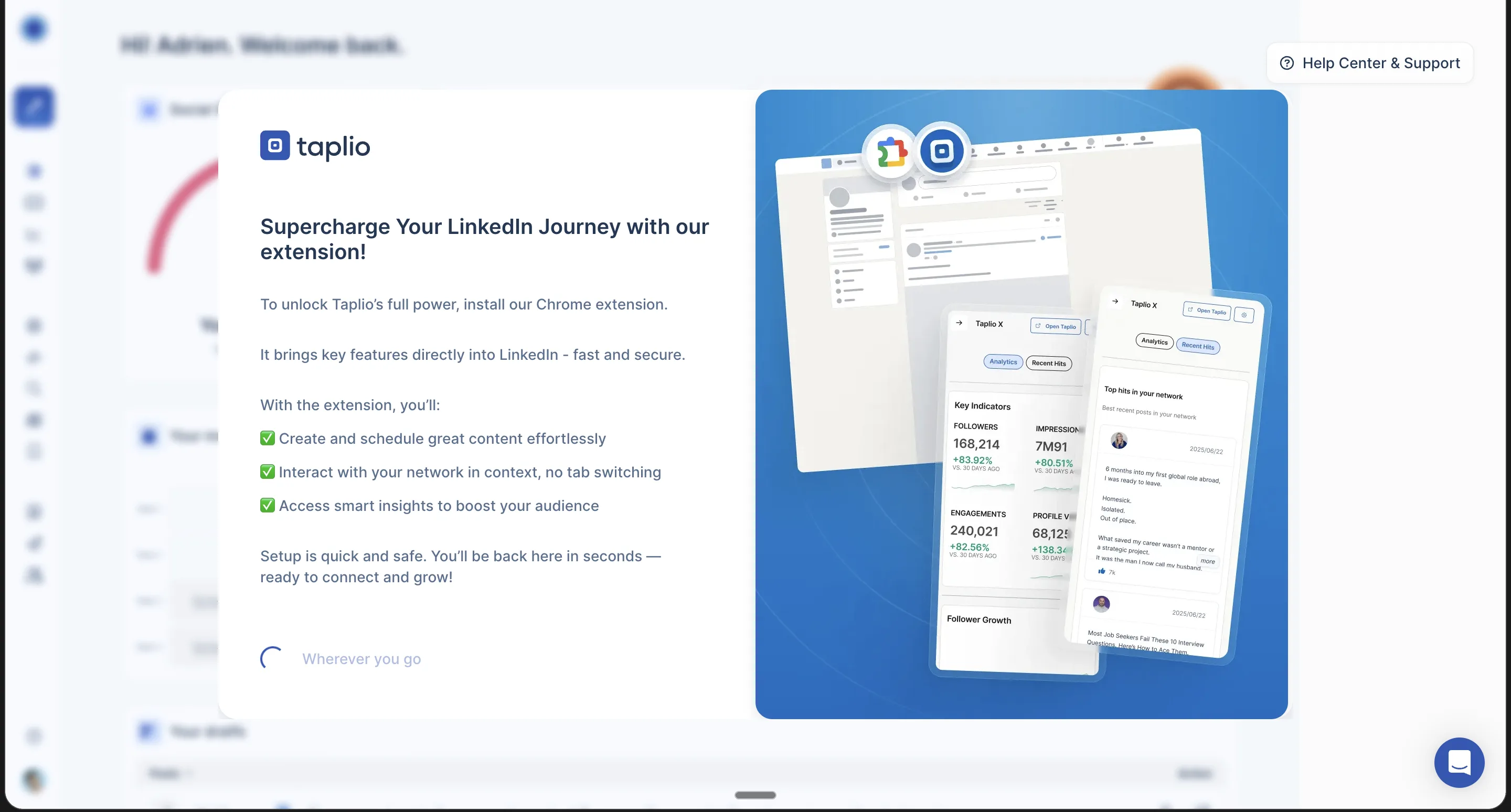
It markets a viral-post inspiration library of 5 million+ posts and ships a free Chrome extension called "Taplio X."
That’s their pitch.
But here’s what my experience as I jumped in.
Step by Step Walkthrough of Taplio: Features, Onboarding, Content Flow
1. How Taplio Creates Content Like You – the Onboarding
The onboarding was straightforward, it asked for a LinkedIn URL after which it scraped my LinkedIn history to seed the account.
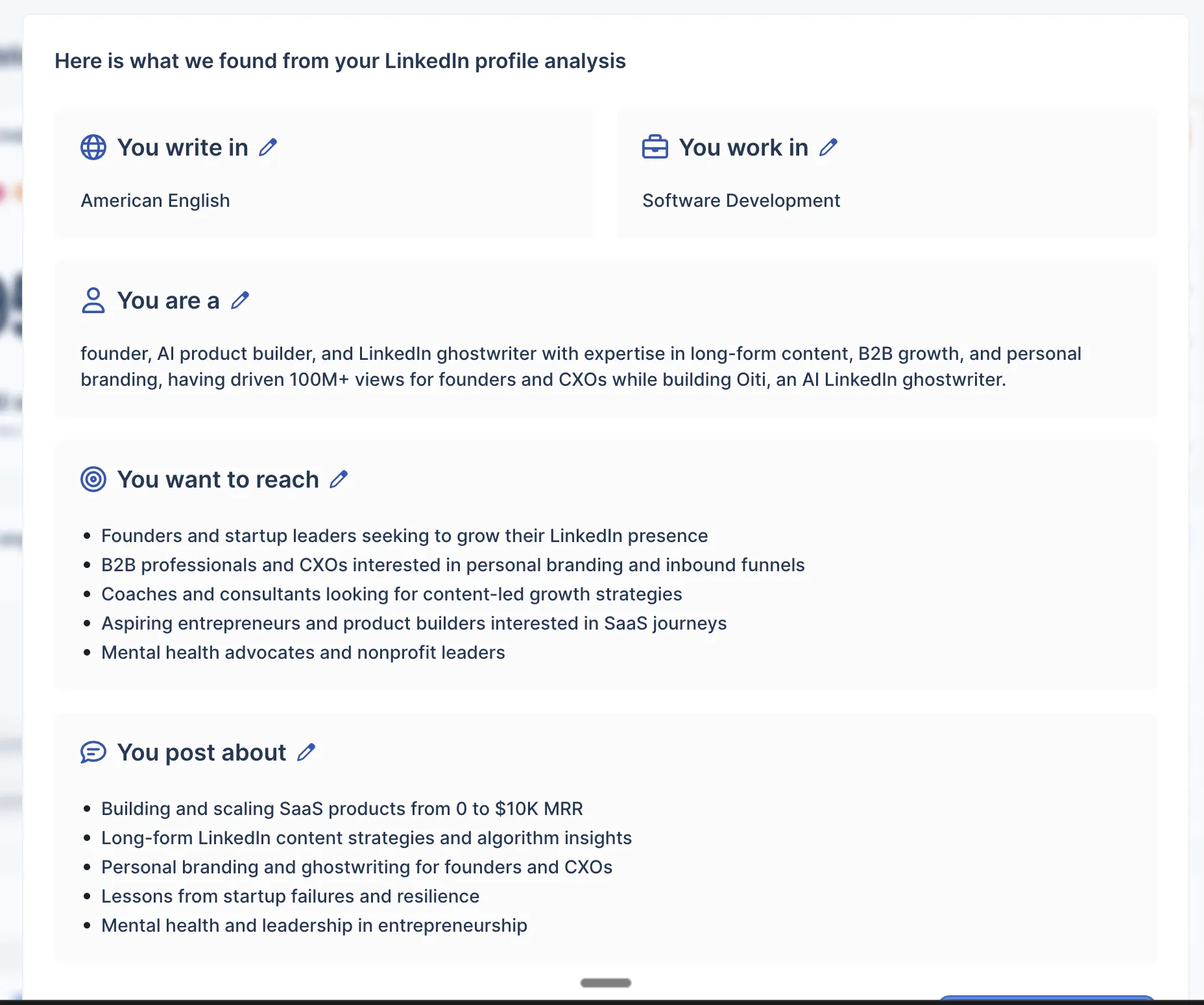
It works.
But the background it pulled about me felt very vanilla: the tone of voice style guide was very generic, which is fine if as you use Taplio more it gets better with every feedback and input from you. But Taplio isn’t built like that: it’s built around pulling your existing LinkedIn data into a fairly fixed context engine, not around learning who you are and getting sharper over time.
2. You’re In – Taplio’s Dashboard & How It Works
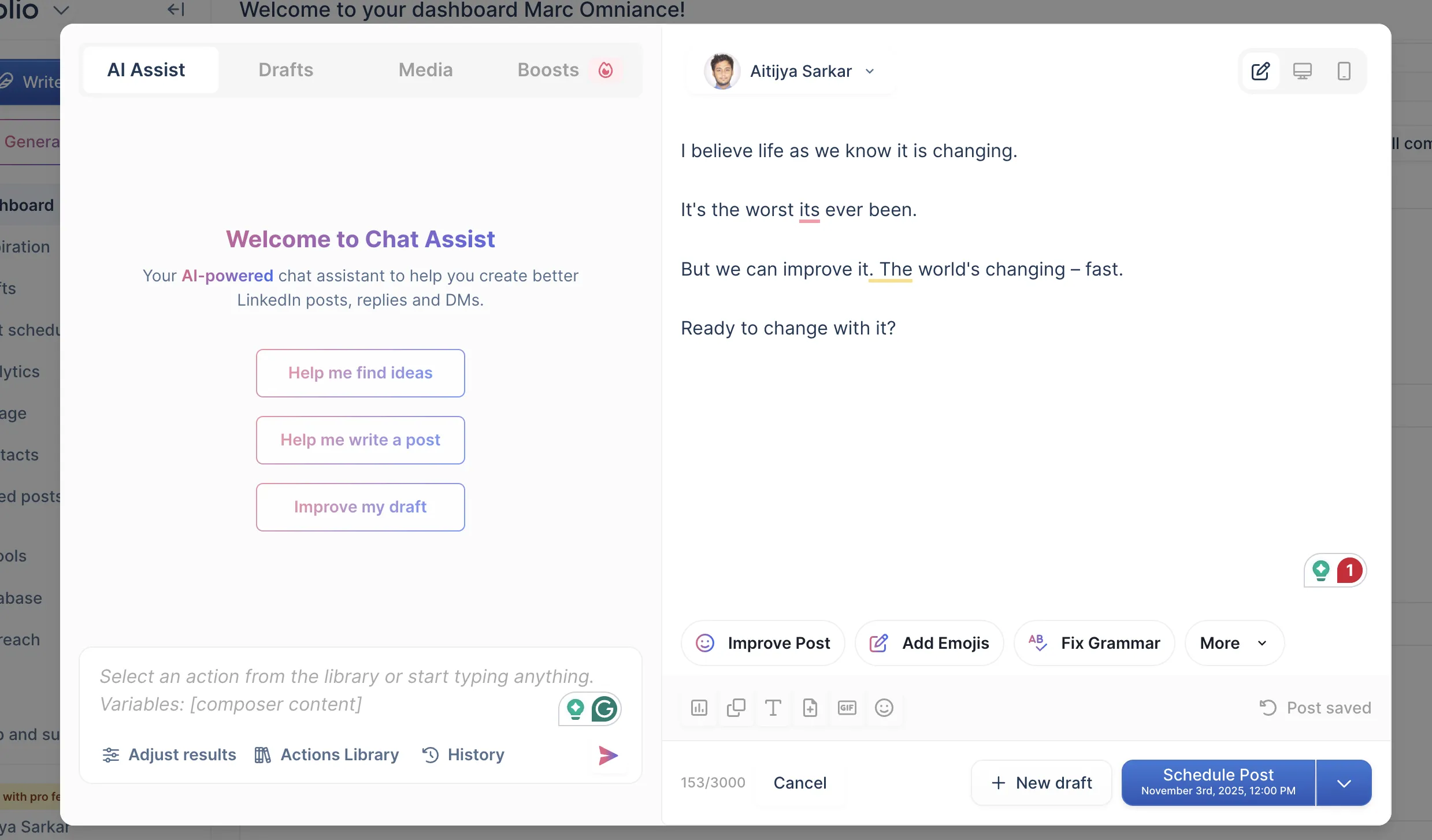
Once you’re in, this is what you see. And here’s my honest first reaction: it’s cluttered. All I wanted to do was write a good post. But the dashboard is content plus outbound plus comment automation plus analytics, and the automation stuff confused me about where to start. For a tool whose original promise was "help me write LinkedIn content," there’s a lot of surface area between you and a finished post now.
3. Start Creating Content: Is Taplio’s Content AI Slop?
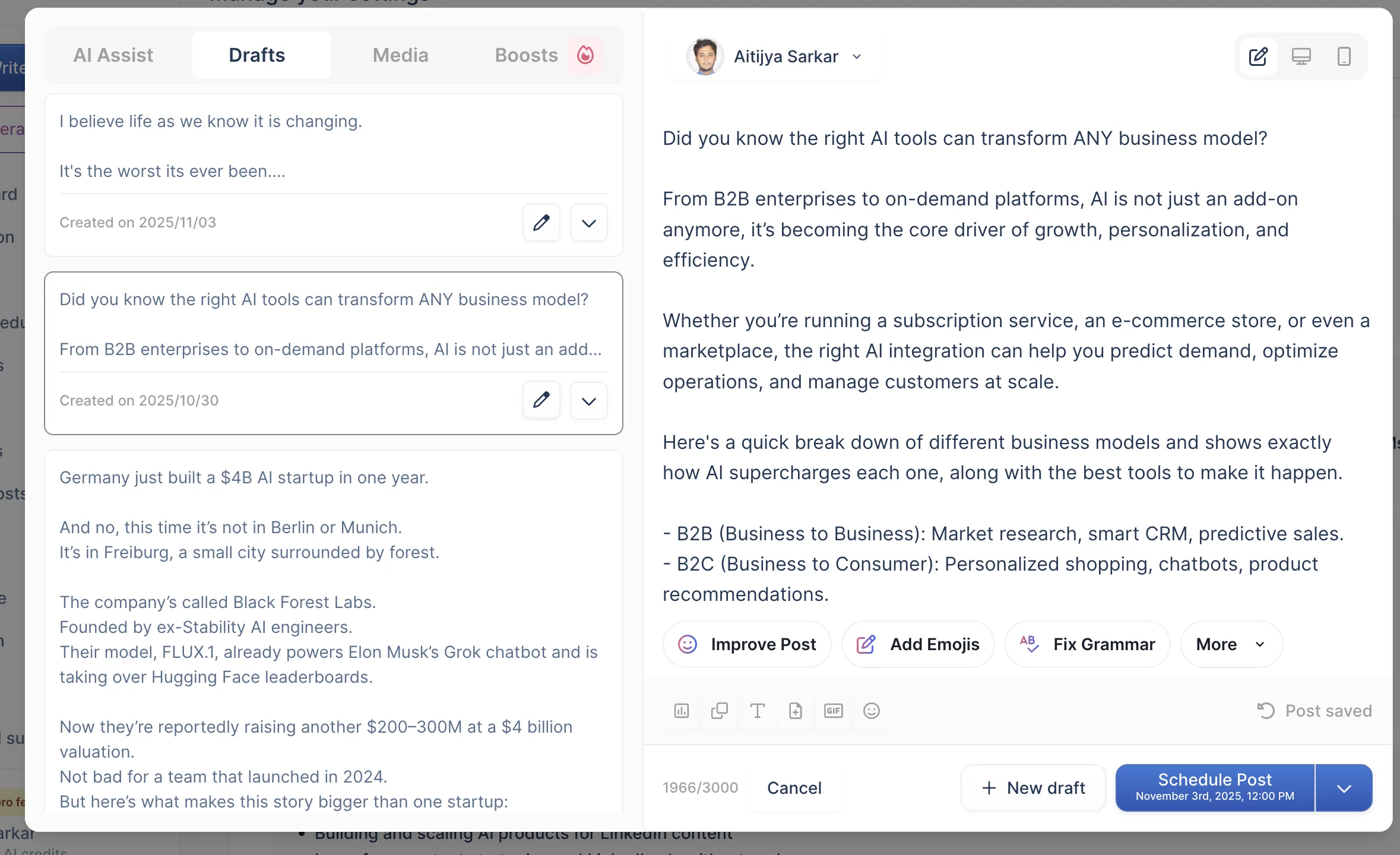
This is the one that matters, and it’s where Taplio loses me. The pitch is "AI writes your LinkedIn posts." What it actually does is produce competent, generic copy that reads like every other AI-on-LinkedIn tool.
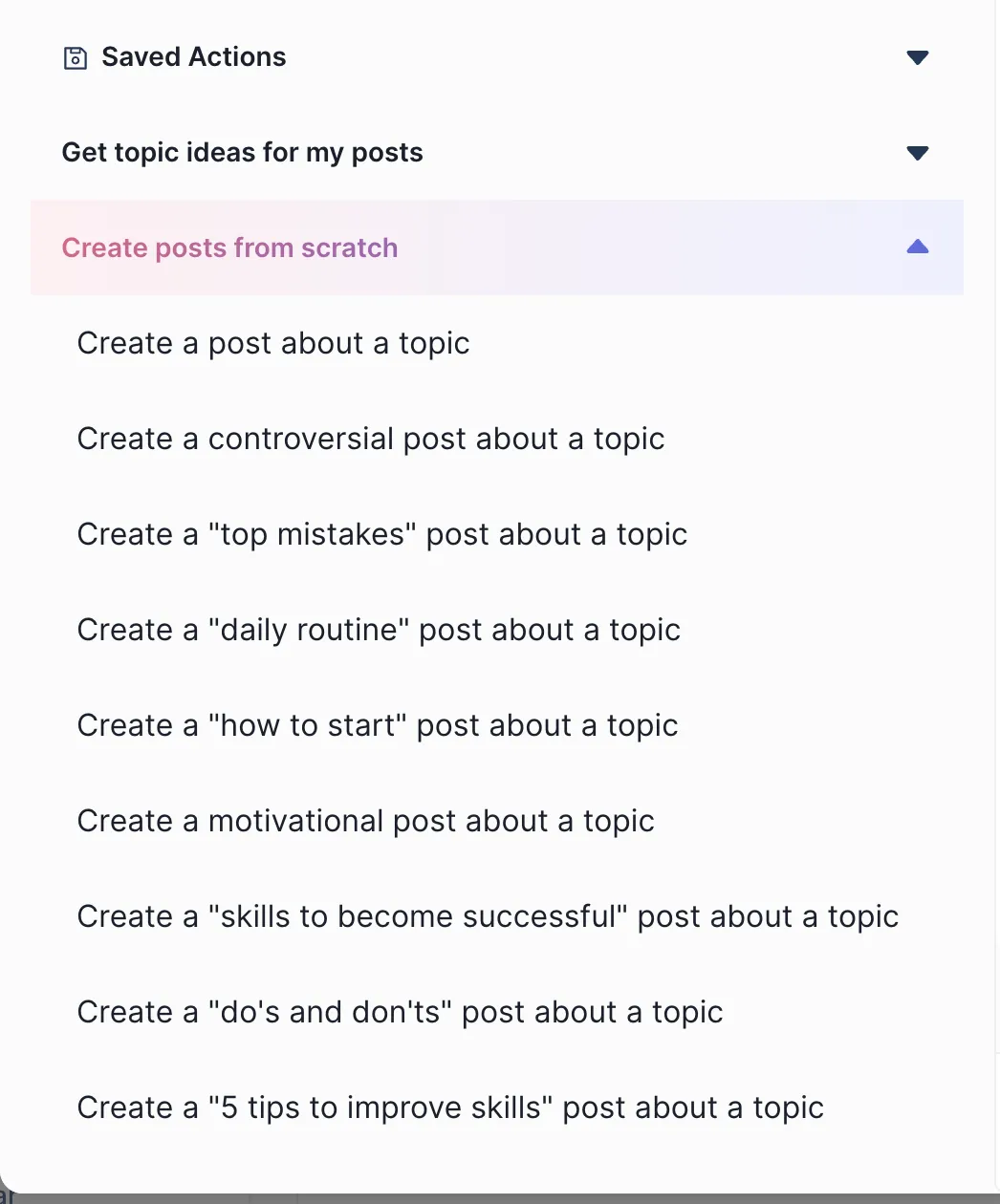
I don’t think that’s an accident.

The under-the-hood problem is that Taplio isn’t really trying to find out who you are. It doesn’t run your past posts, bio, website, and ICP painpoints from across the web into a deep context layer than then feeds into the content along with its memories of your conversations over time. It doesn’t have a knowledge base you can feed your meeting notes, pdfs, articles, and youtube videos into. So the model is writing from thin context, and thin context produces thin posts.
I’m not the only one who landed here. A Reddit user put it less diplomatically — they dropped Taplio because the posts came out "robotic and expensive."
Want a week of LinkedIn posts that aren't AI slop?
Oiti builds a clone of your voice from your own posts — then gets sharper with every edit, grounded in your own Knowledge Base.
7 days free · No usage limits
Where Taplio is Genuinely Great
Now I’ve tried all of the ai linkedin content tools over the past 6 years ghostwriting linkedin content. Credit where its due, here are 3 things Taplio genuinely does well:
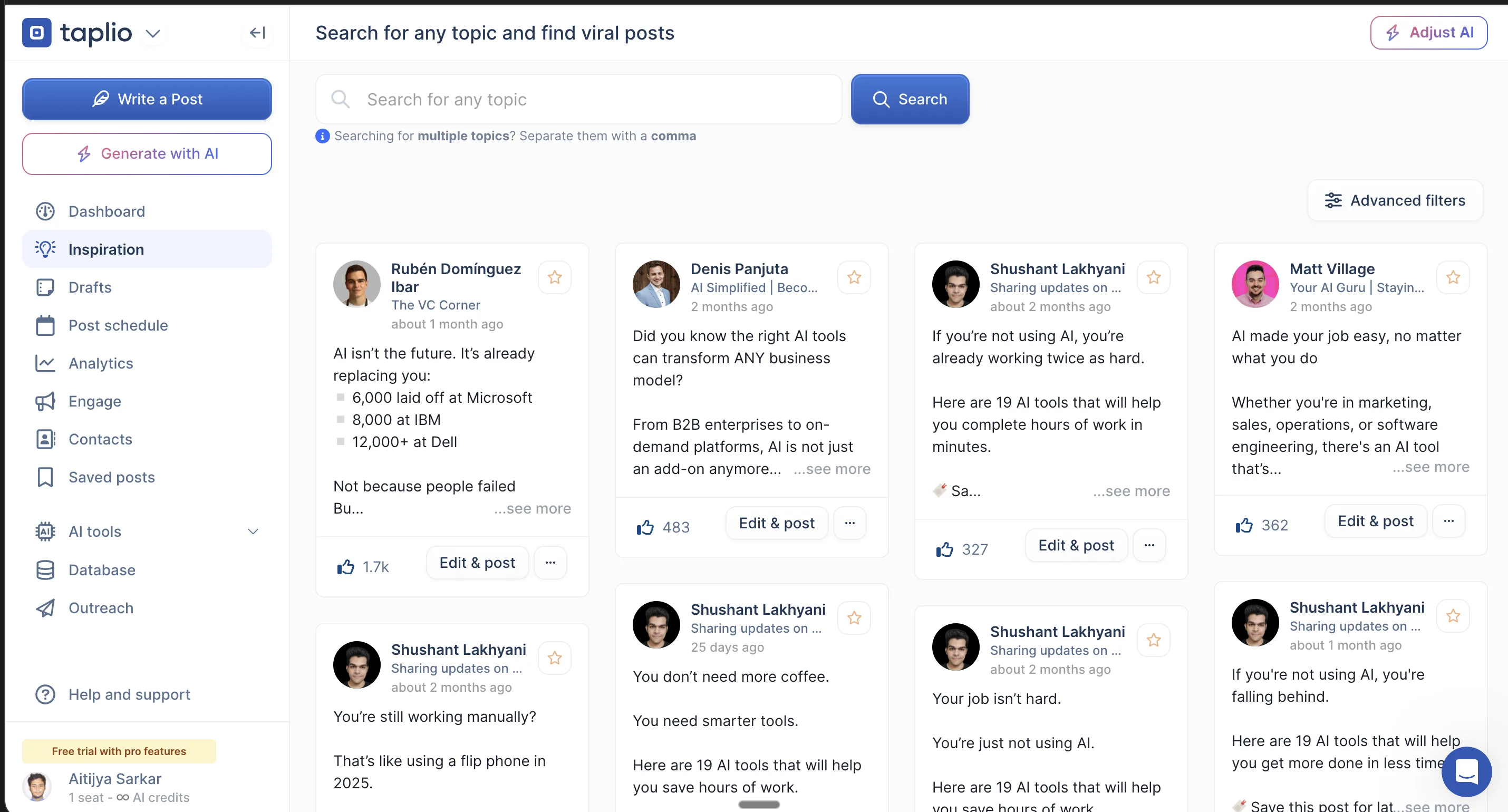
1. The inspiration library is still one the best in the category.
This was the reason Taplio mattered in 2021 and it’s still the single feature most competitors can’t touch — a million-plus posts you can search for ideas and structure. If you’re staring at a blank page, it works. The honest qualifier: a lot of those posts are years old, patterns that performed under the old LinkedIn algorithm and fall flat under the new 2026 algorithm.
2. The outbound automation and lead magnets actually work.
This is a real strength. Auto-DM sequences, lead-magnet delivery, prospect tracking. If you’re running outbound on LinkedIn, Taplio does the job and does it well. It obviously doesn’t have the deep features that sophisticated sequencers like Lemlist, Heyreach, etc have but it does the job. The catch is also in how it works: all of it runs through your LinkedIn cookies via their Chrome extension, which is squarely against LinkedIn’s terms of service.
It works well, and it puts your account at risk (full teardown in the next section).
3. The analytics are good.
Taplio pulls richer engagement and post data than LinkedIn’s native analytics because they are scraping this data using the chrome extension, hence.... they have deep data that other LinkedIn content tools don’t have. This, again, does put your account at risk (for example: Shield Analytics got shut down recently for the same reason) however because this is against LinkedIn’s ToS.
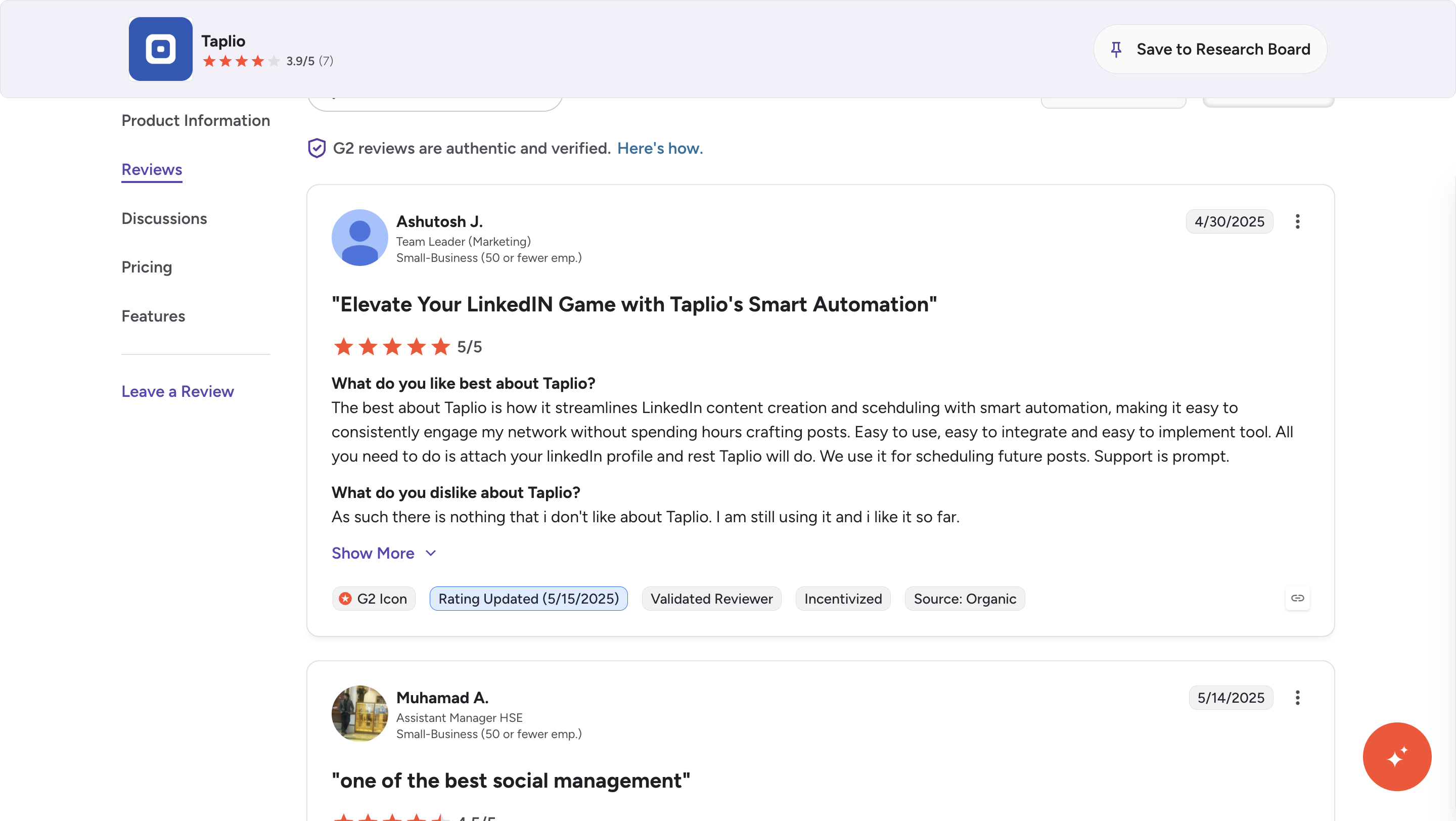
Nevertheless a G2 reviewer summed up the positive case well:
“Streamlines LinkedIn content creation and scheduling with smart automation… Easy to use, easy to integrate and easy to implement… Support is prompt.”
The through-line on all three: Taplio’s "everything in one place" pitch does pay off — if you actually use all of it (content and outbound and automation) and you’re willing to accept the cookie/ToS exposure to get it. But look closer and gaps start to appear, starting with the content output – its far too generic.
The Problem With Taplio – Where Taplio breaks down
4 problems, worst first.
1. The AI output is generic (the dealbreaker)
I covered how this works in the walkthrough, so I’ll keep this short: Taplio’s writing is generic because the product doesn’t work hard enough to learn who you are. No persona knowledge base, no long-term memory, no web research before drafting, a chatbot that’s a thin wrapper over a pre-AI codebase.
The output was fine back in 2021 – 22, when it was so easy to grow on LinkedIn, but not anymore.
Now you need content that has depth, uniqueness, and isn’t AI slop.
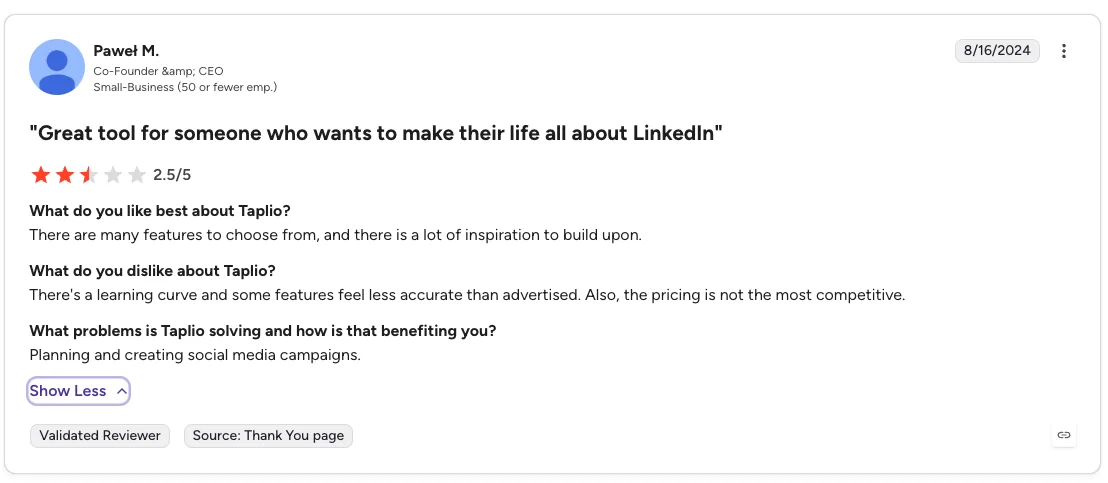
For a content tool, that’s the whole ballgame. Here’s Pawel, from G2, feeling it too:
“There’s a learning curve and some features feel less accurate than advertised. Also, the pricing is not the most competitive.”
2. The account-safety problem
This is the one that can actually cost you something. The outbound automation, lead-magnet delivery, and deep analytics I praised above all run through your LinkedIn cookies via the Chrome extension — which is exactly the activity LinkedIn’s ToS forbids.
Some examples of why this is scary:
- I have a client who used Taplio before working with me, and their LinkedIn account got flagged and restricted for using Taplio.
- Shield Analytics — a LinkedIn analytics product — shut down in May 2026 because LinkedIn is getting increasingly hostile over content tools that use chrome extensions.
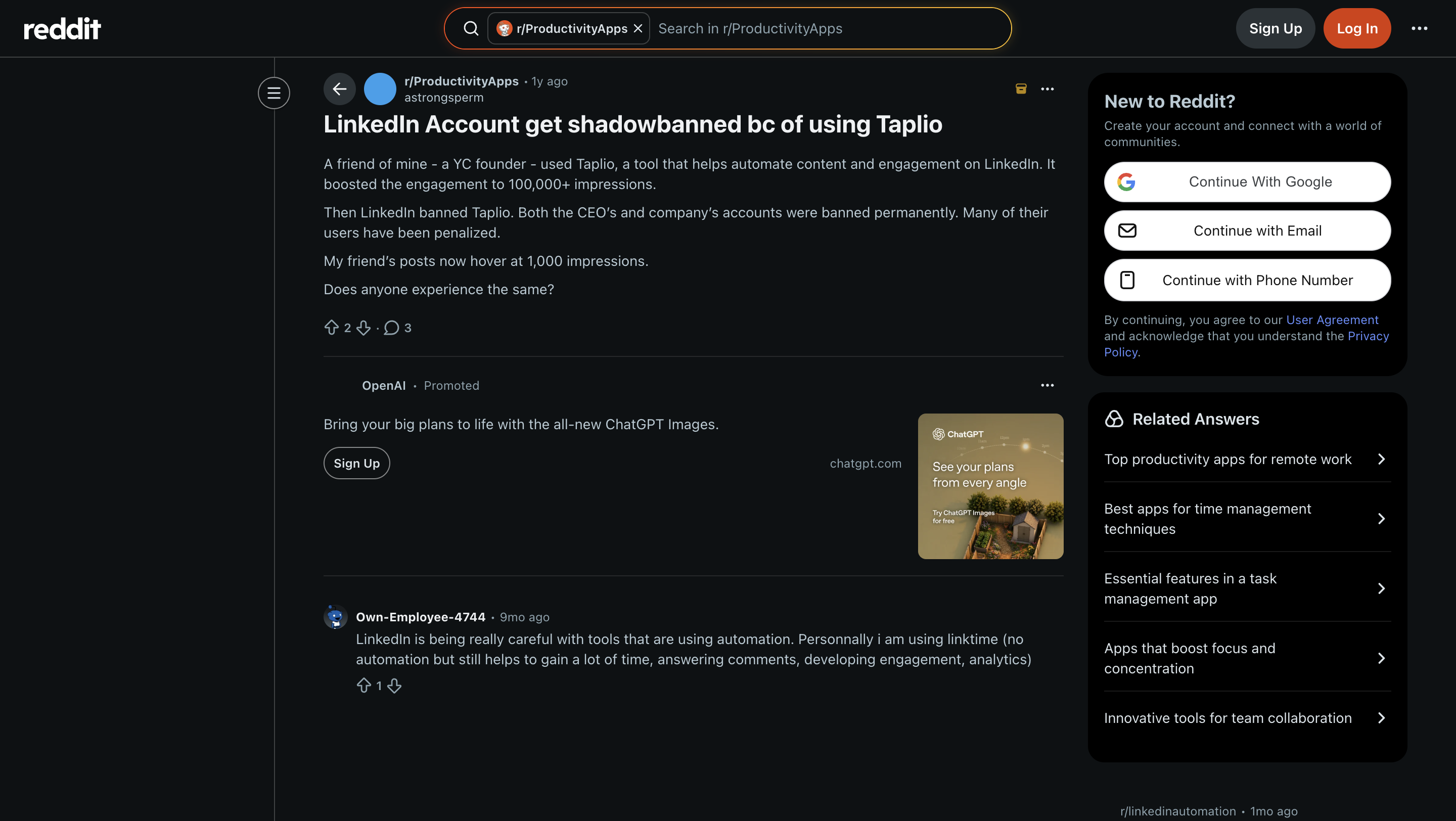
- Taplio itself is now banned from LinkedIn. Their own company and CEO accounts were hit. A Reddit thread documents a user whose engagement cratered from 100,000+ impressions to ~1,000 after the ban rippled through Taplio’s users.
“A friend of mine — a YC founder — used Taplio… It boosted the engagement to 100,000+ impressions. Then LinkedIn banned Taplio. Both the CEO’s and company’s accounts were banned permanently. Many of their users have been penalized. My friend’s posts now hover at 1,000 impressions.”
My honest rule here: if you don’t have LinkedIn Premium or Sales Navigator on a higher tier to absorb the flag risk, I would not use Taplio’s outbound or automation features.
Full stop.
3. Billing — watch the renewals
Taplio’s Trustpilot sits at roughly 2/5 across a small but brutal set of reviews, and the recurring theme is silent renewals:
“I realized my subscription had been active and charging for months without me noticing… No emails, no reminders — just recurring billing.”
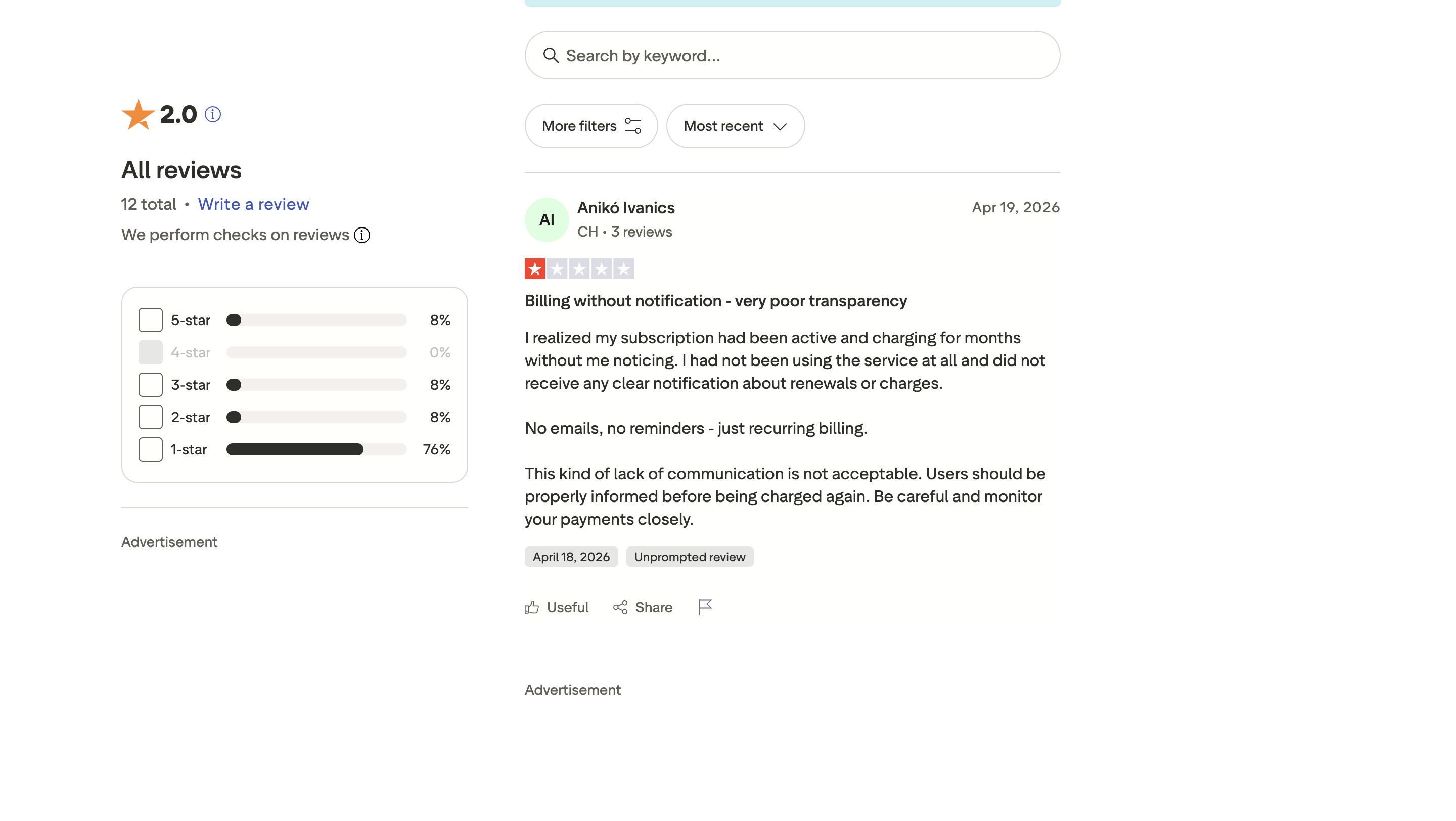
Two other reviewers echo it (Dean Seddon and Jean-Charles Martínez, both 1/5 — same silent-renewal and can’t-cancel complaint).
See the difference in a week.
Write the same post in Taplio and Oiti, side by side. Unlimited usage on the 7-day trial — you'll know which one sounds like you.
7 days free · No usage limits
4. Taplio pricing – does it make sense in 2026?
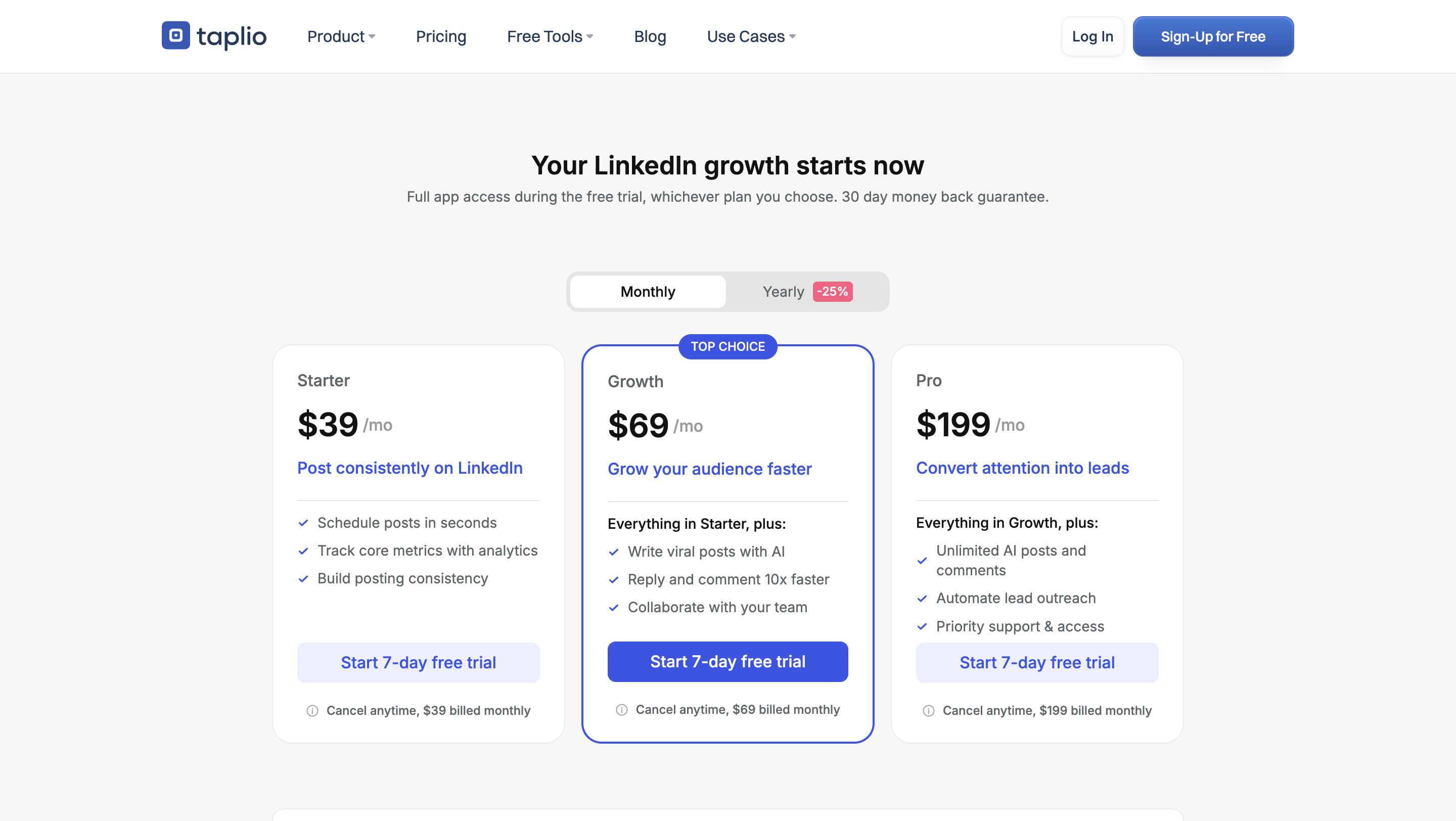
Taplio’s starter tier looks cheap. But here’s the part the "$39/mo" doesn’t tell you:
| Plan | Price | What you get | The catch |
|---|---|---|---|
| Starter | $39/mo (annual −25%) | Scheduling, carousel builder, analytics, post-idea library | The AI is heavily limited, and there’s no option to buy more credits |
| Growth | ~$65–69/mo | More AI generation, higher scheduling limits | The real "use the AI properly" tier |
| Pro | ~$199/mo | Lead database, auto-DMs, mass messaging | The jump from Growth is roughly 3× |
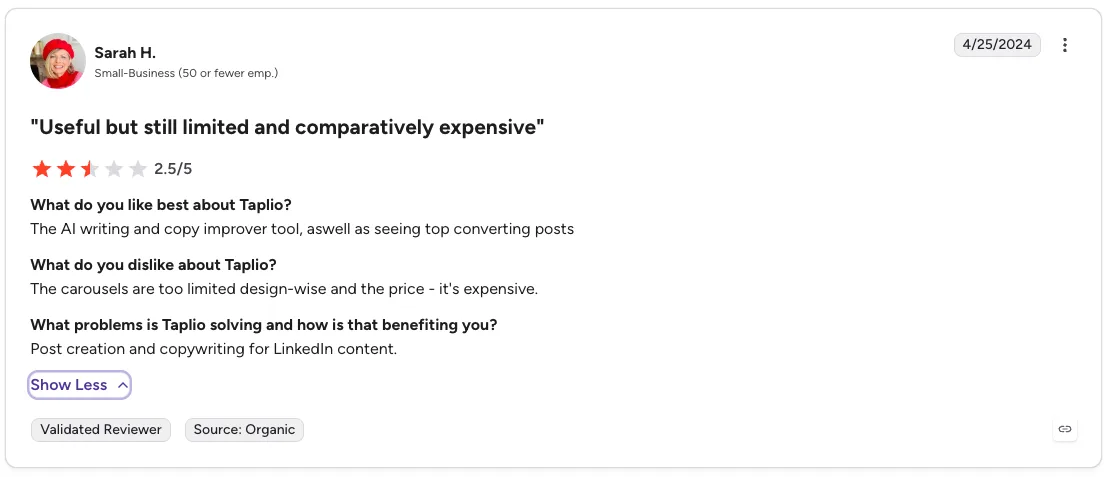
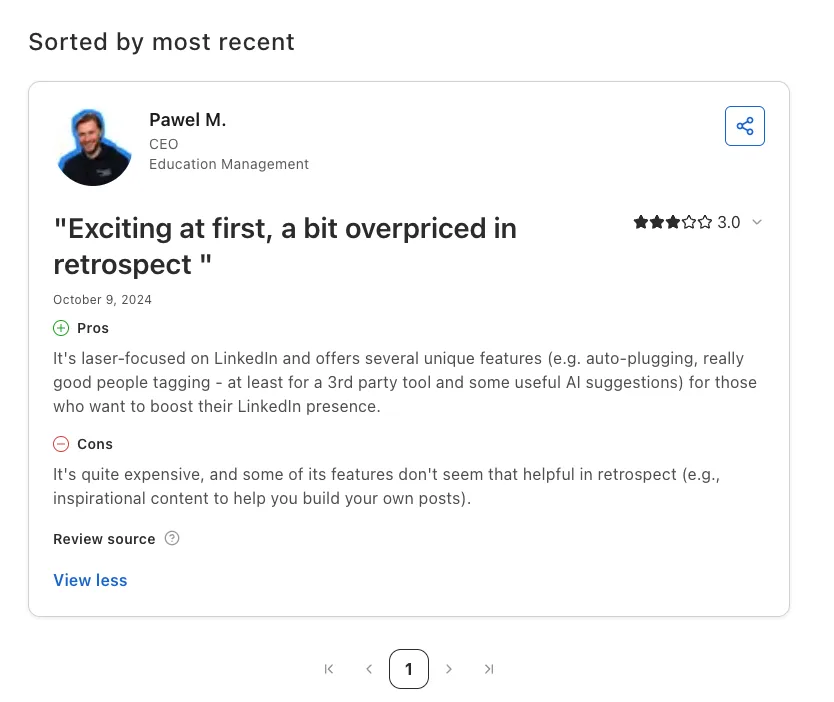
It’s not just me — even reviewers who find Taplio useful land on "comparatively expensive." The marketed price is $39. The honest price, if you want the AI to do real work, is well north of that — and if you want the lead-gen suite, you’re at $199/mo. The same Paweł M. who flagged the accuracy and pricing on G2 left a Capterra review titled "Exciting at first, a bit overpriced in retrospect," rating customer service 2/5.
My actual mental model after using it: Taplio is too expensive at every tier if all you want is content.
You’re paying outbound-and-automation prices for a writing tool.
And its not doing a better job at either.
Who should buy Taplio — and who should skip it
Buy it if
you genuinely use all three pillars — content and outbound and comment automation — you’re on LinkedIn Premium or Sales Navigator to absorb the account-flag risk, and you want one tool to do everything.
Skip it if
- You want content alone. It’s too expensive at every tier for that, and the output is generic.
- You’re not on LinkedIn Premium. The automation’s chrome extension-based approach isn’t worth the risk.
- You want posts that sound like you. That’s the use case I built Oiti for, and it’s where the gap is widest.
Maybe, if
you want to find out for yourself — take the 7-day trial, and run Oiti’s 7-day trial in parallel. Write the same post in both. You’ll know inside a week. The best part our 7 day free trial comes with unlimited usage so you can really test the output v/s Taplio.
What I’d actually use — and what I built Oiti to do differently
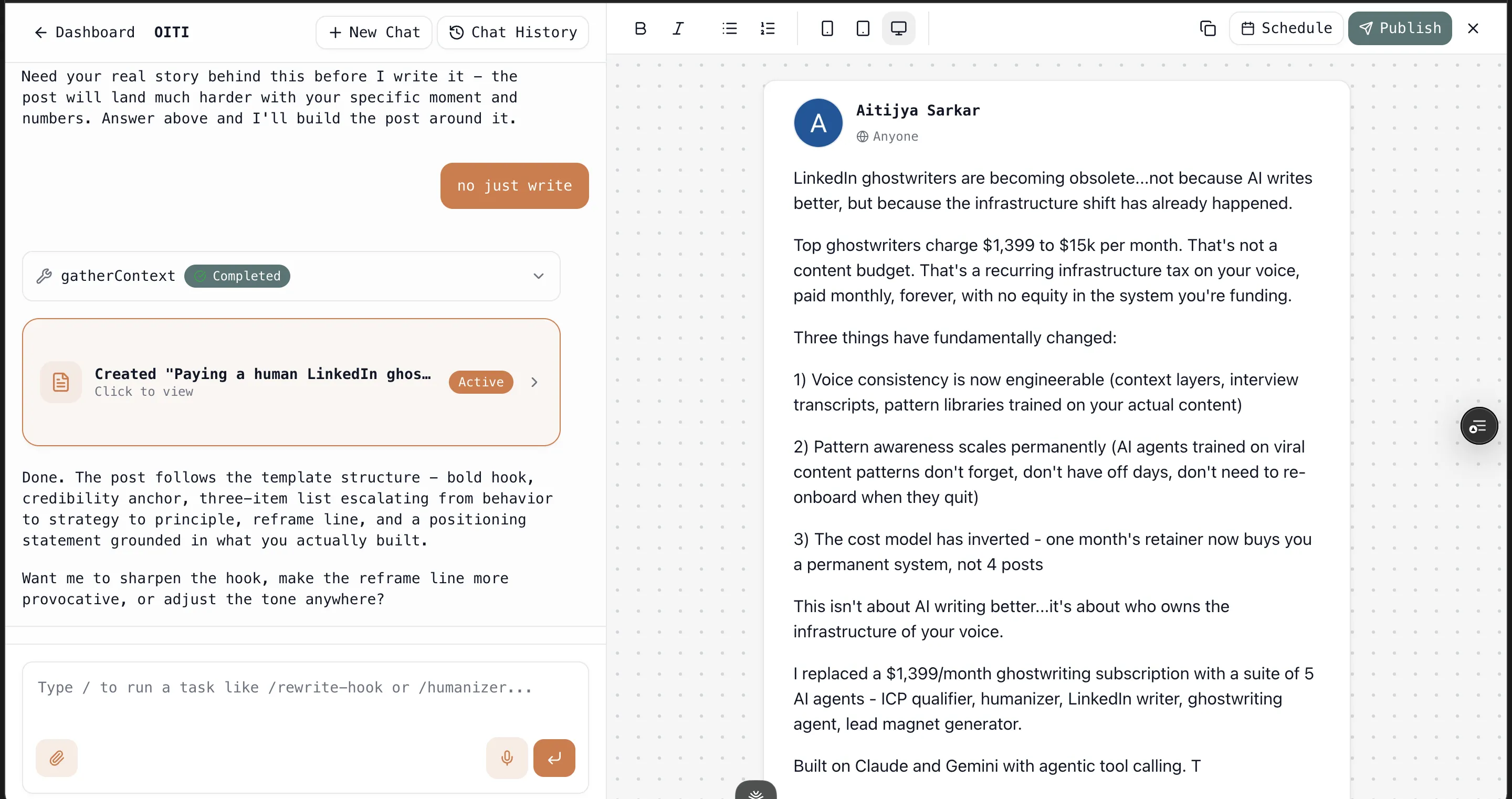
Three problems above, three answers to how Oiti, the world’s first AI clone for LinkedIn content does better.
On generic output → Oiti’s whole architecture is built to not be generic (the kind that LinkedIn penalizes): long-term memory absorbs every edit and feedback so it gets more like you over time, a knowledge base ingests your YouTube/PDFs/articles, and research agents search the live web for your ICP’s pain points + knowledge base before drafting. Taplio fetches your data once and writes from thin context.
On account safety → Oiti runs entirely on LinkedIn’s official APIs. No Chrome extension, no cookies, no automating engagement. Nothing here can get you flagged. If you’ve ever watched an account’s reach get throttled, you know why this is the one I won’t compromise on.
On the pricing trap → As a indie hacker, I believe pricing should be transparent and simple: Oiti’s pricing is dead simple, $49 / month for 1 account, $79 / month for up to 3 LinkedIn accounts, unlimited usage on the higher tier.
That’s why Oiti is what I’d actually test in parallel — the trial is 7 days and the AI Clone builds in about 30 seconds, plus no usage limits during the free trial.
Taplio vs the best Taplio alternatives in 2026
If you’re reviewing Taplio along with a few alternatives, here’s the breakdown:
| Tool | Price (from) | LinkedIn-native | Voice memory | ToS-safe (official APIs) | Best for |
|---|---|---|---|---|---|
| Oiti | $49/mo | Yes | Yes (long-term memory + KB) | Yes | Solo founders/coaches/consultants who want posts that sound like them |
| Taplio | $39/mo | Yes | No | No (Chrome extension) | All-in-one users running content + outbound who accept the risk |
| Supergrow | ~$19/mo | Yes | Limited | Partial | Budget content scheduling |
| AuthoredUp | ~$19/mo | Yes (extension) | No | No (extension) | Post formatting + analytics, not generation |
| MagicPost | ~$15/mo | Yes | No | Partial | Cheap scheduling + basic AI |
For the full teardown of each, see the 10 best Taplio alternatives — I tested all of them hands-on. Down to two tools? I also compared Supergrow vs Taplio, Kleo vs Taplio, Scripe vs Taplio and AuthoredUp vs Taplio head to head.
Frequently asked questions
Is Taplio worth it in 2026?
Is Taplio safe to use with LinkedIn?
How much does Taplio actually cost?
Can I cancel Taplio easily?
Does Taplio’s AI actually sound like me?
Is Taplio good for beginners?
How does Oiti compare to Taplio?
The verdict
Taplio scored ≈2.1/5 on the axes that decide whether a LinkedIn AI tool writes like you, remembers your preferences across chats, and keeps your account safe. It’s a good all-in-one for the person who uses every feature and accepts the cookie/ToS risk that comes with Taplio. For everyone else — and especially for the solo founder, coach, or consultant who just wants posts that sound like they typed them — it’s overpriced for generic output on a product that’s risky to automate and barely changed in five years.
7 days free · No usage limits