I Tried Stanley AI’s LinkedIn Content Coach: Honest Review of Features, Pricing, and Cons in 2026
A content coach that tells you what to write and then leaves the writing to you. Slick onboarding, an “analysis” that mostly reads your own feed back to you, and no finished post at the end of it.

The scorecard
The scorecard (my honest verdict, up top)
Stanley AI costs $149/month, billed monthly, with no free trial and no free plan — you pay before you can draft a single post. I ran my real LinkedIn account through its onboarding and its AI “coach,” and here’s the honest verdict: the coaching is the kind of read-your-own-posts-back advice you can get out of ChatGPT for free. If you want a LinkedIn content tool you can actually try before you pay, one that isn’t a coach, instead is a full stack LinkedIn content partner, this isn’t the one I’d start with.
I scored Stanley on the one thing a $149/mo “growth partner” actually has to earn: does it write the post for you, in your voice, in a way that isn’t ai slop, or does it just tell you what to write and how to improve it? A coach diagnoses. A tool does the job end to end. I paid the $149, went past the wall, and used the drafting editor myself — and Stanley still lands on the diagnosis side of that line.
The score follows from there.
- Does it write the post, or coach you on it?2 / 5
Even in the paid chat editor, it hands you kept guiding me on how to improve the post. I was hoping it’d actually do the job for me.
- Persona clone — writes in your voice, or reads it back?2 / 5
The free analysis reads your voice back; the paid editor’s drafts still don’t sound like you.
- Long-term memory — does your feedback stick and sharpen?2 / 5
Built around re-reading your public feed each time, not a memory of you that compounds.
- Research grounding / KB — outward at your audience, or inward at your feed?2.5 / 5
It reads your live profile and posts — real grounding, but aimed at you, not the people you’re writing for.
- Publishing + analytics — does it ship and measure, or just hand you a snapshot?2 / 5
You get a one-time report. Nothing here schedules a post or tracks it after you hit publish.
- LinkedIn safety — read-only, or browser hacks?3 / 5
Genuinely low-risk: no login, no extension, public data only. The gamble here is your $149, not your account.
I weighted the top three highest — whether it writes the post, whether it sounds like you, and whether it remembers you. That’s what you’re paying a “growth partner” to do.
Worth saying plainly: Stanley coaches, Oiti writes. Oiti builds long-term memory that compounds across sessions and a real Knowledge Base that researches your audience before drafting — then it writes the finished post in your voice, schedules it on LinkedIn’s official APIs, and shows you the analytics. Stanley hands you a report and a brief; Oiti hands you the post. Try Oiti free for 7 days and write the same post in both.
Who I am, and how I actually used Stanley AI
I’ve spent close to six years ghostwriting LinkedIn content for 50–60 founders, coaches, consultants, and CXOs across SaaS, crypto, insure-tech, deep tech, basically every B2B niche there is. Somewhere north of 100 million organic views between them. In that time I’ve used more or less every LinkedIn AI tool out there.
For this one, I actually went ahead and tried Stanley.
I dropped my own LinkedIn URL into it — linkedin.com/in/thewallandthem, a real account with 14,820 followers — and let it run its onboarding and the free AI coach on my live profile and posts. Then I used the tool to create a few posts for my own account.
And that’s the thing that decides the review:
Even inside the paid tool, Stanley coaches more than it writes. It hands you angles, prompts, and templated scaffolding. The finished, on-voice post — the thing I actually paid for — never really shows up. That gap, coach that advises versus tool that does the work, is the whole review.
What Stanley AI actually is
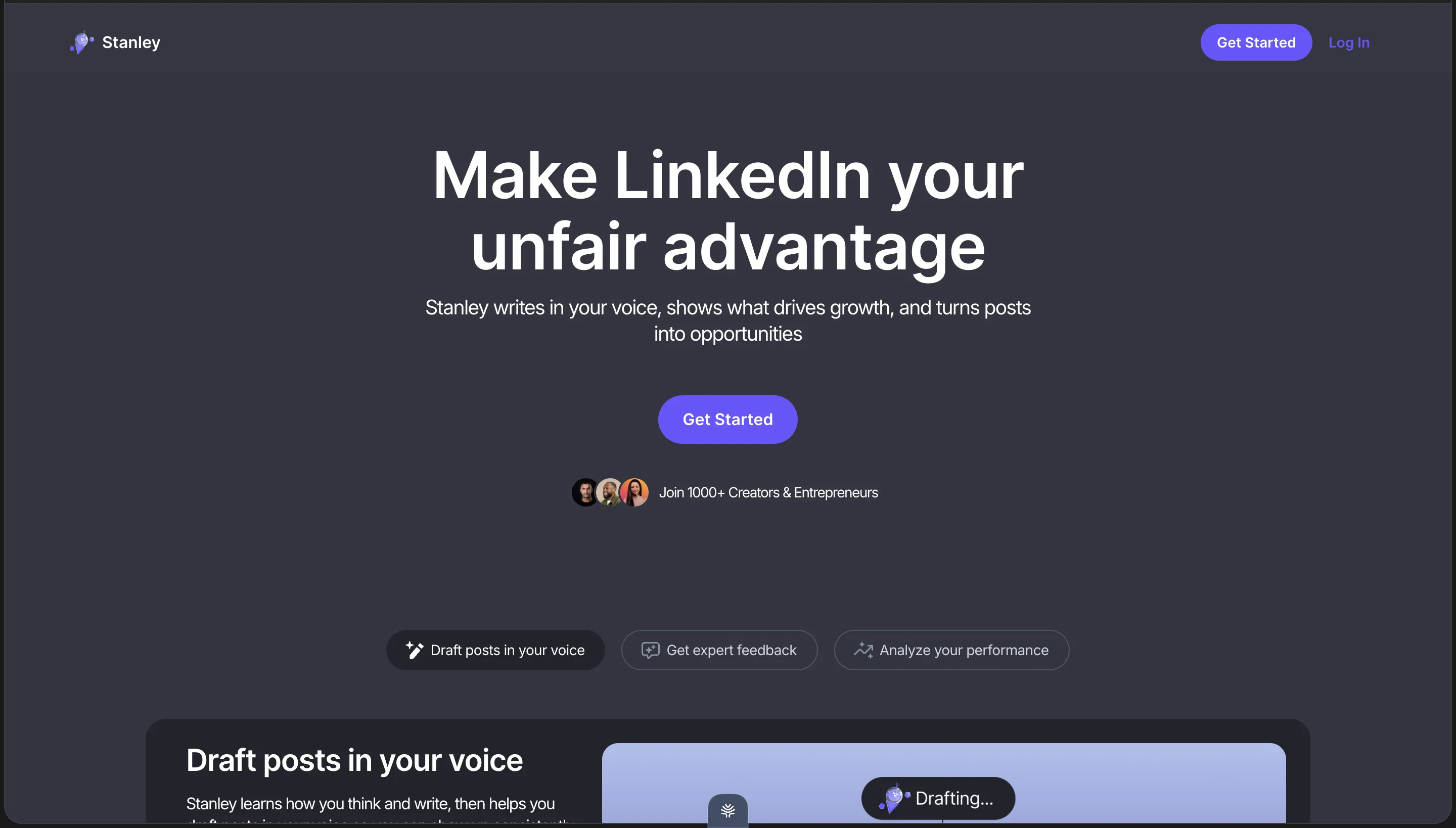
Stanley markets itself as “Make LinkedIn your unfair advantage” and “Your LinkedIn Growth Partner.” The homepage lays out three pillars: draft posts in your voice, get expert feedback, analyze your performance. The checkout is blunter about what it’s selling — it calls the product “Your AI Creator Advisor,” and the founders’ own line is that they built Stanley to “learn your voice, analyze what works, and deliver ideas that perform like the top 1%.”
Ideas. Not posts. A user testimonial on that same checkout calls it “an AI LinkedIn coach.” That’s the honest description of the thing, and after paying to use it, I’d say the checkout describes the product more accurately than the “draft posts in your voice” pillar does: a coach that reads your account, tells you what’s working, and points you at what to write next.
It’s built by two founders, John (@jayhoovy) and Vitalii (@vitddnv), and the pitch leans on names they’ve worked with — Justin Welsh, Steven Bartlett, Lara Acosta. You pay through a stan.store checkout (stanley.stan.store) at $149/month.
That’s the pitch. Here’s what it’s like to actually run your account through it.
Step by Step Through Stanley AI: Onboarding, the Coach, and the Chat
It starts with one field: your LinkedIn URL
Onboarding asks for exactly one thing: your LinkedIn URL. No password, no cookie handoff, no browser extension to install. The screen is explicit — “no LinkedIn login required, we only read your public profile and posts” — and I’ll give Stanley real credit here, because most of the category doesn’t do it.
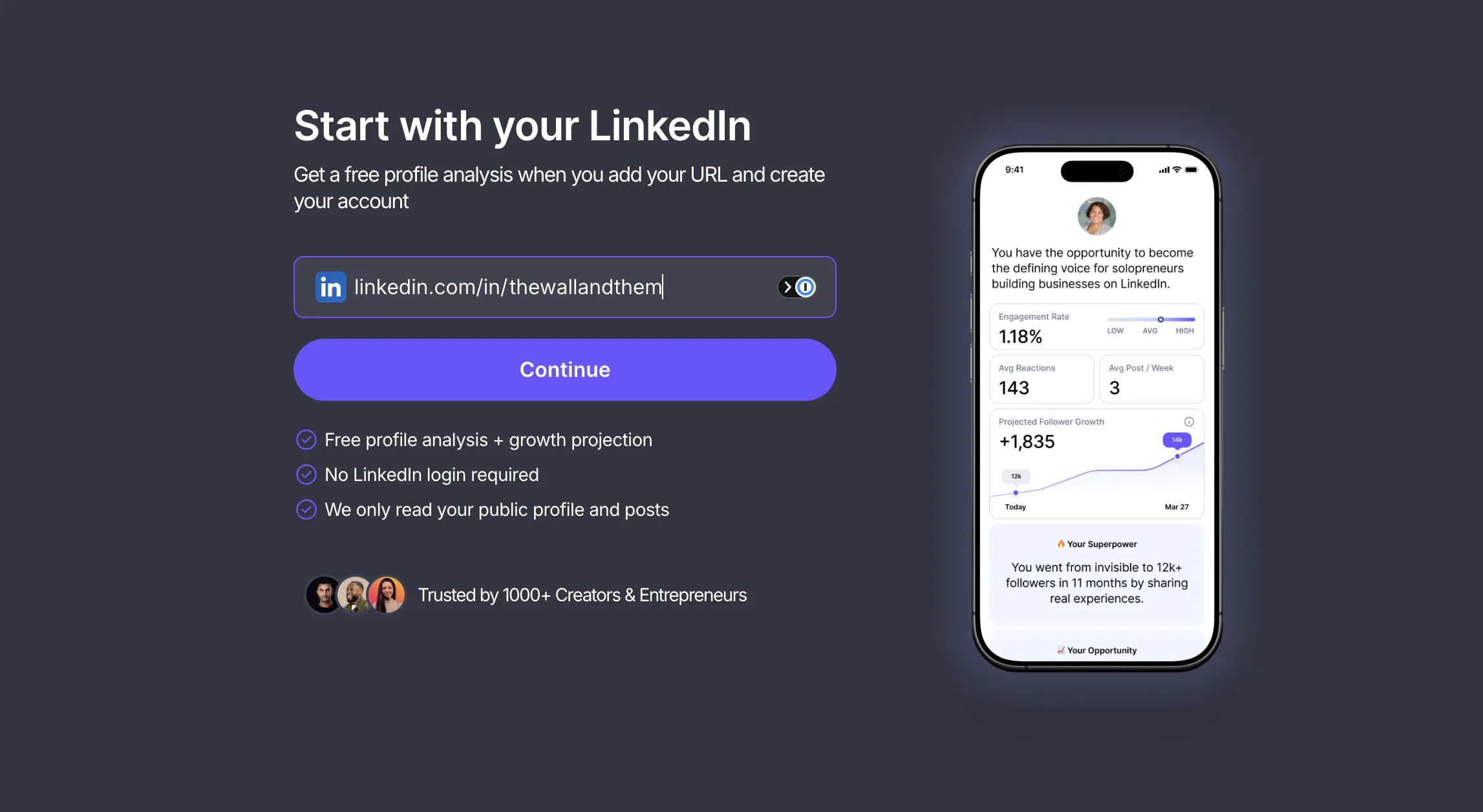
There’s no Chrome extension riding your session, nothing automating likes or connections in the background. It reads what’s already public and that’s it.
If account safety is the thing that scares you off these tools, this part of Stanley is genuinely fine.
The coaching report — it reads your account and tells you what to do
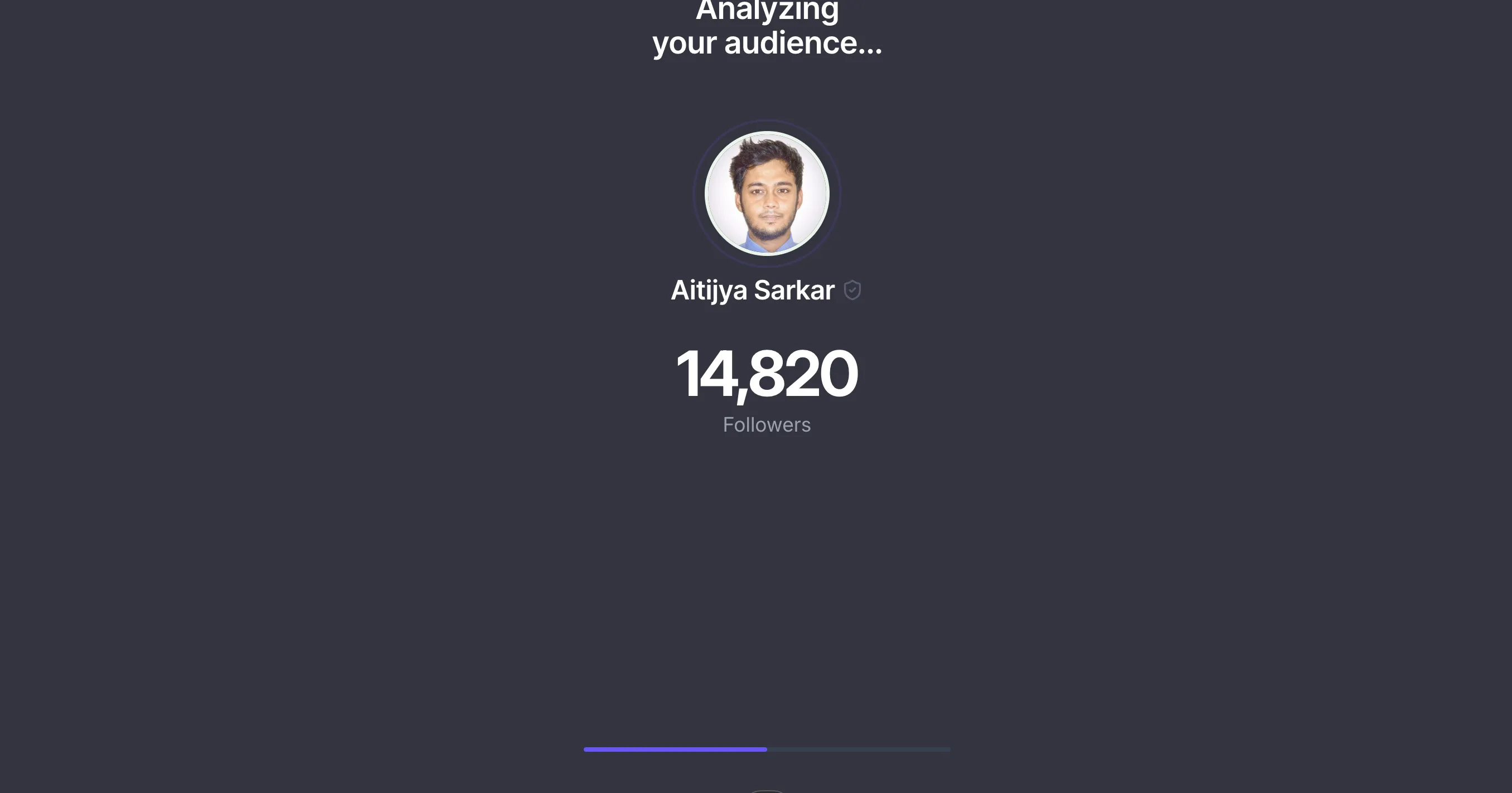
It ran a live analysis on my real account — pulled my actual 14,820 followers, my engagement, my posting cadence. Technically it’s clean work: it’s reading my live public profile, not showing me a canned demo.
Then the coach report loads.
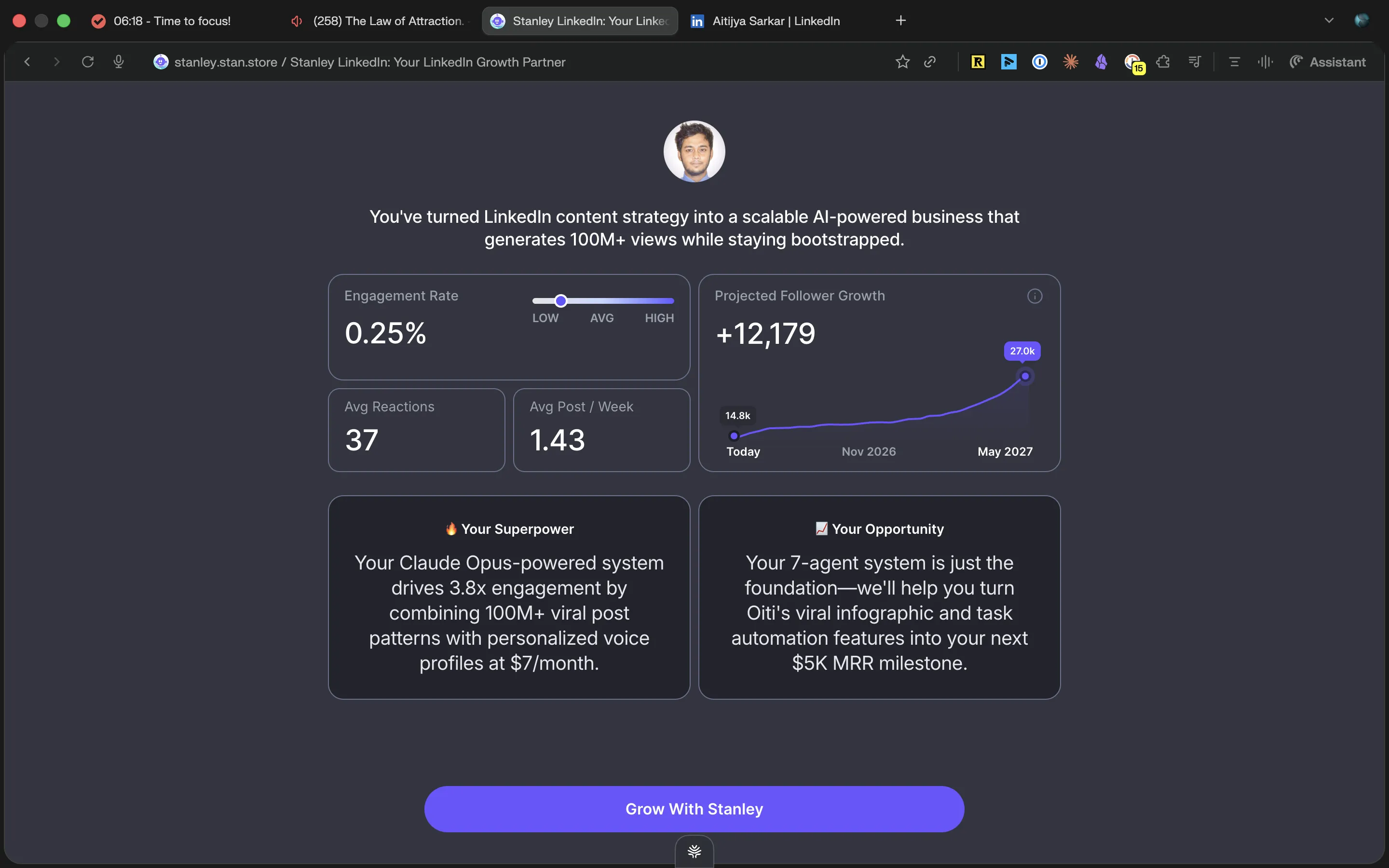
Stanley’s “expert feedback” pillar shows up as two cards: Your Superpower and Your Opportunity. My Superpower card told me my “Claude Opus-powered system drives 3.8x engagement by combining 100M+ viral post patterns with personalized voice profiles at $7/month.” My Opportunity card told me my “7-agent system is just the foundation” and offered to help me hit my “next $5K MRR milestone.” Above them: engagement rate flagged 0.25% (LOW), and a +12,179 projected follower growth chart.
Two things about this.
First, every concrete noun in those cards — Claude Opus, the 7-agent system, the $7/month price, the $5K MRR milestone — is something I wrote in my own posts. Stanley read my feed and handed it back to me as insight. Paste your last twenty posts into ChatGPT, ask “what’s my superpower and what should I post next,” and you’ll get the same read for nothing.
Second, and this is the part that matters more: even taken at face value, this is a diagnosis. It tells me my engagement is low and my stories are my edge. It does not write me a post. The report ends, and the writing is still sitting there waiting for me to do it.
What Stanley hands you: angles and suggestions, not finished posts
Before I paid to get inside, Stanley’s own promoted users already showed the shape of the product. Here’s one of them describing exactly how she uses it.
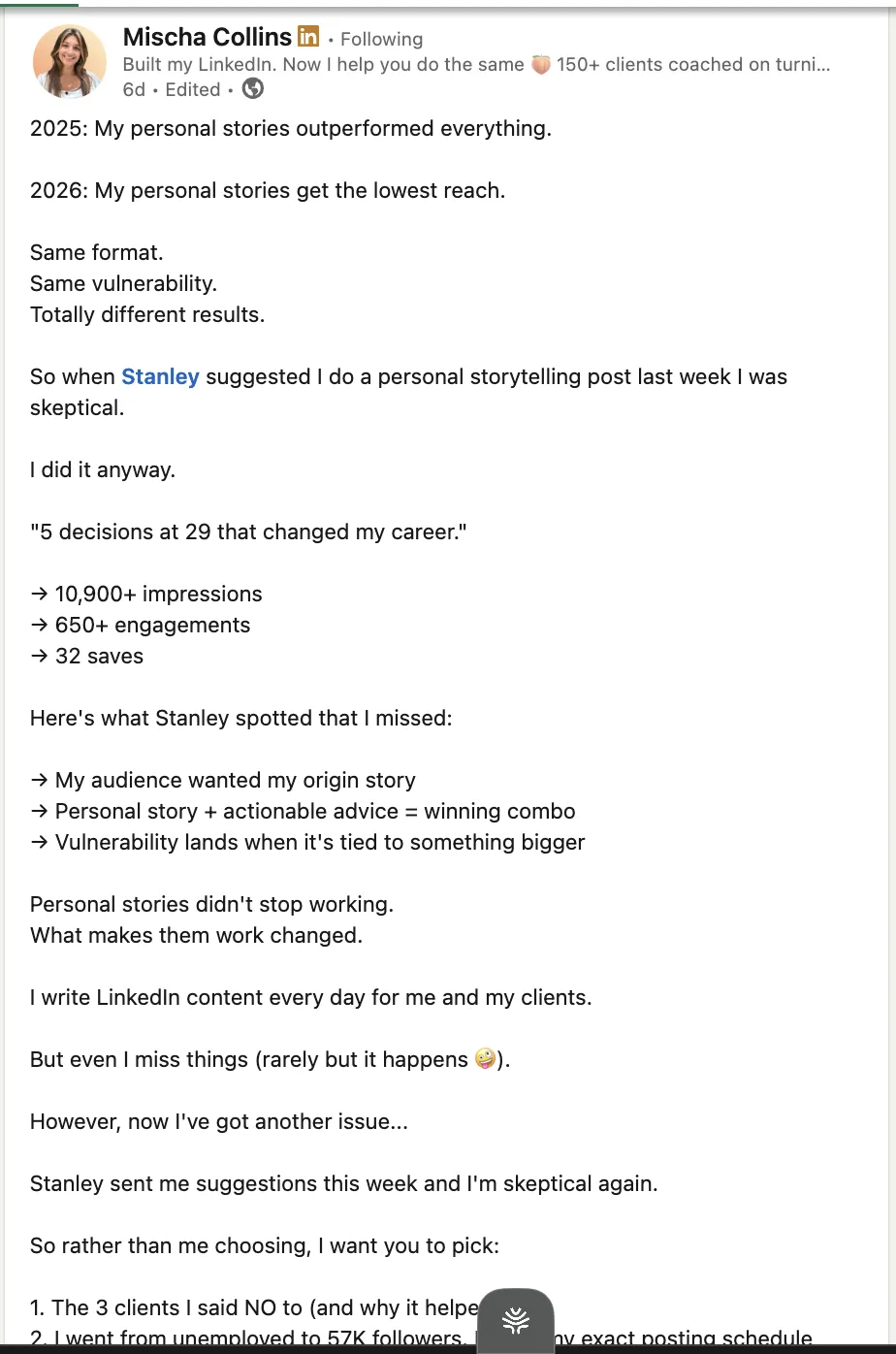
Read what Stanley did there. It suggested a topic. It spotted an angle — her audience wanted her origin story. It sent her suggestions the next week. And then she says the quiet part herself: “I did it anyway,” “I write LinkedIn content every day for me and my clients.”
Stanley coached.
She wrote.
That’s the shape of the product, straight from a testimonial they chose to put in front of buyers. Stanley points; the human uses the advice to iterate and create. Which raised the obvious question — is the actual drafting editor behind the wall any different?
So I jumped in to find out.
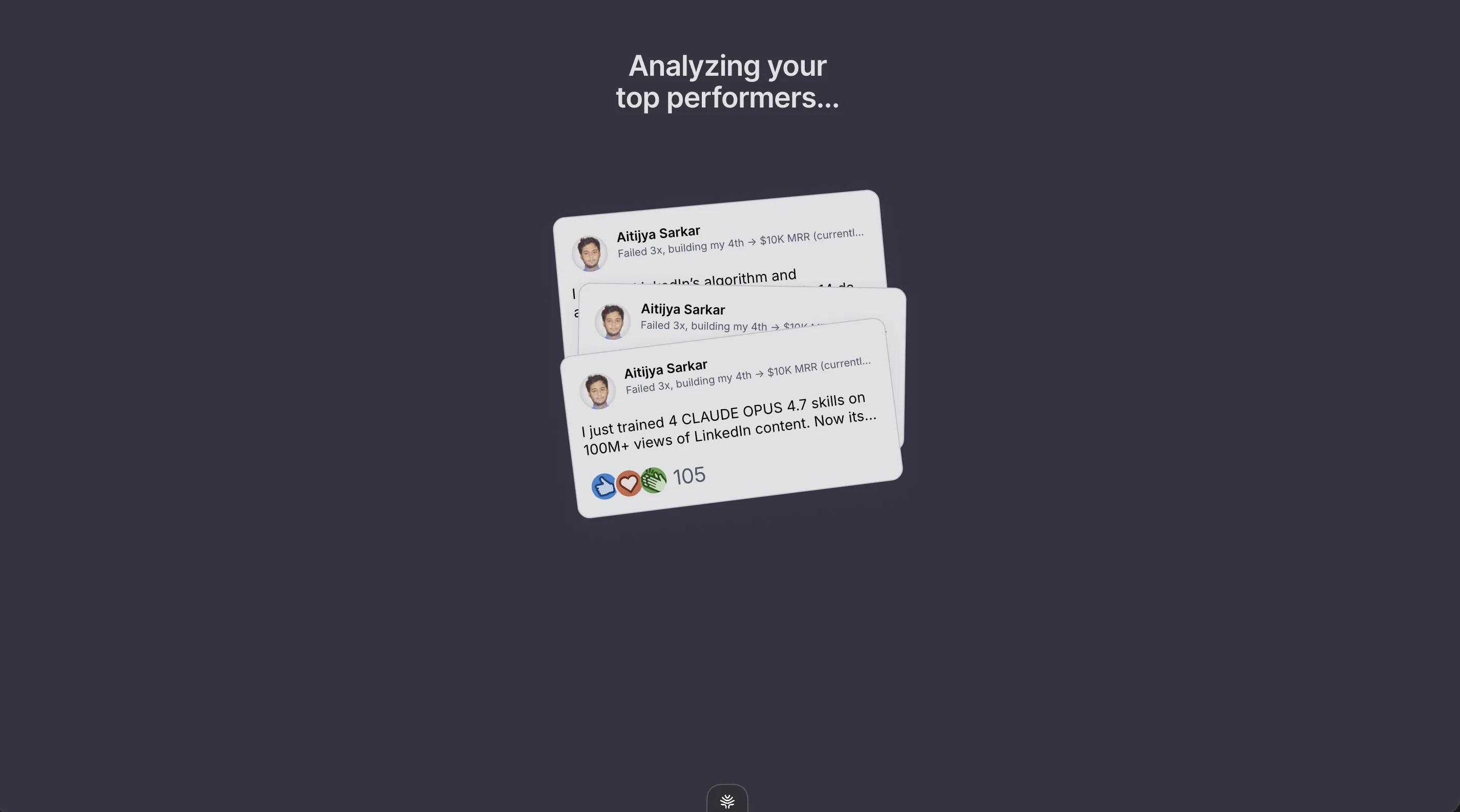
The next onboarding step “analyzes your top performers,” which means it surfaces my own best posts and shows them to me. “Failed 3x, building my 4th → $10K MRR.” “I just trained 4 Claude Opus skills on 100M+ views.” These are my posts. I know they did well. That’s why I posted them.
It’s one more diagnosis, not a draft.
I then went in and tested the drafting editor
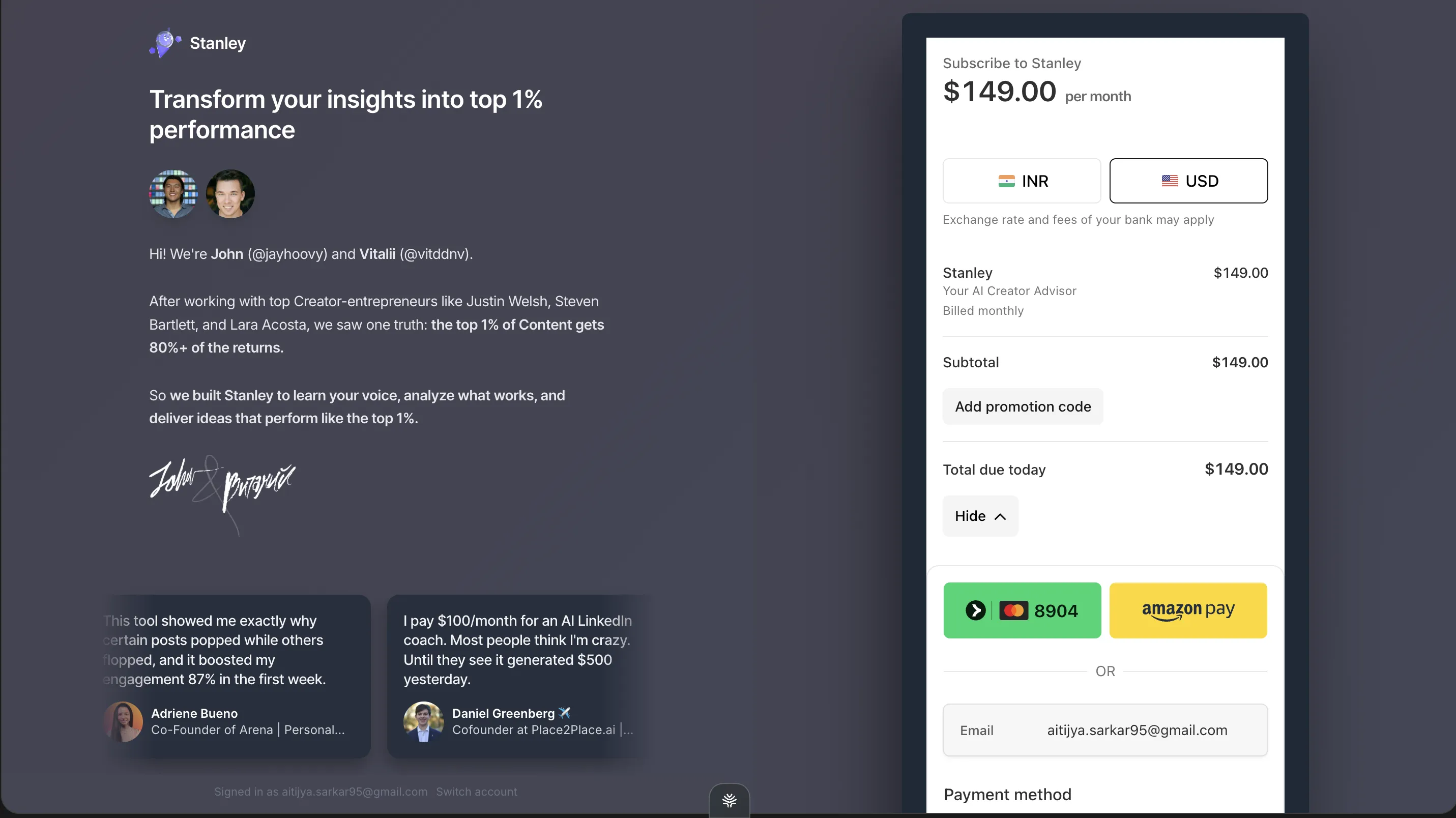
So I subscribed. $149, billed monthly, no trial — you commit before you write a line, and I committed, so I could tell you what’s actually on the other side.
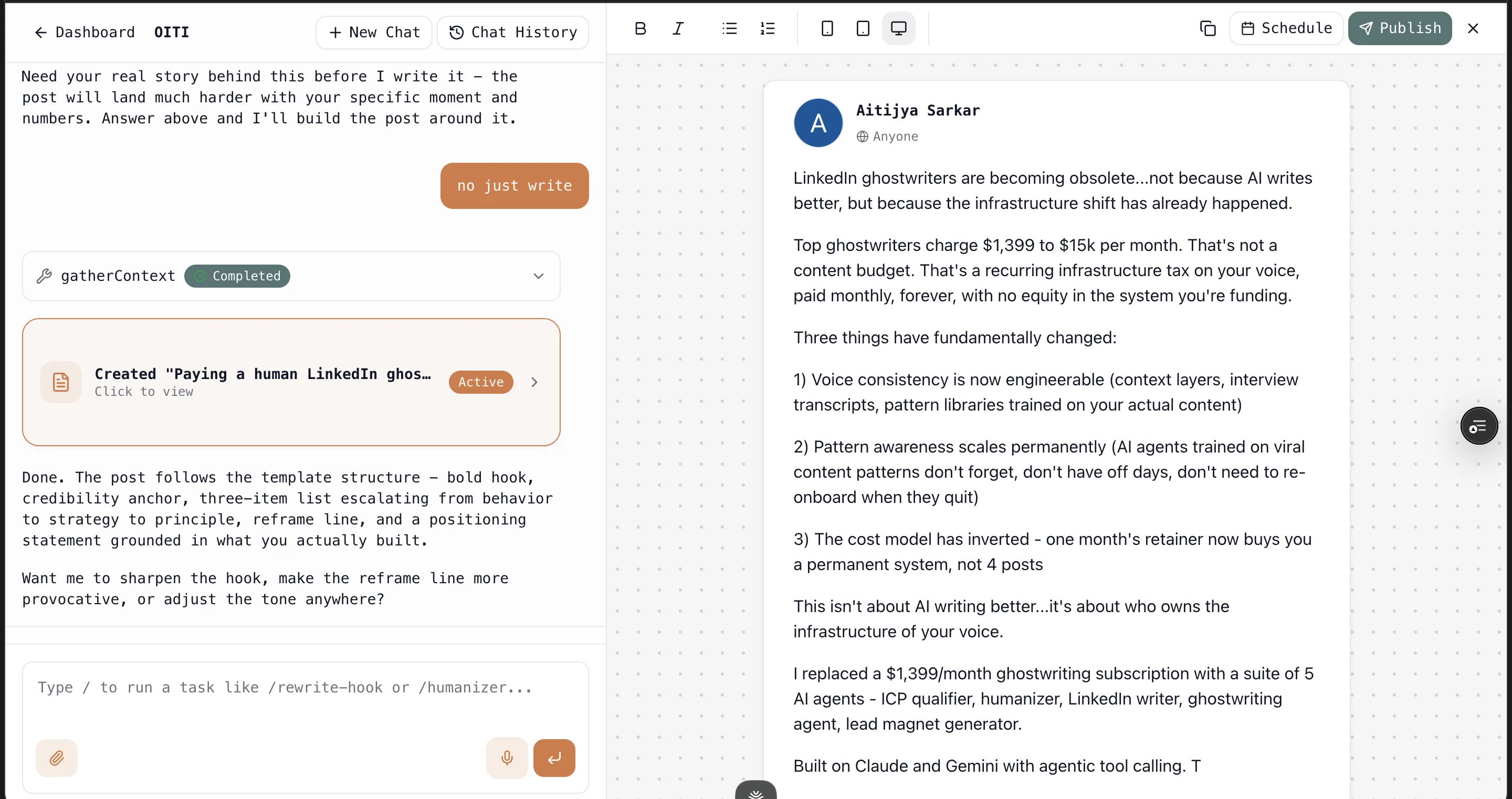
Here’s the honest finding: the drafting editor is more of the same, just with a text box attached. I gave it a real topic I’d actually post about, and what came back was generic, templated LinkedIn scaffolding — the standard hook, a few punchy middle lines, a “here’s what I learned” closer. The shape any GPT wrapper gives you. It didn’t sound like me. It wasn’t grounded in my clients, my actual stories, or anything I know that isn’t already sitting in my public feed. And it still leaned on the coaching reflex even with the editor open — “try this angle,” “add a personal story here” — nudging me to write it rather than writing it for me.
The root cause is the same one that makes the free analysis shallow: thin context, no memory of me between sessions, no real knowledge base to pull from. Reading my public posts is not the same as knowing me, so the drafts default to a template. Paying $149 got me past the wall and confirmed the thesis from the inside.
Stanley is a coach with a drafting feature bolted on, not a writer.
Want a week of LinkedIn posts that aren't AI slop?
Oiti builds a clone of your voice from your own posts — then gets sharper with every edit, grounded in your own Knowledge Base.
7 days free · No usage limits
Where Stanley AI genuinely earns it
Two things Stanley does well.
The onboarding is slick, and it personalizes on your actual account.
It reads your live public profile and posts and builds the report around your real numbers, not a generic mock-up. As a piece of software it’s well-made and it feels premium. The catch is that a beautifully rendered card telling you your own posts are your superpower is still just your posts, restated.
It’s genuinely low-risk for your LinkedIn account.
One URL, no login, no extension, read-only on public data. That’s a real point in its favor, and it’s more than a lot of the extension-based tools in this space can say — the ones that ride your session cookies can actually get your account flagged. Stanley can’t, because it never touches your login.
Where Stanley AI Breaks Down
Three problems, worst first.
1. It coaches. It doesn’t do the full stack content (infographics, carousels, trends etc) (the dealbreaker)
Stanley’s whole identity is “advisor,” and the product delivers on exactly that word and no further. It reads your account, tells you your superpower, flags your engagement, suggests a topic, spots an angle. And when you finally get to the paid editor, it still nudges more than it writes — I paid for it and the drafts came back as generic, templated scaffolding that didn’t sound like me and wasn’t grounded in anything beyond my public feed. Its own promoted user says the same thing from the outside: Stanley suggested, Stanley spotted, and she wrote the post herself.
A coach has its place.
But a coach that costs $149/month has to be worth more than the advice you can already get free, and it has to leave you with something you couldn’t make yourself. Stanley leaves you with a brief and a first draft you’ll rewrite from scratch.
2. The output is generic, coaching and editor alike
The shallowness runs through both halves of the product for the same reason. The free Superpower and Opportunity cards restated things I’d written in my own posts. The paid editor’s drafts read like any GPT wrapper — a template with your topic dropped in. It flags 0.25% engagement as “LOW,” surfaces my best posts back to me, suggests I write more personal stories, and projects +12,179 followers with no method under the number. None of it knows me any deeper than my public feed, so none of it produces something I couldn’t get from a free prompt.
For a tool sold as an “AI Creator Advisor,” the writing has to clear the bar of “worth more than free.” It doesn’t.
3. $149/month, no trial
This is the price on top of problems one and two. You pay $149 up front — no trial, no free plan, no way to sample the writing before you commit. I can tell you what’s on the other side rather than guess: templated drafts that read like any GPT wrapper, not posts that sound like you.
That’s premium-advisor money for advice plus a writer that doesn’t clear the free-tool bar.
See the difference in a week.
Write the same post in Stanley and Oiti, side by side. Unlimited usage on the 7-day trial — you'll know which one sounds like you.
7 days free · No usage limits
Stanley AI Pricing — What It Actually Costs in 2026?
The number, up front: Stanley AI is $149/month, billed monthly, with no free trial and no free plan.
| Plan | Price | What you get | The catch |
|---|---|---|---|
| Stanley | $149/mo | The coaching side — the analysis and the suggestions — plus the drafting editor, which I paid for and used | No free trial, so you commit the $149 before you sample the writing |
What you’re buying at that price is the coaching side — the analysis and the suggestions — plus the drafting editor, which I paid for and used. Both share the same ceiling: generic output, thin on your actual context. There’s no free trial, so you commit the $149 before you sample the writing.
Who Should Buy Stanley AI — and Who Should Skip It
Buy it if
you specifically want an AI coach — something to read your account, flag what’s working, and suggest topics — and you’re happy to do all the writing yourself, or to accept generic first drafts you’ll heavily rewrite. I paid to test the editor so you don’t have to guess: it’s more coach than writer.
Skip it if
- You wanted the tool to actually write the post. That’s most people. If what you’re after is finished content that sounds like you — built from research about your audience, not a mirror of your own feed — Stanley stops one step short of it, even after you pay.
Maybe, if
you’d like to try anyway — then test two or three tools that actually have trials first (start with the 10 Stanley alternatives), and only pay Stanley’s $149 if nothing else fits.
What I’d Actually Use — and What Oiti Does Differently
Three problems above, three answers. I’m only pulling from pains Stanley actually has.
On coaching instead of doing → Oiti leads with long-term memory and a real Knowledge Base. Every time you write, it runs parallel research across your notes, your past posts, and the live web — figuring out your reader’s actual pain before drafting — and then it writes the post. Not an angle. Not a “here’s how to structure this.” The finished draft, in your voice.
On the generic output → Oiti’s grounding points outward at the people you’re writing for and inward at everything you’ve fed it, not just your public feed. The Knowledge Base ingests your material and researches your ICP; the output is a post about your reader’s problem in your voice, not a template with your topic dropped in.
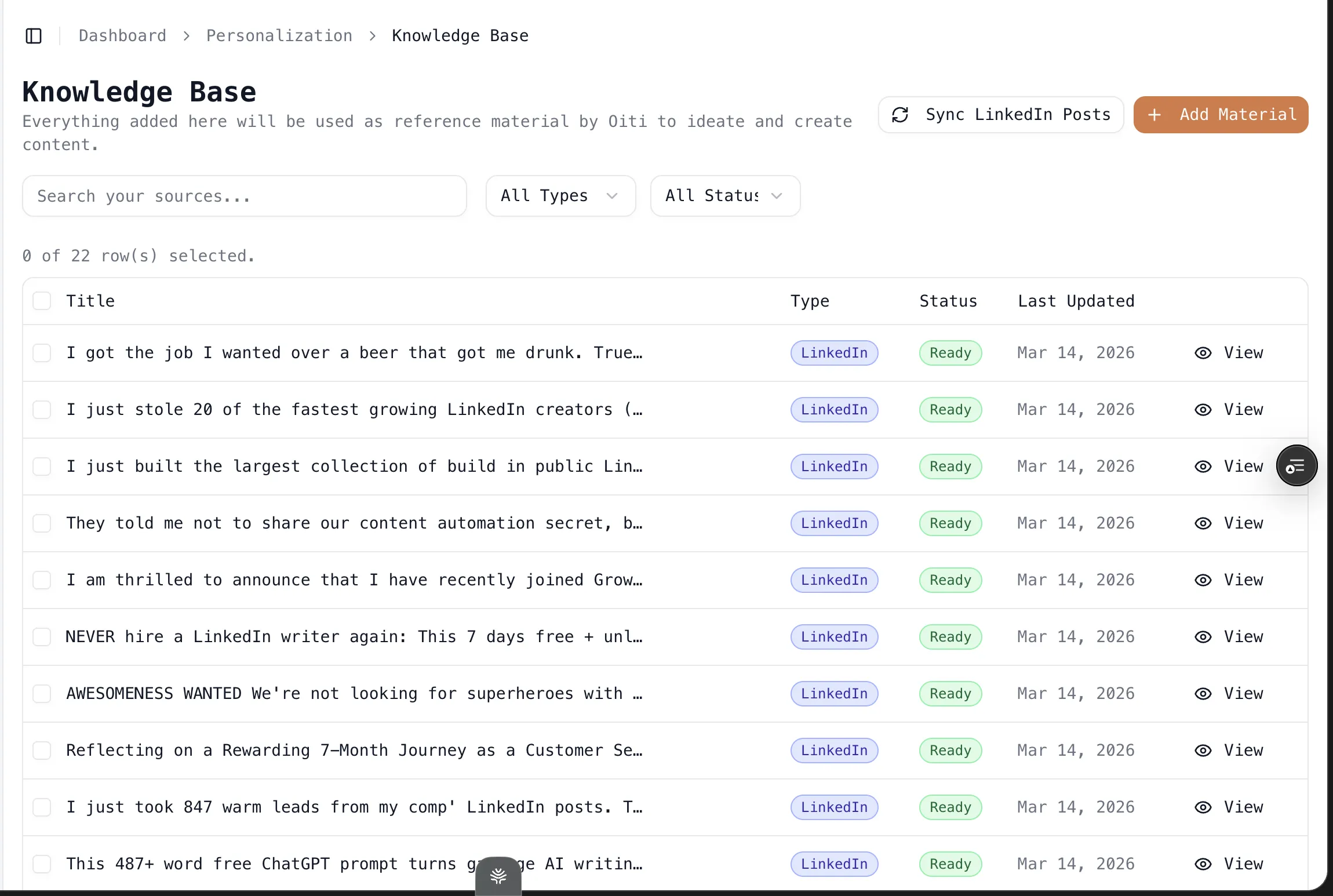
On publishing and measuring → Stanley hands you a draft and leaves you to publish manually. Oiti schedules and publishes on LinkedIn’s official APIs with linkedin analytics — no Chrome extension, nothing riding your session cookies, ToS-safe — and gives you the analytics on the other side. A coach tells you what to do. Oiti does it, schedules it, and shows you how it did.
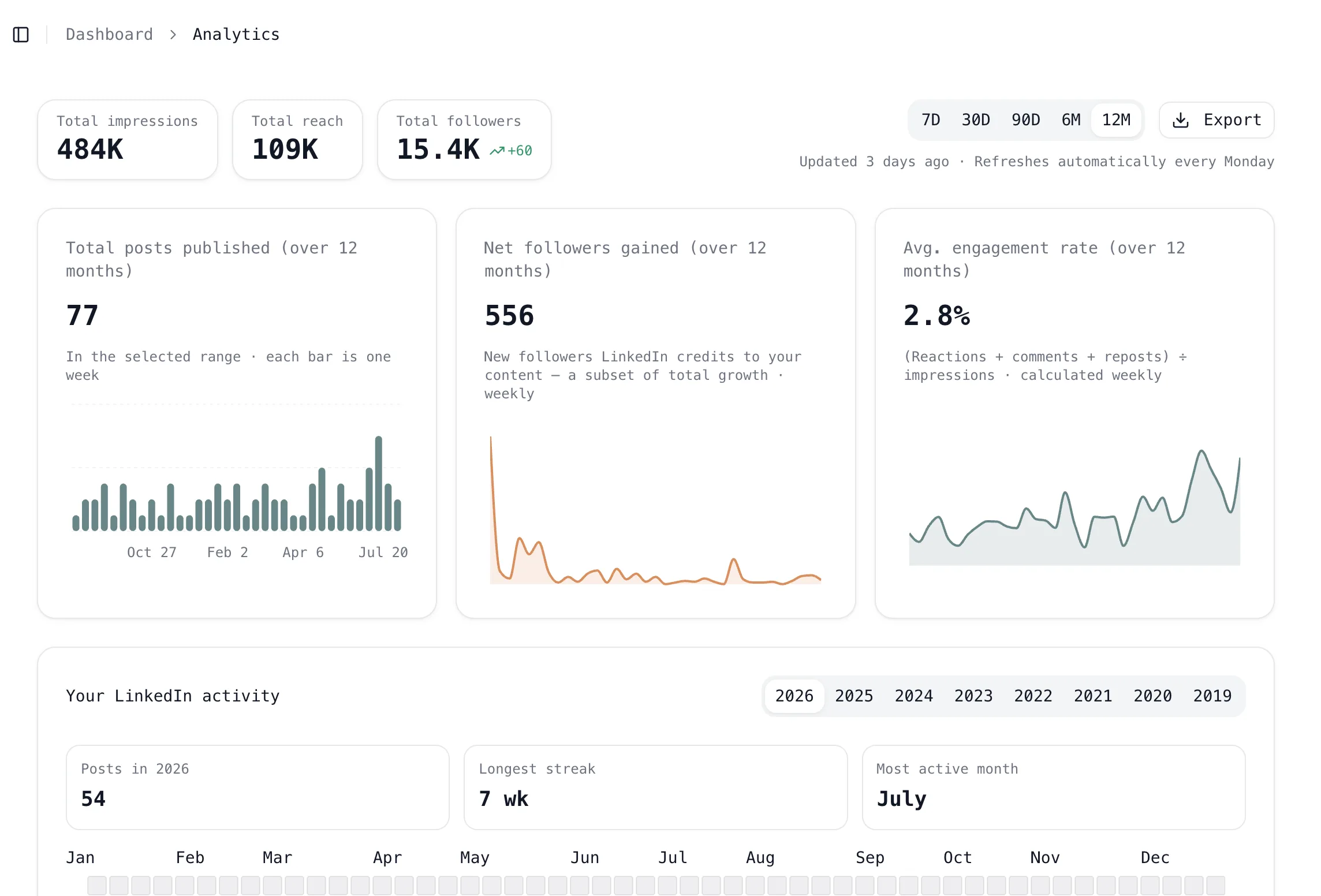
If you want content that isn’t AI slop — original, in your voice, the kind LinkedIn is actually rewarding now — Oiti is the one I’d test in parallel.
Stanley AI vs the Alternatives
Here’s how Stanley compares with the alternatives worth trying before you pay:
| Tool | Price (from) | Free trial | Writes the post for you | Voice memory | Best for |
|---|---|---|---|---|---|
| Oiti | $49/mo | Yes (7-day) | Yes (finished posts + scheduling) | Yes (long-term memory + KB) | Founders/coaches/consultants who want posts that sound like them |
| Stanley | $149/mo | No | No (coaches; paid editor drafts are generic) | No | People who want a polished coaching report and will pay upfront |
| Supergrow | ~$19/mo | Yes | Partial | Limited | Budget content scheduling |
| Taplio | $39/mo | Yes | Partial | No | All-in-one content + outbound (accepts extension/ToS risk) |
| AuthoredUp | ~$19/mo | Yes | No (formatting only) | No | Post formatting + analytics, not generation |
| MagicPost | ~$15/mo | Yes | Partial | No | Cheap scheduling + basic AI |
For the full ranked teardown, see the 10 best Stanley alternatives — every one of them lets you try before you pay.
Frequently asked questions
Does Stanley AI actually write your posts for you?
Is Stanley AI free?
How much does Stanley AI cost?
Is Stanley AI worth it in 2026?
What does Stanley AI’s “free analysis” actually do?
Is Stanley AI safe and legit?
How does Oiti compare to Stanley AI?
What’s the best Stanley AI alternative?
The verdict
Stanley AI scored ≈2.2/5 on the axes that decide whether a $149/mo LinkedIn “growth partner” is worth it — whether it writes the post, whether it sounds like you, memory, and account safety. It’s a well-built, genuinely safe coach: it reads your account, tells you what’s working, and suggests what to write next. Then it mostly stops. I paid the $149 and used the drafting editor to be sure, and even there the writing came back generic and templated — the kind of read you can get from ChatGPT for free, not a post that sounds like you. For the buyer who specifically wants a coach and is happy to do the writing, fine. For everyone who wanted the tool to actually produce the post — content that sounds like they typed it — Stanley stops one step short of the thing you’re paying for, even after you’ve paid. If you want to see what “actually writes it for you, in your voice” looks like in practice, try Oiti free for 7 days — you read real drafts before you pay a cent.
7 days free · No usage limits