I Tried AuthoredUp vs Supergrow: Features, Pricing, Cons, Which Is Better (2026)?
AuthoredUp wins on formatting and analytics. Supergrow actually writes and schedules. But both make you sound like AI slop.

I've spent close to six years ghostwriting LinkedIn content for 50 to 60 founders, coaches, consultants, and CXOs, north of 100 million organic views between them.
So I’ve run tools like these across dozens of live client accounts.
Here's the short version: AuthoredUp is the better tool overall in 2026. It's the best LinkedIn formatter in the category and it nails the one job it was built for, cheaply and without any pricing games. Supergrow spreads itself across AI writing, carousels, and scheduling, and the writing comes out generic. But they aren't the same product. AuthoredUp doesn't write your posts at all, so if you want AI to draft and schedule for you, Supergrow is the pick, and it's the safer of the two while it's at it, publishing through LinkedIn's official APIs instead of a Chrome extension.
The catch that hits both: neither one remembers who you are between sessions, and neither grounds a draft in your own material. So the originality is on you either way. For that I’d run Oiti, the AI clone for LinkedIn content, alongside whichever of these you land on.
AuthoredUp vs Supergrow at a Glance
| AuthoredUp | Supergrow | Oiti — AI clone for LinkedIn contentMy pick | |
|---|---|---|---|
| Best for | Formatting, drafts, and post analytics for people who write their own posts | AI drafts + carousels + scheduling across a few accounts, in one tab | Anyone who wants drafts grounded in their own POV and voice |
| Starting price | $19.95/mo Individual ($16.63/mo annual) | $19/mo Starter · $39/mo Pro | $49/mo Creator · $79/mo Pro |
| Real price after trial | $19.95 — that's the whole product | $39 for the tier most people want | $49 / $79 (yearly $245 / $395) |
| Free trial | 14-day, no credit card | 7-day | 7-day |
| LinkedIn's terms of service | Works, but through a Chrome extension — the category LinkedIn is squeezing | Official LinkedIn APIs, no extension | Official LinkedIn Marketing APIs |
| AI writing | None — it formats what you bring | Yes, but repetitive after a couple of weeks | Yes — long-term memory + Knowledge Base |
| Standout strength | The most accurate formatting and preview in the category, plus baked-in analytics | Carousel maker, clean UI, official-API multi-account scheduling | Long-term memory + Knowledge Base, grounded in your POV |
| Biggest weakness | No AI writing at all; no memory or Knowledge Base; extension risk | Generic output; thin analytics; no memory or Knowledge Base | Newer; LinkedIn-first |
| Overall winner | ✓ | — | — (parallel pick, not the referee) |
Prices captured May 2026 from each vendor's live pricing page.
How I Tested AuthoredUp v/s Supergrow – My Testing Methodology
I've paid for and used both on real client work, not for an afternoon.
AuthoredUp I ran back in 2020 and 2021, when I was still ghostwriting for individual creators and founders. I mostly used it for the preview, to see what the line breaks would look like before anything went out, and for the hook-swap templates. I signed up and tried it again this year to see what had changed. Supergrow I first knew around 2023, on a lifetime deal, took the trial then and ran it on live client work, and I logged back in this year to retest.
The jobs these two do aren't the same, so I weighted each one on how well it does the thing it's actually built for. The axes I judged them on:
Formatting & preview
How accurately each one shows a post before it ships, line breaks, the "see more" fold, all of it.
AI writing quality
Whether the drafts read like a person with a point of view or like AI slop.
LinkedIn account safety
Official API vs a Chrome extension riding on your session.
Analytics depth
How much you actually learn about what’s landing.
Real price after trial
What the tier you'll end up on costs, not the sticker on the cheapest plan.
What is AuthoredUp – The Ultimate LinkedIn Content & Analytics Tool?
The first thing I do inside AuthoredUp is write a post and watch it render.
It's a Chrome-extension formatter, previewer, and analytics tool, and that's the whole pitch: a rich-text editor with bold, italic, strikethrough, and bullet styling, a live preview that matches LinkedIn's real feed, a library of 300-plus hooks and post endings, unlimited drafts and snippets, and a content-analytics layer under all of it. It doesn't write your posts. It makes the ones you write look right. It was also one of the first ethically built Chrome extensions for LinkedIn, back when the rest of the category was auto-liking and mass-DMing, and that earned it goodwill that it's kept.

What is Supergrow – And How Does It Turn Expertise Into Influence on LinkedIn?
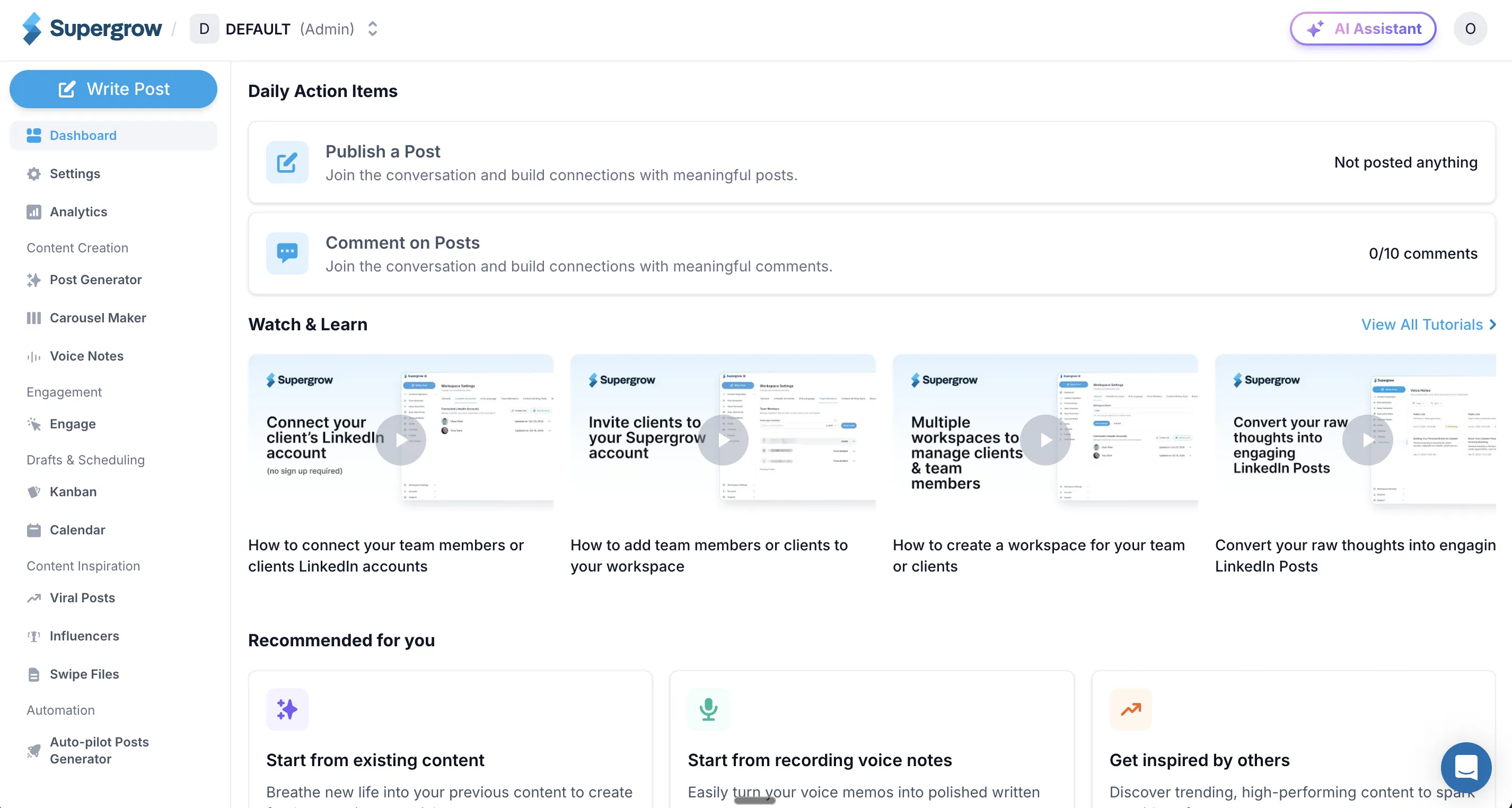
Supergrow opens with two doors: "Grow on LinkedIn" for professionals building a personal brand, or "Activate my team" for marketing and comms teams running several people. Once I’m in, it’s a post generator, a Carousel Maker, Voice Notes that turn a recording into a draft, an Engage surface for commenting, and a Kanban queue plus Calendar for scheduling across multiple accounts. All of it publishes through LinkedIn’s official APIs, no extension in the loop. The tagline is "Turn expertise into influence. At any scale," and my first read was that the multi-account half is where the polish actually went.

Now on to testing both platforms, dimension by dimension.
1. AuthoredUp vs Supergrow Pricing: What's the Best Value for Money?
The entry prices are almost a wash, but the tiers aren't equivalent, and that's where it gets interesting.
AuthoredUp is $19.95 a month for Individual, which is the full product for one profile, or $16.63 a month billed annually. Business is $14.95 per profile per month with a three-profile minimum, and Custom Growth is contact-sales with a ten-profile minimum. The trial doesn't ask for a credit card, there are no metered AI credits, and there's no lifetime-deal bait. Clean and predictable.
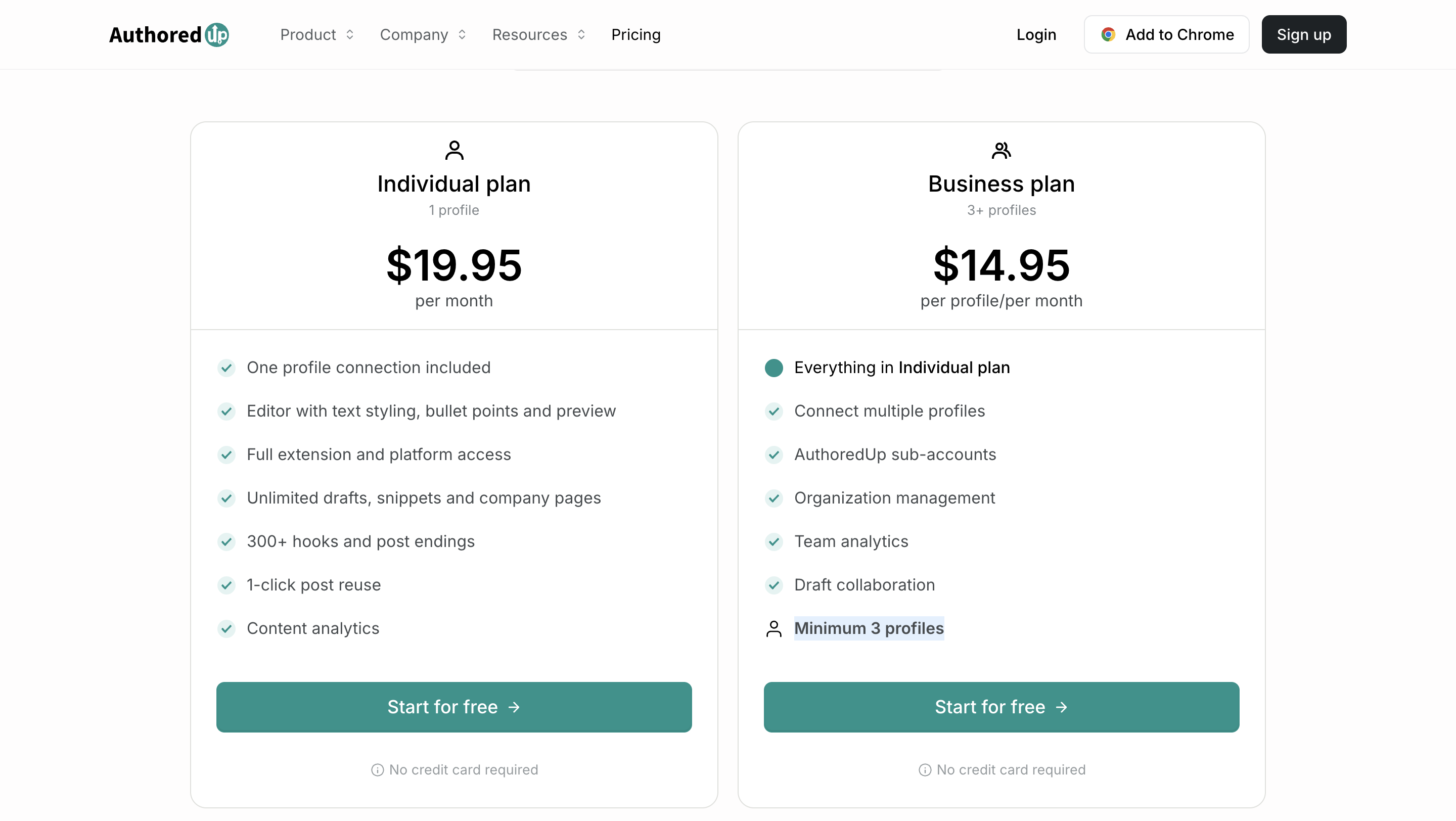
Supergrow lists Starter at $19 a month, pitched at "creators getting started," and Pro at $39 a month, badged "Most Popular" and pitched at "creators and execs serious about visibility," with a team tier above that. There’s an Individuals/Teams switch, a Monthly/Yearly toggle advertising "Save 20%" (closer to 17% once you do the math), and a 7-day trial on every plan.

On paper it's $19.95 against $19, basically identical. But AuthoredUp's $19.95 buys the entire product, while the Supergrow tier most people actually settle on is the $39 Pro, since Starter is positioned for people just getting going. So the real comparison is $19.95 for all of AuthoredUp against $39 for the Supergrow you'll end up using, with a no-card trial on AuthoredUp's side.
That said, the $19 gets you an AI writer, a carousel maker, and official-API scheduling AuthoredUp doesn’t offer at any price. So AuthoredUp wins on transparency and cost-for-what-it-is. It just isn’t the same "it."
Winner: AuthoredUp, on transparency and value for the job it does.
Stop overpaying for generic AI
Oiti is $49 and writes grounded in your POV and voice — not the templated slop you're paying $39 for. Real 7-day trial, no usage limits.
7 days free · No usage limits
2. AuthoredUp vs Supergrow Content: Which Tool's AI Writing Is Better in 2026?
Next up: the big one. Which tool’s AI actually writes something worth posting?
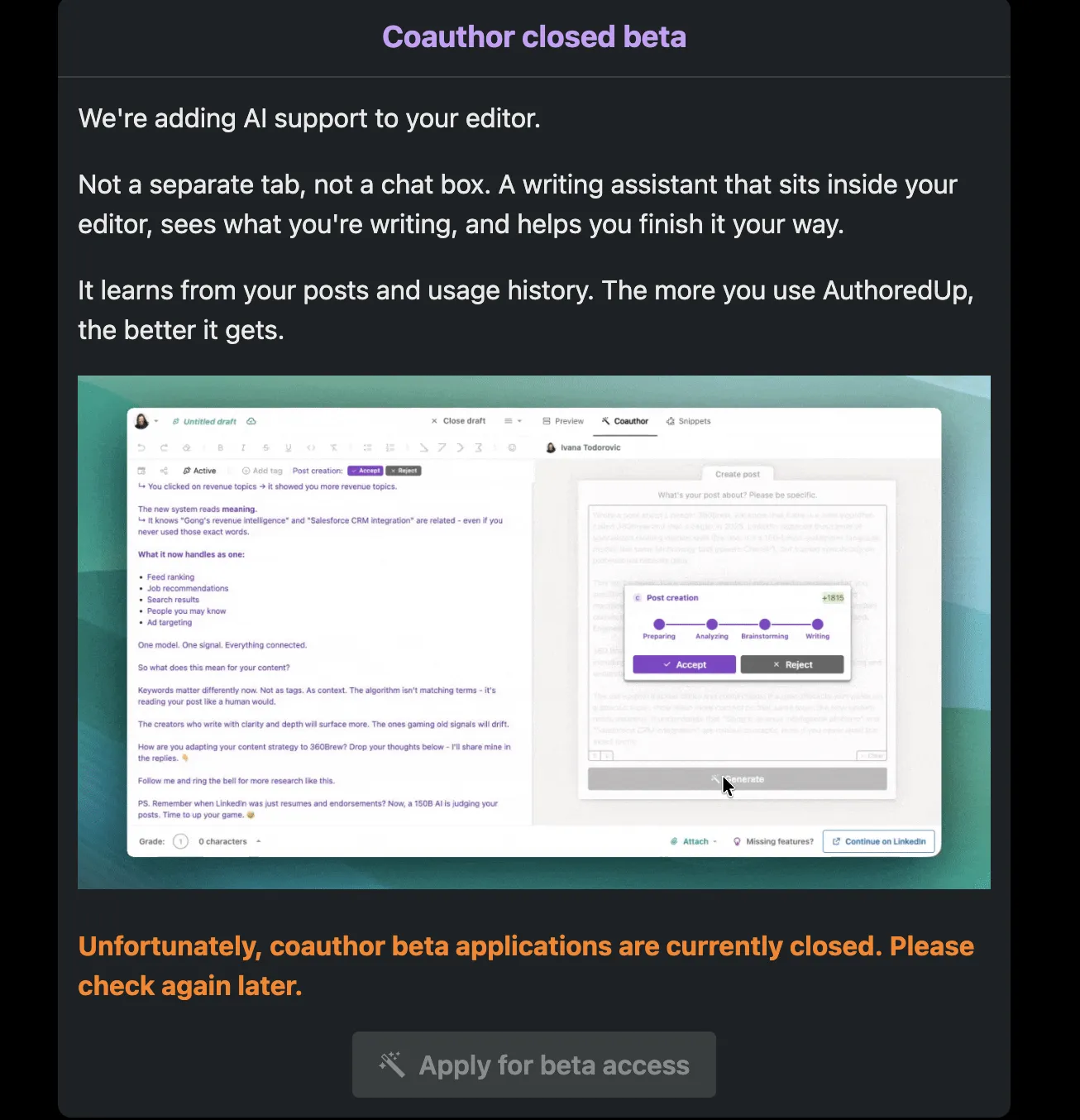
If the job is "the AI drafts the post," Supergrow wins by default, because AuthoredUp has no AI writer at all. There’s a Coauthor beta advertised inside the product, an assistant that would sit in the editor and learn from your posts and usage history, but applications were closed when I looked and nothing has shipped into the paid product since. Today you pair AuthoredUp with a separate writing tool and format the output in it.
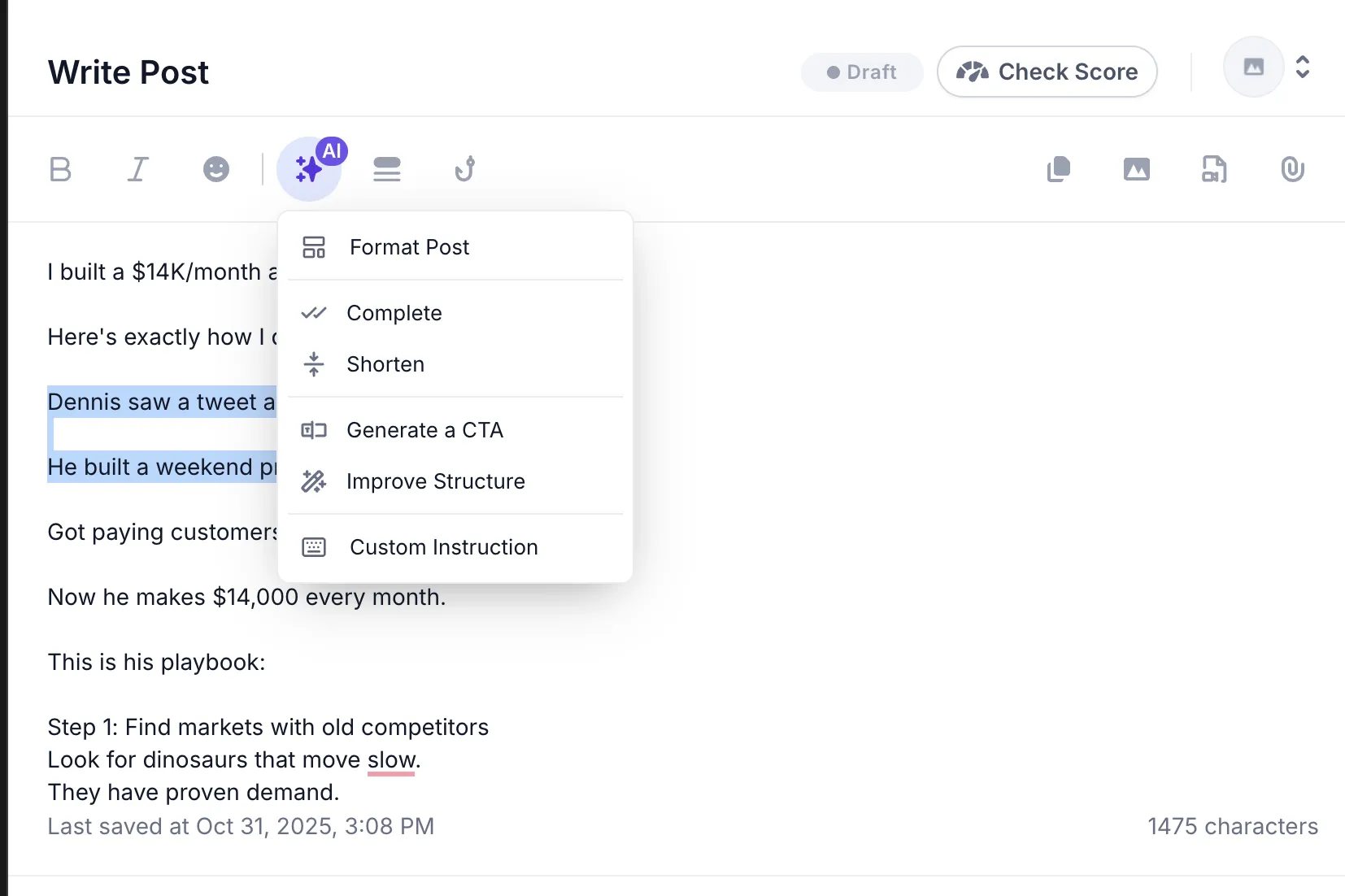
Supergrow does write. Post Generator, Carousel Maker, Voice Notes, and a library of post formats and hook templates. Select some text in the editor and an AI menu opens with Format Post, Complete, Shorten, Generate a CTA, Improve Structure, and Custom Instruction, plus a Check Score button on the draft.
The surface is all there. What came out of it was generic. AI slop, the same problem every template-driven tool in this category has. Hook and payoff patterns started repeating within two or three weeks, and by then I was rewriting most drafts from scratch. There’s no persona depth underneath, and no memory across sessions: the feedback I gave it on one post didn’t carry into the next. The AI Assistant is a side panel you prompt, not a composer you work inside, and it felt a generation behind what a writing surface should be in 2026.
Having generic AI still beats having none for this particular job, so Supergrow wins here. But both tools leave the same gap open: the thing that decides whether a post lands is whether it reads like a specific human with a point of view, and neither one protects that. That’s exactly where Oiti’s long-term memory and Knowledge Base come in, grounding each draft in who you are and what you believe instead of what the model already knew. Try Oiti free for 7 days, no usage limits.
Winner: Supergrow.
3. AuthoredUp vs Supergrow Formatting & Preview: Which Renders Cleaner?
Now, the reason AuthoredUp exists in the first place: formatting.
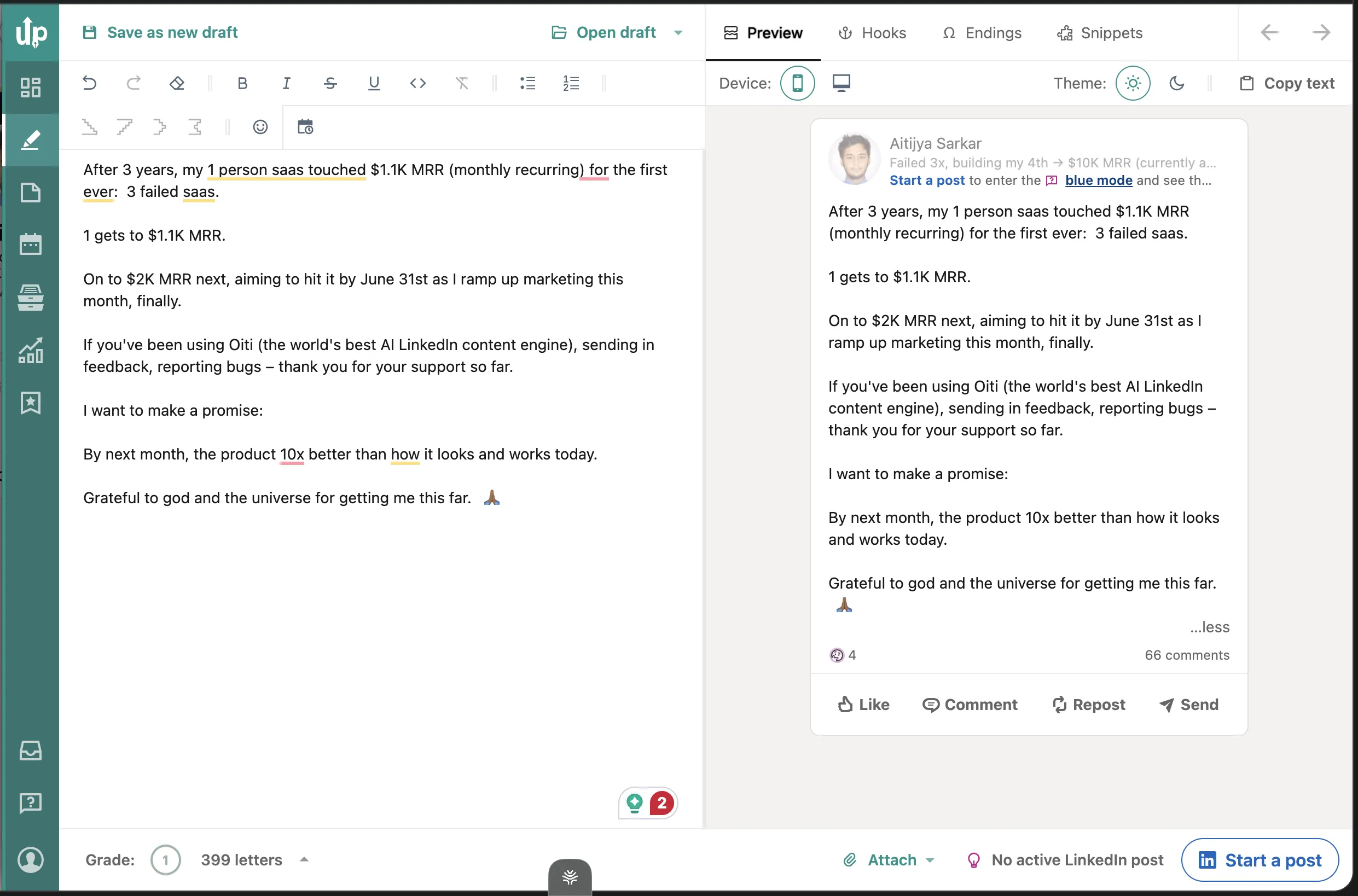
This is AuthoredUp's home turf. The editor is a split screen: I style text on the left, and a live LinkedIn preview renders on the right, matching what the post will look like in the feed. I can flip the preview between mobile and desktop, toggle light and dark theme, and see exactly where LinkedIn's "see more" cutoff lands so the hook survives the fold. Nothing else in this comparison touches it for render fidelity.
Supergrow's composer has the basics, bold, italic, an emoji picker, a Format Post action, but there's no dedicated render-fidelity preview sitting next to what you type. It's a writing surface first and a formatting one second.
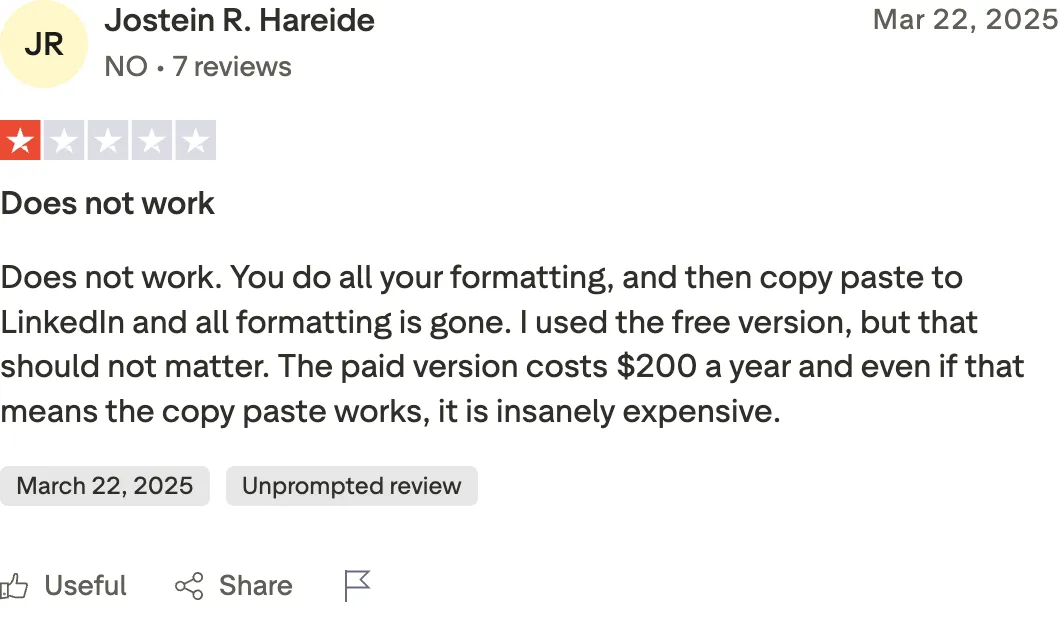
One dissent I'll flag. Jostein, on Trustpilot, gave AuthoredUp one star:
“Does not work. You do all your formatting, and then copy paste to LinkedIn and all formatting is gone.”
I couldn't reproduce it — the formatter was rock solid for me in 2021 and again this year.
Winner: AuthoredUp, and it isn't close.
4. AuthoredUp vs Supergrow Analytics: Which Gives You Better Data?
On to the numbers side, where AuthoredUp's edge widens.
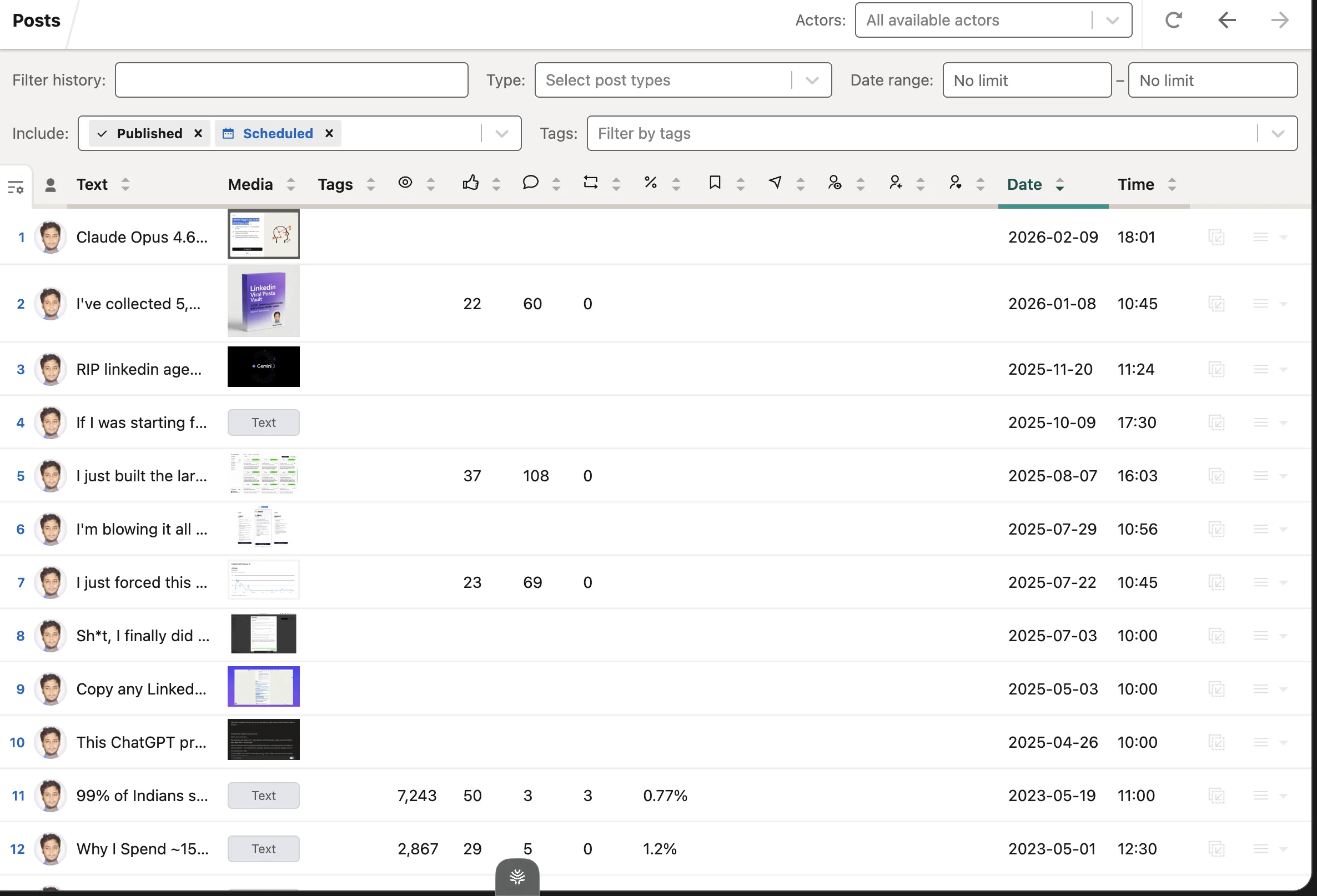
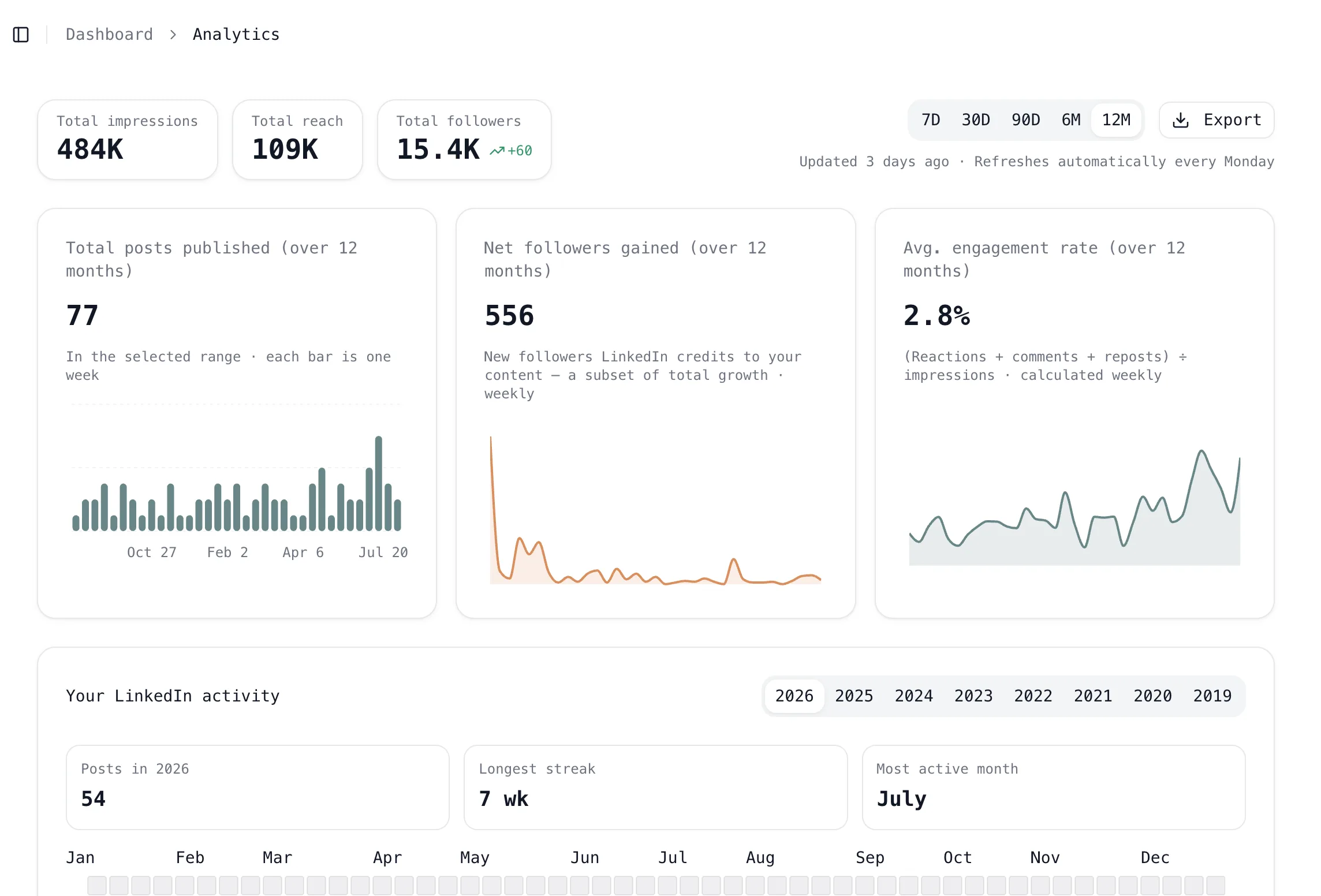
AuthoredUp's baked-in analytics is good, and I lean on it. There's a per-post table with views, reactions, comments, reposts, engagement percentage, and bookmarks, filterable across published and scheduled posts and sortable by any column. It goes deeper than LinkedIn's native dashboard. There's also a profile view with posting-time heatmaps and follower-growth timelines. All of it is included at $19.95, not walled behind a higher tier.
Supergrow's analytics is its recurring weak spot, and that isn't only my read. Rohan, who likes the product enough to give it four stars overall, put it this way:
“The analytics side of things is something that I think could do some improvements.”
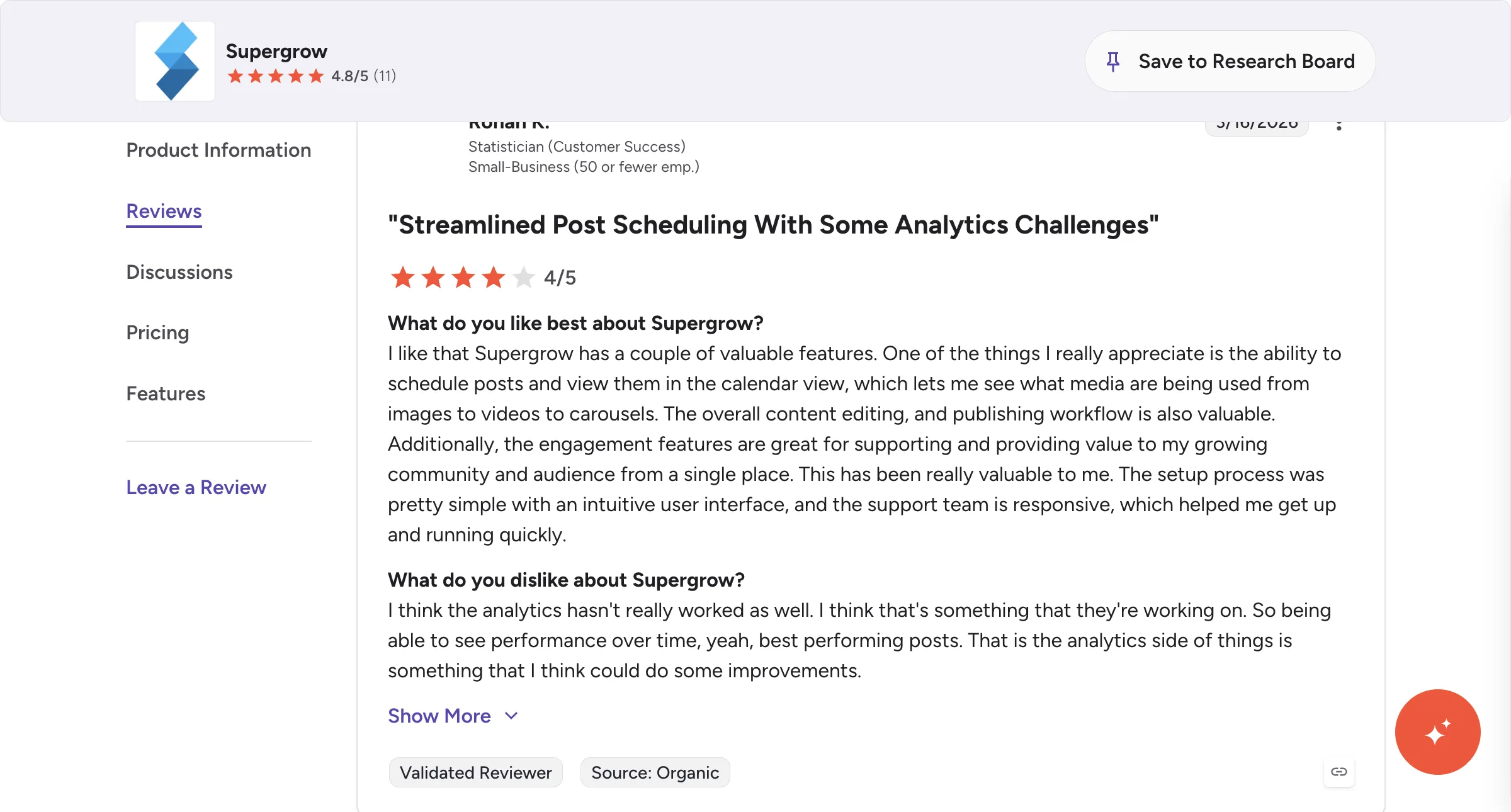
His review is titled "Streamlined Post Scheduling With Some Analytics Challenges," which about sums up the whole tool. Supergrow’s engagement reporting is shallow next to a dedicated analytics layer like AuthoredUp’s. Fine for a solo creator watching one account, thin for anyone running several.
Winner: AuthoredUp.
5. AuthoredUp vs Supergrow and LinkedIn's Terms of Service: Which Is Safe?
Which brings us to the one that decides whether either tool is worth the risk: your LinkedIn account.
My first worry when I reconnected AuthoredUp this year: why is it forcing me to install a Chrome extension, and will that get me banned? Supergrow schedules and publishes through LinkedIn's official APIs. No browser extension, nothing riding on your session cookies. AuthoredUp routes everything through a Chrome extension layered on top of LinkedIn, and that's how it grabs your published posts, enables your stats, and posts on your behalf. You can't unlock the full product without installing it.
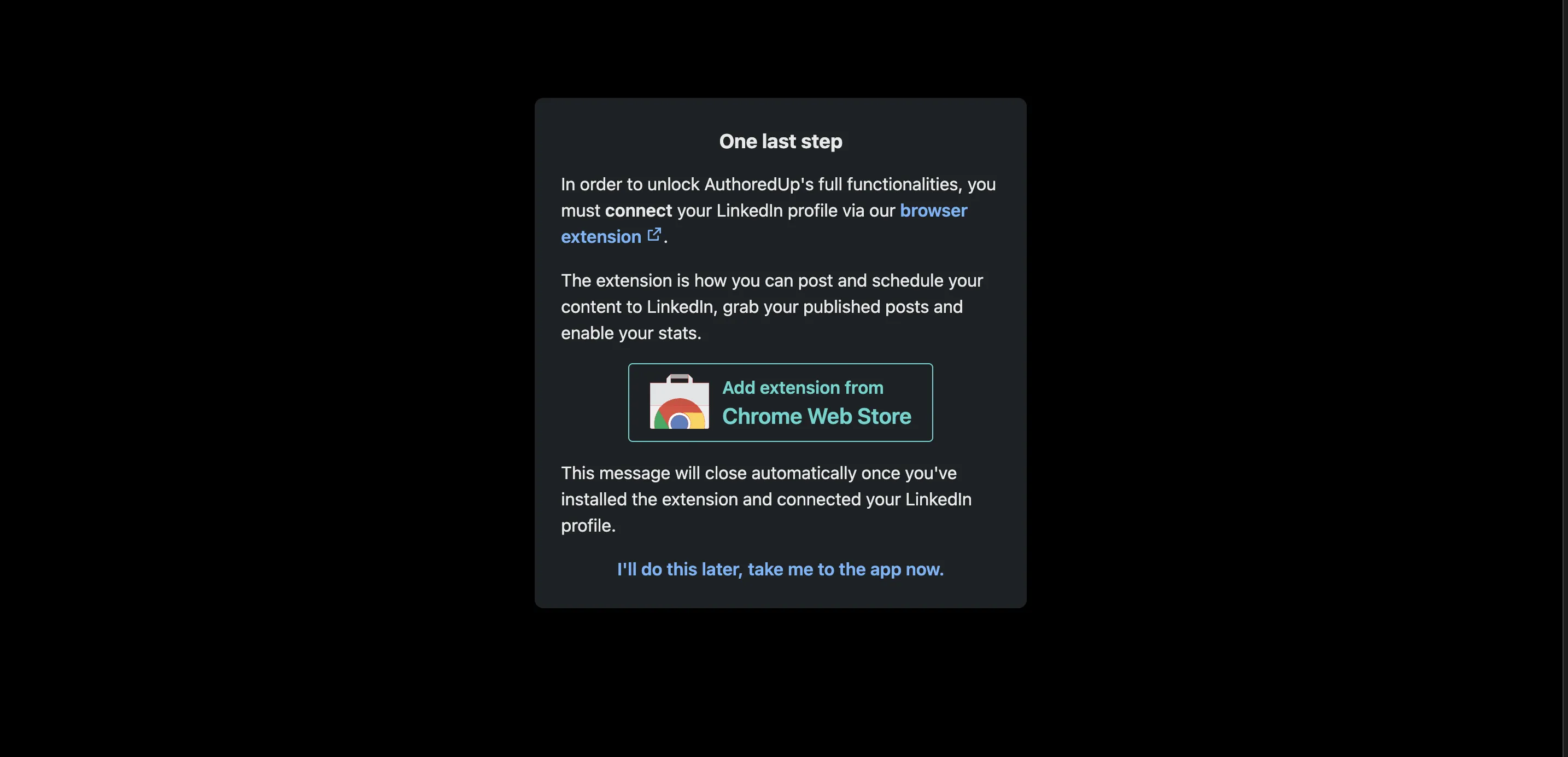
AuthoredUp has always been well behaved. No auto-likes, no auto-DMs, no mass-connection automation. That clean record is exactly why it earned the "ethical extension" reputation, so this isn’t about misconduct. It’s categorical risk. LinkedIn has gotten increasingly hostile to extensions, and a well-behaved one can still get swept up in a crackdown it never provoked. Shield Analytics shut down in 2026. Kleo’s original extension was forced offline in 2025, taking 70,000-plus users with it (r/socialmedia thread). An official-API tool sits outside that category entirely, which is why Oiti and Supergrow both stay on the API side of the line.
Winner: Supergrow.
Want the safety without the AI slop?
Oiti publishes on LinkedIn's official APIs — no extension — and grounds every post in your own POV instead of a template.
7 days free · No usage limits
Which Should You Pick: AuthoredUp or Supergrow?
Pick AuthoredUp if you already write your own posts, by hand or in a separate AI tool, and you want them formatted exactly right, previewed as they'll actually render, and tracked with post analytics, cheaply. It's also the right call for ghostwriters shipping clean formatted drafts to clients for approval: you can draft a whole roster inside one $19.95 profile as long as you're handing text off rather than publishing from client accounts. Connect their profiles and you're on Business at $14.95 per profile, three-profile minimum.
Pick Supergrow if you want one tab that drafts posts, spins them into carousels, and schedules across a few accounts, and you're fine editing generic drafts into shape. The best fit is carousel-heavy solo creators and small teams or agencies running content for a handful of client accounts. The workspaces, the Kanban queue, and the calendar with per-day time slots are the well-built half of the product, and it all publishes on official APIs. (Want that same multi-account scheduling with a writing layer that actually holds a point of view? Oiti Pro at $79 covers three personal profiles plus ten company pages on the same official-API footing.)
Pick neither if what you actually want is writing grounded in your own POV across every post. Neither tool remembers who you are, and neither grounds a draft in your own material.
When Neither AuthoredUp nor Supergrow Is the Answer: Try Oiti, the AI Clone for LinkedIn Content
AuthoredUp doesn’t write at all. Supergrow writes, but forgets you between sessions and grounds nothing in your world, so the output drifts into AI slop inside a couple of weeks. Neither ships long-term memory, and neither has a Knowledge Base. That shared gap is exactly what Oiti, the AI clone for LinkedIn content, is built to close.
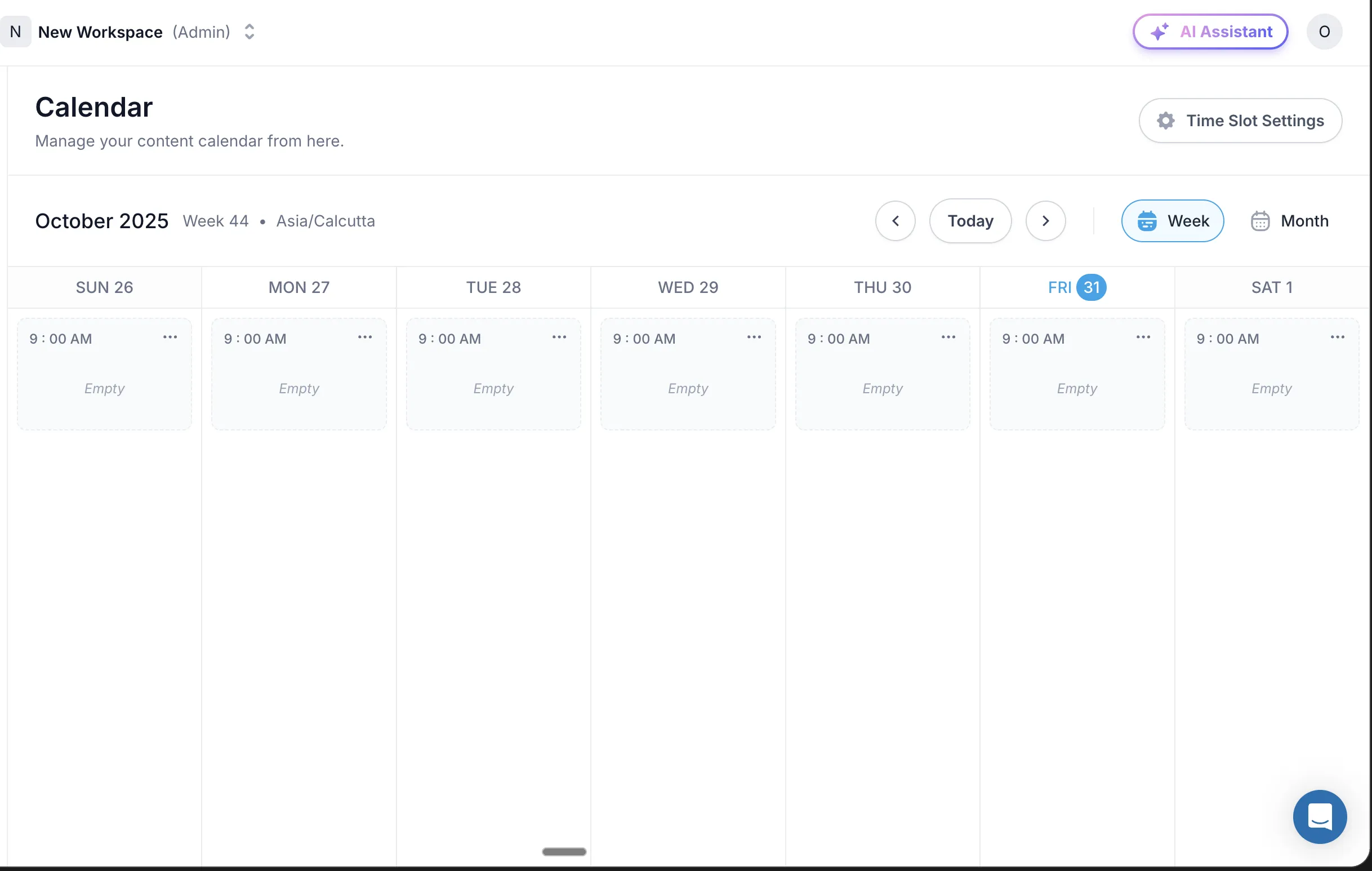
Every time you write, Oiti fires parallel fetches across your long-term memory and Knowledge Base, working out who you are, what you believe, and the way you actually talk before a word hits the page. The memory absorbs every correction you make, every "don’t open with I" and "stop using unlock," so drafts get closer to your originality over time instead of resetting each session.
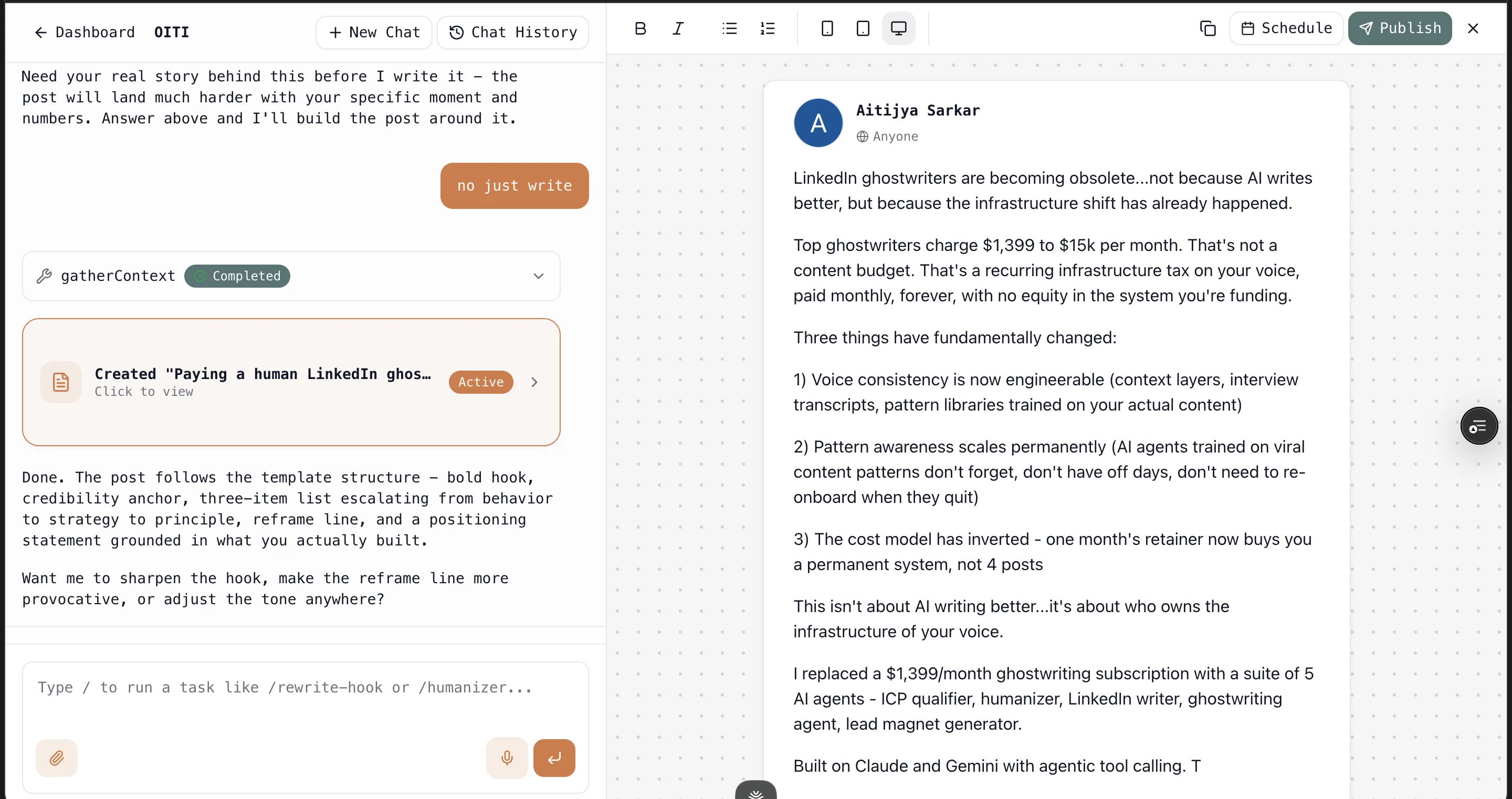
The Knowledge Base ingests your past posts, PDFs, YouTube videos, and meeting notes, and researches your ICP's pain points on the live web, so a draft is grounded in what you've actually said rather than what the model already knew.
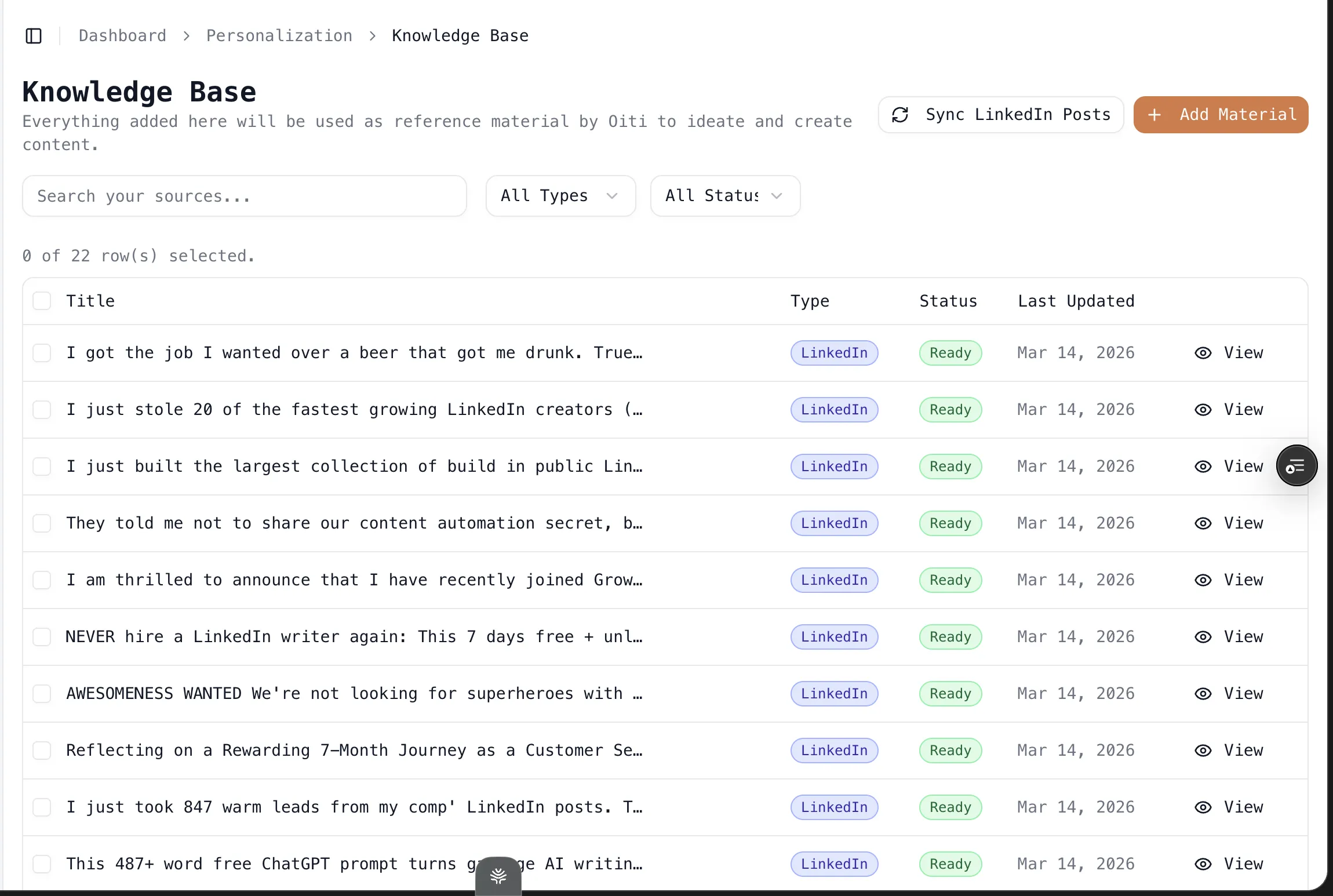

Formatting is handled inline (AuthoredUp's preview is still the more precise one on that single axis), and Oiti publishes through LinkedIn's official APIs, the same footing as Supergrow and outside the extension category AuthoredUp lives in. It's $49 a month on Creator or $79 on Pro, with a 7-day free trial.

If formatting is all you need, AuthoredUp is cheaper and Oiti is overkill on that one axis, and our free LinkedIn post formatter costs nothing at all. If you just need carousels and scheduling and don’t care whether the writing carries a point of view, Supergrow is fine. But if your edge is that your writing reads like a real human who believes something, that’s the part neither of these tools is built to protect.
You can find out in a week. Try Oiti free for 7 days, no usage limits — the AI clone builds in about 30 seconds. Draft the same post in Supergrow and Oiti, format both in AuthoredUp, and see which one isn’t AI slop.
Frequently asked questions
Is AuthoredUp or Supergrow better?
Is Supergrow cheaper than AuthoredUp?
Does AuthoredUp write posts with AI?
Does AuthoredUp or Supergrow's AI actually sound like you?
Which is safer for my LinkedIn account, AuthoredUp or Supergrow?
Can I use AuthoredUp and Supergrow together?
The verdict
AuthoredUp is the better overall tool in 2026: the best formatter in the category, the cleaner and more transparent deal, and the stronger analytics. But it doesn't write. So if you need AI to draft and schedule your posts, Supergrow is the pick, and it's the ToS-safer of the two while it's at it, publishing through LinkedIn's official APIs instead of a Chrome extension. Write your own posts and want them to look right and get measured? AuthoredUp. Want the drafting done for you across a few accounts? Supergrow.
Neither one writes with a point of view that's actually yours, backed by memory that compounds across sessions and a Knowledge Base grounding every post in what you've really said. That's the gap Oiti, the AI clone for LinkedIn content, fills, and it's the one I'd test in parallel with either of these.
7 days free · No usage limits