I Tried Kleo vs Supergrow: Features, Pricing, Cons, Which Is Better (2026)?
Supergrow is cheaper, does carousels and multi-account scheduling, and lets you try it free. Kleo writes cleaner but costs $99 with no trial. Both make you sound like AI slop.

I've spent close to six years ghostwriting LinkedIn content for 50-odd founders, coaches, and consultants across pretty much every B2B niche there is, and the posts I wrote for them have pulled north of 100M organic views. Along the way I've paid out of my own pocket for most of the tools in this category to run them against my real workflow.
Kleo and Supergrow are on that list too.
Here's the short version. Supergrow is the stronger overall tool in 2026 for most creators. It's a fraction of the price, at $19 a month against Kleo's flat $99, it ships a carousel maker plus multi-account scheduling and team workspaces, and it lets you try the whole thing on a 7-day free trial before you pay a cent. Kleo is the more focused, better-built writer: a cleaner ChatGPT-style composer, a real knowledge-base-and-identity layer, and a viral-format engine that tells you why each post works. But it charges $99 a month flat with no trial, so you commit blind, and it's built for a single account. One thing decides nothing between them: both publish through LinkedIn's official APIs, so neither will get your account flagged.
That round is a flat tie.
The catch neither one solves: neither remembers who you are between sessions, and neither writes anything original. Supergrow's output drifts generic. Kleo's gets sanded toward whatever's going viral. For drafts grounded in your actual POV and voice, I'd point you at Oiti, the AI clone for LinkedIn content, instead — more on where that fits below.
Kleo vs Supergrow at a glance
| Kleo | Supergrow | Oiti — AI clone for LinkedIn contentMy pick | |
|---|---|---|---|
| Best for | Fast, clean viral-format content for one account | Cheap AI writing + carousels + multi-account scheduling | Anyone who wants posts grounded in their POV, not AI slop |
| Starting price | $99/mo flat (single tier) | $19/mo Starter · $39/mo Pro | $49/mo Creator · $79/mo Pro |
| Real price after trial | $99/mo (or $999/yr ≈ $83/mo) | $19–$39/mo solo · Teams tier higher | $49 / $79 |
| Free trial | None — pay $99 to evaluate | 7-day on every plan | 7-day |
| LinkedIn's terms of service | Safe — official APIs; extension only saves posts | Safe — official APIs; built for compliance | Safe — official LinkedIn Marketing APIs |
| Standout strength | Cleaner composer + a real knowledge/identity layer | Carousel maker + multi-account/team workspaces | Long-term memory + Knowledge Base + safe scheduling |
| Biggest weakness | $99 flat, no trial, one account, viral bias flattens your originality | Generic output, primitive chat memory, thin analytics | Newer to the category; LinkedIn-first by design |
| Overall winner | — | ✓ | — (parallel pick, not the referee) |
Prices captured May 2026: Kleo $99/mo · $999/yr (down from $1,188); Supergrow $19 Starter / $39 Pro per mo, 7-day trial on all plans, yearly billing “Save 20%.”
How I Tested Kleo v/s Supergrow – My Testing Methodology
I've paid for and used both on real client work.
Kleo I picked up as an early adopter when they launched the relaunched full-stack tool, and I’d run the original Chrome extension before LinkedIn forced it offline. Kleo has no free trial, so I tried it on both client and my own accounts. Supergrow I first knew years back, around 2023, on a lifetime deal while I was still ghostwriting — I took the trial then and ran it live on client posts, then signed up and tried it again this year for this piece.
Here’s what I actually weighed, and I weight price-plus-evaluability and originality highest, because those two cost you the most when you get them wrong:
Price and evaluability
The real monthly cost, and whether you can try it before you pay.
AI writing and composer
The writing surface, and how much context each tool actually holds about you.
Carousels and visual content
How good the image and carousel tooling is, and how central it is.
Multi-account scheduling and teams
Running more than one profile, plus the queue and calendar underneath.
LinkedIn account safety
Whether the way each tool publishes can get your account flagged.
What Is Kleo – the #1 Personal Brand Tool for LinkedIn?
The first thing Kleo tells you on its homepage is that it’s the “#1 Personal Brand Tool,” with the line “Writing like an industry expert has never been easier.” When I logged in, that framing held up as the whole personality of the product. It’s a relaunched, full-stack LinkedIn content tool: a ChatGPT-style chat composer, a curated swipe file of high-performing posts, a Knowledge base plus Identity and Writing-style layer that store who you are, one-click graphics, 200-plus hook and 160-plus post templates, and a scheduler that publishes through LinkedIn’s official APIs. Everything about it has a strong opinion about viral formats.
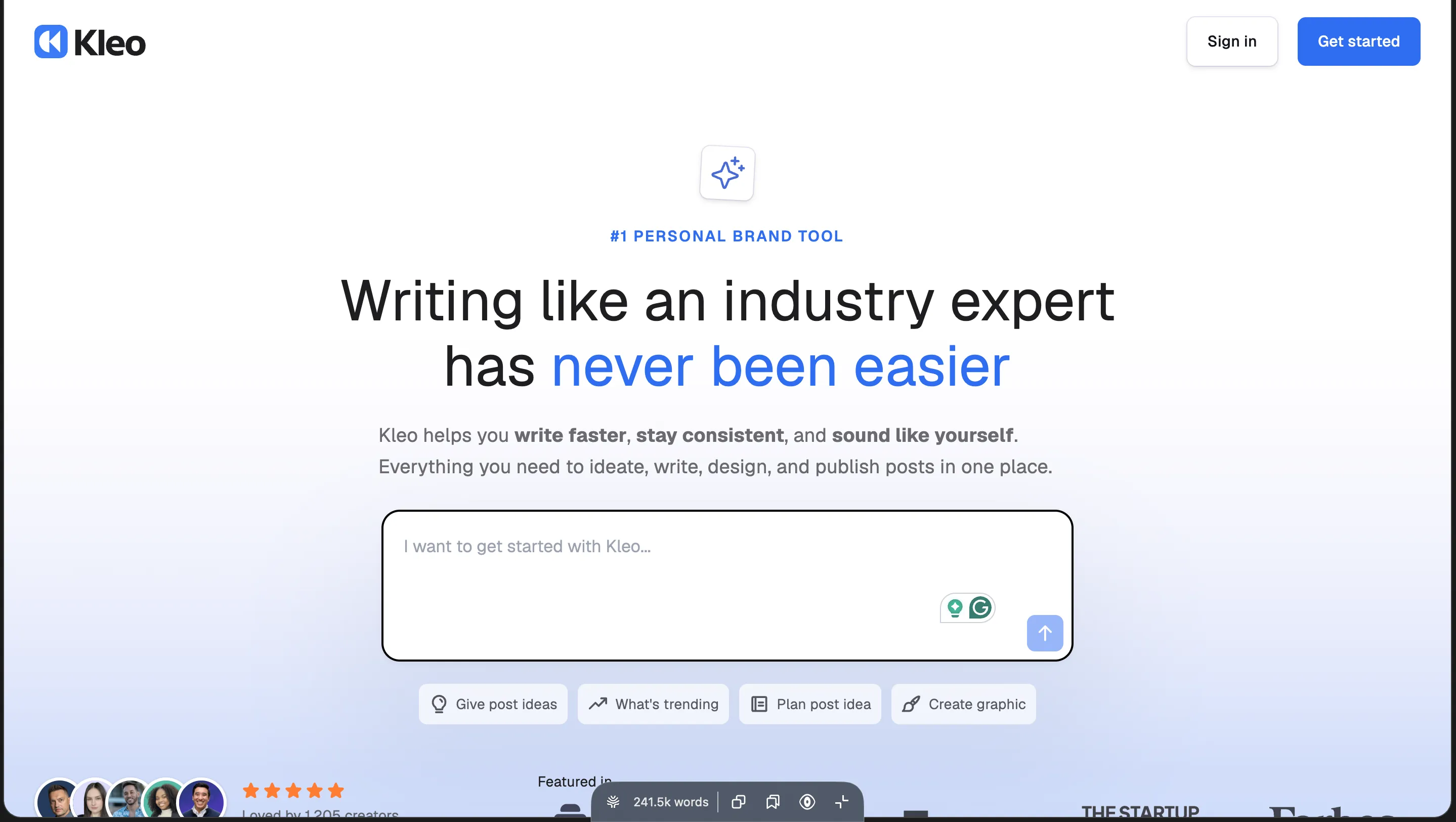
The backstory matters here. The original Kleo was a Chrome extension with 70,000-plus users that LinkedIn forced offline after about two years. What you use today is the rebuild, and the rebuild is exactly why it’s safe to run now. It’s built for a single account and pointed at one job: writing viral-format posts, fast.
What Is Supergrow – the Tool That Turns Expertise Into Influence on LinkedIn?
Supergrow greets you with “Turn expertise into influence on LinkedIn,” and then splits you into two doors right away: “Grow on LinkedIn” for professionals building a personal brand, or “Activate my team” for marketing and comms teams running several people. The moment I saw that split I knew where its head was at. It’s a cheaper, broader LinkedIn content workspace: an AI post generator, a dedicated Carousel Maker, Voice Notes, a Kanban queue and a Calendar scheduler, Engage and comment tooling, analytics, and an Auto-pilot post generator, all wrapped inside multi-account team workspaces that schedule through LinkedIn’s official APIs.
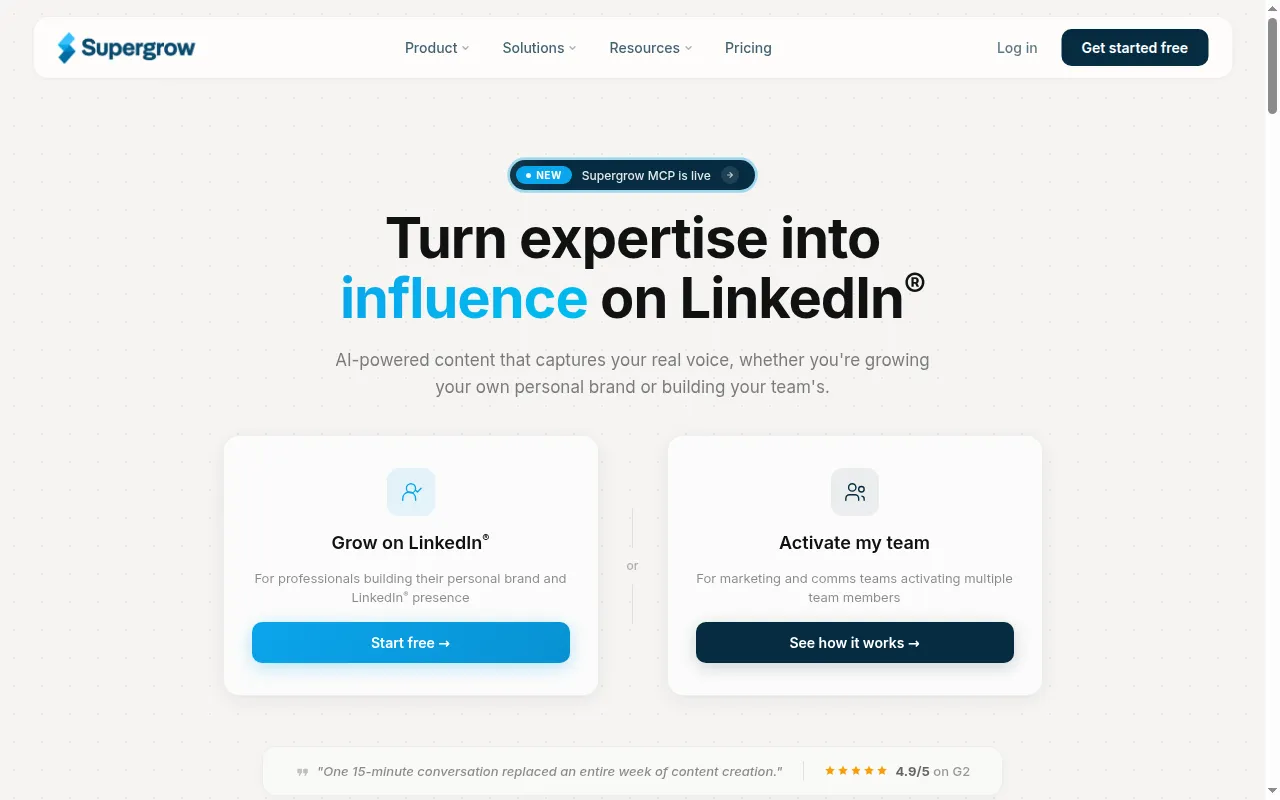
Built by indie hackers, Supergrow worked hard on LinkedIn-compliant scheduling and multi-tenancy, and it grew up around teams. Where Kleo is a focused single-account writer, Supergrow is a workspace built to run content across several accounts and a team.
Now on to testing both platforms, one axis at a time.
1. Kleo vs Supergrow Pricing: What’s the Best Value for Money?
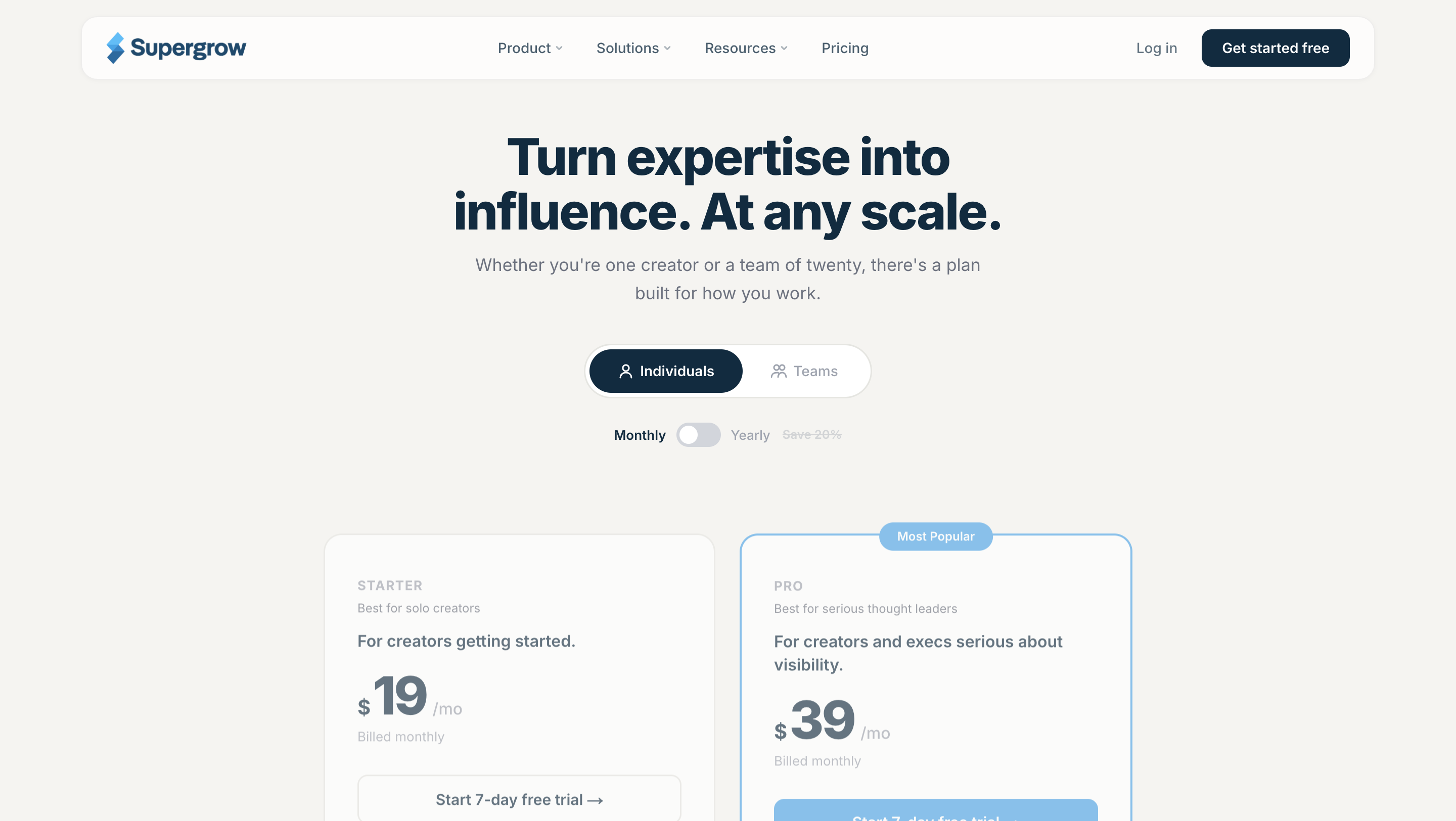
Supergrow wins this one, and it isn’t close. If your first question is “can I find out whether this fits before I pay,” Supergrow is the only one of the two that answers yes.
When I jumped into Supergrow, Starter was $19 a month and Pro $39 a month (marked “Most Popular”), with a higher Teams tier above that, and every plan came with a 7-day free trial. Yearly billing saves about 20 percent. I ran it for a week without paying anything.
Kleo was the opposite experience. Flat $99 a month, single tier, cancel anytime, or $999 a year (about $83 a month, down from $1,188), with a 30-day money-back guarantee on the annual plan. No free trial. The only way to find out whether Kleo works for you is to pay $99 and try it for real.
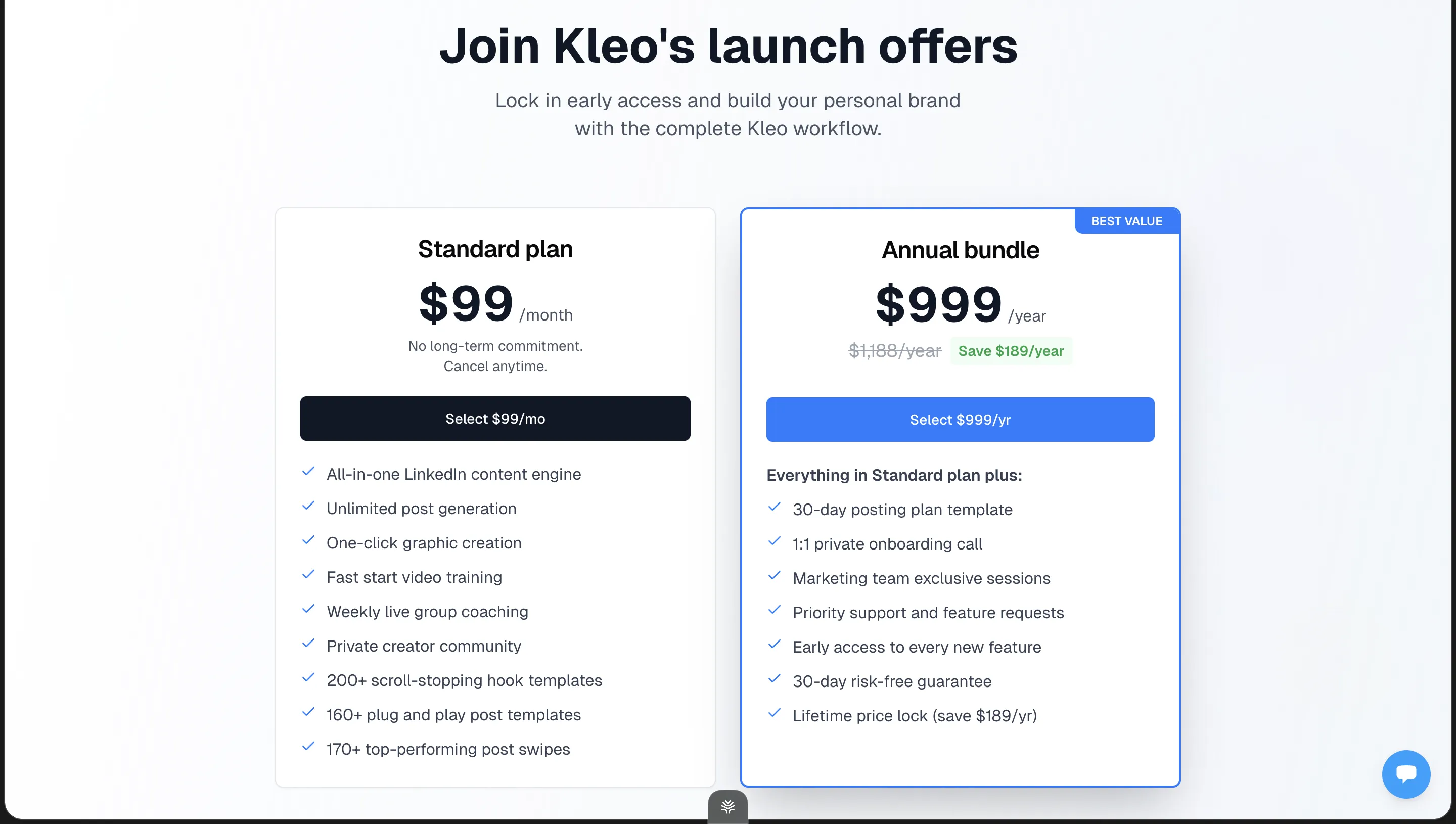
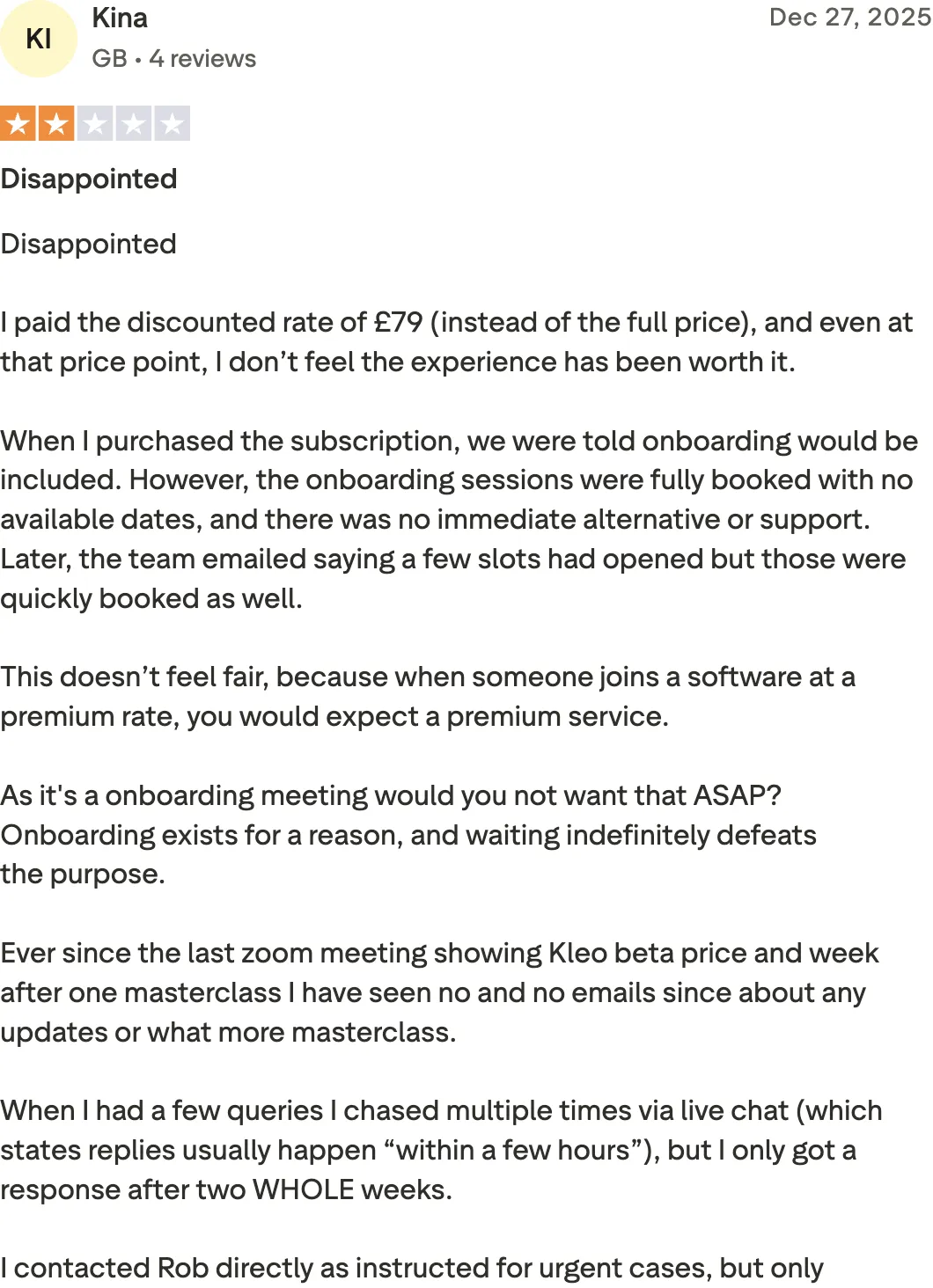
But it’s five times Supergrow’s entry price, and you can’t evaluate it without paying. Paying blind burns people, and one of Kleo’s own paying customers said as much:
“I paid the discounted rate of £79 (instead of the full price), and even at that price point, I don’t feel the experience has been worth it.”
Winner: Supergrow. A fifth of the entry price, and you can try it first. There’s a third option: Oiti sits between the two at $49 Creator / $79 Pro, with a 7-day trial, so you can run a real side-by-side without fronting Kleo’s $99.
Next up, the big one: which tool actually writes better?
Stop overpaying for generic AI
At $49, Oiti writes grounded in your POV — not templated AI slop — and you can try it free for 7 days before you spend a cent.
7 days free · No usage limits
2. Kleo vs Supergrow Content: Which Tool’s AI Content Is Better in 2026?
In my tests, Kleo edged the writing round. It has the fuller composer and a proper knowledge-and-identity layer underneath it, even though both tools’ output flattens toward the same viral template by the end.
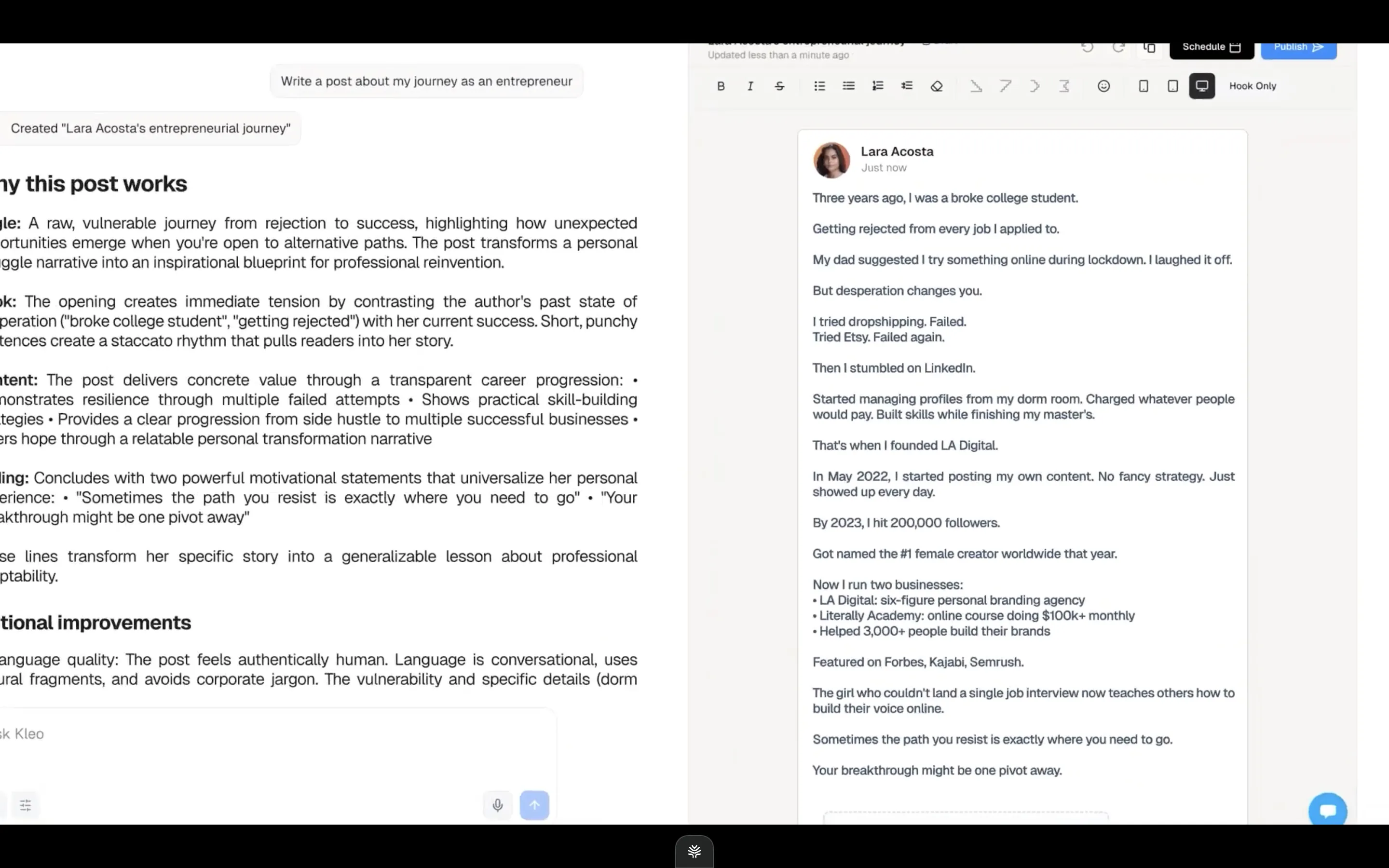
Type a prompt into Kleo and you get a clean, well-structured post plus a panel breaking down why it works: Angle, Hook, Content, Ending. That sits on top of a Knowledge base, Identity, and Writing-style layer you fill in. It’s a nice surface to write on, and I’d put the composer at parity with the best in the category. The catch is what “good” means here. Look at the draft it gave me from “write a post about my journey as an entrepreneur”: the broke-college-student hook, the one-line-per-fragment rhythm, the list of wins, the “your breakthrough might be one pivot away” button. It reads like the LinkedIn viral post, not like a specific human. The format is written flawlessly, and the format is the whole point.
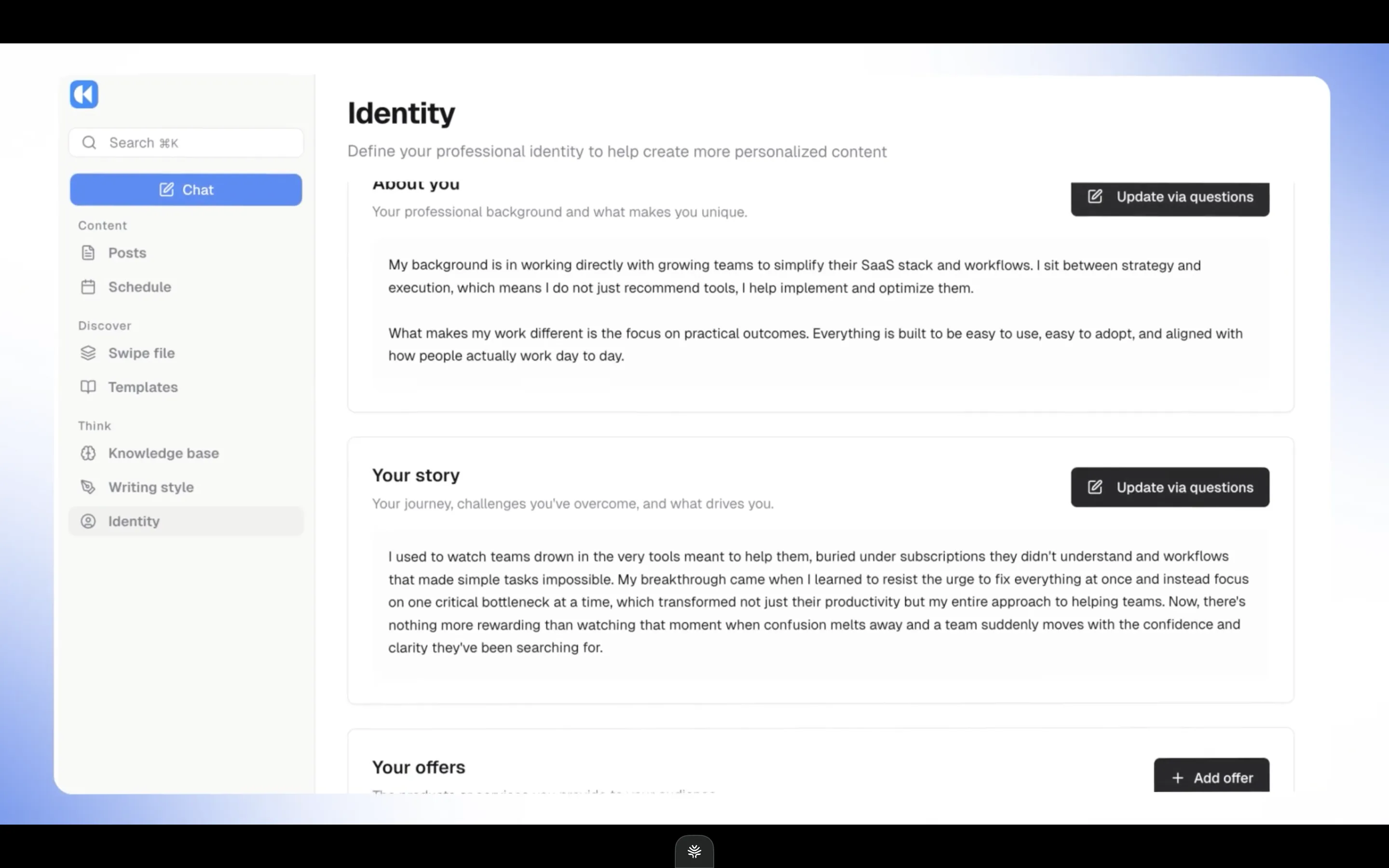
The context layer is Kleo’s real edge in this round. There’s an Identity section where you define your professional background, your story, and your offers, and that’s the material the composer pulls from to personalize a draft.
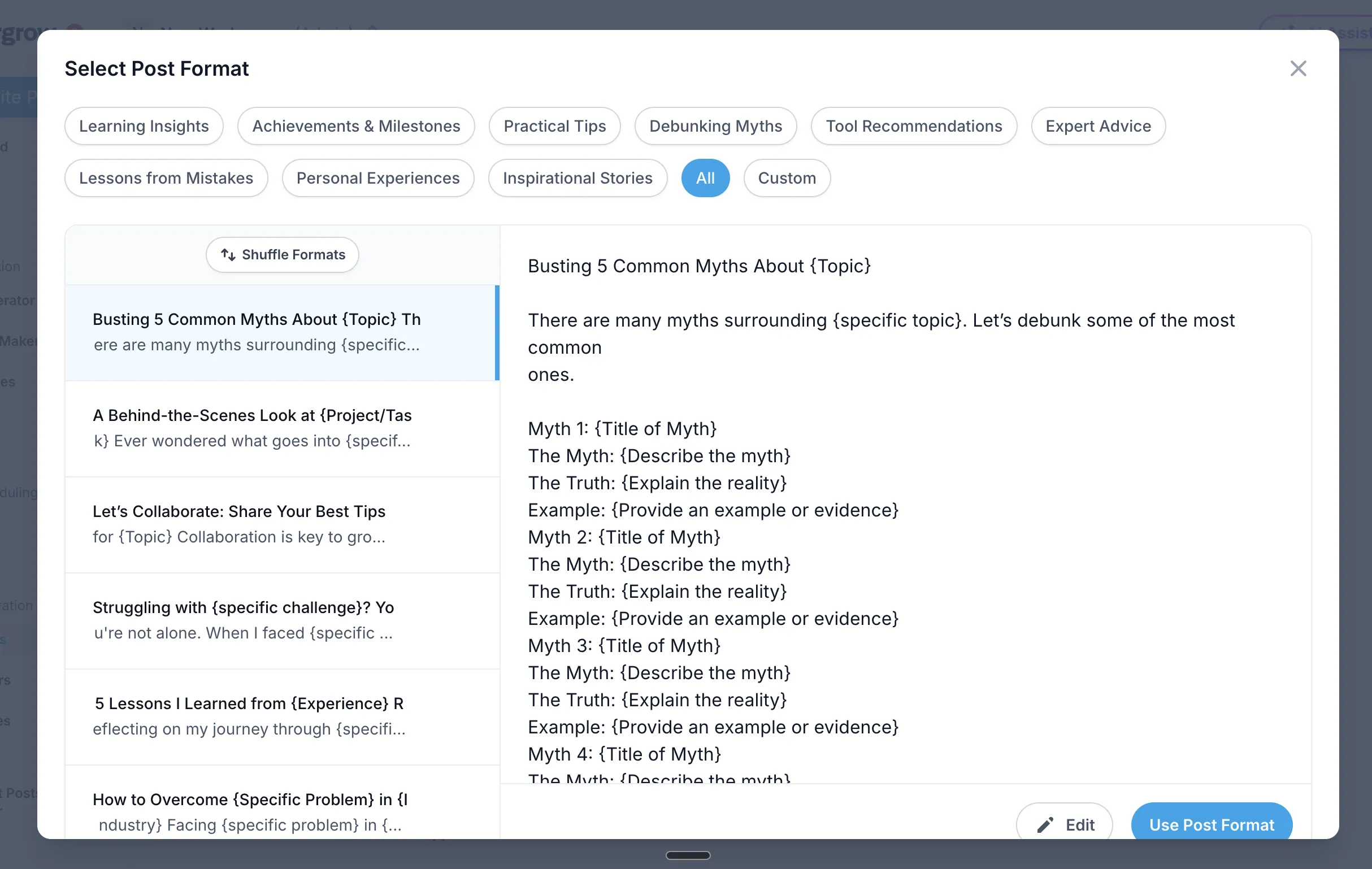
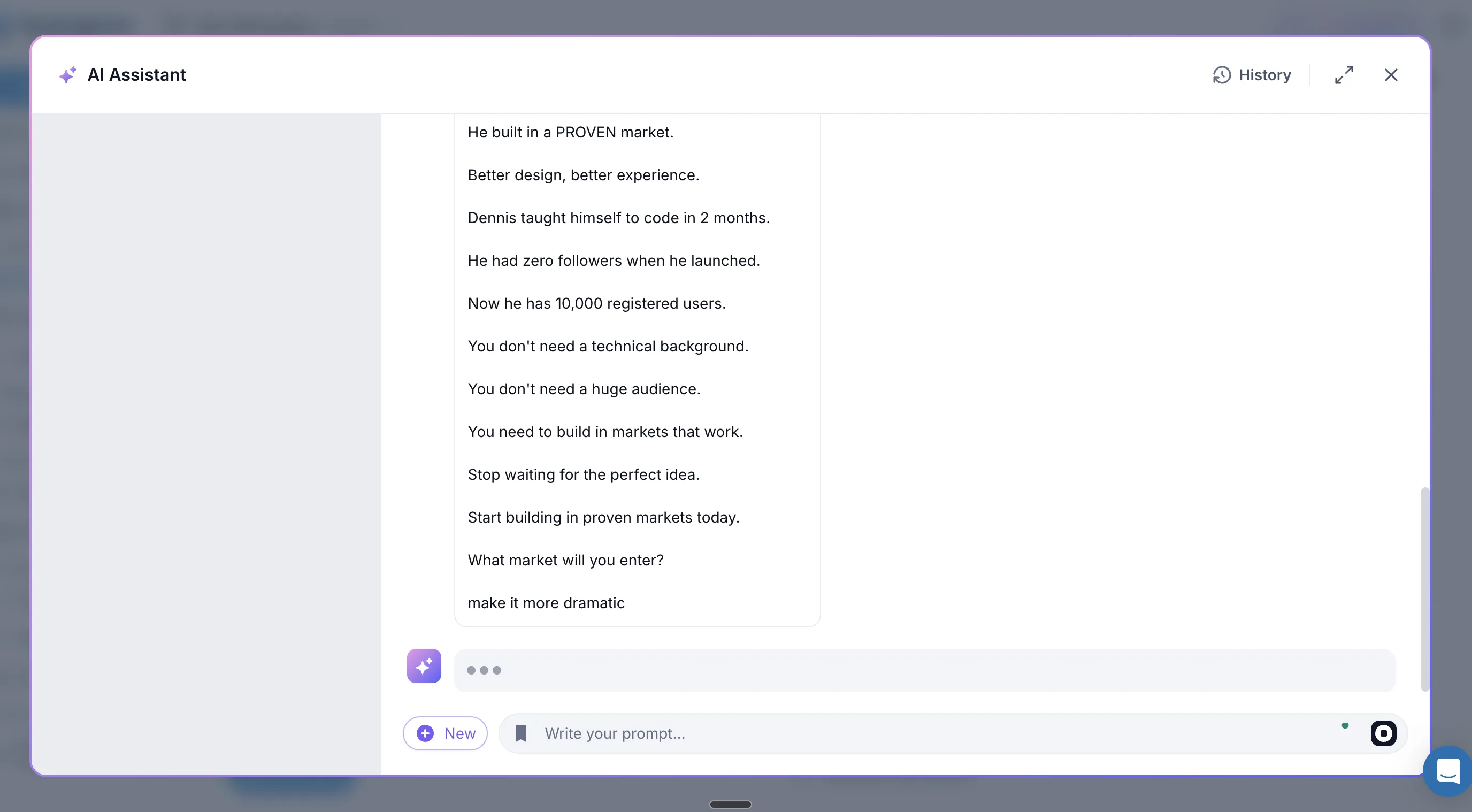
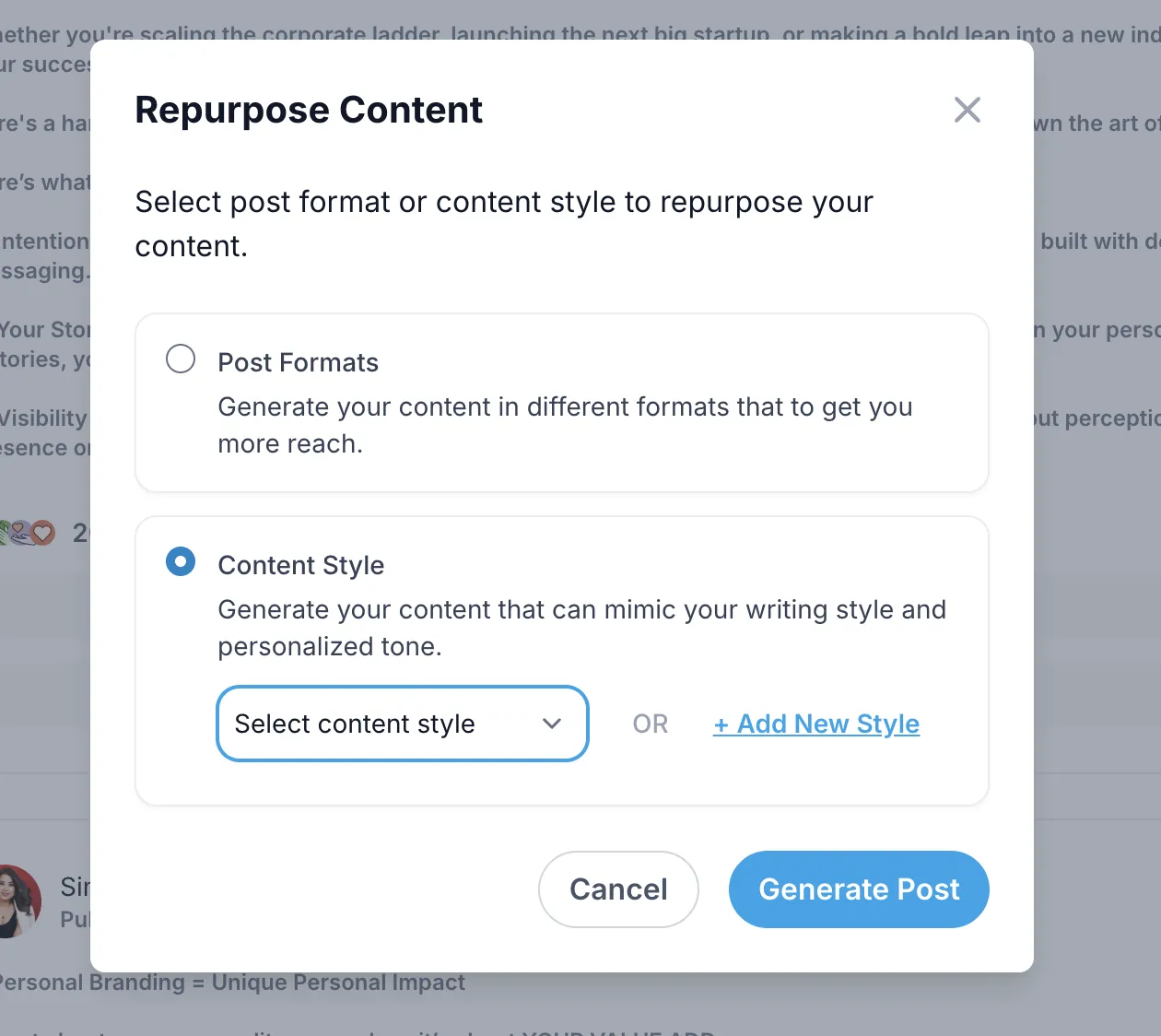
Supergrow’s writing leans much harder on presets. Its create flow is a “Select Post Format” rack — Learning Insights, Debunking Myths, Practical Tips, Inspirational Stories, and so on — that drops you into a fill-in-the-blanks template, plus a “Generate a Hook” list and a “Repurpose Content” flow where personalization is a “Content Style” setting instead of a persistent layer. There’s an AI Assistant modal for inline edits. It’s capable, but the output I got landed very generic, and the personalization is a dropdown, not memory.
Winner: Kleo, narrowly. But a static Identity form isn’t memory, and a viral template isn’t your POV. Oiti’s whole design is the inverse — it clones your voice from your Knowledge Base and remembers your feedback across sessions, so drafts sharpen toward you instead of drifting toward the feed. Try Oiti free for 7 days, no usage limits and write the same post in all three.
Now to the feature people actually pull out their card for: carousels.
3. Kleo vs Supergrow Carousels and Visual Content: Which Does More?
Supergrow wins visual content, clearly. Its Carousel Maker is a first-class tool. Kleo’s graphics are a lighter add-on.
When I opened Supergrow, the Carousel Maker was right there in the main nav, next to the Post Generator and Voice Notes. It turned a long-form draft into a publishable LinkedIn carousel in about a minute. Carousels aren’t some magic reach cheat code — LinkedIn isn’t especially rewarding the format right now — but a proper maker for them is actually useful, and Supergrow’s is one of the reasons people pay for it.
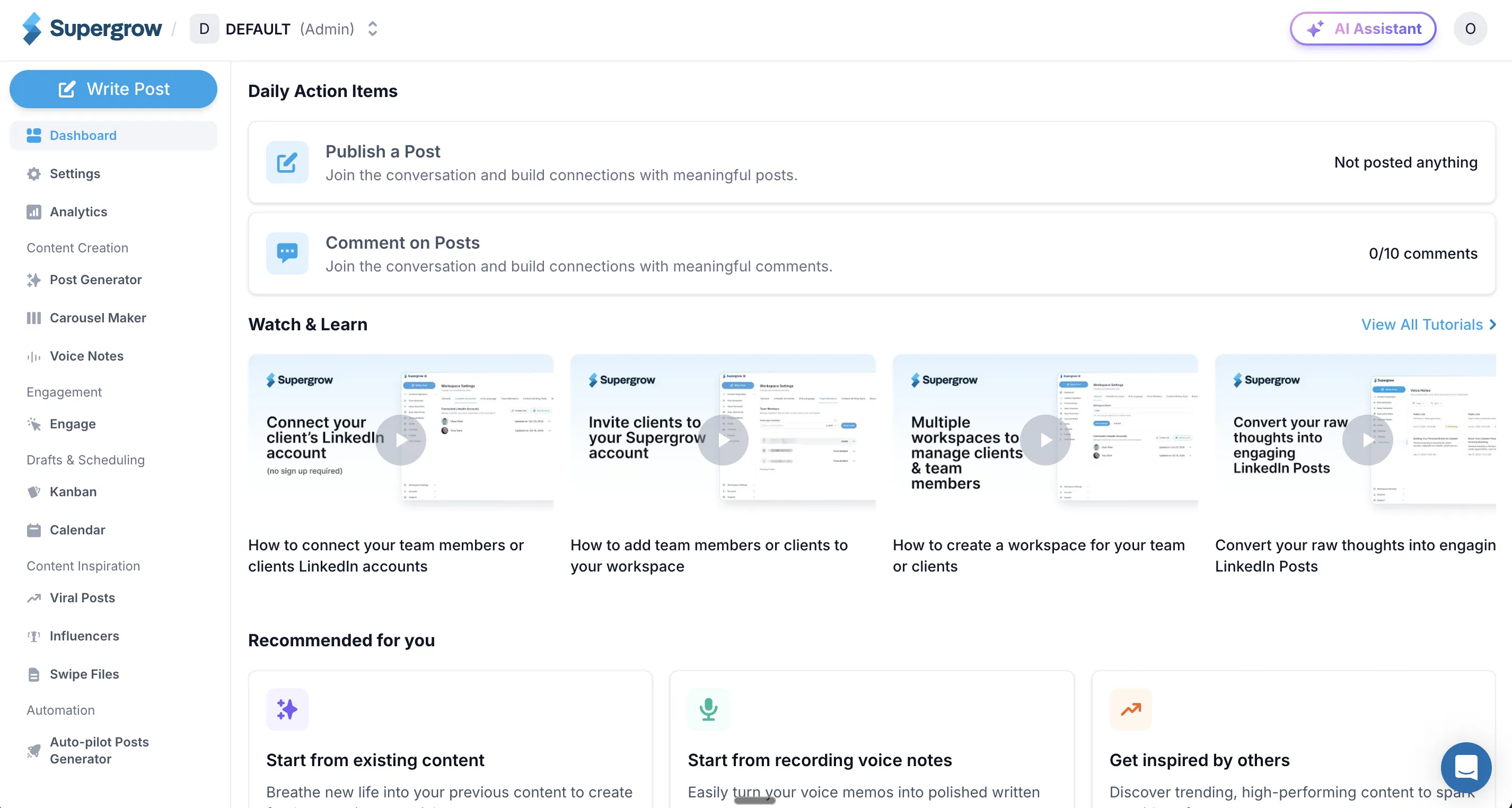
Kleo does one-click graphics and infographics — there’s a “Create graphic” action right on the home screen — and they’re pretty well done. If carousels are core to how you post, Supergrow is the clear pick.
Winner: Supergrow.
Which raises the next question: what happens when you’re not running one account, but several?
4. Kleo vs Supergrow Scheduling and Multi-Account: Which One Scales?
Supergrow wins on account management and scheduling depth. Kleo is single-account by design.
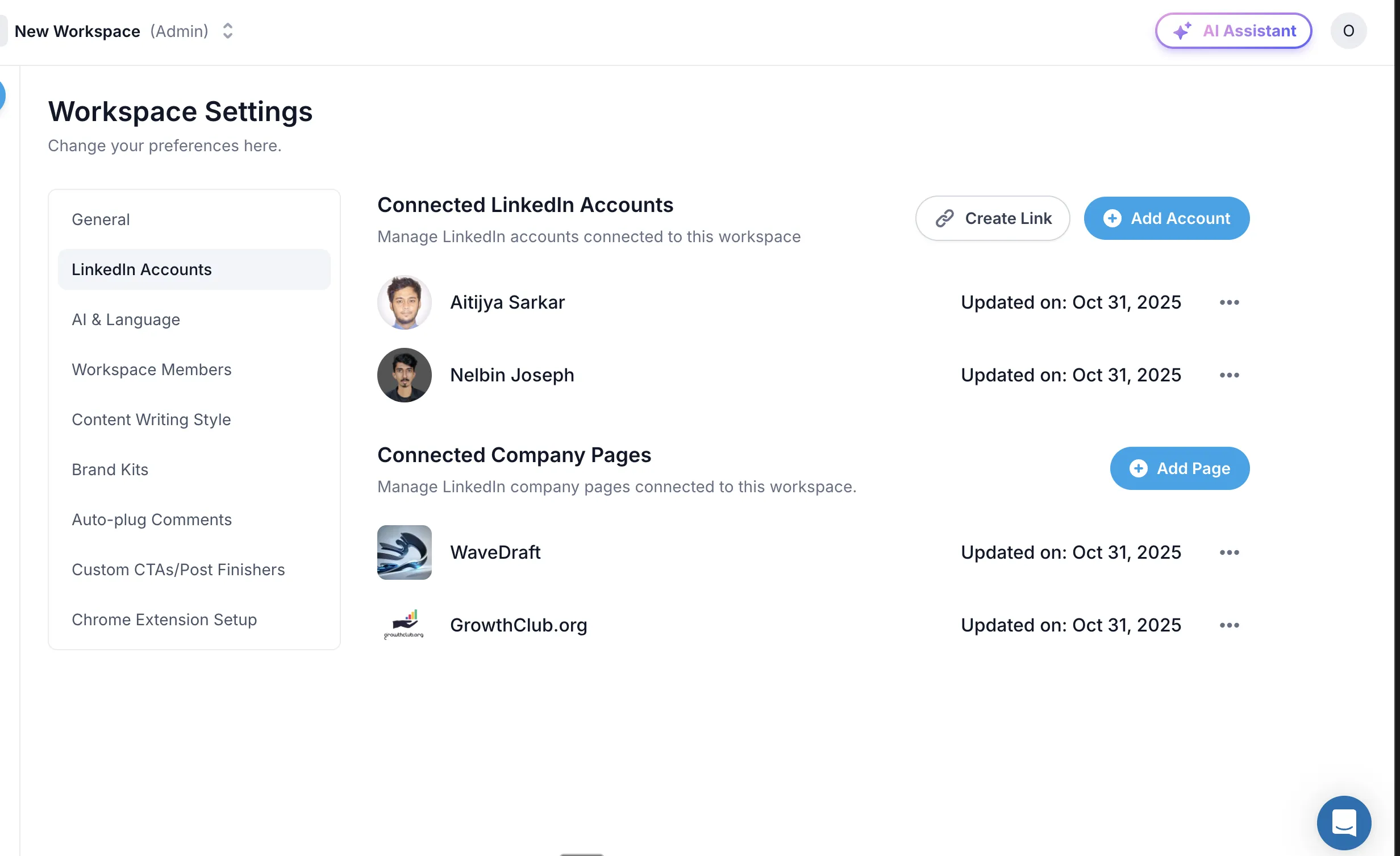
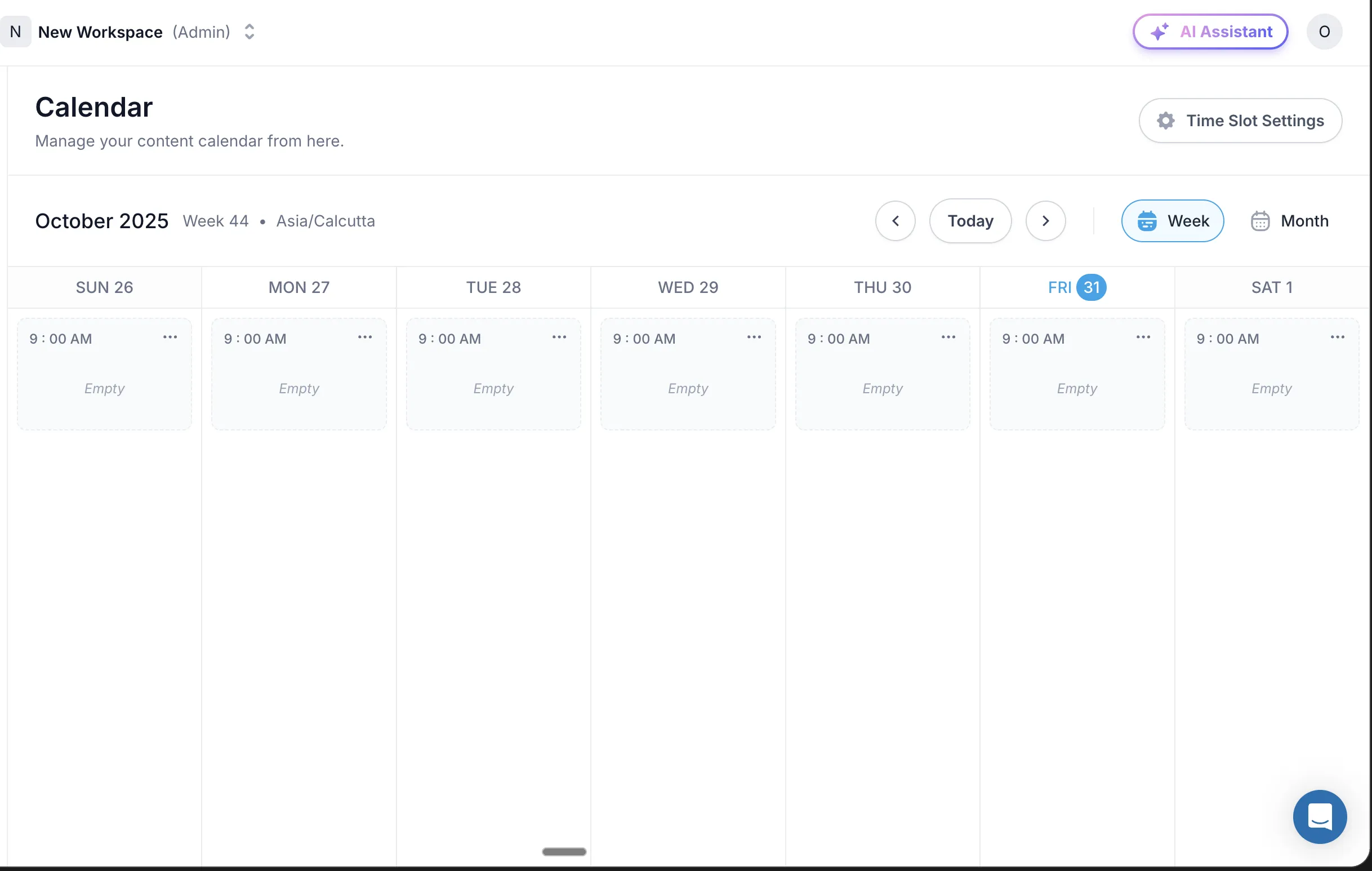
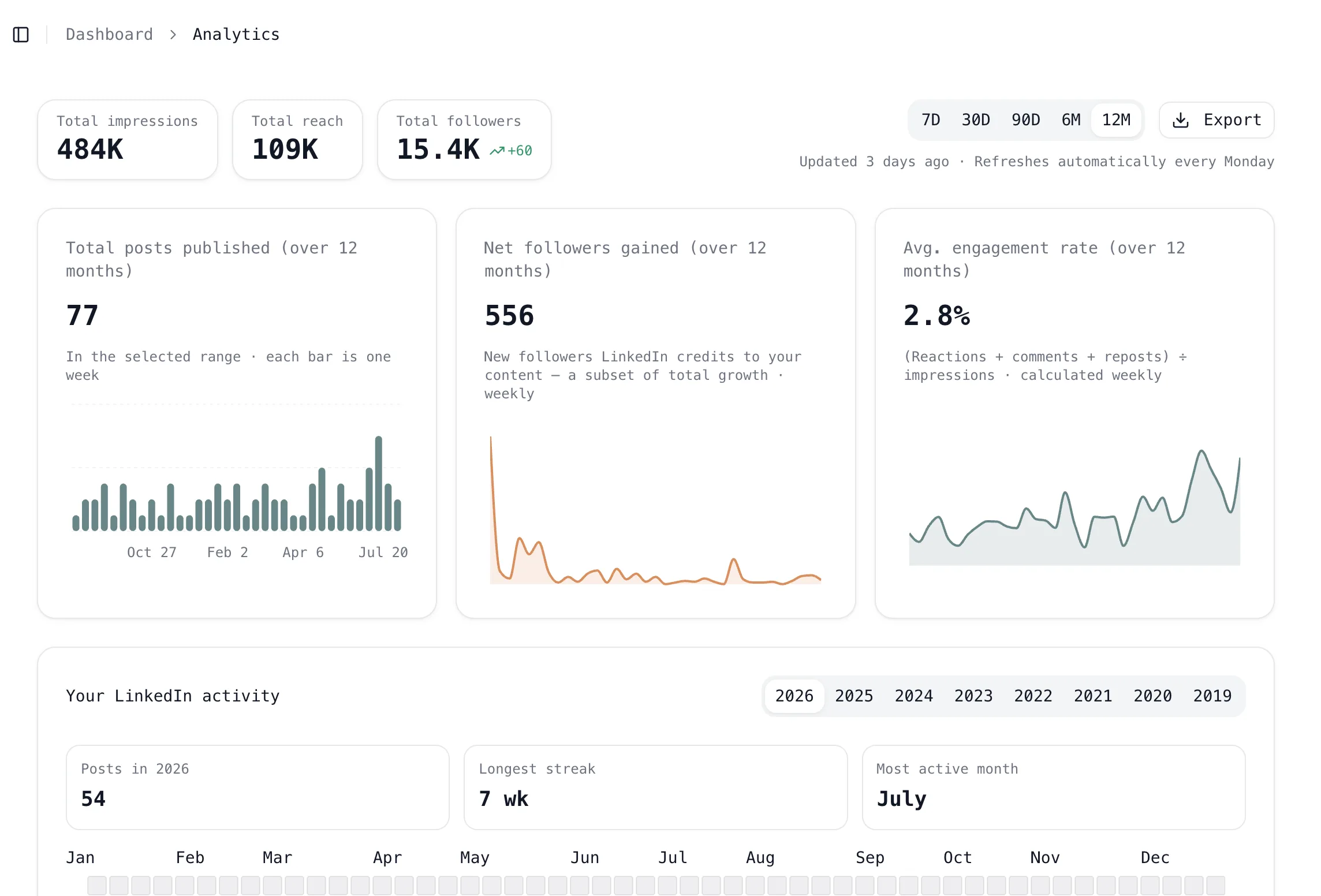
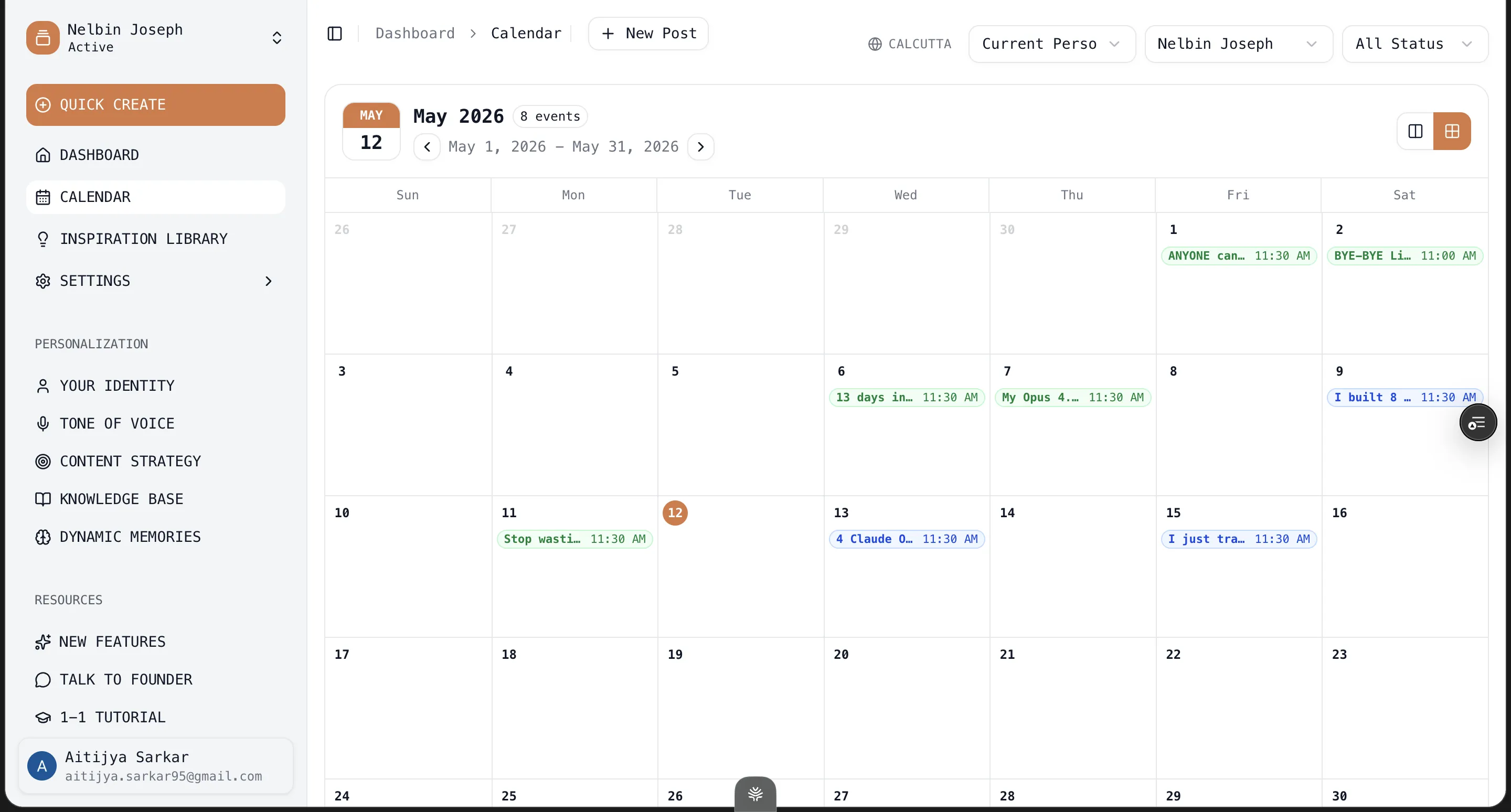
Inside Supergrow I connected several personal LinkedIn accounts and company pages, added workspace members, and ran the whole pipeline through a Kanban queue plus a Calendar scheduler with time-slot settings. There’s an Auto-pilot generator and Engage/comment tooling on top. If you run content for more than one account — your own plus clients, or a company page — this is a real scheduling backbone.
Kleo is single-account by design: a scheduler that publishes your own posts, no team workspaces, no multi-account queue. That’s the pitch. But if you manage several profiles, Kleo isn’t it.
The qualifier on Supergrow’s scheduling backbone, and its real weak spot, comes straight from its own reviewers. The analytics under all that scheduling are thin.
“The analytics side of things is something that I think could do some improvements… being able to see performance over time, best performing posts.”
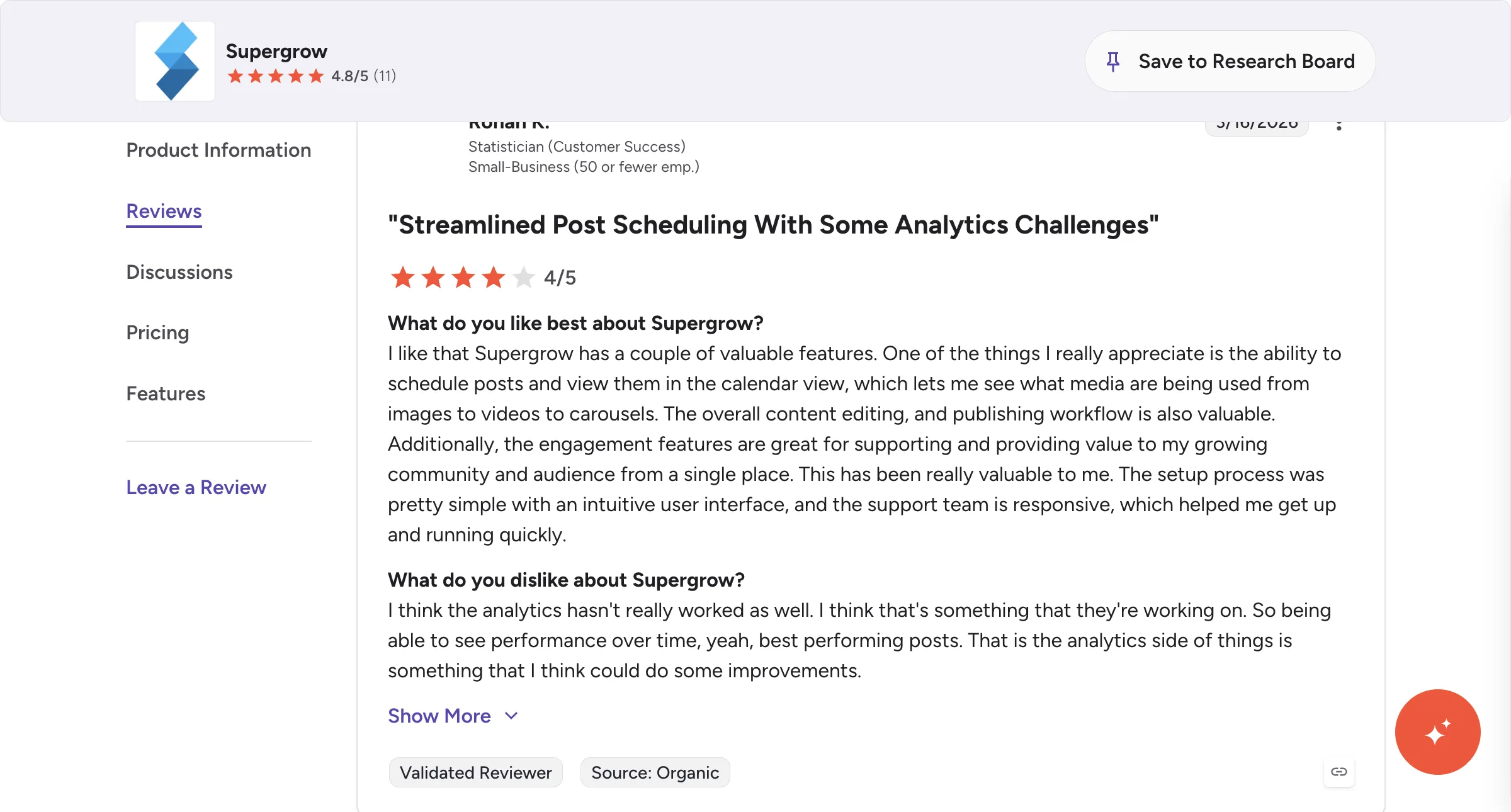
Winner: Supergrow. Multi-account, a real scheduler, and team workspaces, with thinner analytics as the trade. (For what it’s worth, Oiti’s $79 Pro also runs multiple profiles on official APIs, with analytics that aren’t an afterthought.)
Last axis, and the one everyone’s actually scared about: your account.
5. Kleo vs Supergrow and LinkedIn’s Terms of Service: Which Is Safe?
Neither is safer. This one’s a real tie, and it’s worth saying out loud, because it’s exactly where the extension-automation tools lose and these two don’t.
Both Kleo and Supergrow schedule and publish through LinkedIn’s official APIs rather than automating a logged-in session, so neither puts your account at risk. When I dug in, Kleo’s only remaining Chrome extension just saves posts to your swipe file. It doesn’t touch your account or automate anything, and Supergrow’s scheduling was built for compliance from the start. Compare that with tools like Taplio, which use your LinkedIn cookies to automate on your behalf and can get your account banned. There’s nothing in either Kleo or Supergrow that can do that to you.
Winner: Tie.
The round tally, plainly: Supergrow takes three rounds (pricing and evaluability, carousels, multi-account), Kleo takes one (the writing surface and context layer), and safety is a tie. So Supergrow wins overall, because “cheaper, try it free, carousels, and runs multiple accounts” outweighs the rest for most creators. If the writing surface for a single account is the one thing you’re optimizing for, Kleo is your pick, at five times the price and with no trial.
Want the safety without the AI slop?
Oiti publishes through LinkedIn’s official APIs too — so you’re safe from bans — but it grounds every post in who you are and what you believe, instead of handing you the same templated slop.
7 days free · No usage limits
Kleo vs Supergrow: Which Should You Pick?
Pick Supergrow if you’re price-sensitive, you post carousels, or you run more than one LinkedIn account — your own plus clients, or a company page. You’ll live with generic-leaning first drafts and thin analytics, but you get the cheapest serious entry in the pair at $19, a 7-day trial to test before you spend, a real Carousel Maker, and a proper multi-account scheduling backbone.
Pick Kleo if you write for a single account, you want the nicest writing surface in this pair — a clean composer plus a real knowledge-base-and-identity layer and a viral-format engine that teaches you why posts work — and you don’t mind paying a flat $99 a month with no trial to get it. You’re buying a focused, well-built writer, not a scheduling workspace.
Pick neither if what you actually want is posts grounded in your own POV and a tool that remembers your feedback between sessions. Both share that gap. One more note: if all you need is the cheapest ToS-safe scheduler and you don’t much care about the AI writing, Supergrow’s $19 Starter is hard to beat on price, and at that point neither Kleo nor Oiti is the value play. Match the tool to your primary job, not to the longest feature list.
When Neither Kleo nor Supergrow Is the Answer: Try Oiti, the AI Clone for LinkedIn Content
Both tools write LinkedIn posts, and both do it safely on official APIs. But neither remembers who you are between sessions, and neither produces anything original. Supergrow drifts generic because personalization stops at a “Content Style” dropdown — there’s no proper chat, and across posts the feedback I gave it never carried over. Kleo gets sanded toward whatever’s going viral, and its Identity layer is a static profile you fill in once, not memory that adapts. A static profile isn’t memory, and a viral format isn’t your POV.
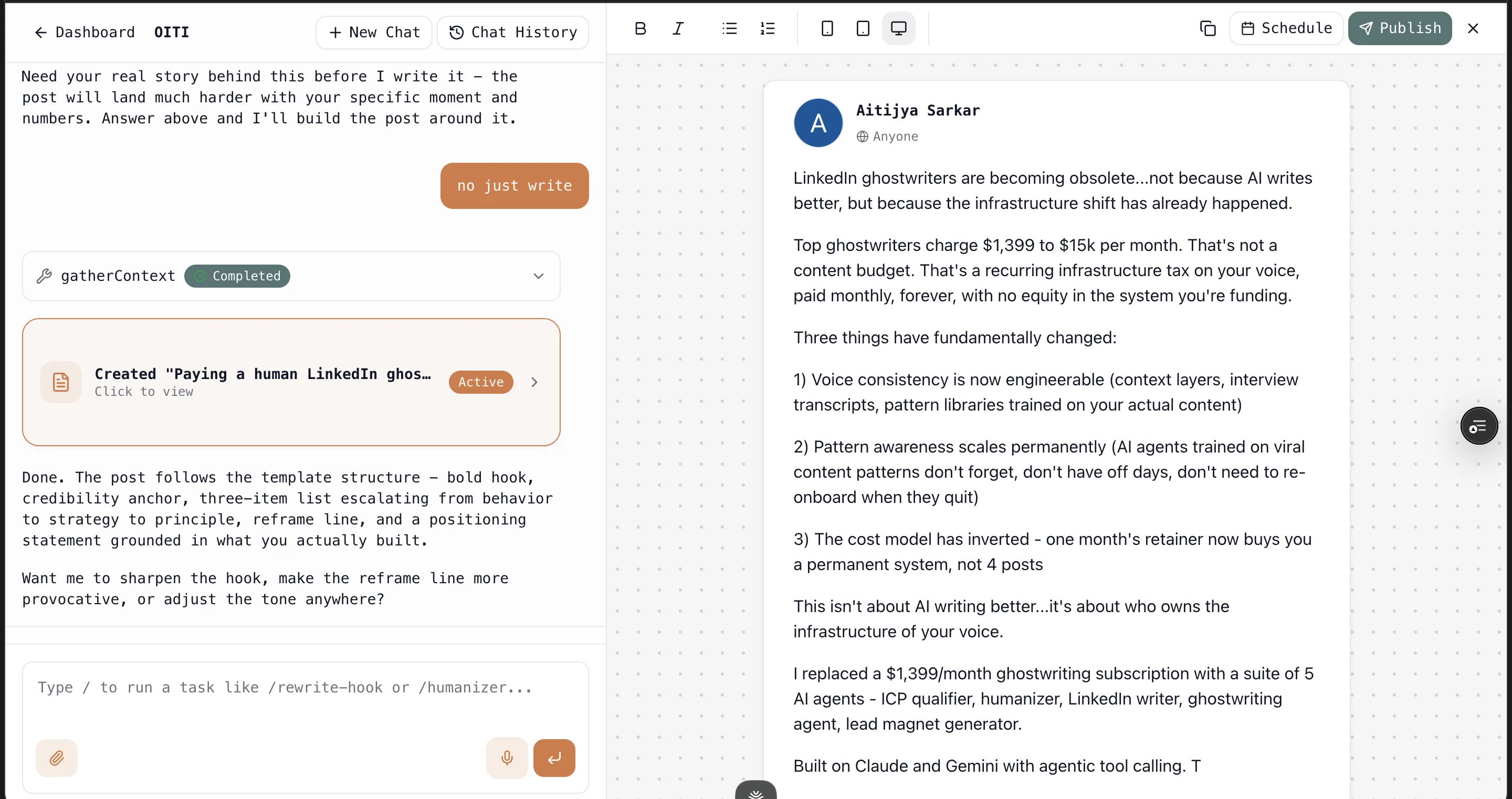
That gap is exactly what Oiti, the AI clone for LinkedIn content, is built to close. Every time you write, Oiti fires parallel fetches across your Knowledge Base and long-term memory, working out who you are, what you believe, and the way you actually talk before a word hits the page.
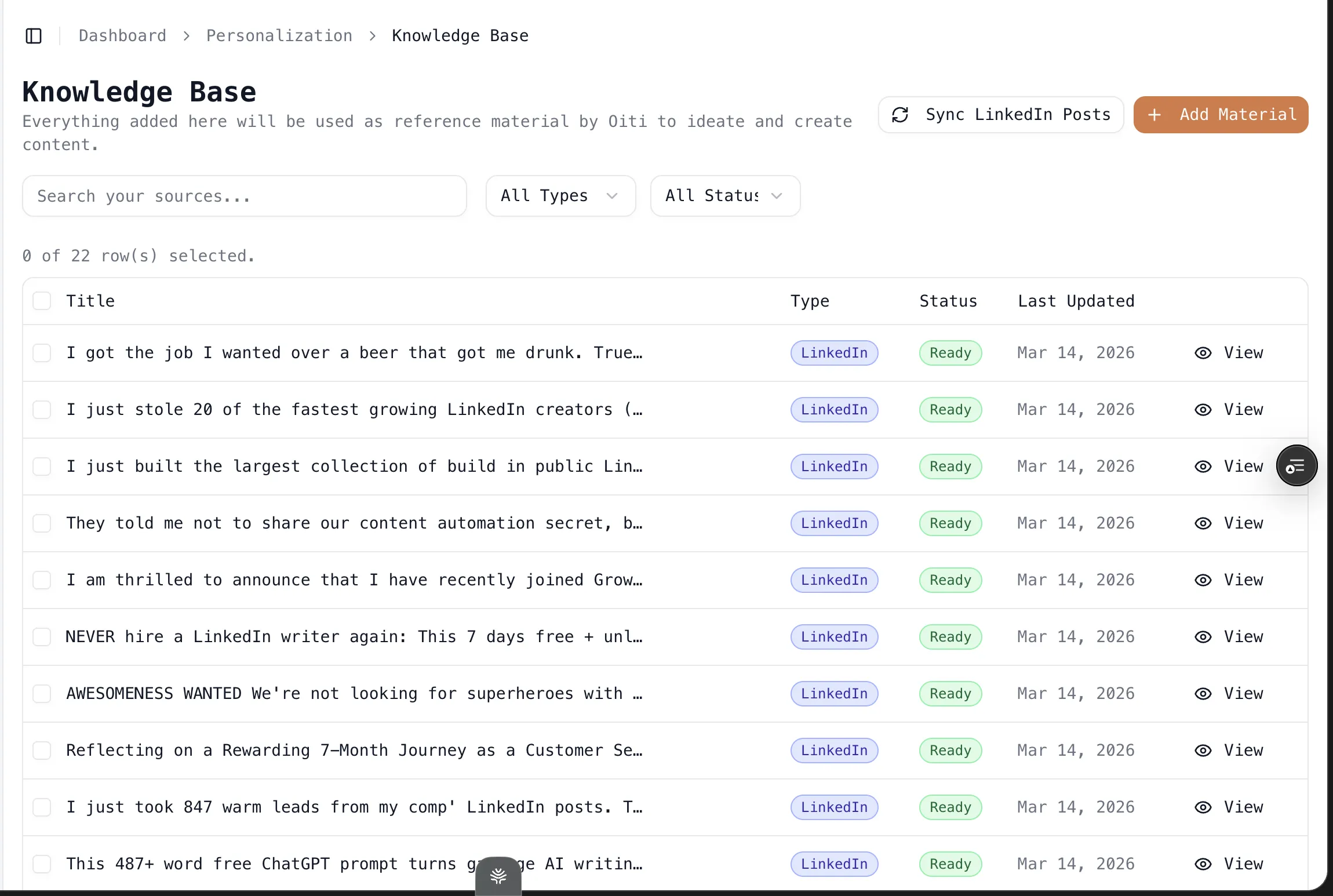
The Knowledge Base ingests your PDFs, posts, and videos.

The long-term memory absorbs every “no, not like that,” so the system gets more like you over time instead of resetting each session. It schedules and posts through LinkedIn’s official APIs too, so you keep the safety both Kleo and Supergrow give you, without the templated slop.
If you just want a cheap, ToS-safe carousel-and-scheduling workspace for one or two accounts and you don’t care whether the writing reads like a specific person, Supergrow is fine and Oiti is overkill. If you want a focused single-account viral writer and the $99 doesn’t bother you, Kleo is the pick. But if your edge is that your writing reads like a real, specific human — not your same old templated AI slop that LinkedIn’s aggressively penalising — that’s the whole ballgame, and it’s the one thing neither of these tools is built to protect.
You can find out for yourself in a week. Try Oiti free for 7 days, no usage limits — the AI Clone builds in about 30 seconds, and you can write the same post in all three and see which one actually reads like you.
Frequently asked questions
Is Supergrow cheaper than Kleo?
Does Kleo or Supergrow have a free trial?
Is Kleo or Supergrow better for carousels?
Is Kleo safer for LinkedIn than Supergrow?
Does Kleo or Supergrow’s AI actually sound like me?
The verdict
Supergrow is the stronger overall tool between the two. It’s a fifth of the price, it does carousels and multi-account scheduling, and it lets you try it free before you pay. Kleo is the more focused, better-built writer, and it wins the writing-surface round on a cleaner composer and a real knowledge-and-identity layer, but at $99 a month flat, with no trial and one account only. If you want cheap AI writing, carousels, or to run more than one account, and you want to evaluate before committing, go Supergrow. If you want the nicest single-account writing surface in this pair and the $99 blind commitment doesn’t scare you, go Kleo.
But if you want posts that read like you — remembered and grounded in your POV, not generic or viral-by-default — that’s the gap Oiti, the AI clone for LinkedIn content, is built to close. The AI Clone builds in about 30 seconds, and you can write the same post in all three before you decide.
7 days free · No usage limits