I Tested 10 Best AI LinkedIn Content Tools That Aren't AI Slop (2026)
Six years ghostwriting on LinkedIn. I re-ranked the category on one question: does the first draft have an original POV and isn't generic or does it sound like slop? I graded every tool on persona depth, memory, Knowledge Base grounding, whether it's moved past 2022 hook templates, and whether the tool itself writes with the AI tells baked in.

Why I wrote this
Why I wrote this
The short answer
Most LinkedIn AI tools produce slop. The models are fine; the tools are the problem. They have no self-evolving context. They scrape your last twenty posts, build a tone of voice prompt that's layered on top of a model, and hand back the average of LinkedIn.
Ranked by how much the output reads like a real person, Oiti is #1 ($49 Creator / $79 Pro, 50% off yearly for early adopters). It's the only tool that pairs long-term memory with a Knowledge Base and an AI Clone that gets better with feedback. Meet Sona #2 and Leaps #3 at least interview you before they write, instead of starting from a blank prompt. RedactAI #4 does tone-mirroring on a free tier and does it well. AuthoredUp #5 is the edge case: it does no AI writing at all, so there's nothing to slop up.
Below those sit the templated and viral-pattern generators. Each one is ranked and explained.
Jump to: the full ranking · what makes output slop · FAQ
AI slop is the new floor.
Two years ago, mediocre human writing was the baseline. Now the baseline is whatever $20-a-month ChatGPT gives you: competent and completely forgettable. Every tool in this category has to clear that floor to be worth paying for, and most don't. They wrap the same generic model in a "train your voice" screen that turns out to be a four-question quiz, then charge you $49 for output you could've gotten free.
I've been a LinkedIn ghostwriter for six years.
Fifty-odd founders, coaches, and consultants, close to 100 million organic views between them. I desperately needed a solution since working for a founder in wholesale, who was in a genuinely boring niche. Every tool I tried was matching his topics to viral posts instead of grounding a post in who he was and what his customers actually complained about. Slop, in other words. The tool was solving the wrong problem. It started from "what went viral" and tried to bend it toward the client. The only order that works is the reverse: start from who the client is, then bridge that into what LinkedIn rewards.
That's the reason so many of these tools below sounds like ai slop.
The context never evolves. A tool reads your last twenty posts once, creates a "voice profile," and every draft after runs against a snapshot that never updates. You correct it; the correction dies at the end of the session; next week you're retraining the same thing. Nothing accumulates, so the output regresses to the blandest average the model knows, which is slop. A better prompt won't fix that, and neither will a bigger model. It takes a persona that keeps deepening, a Knowledge Base grounded in your own material, and a memory that carries corrections forward.
I keep one counter-example in mind.
A creator named Yash Tak, in a niche most people would call unsexy, pulled 250,000 views on a single grounded, specific post using the #1 tool on the list, Oiti. That's what non-slop looks like: a real point of view aimed at an audience that happens to care, not a viral template dressed up. No generic tool produces that, because it doesn't know who Yash is or what landed last time.
So I re-tested the category on one question.
Read the first draft twice. Does it sound like a person with a unique POV, or like slop? Here's how they ranked.
The 10 best non-slop AI LinkedIn content tools at a glance
Sorted by overall fit for solo creators and small teams writing on LinkedIn in 2026. Click any tool name to jump to the full writeup.
| # | Tool | Pricing | What sets it apart |
|---|---|---|---|
| 1 | Oiti | $49 – $79 / month | Persona + Knowledge Base + long-term memory; sounds less like slop the longer you use it |
| 2 | Meet Sona | $24 – $59 / month | Voice interview beats a blank prompt, but it captures how you talk, not how you write, and it's capped |
| 3 | Leaps | $49 – $149 / month | "Anti-slop by design" guided interview forces specificity instead of a blank prompt |
| 4 | RedactAI | Free – $49.90 / month | Tone-mirroring that actually works, on a free tier; shallow underneath |
| 5 | AuthoredUp | $19.95 / month | No AI writing at all: you write it, it formats. No engine, no slop |
| 6 | Supergrow | $19 – $139 / month | Scheduling holds up; the writing is generic with no persona depth |
| 7 | MagicPost | ~$29 – $49 / month | Picks up small patterns from a few recent posts, then defaults to vanilla |
| 8 | Taplio | $39 (0 AI credits) – $65+ / month | Chatbot bolted onto a pre-AI codebase; "the usual AI slop," per one reviewer |
| 9 | Scripe | €69 – €149 / month (+€45/mo per extra account) | Viral-pattern bias flattens voice; "Post Ideas are AI Slop," verbatim from a paying customer |
| 10 | Kleo | $99 / month ($999/yr) | Optimizes for viral, which flattens voice hardest of anything here |
What actually makes AI output slop
Slop isn't a vibe you can argue about. It comes from a specific failure: the tool has no self-evolving context. Nothing remembers you, nothing grounds the draft in your actual world, nothing sharpens as you correct it. Here are the six things I checked on every tool, all pointed at that one failure.
The re-read test
Read the first draft once and most tools pass; the output is competent. Read it twice and the AI shows itself. The influencer cadence. The too-tidy setup and the payoff that could belong to anyone. If the second read slides into generic LinkedIn-bro rhythm, it's slop.
Persona depth
Is the tool trained on your actual writing, or is "voice training" a tone dropdown on a generic model? The weak ones prompt an LLM with a label. The middle ones read a handful of recent posts. A real persona is built from your full history, your website, and what your ICP actually complains about. A document, not a survey answer.
Memory that compounds
When you tell it "don't open with 'I'" or "stop using 'unlock'," does that stick next session, or are you retraining it every Monday? Memory is the only thing that makes a tool get less generic over time instead of resetting to the average every chat.
Knowledge Base grounding
Is the post grounded in your real material (your talks, your PDFs, your meeting notes, what's trending in your niche right now), or is it a hallucinated average of the internet? A post that cites a real number holds a reader. A post that invents one loses them the second they check.
Beyond hook templates
The 2022-era viral hook templates are the slop now. LinkedIn's 2026 algorithm (360Brew, a 150-billion-parameter LLaMA 3 decoder detailed in LinkedIn's March 2026 engineering blog) ranks on dwell time, not likes. A post 200 people read for 90 seconds beats one 2,000 people skim in four. Tools still shipping like-era templates are optimizing for the wrong outcome.
The human tell
Em-dash spam. The rule of three. The "it's not just X, it's Y" construction. The tidy three-item list where a real person would've written two or four. Once you've seen these you can't unsee them in a feed. The tools worth paying for either avoid them or let you edit them out and remember the correction, so you're not fighting the same tic every draft. The rest write with the tells baked in and give you no way to teach them out.
Sources: I signed up for all ten and ran real posts through each editor. Where I lean on third-party reviews, I name the reviewer. Pricing is from each vendor's own page. Oiti's yearly is 50% off for early adopters: $245 Creator, $395 Pro.
These six aren't equal for everyone. The first four decide whether the writing sounds like you, which is what most solo creators and ghostwriters are actually buying. The fifth matters most if you care about reach in the 360Brew era. Weigh the ones that fit how you work.
On these six, Oiti came out #1. It's the only tool built to fix the context problem itself instead of papering over it with a nicer prompt. Here's the rest.
The 10 best non-slop AI LinkedIn content tools in 2026
Best for solo founders in boring or technical niches, ghostwriters, and agencies
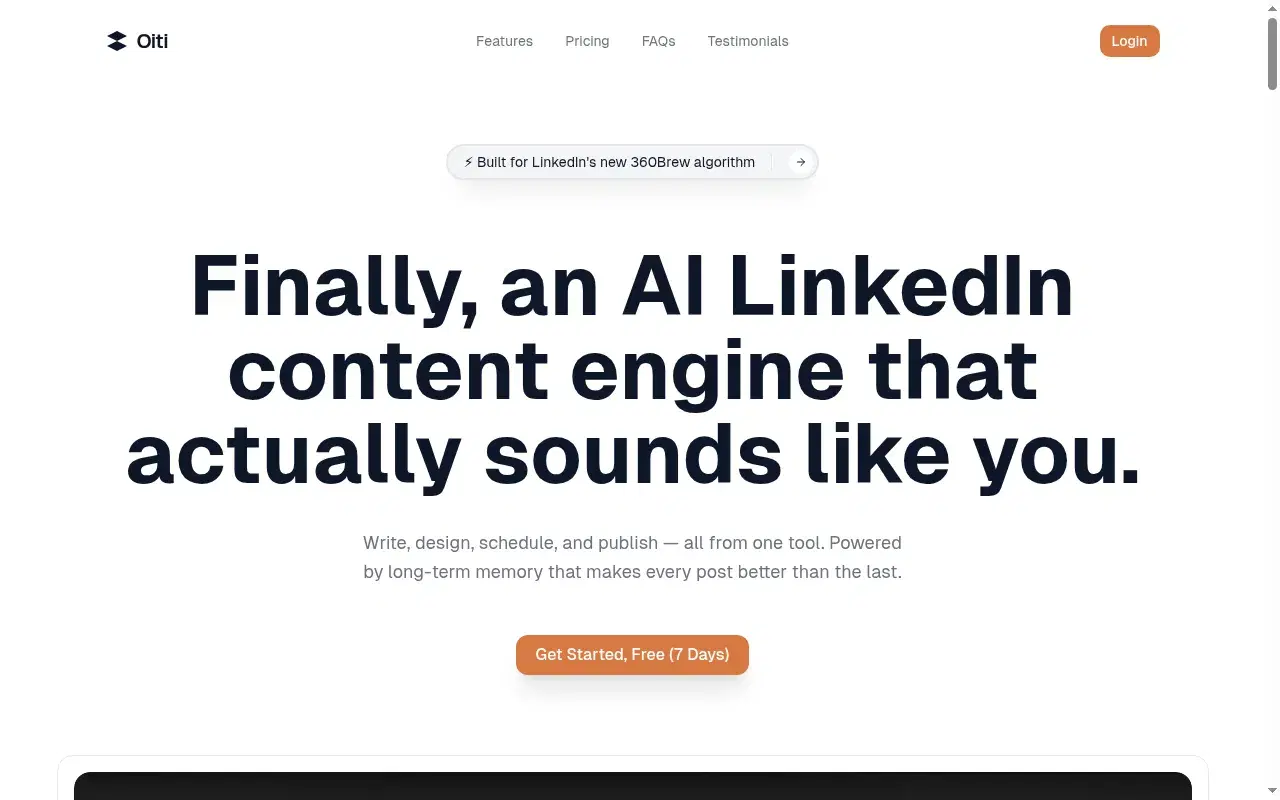
I found this after paying for countless ai linkedin content tools that produced slop for the same reason — a thin persona bolted to a generic model, with no memory and nothing grounding the draft. Here's why it's #1, and where it isn't your pick.
When I tested it
I'm a daily user.
Inside Oiti
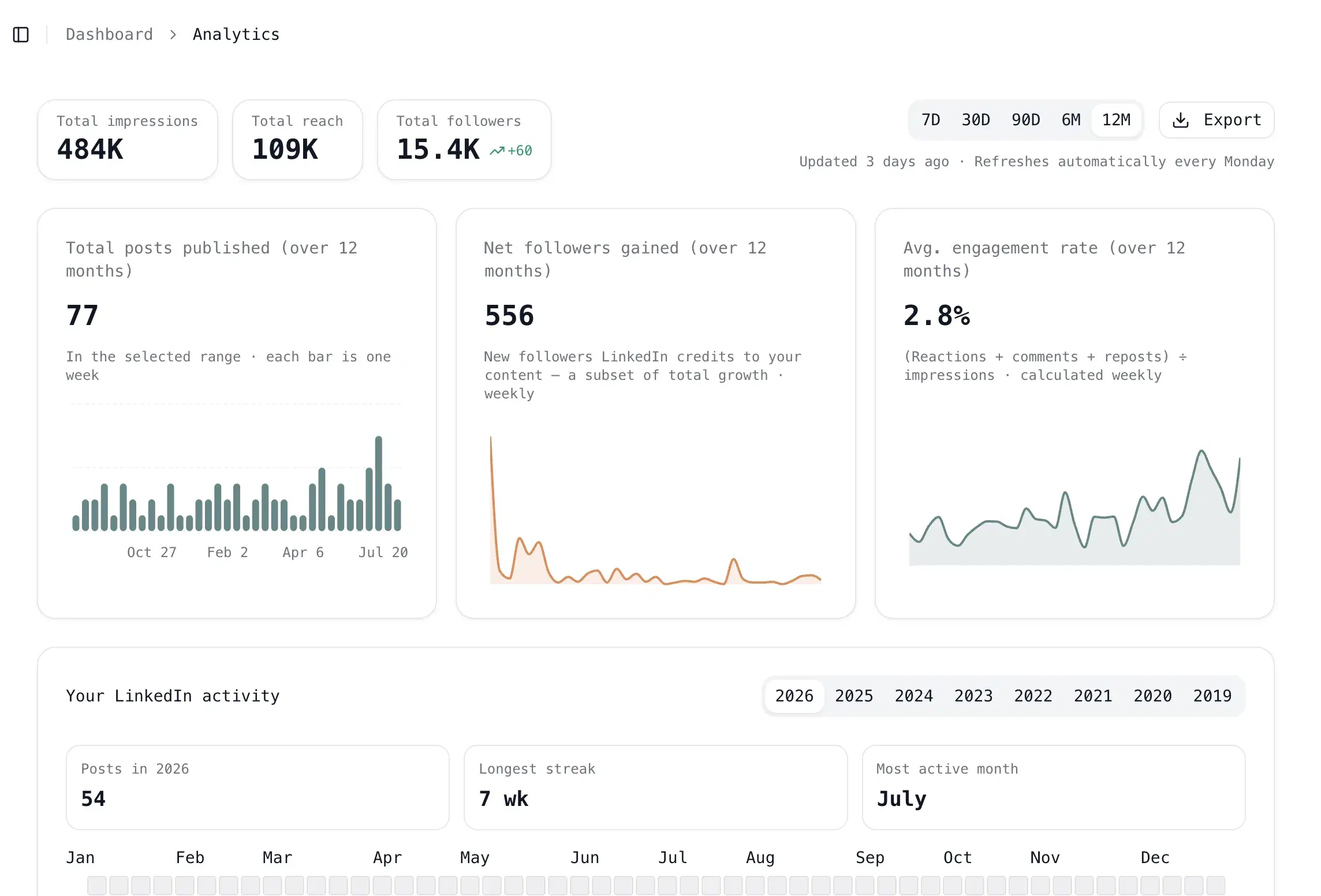
Key features
What holds your voice: the memory + Knowledge Base + AI Clone stack: Before a word hits the page, Oiti fires up to 10+ parallel fetches across your Knowledge Base and long-term memory to work out who you are, what you believe, and how you write. The AI Clone underneath is a 3,000-word profile built in 30 seconds from your last 100 posts, your website, and a live search of your ICP's pain across X, Reddit, and the wider web. That's what keeps a draft from defaulting to the LinkedIn average.
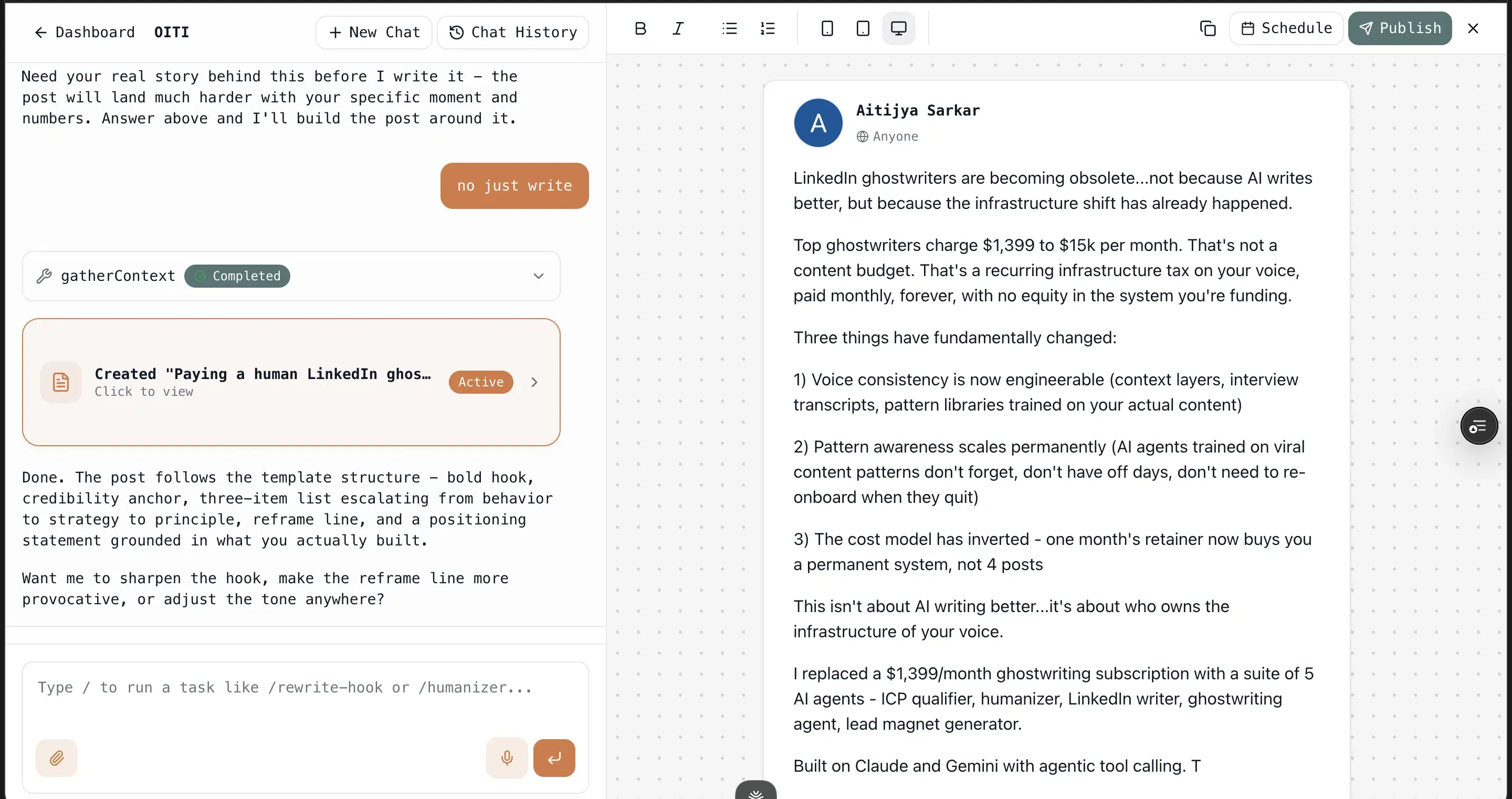
Memory compounds: Tell it once "I never open with 'I'" and it never does again. Every edit and instruction sticks and feeds the next session, so the output reads more like you typed it as the weeks go by, not less.
The Knowledge Base grounds every post: Drop in YouTube talks, PDFs, past posts, competitor content. For a meeting you want referenced, add a PDF or paste the text, and the research agents pull from it plus the live web before drafting, so posts are tied to your actual world.
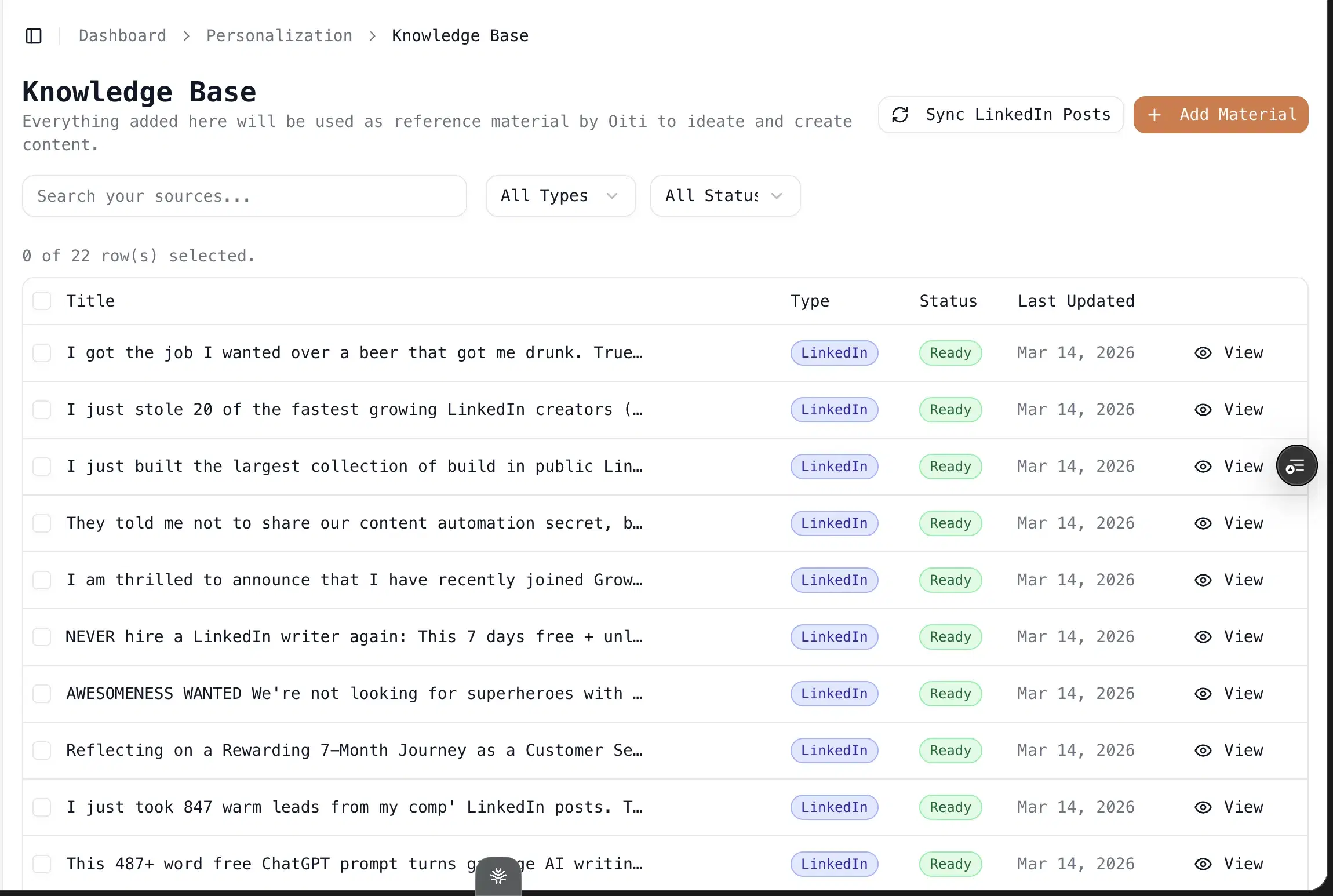
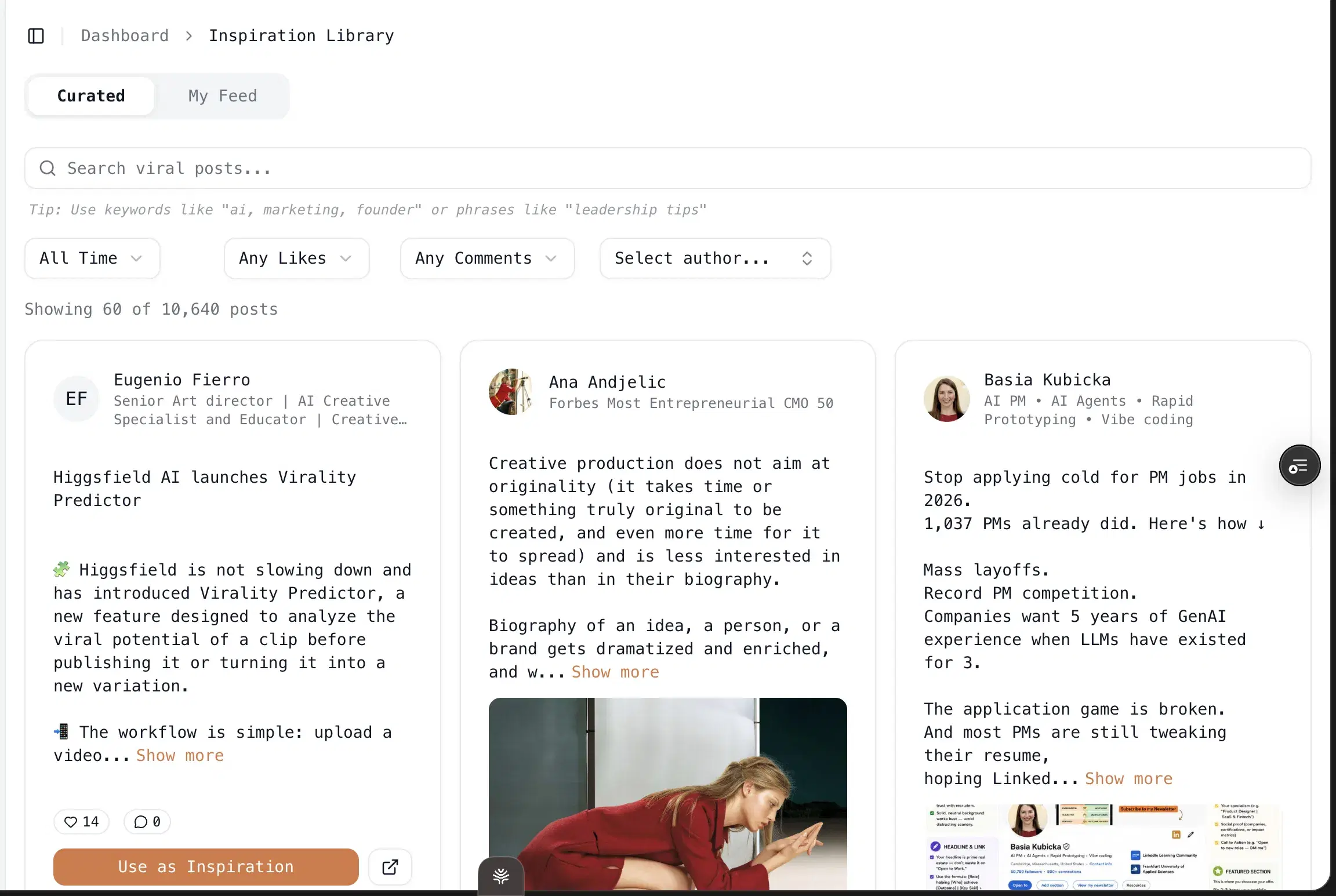
The inspiration loop sits on top of that: See a post that's working, click "use as inspiration," and Oiti pulls its structure (the hook shape, the cadence, the payoff) into a one-click template the Clone fills with your persona and KB. Plenty of tools have inspiration libraries. None of them turn a saved post into a template that a memory-backed persona then fills.
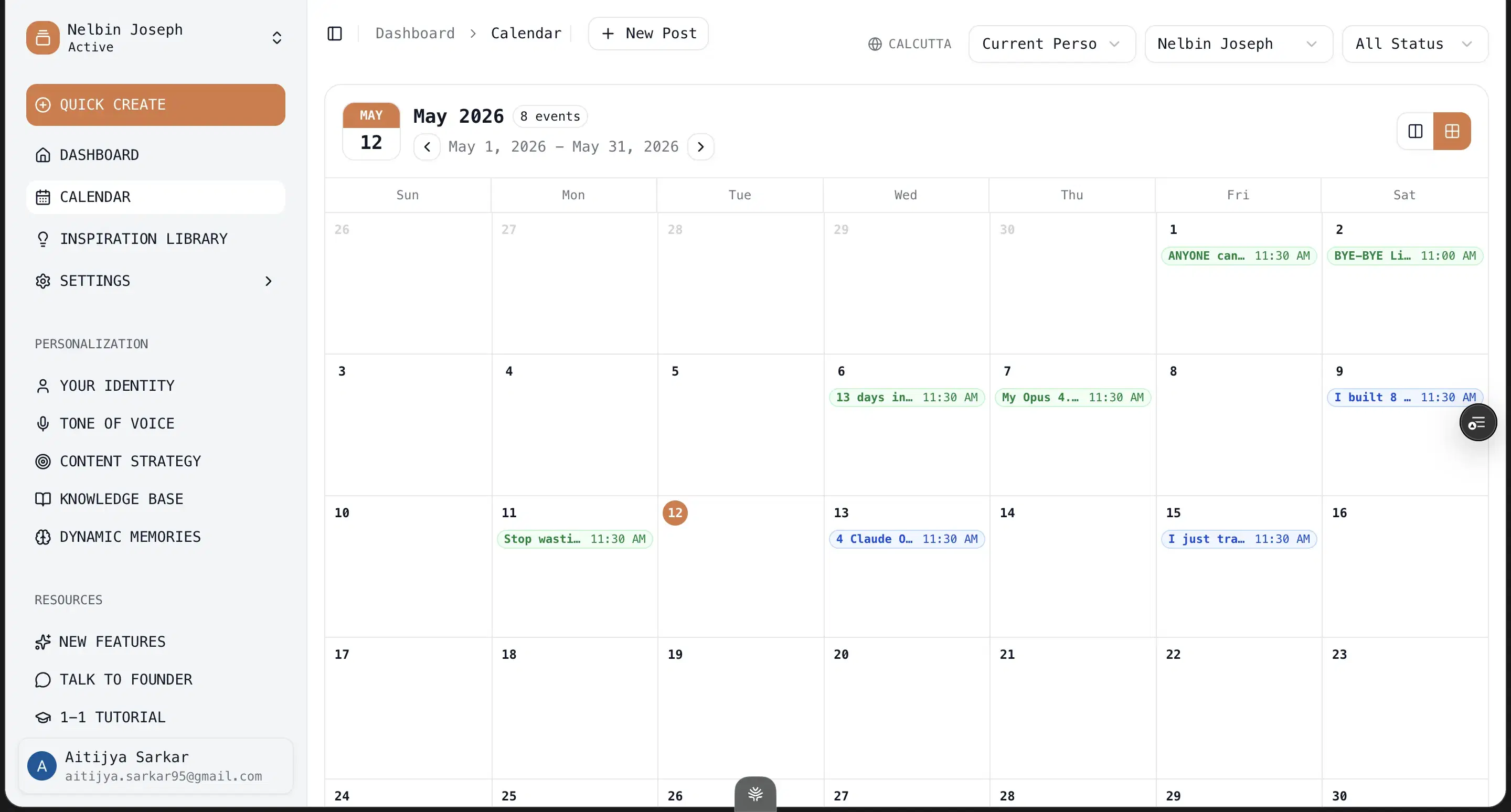
Publishing on official APIs: Publishing and analytics runs on LinkedIn's official APIs: 3 personal accounts plus 10 company pages on Pro. No Chrome extension, no ToS risk.
Best for
- Solo founders in boring or technical niches where generic creator-economy content actively works against you.
- Ghostwriters and agencies running 3+ client voices on Pro.
- Consultants with deep IP (books, podcasts, PDFs) who want every post grounded in their own material.
- If you just want to ride trends and don't care whether the writing sounds like you, there are cheaper picks below.
Pricing
$49 – $79 / month · 7 days, no usage caps
Pros
- The persona + memory + KB stack is the moat. No other LinkedIn tool builds this deep on the input side, and none of it is rationed. It's what makes drafts read like you typed them, not like your sentence patterns run through a model.
- Memory that compounds. Corrections persist across sessions, so the tool gets less generic over time instead of resetting to the average every chat.
Cons
- No mobile app. Web-only. The web app is fine on a phone for the calendar; drafting is desktop-first.
- No Chrome extension and no X or Instagram content. Deliberate, official APIs only, LinkedIn-only by design. If you want an in-feed overlay or cross-platform output, that's a different tool.
Best for founders who want to talk their ideas out loud

It interviews you before it writes, by voice instead of a blank prompt box. The catch is it captures how you talk, not how you write, and then it caps how much talking you get. Meet Sona interviews you by voice and builds a "Verbal Identity" from your spoken answers: tone tags, a voice archetype, a few signature phrases. As an input, talking through your ideas genuinely beats a dropdown.
When I tested it
Tried it in 2026. A few things pull it back toward slop. The interviewing is voice-only with no chat fallback, and by the third session the modality is friction, not novelty. The persona is rationed at five interviews a month on the $24 tier, on a tool whose whole pitch is capturing your voice. And it writes for multiple formats (LinkedIn, X, blog, email, video), so LinkedIn styling isn't the priority. My first generated post read fine on one pass; on the second read the parallel constructions and the neat numbered list gave it away. The interview caught my tone. It didn't catch enough of me to keep the writing from defaulting to the average.
Inside Meet Sona

Best for
- Founders whose spoken voice maps cleanly to their written voice and who specifically want to talk their persona into existence.
- If you write more formally than you speak, you'll do edit work.
Pricing
$24 – $59 / month · Free trial
Pros
- Most human onboarding. Voice-interview onboarding is the most human input in the category, closer to how a real ghostwriter starts.
- Captures tone + phrases. Genuinely captures your tone and signature phrases at the surface.
Cons
- Captures speech, not writing, and the two diverge more than you'd guess. No long-term memory compounding underneath it.
- The persona is capped. The persona is capped at five interviews a month, so it plateaus fast.
Best for cross-publishers who like the interview rhythm
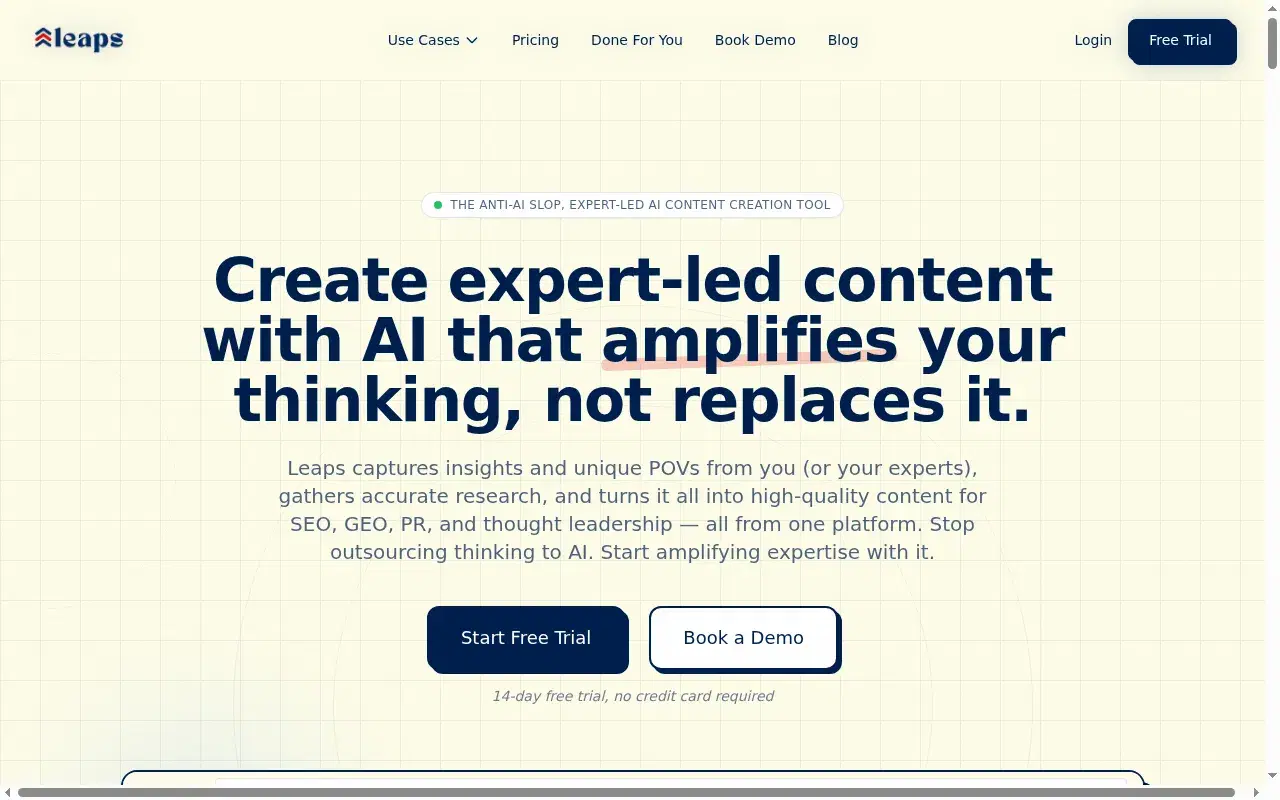
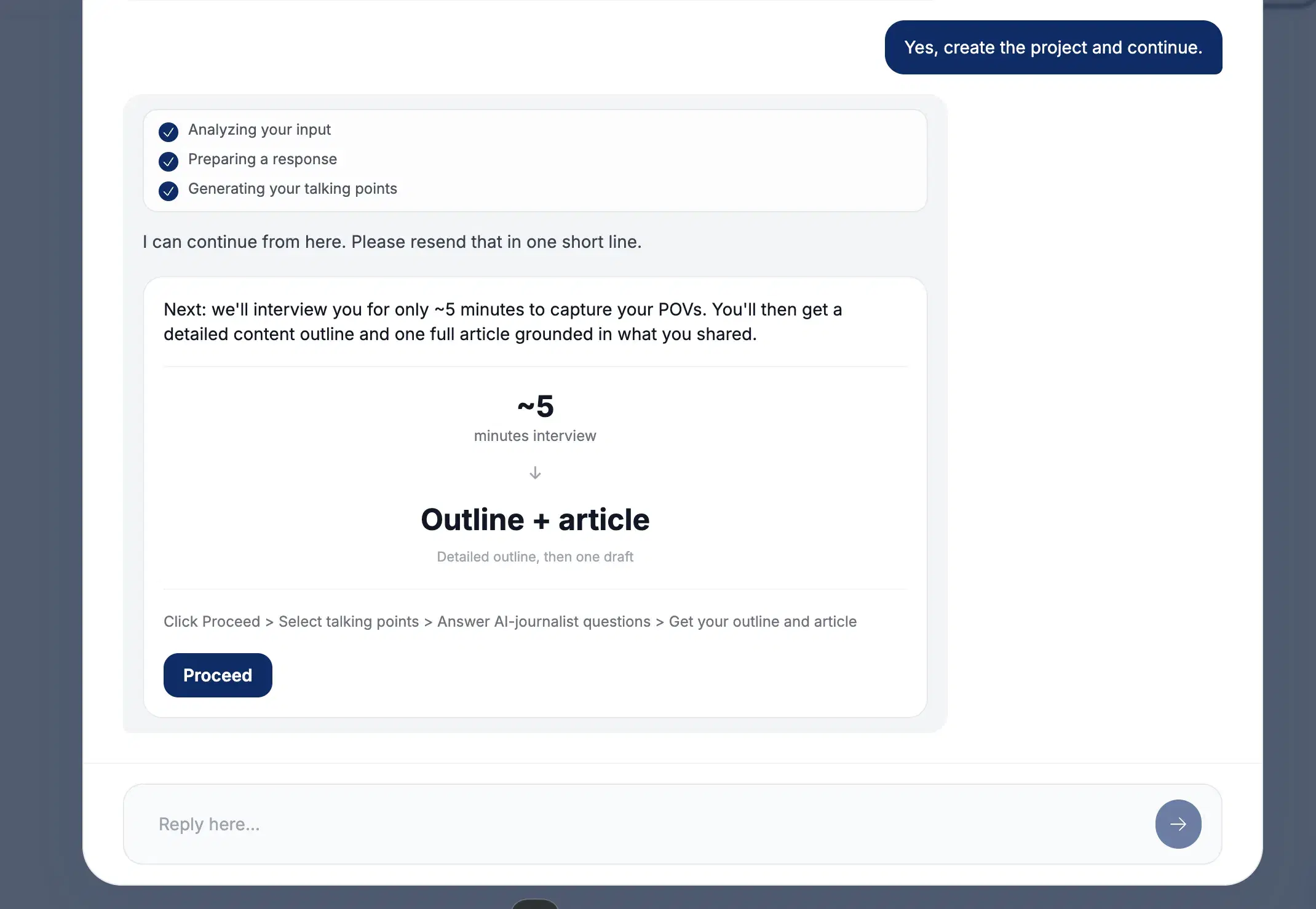
The "anti-slop by design" tagline is more than marketing. Its guided interview forces you to be specific instead of handing a generic model a one-line prompt. Leaps' pitch is literally "we don't write from generic prompts." Instead of asking what you want to write about, it surfaces questions, lets you pick which talking points to explore, and runs a short interview with an AI journalist. That structure is closer to how a real ghostwriter pulls a story out of you than anything else in this list, and it genuinely raises the floor on specificity.
When I tested it
Tried it in 2026. The problem is focus. Leaps writes across LinkedIn, newsletters, tweets, outlines, articles, even SEO and GEO, so LinkedIn is one surface of many and the LinkedIn-specific craft (the hook, the line breaks that survive the mobile "see more" fold) gets diluted. The interview is one-shot: answer the questions, get the output, then start over to revise. No chat-based iteration, no Knowledge Base for your PDFs or past posts, no memory across sessions. It clears the blank-prompt slop but stops short of a persona that keeps compounding.
Inside Leaps
Best for
- Cross-publishers running LinkedIn plus newsletters plus long-form who like the interview rhythm.
- For LinkedIn-only creators, the breadth is a tax.
Pricing
$49 – $149 / month · Free, no credit card
Pros
- The anti-slop interview is a real product idea. Talking-points selection forces specificity generic-prompt tools skip.
- Multi-channel from one interview. Genuinely useful if you publish across several channels from one interview.
Cons
- Not LinkedIn-first. Multi-channel breadth thins the LinkedIn-specific depth.
- No Knowledge Base and no memory. Each session starts fresh and the persona never compounds.
Best for single-profile creators with a focused topic

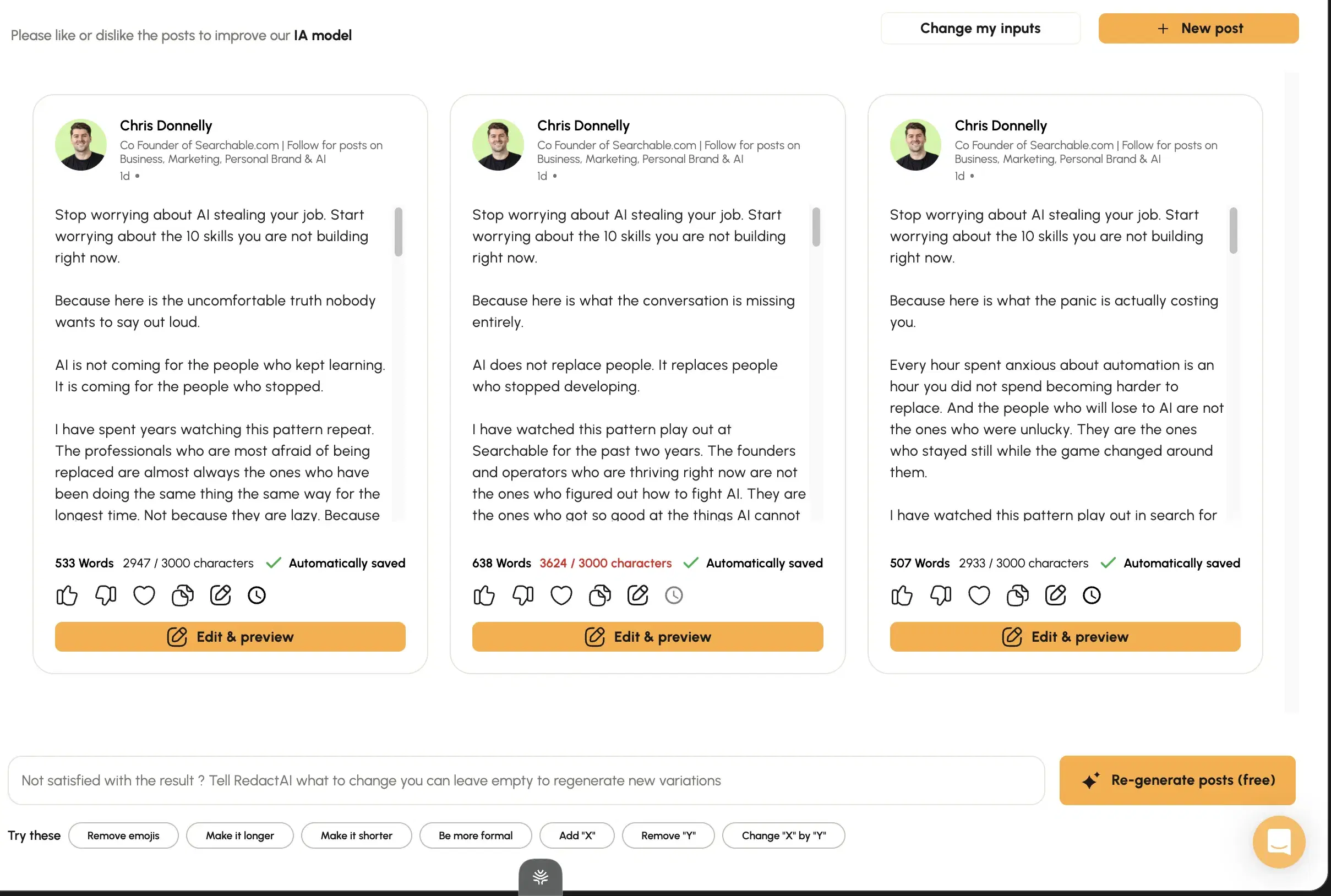
Tone-mirroring is the one thing it does well, and a real free tier lets you check the output before paying. Useful as an anti-slop test-bed. It's shallow underneath. RedactAI's headline is style mirroring, and it's the rare case where the headline holds up. The drafts I generated read closer to my actual sentence rhythm than most tools at this price. The free tier is genuine too: four posts a month, one profile, no card, so you can judge the output before paying a cent.
When I tested it
Tried it in 2026. Where it thins out is the layer beneath the tone. There's no narrative persona and no persistent memory, so the same hook shapes start resurfacing across topics within a couple of weeks and the templates show through. Scaling is the other problem: multi-profile support only unlocks at the $899 Enterprise tier, which prices out anyone who isn't already an agency. It reads like a person on the first draft. It just stops learning who that person is.
Inside RedactAI
Best for
- Single-profile creators with a focused topic who want better tone-matching than the templated tools charge more for.
- Pricey the moment you need to scale.
Pricing
Free – $49.90 / month · Free tier (4 posts/mo, 1 profile, no card)
Pros
- Style mirroring genuinely works. The best tone match at this entry tier.
- Genuine free tier. A free tier with no card is a clean way to test the category.
Cons
- Template-driven underneath, with no persona or memory. Hook shapes repeat and the templates surface within weeks.
- Multi-profile is paywalled straight to $899 Enterprise. With no mid-tier option.
Best for people who want to write their own posts and just need them to look right
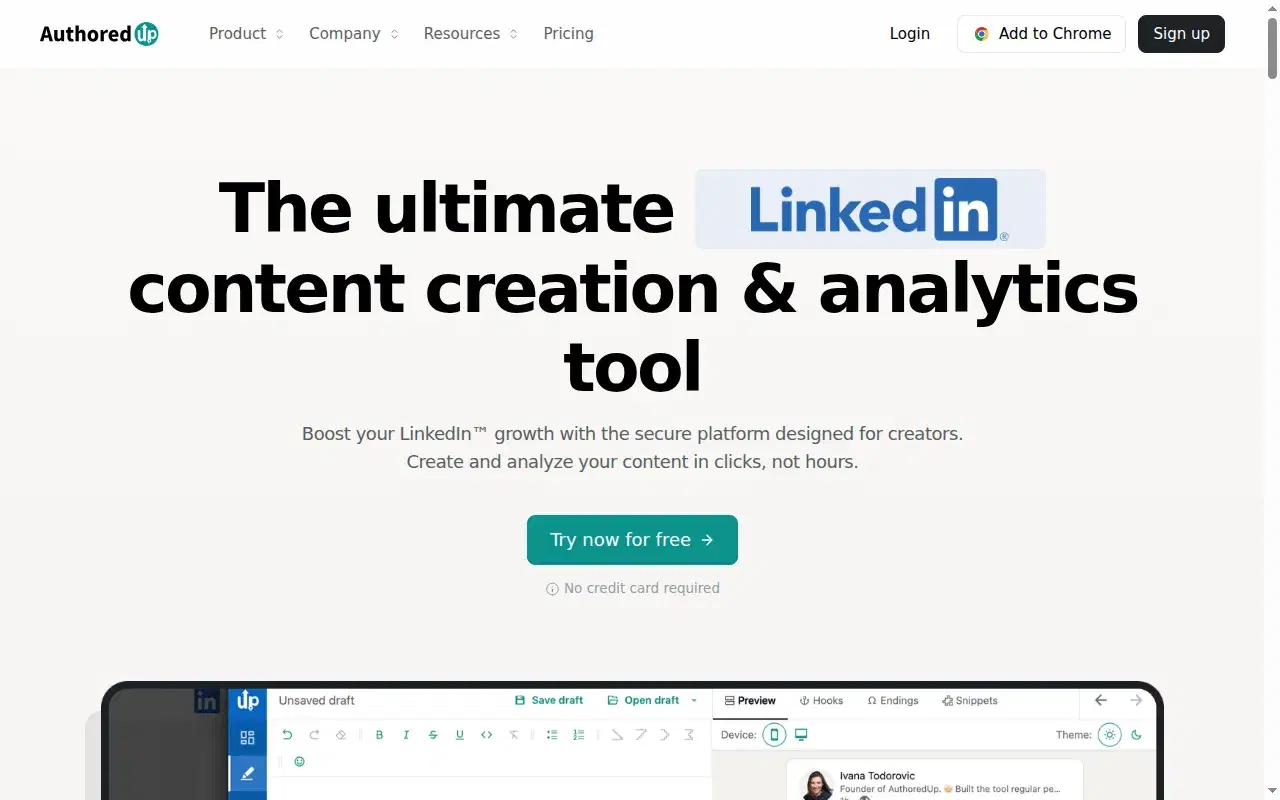
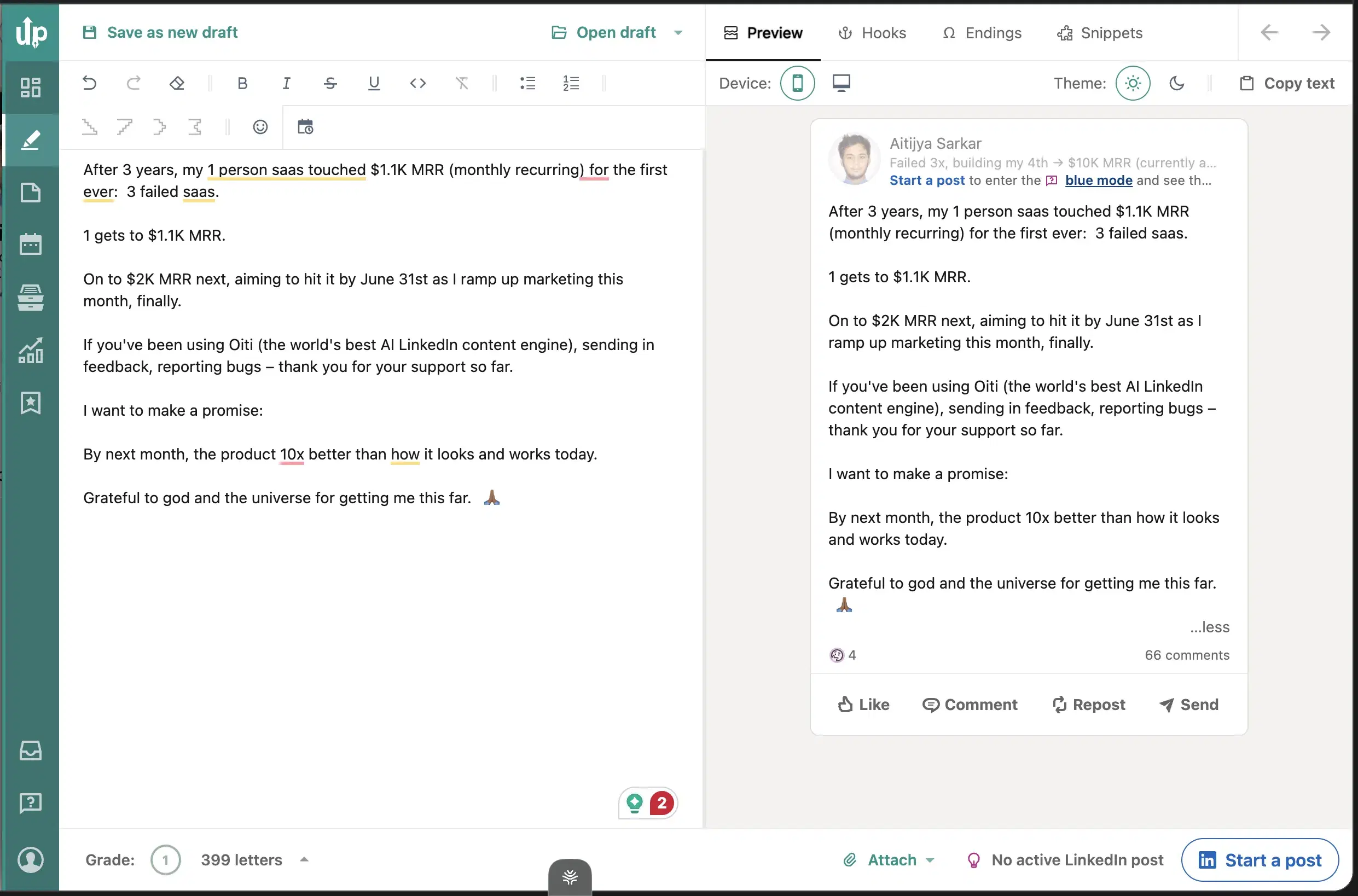
It doesn't write anything. You write the post; AuthoredUp formats it. There's no AI engine to produce slop in the first place. For some people the real anti-slop move is just to write it themselves. AuthoredUp does one thing: it formats and previews your LinkedIn post before you publish. Bold, italic, line breaks, the 210-character "see more" cutoff, all rendered live. It's a clean, reliable formatter. The catch is ToS: it's a Chrome extension, and LinkedIn is clamping down on that whole class (Shield Analytics shut down in May 2026 over exactly this risk).
When I tested it
Tried it in 2026. Paid for it back in 2020–2021.
Inside AuthoredUp
Best for
- People who want to write their own posts and just need them to look right, with no AI at all.
- If formatting is genuinely all you need, Oiti's free LinkedIn Text Post Formatter covers it with no signup.
Pricing
$19.95 / month · 14-day, no card
Pros
- Best-in-class formatting. The formatter and preview are as good as any in the category.
Cons
- No AI writing, no KB, no memory. You pair it with a separate tool for the actual drafting, and the extension carries ToS risk.
Best for teams running 3+ accounts that need the scheduling
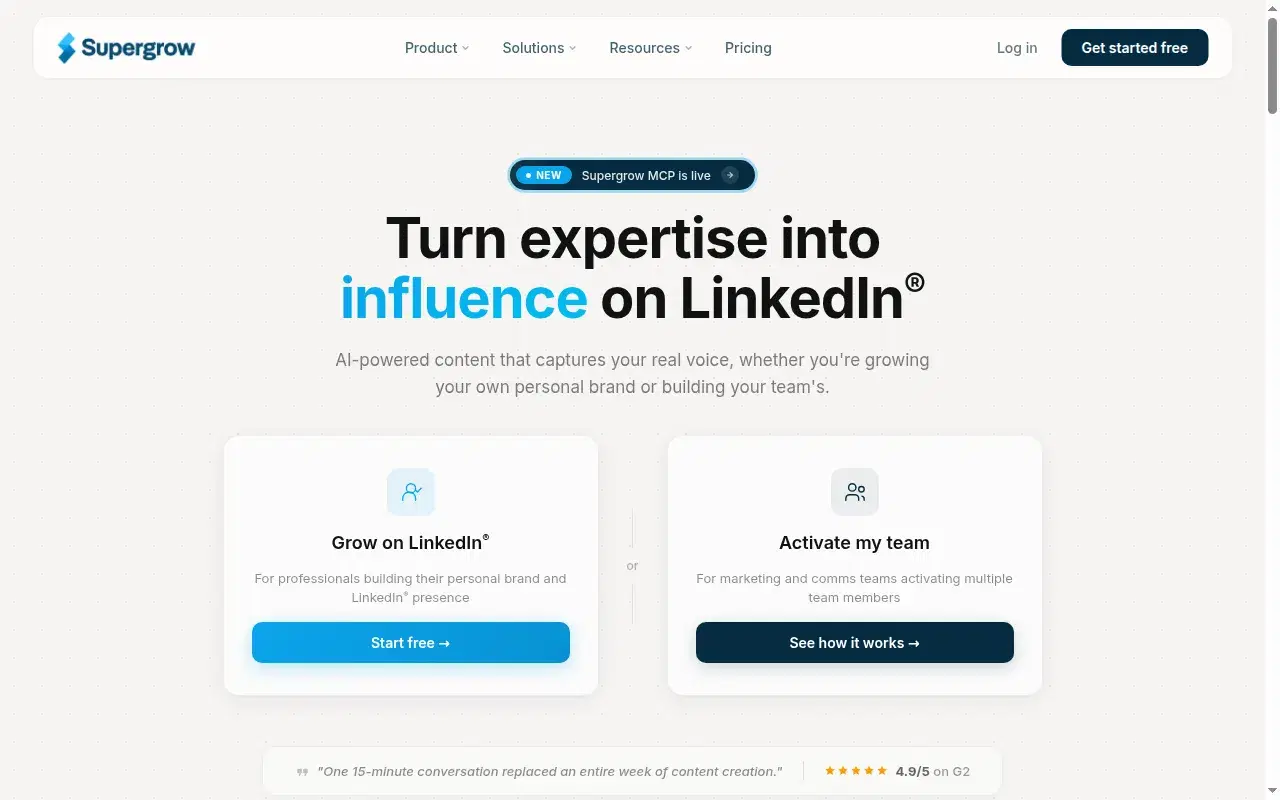
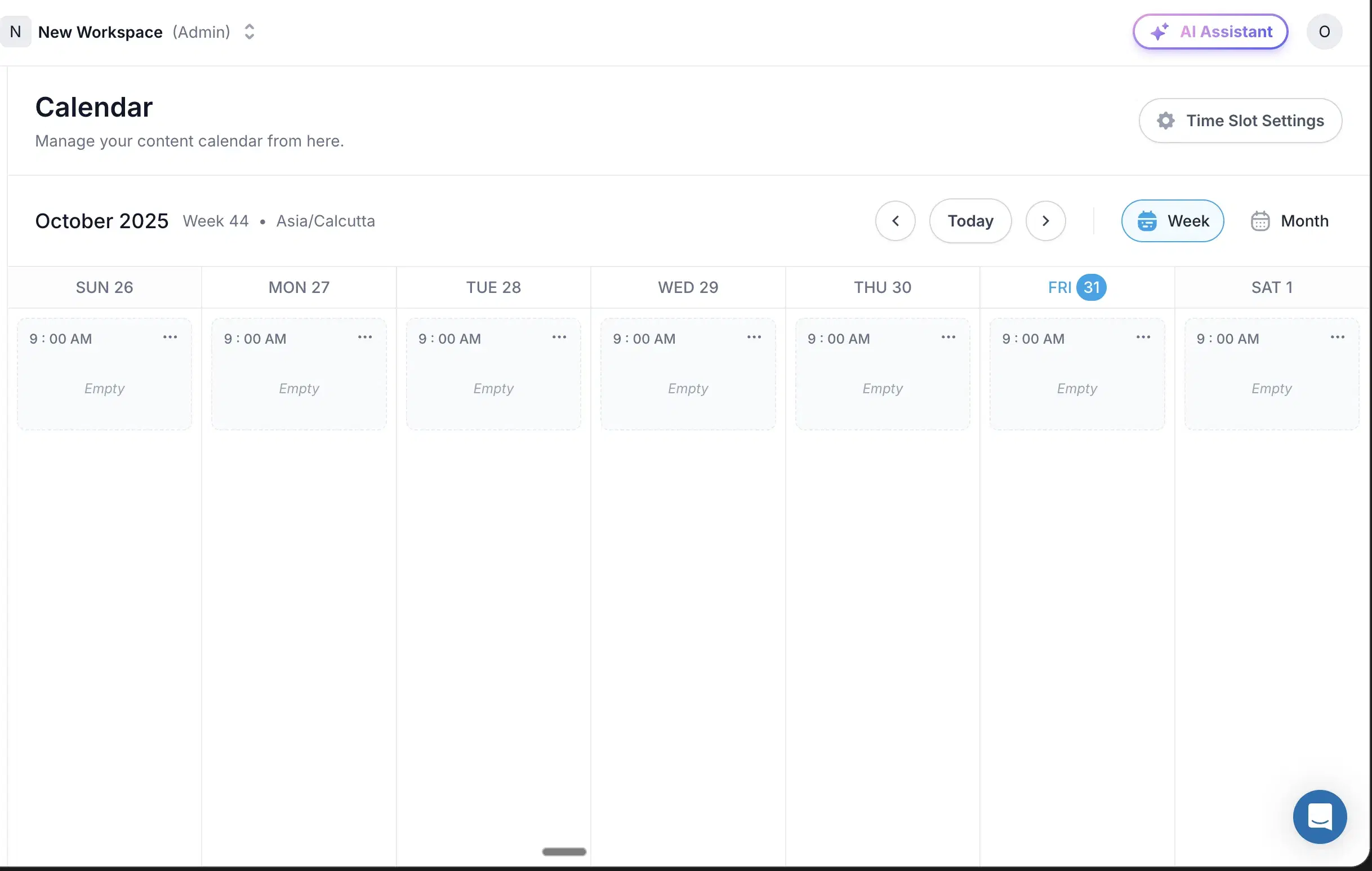
The scheduling side is genuinely good, but the writing has no persona depth and no memory, so the content reads like every other AI-on-LinkedIn tool. Supergrow built a real scheduling backbone: official APIs, multi-account, a Kanban queue that works for teams. The writing never kept pace. When I retested in 2026 the output read like slop against the bar I hold for my own content: no persona depth, feedback that didn't carry between sessions, a primitive composer. The analytics are thin too.
When I tested it
Tried it in 2023 and again in 2026.
Inside Supergrow
Best for
- Teams running 3+ accounts that need the scheduling and are fine using a separate tool for the actual writing.
Pricing
$19 – $139 / month · Free trial
Pros
- ToS-safe scheduling + multi-tenancy. ToS-safe scheduling and multi-tenancy are genuinely well-built.
Cons
- Generic output. No memory across sessions, no Knowledge Base.
Best for casual posters who want a clean preview and a light assist

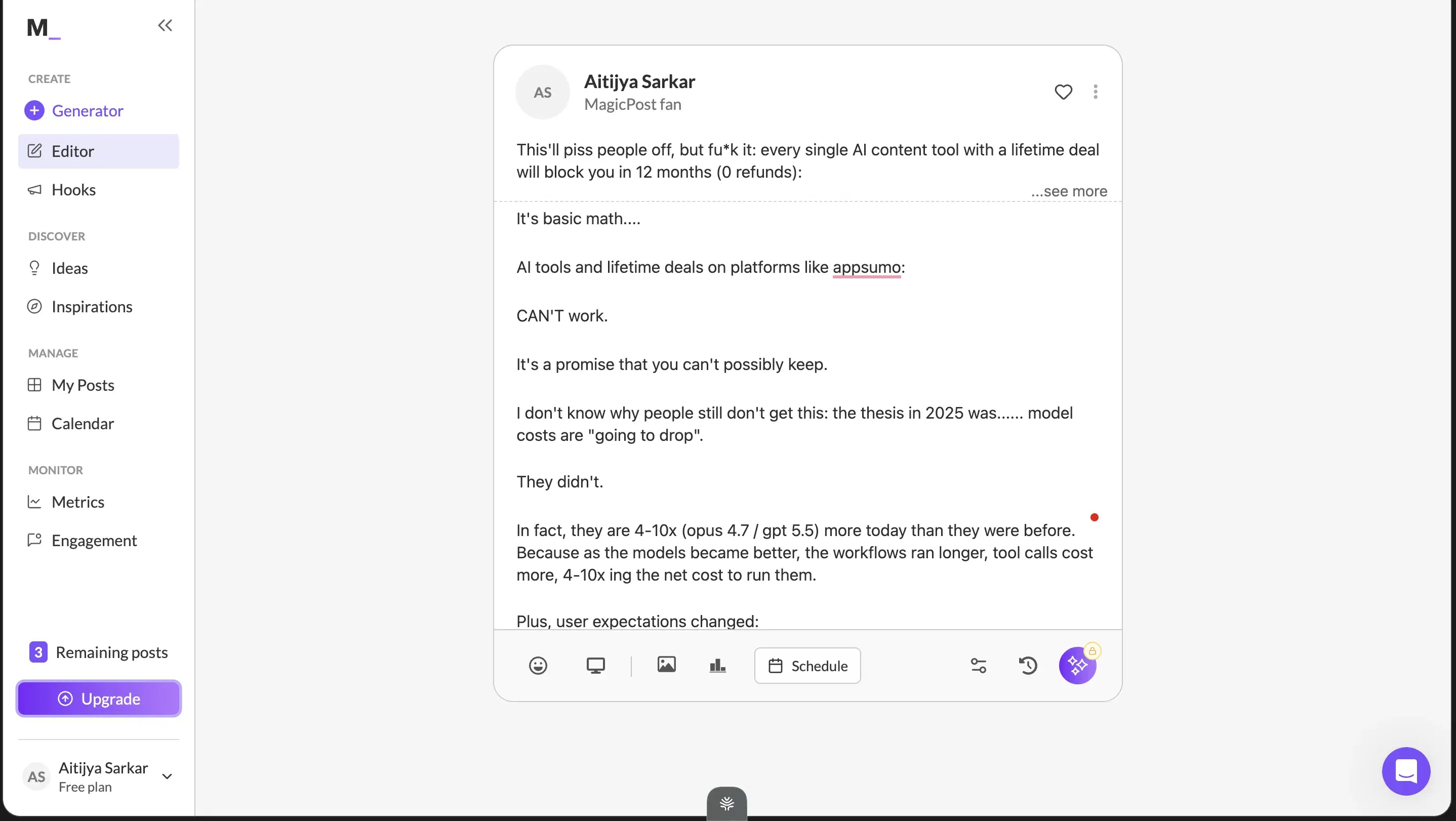
It picks up small patterns from your last few posts, then defaults to vanilla, never enough persona to survive the re-read test. The persona MagicPost built caught patterns from a handful of recent posts, not the hundreds I've published, so the content came out with generic structure and generic hooks. The input is form-based: type a request, get an output, accept or start over, with no chat iteration, so the final post is only as good as your first prompt. Its one genuinely useful feature is the LinkedIn preview, though even that doesn't render the full post. It does have the numbers, though: 4.7/5 across 91 Trustpilot reviews, the strongest showing of any LinkedIn-only tool I track.
When I tested it
Tried it in 2026.
Inside MagicPost
Best for
- Casual posters who want a clean preview and a light assist, and who aren't publishing at the volume where the repetition would show.
Pricing
~$29 – $49 / month · Free trial
Pros
- Sharp LinkedIn preview. Sharp LinkedIn preview and strong casual-user sentiment.
Cons
- Shallow persona, form-based input, no memory. Vanilla output at any real volume.
Best for people who use content plus outbound plus comment automation together
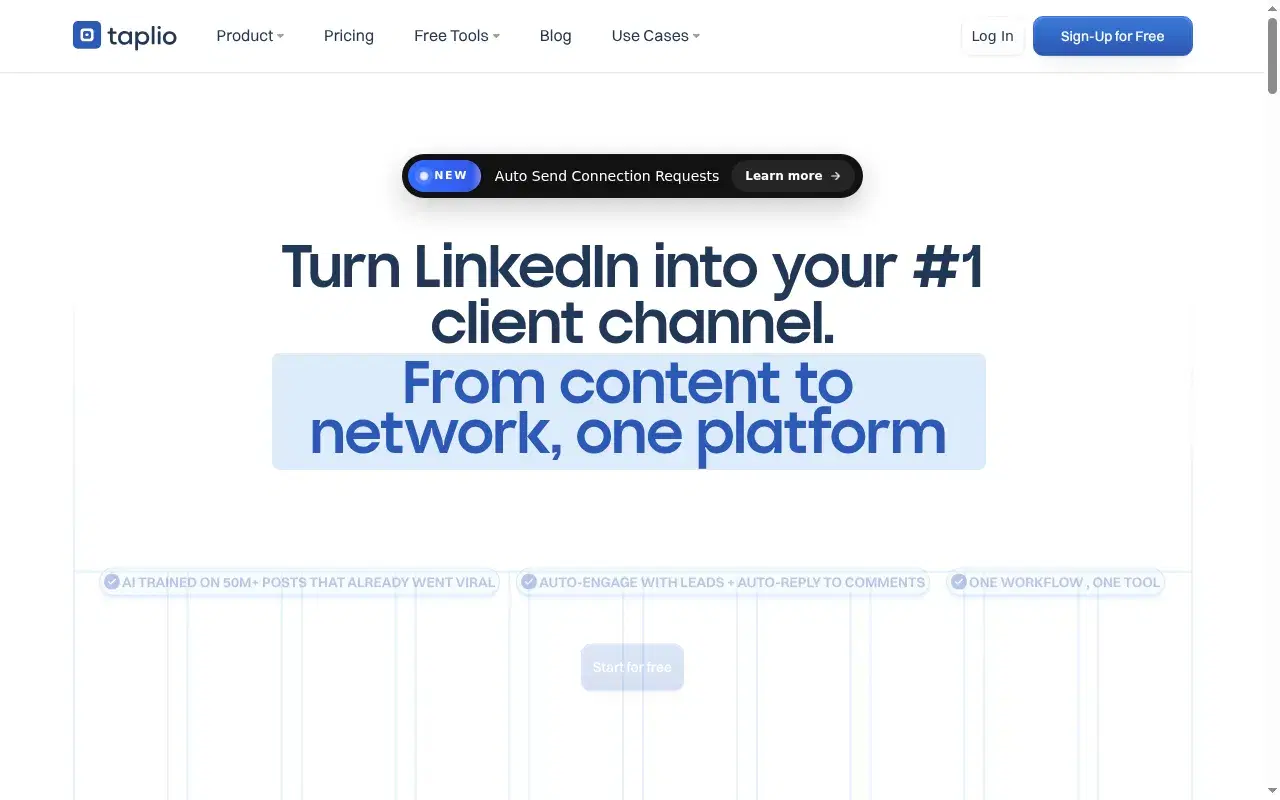
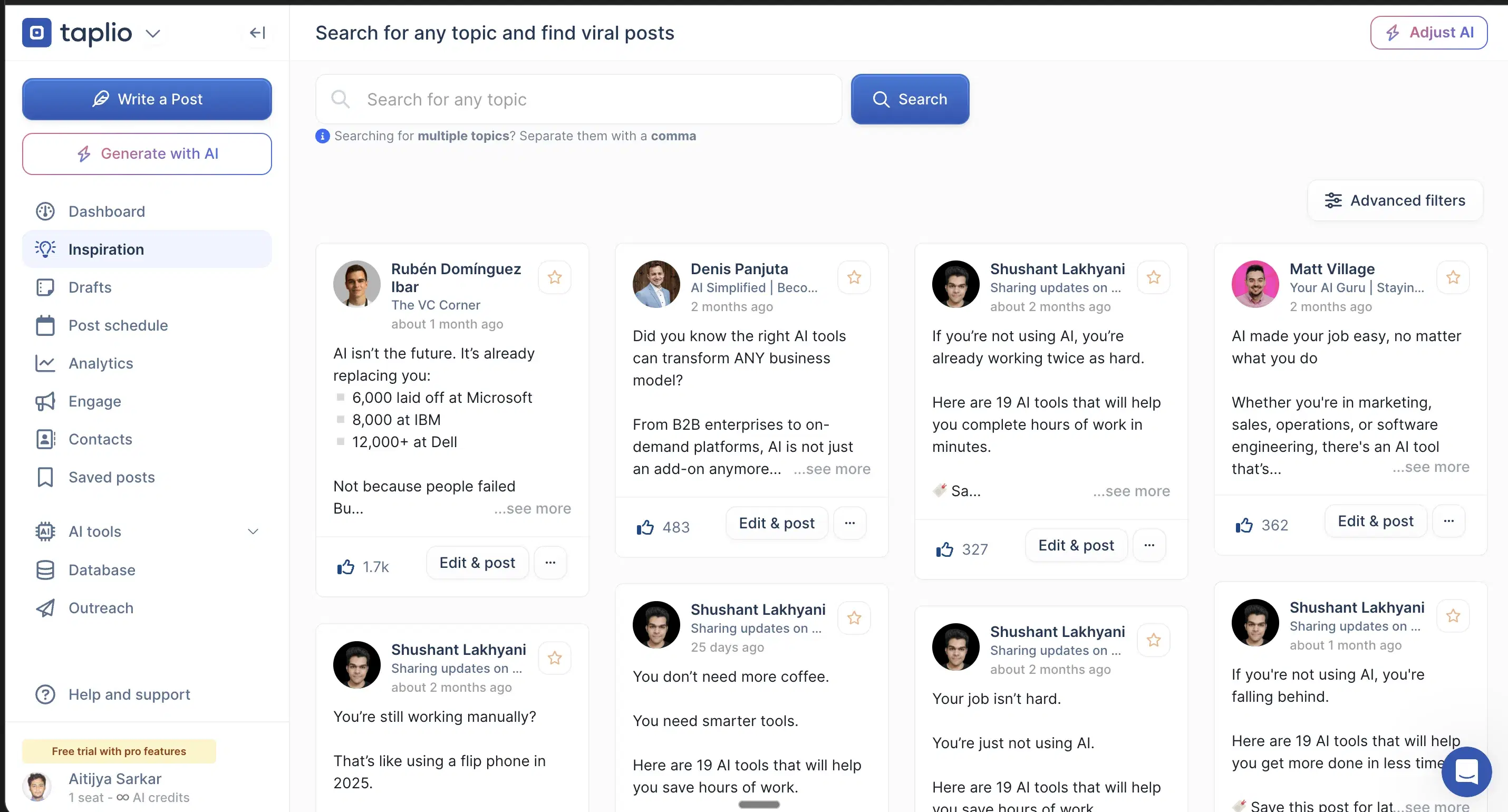
The AI is a chatbot bolted onto a pre-AI codebase, so the output reads generic no matter what you feed it. One reviewer called it "the usual AI slop from other tools." Taplio was the best LinkedIn tool of 2021–2023, and its 1M-post inspiration library is still the biggest in the category. The AI they later strapped on is where it falls down. It's a thin wrapper with no real web search, no KB, no memory, generic in the way any model without a persona engine is generic. Nelbin Joseph put it plainly: the content was "generic… the usual AI slop from other tools." The outbound features also run through a Chrome extension that hooks your LinkedIn cookies (I've had a client's account flagged for it), and Taplio itself is now banned from LinkedIn. The $39 Starter ships with zero AI credits, so the writing only unlocks at $65+.
When I tested it
Tried it in 2026. Paid user back in 2021.
Inside Taplio
Best for
- People who actually use content plus outbound plus comment automation together, have Premium or Sales Navigator to absorb the ban risk, and accept the extension.
- Content-only, look elsewhere.
Pricing
$39 (0 AI credits) – $65+ / month · 7-day
Pros
- 1M-post inspiration library. The 1M-post inspiration library is still the biggest in the category.
Cons
- Generic AI output, Chrome-extension account risk. Generic AI output, Chrome-extension account risk, and a Starter tier with no AI.
Best for 5+ person teams that need workflow discipline
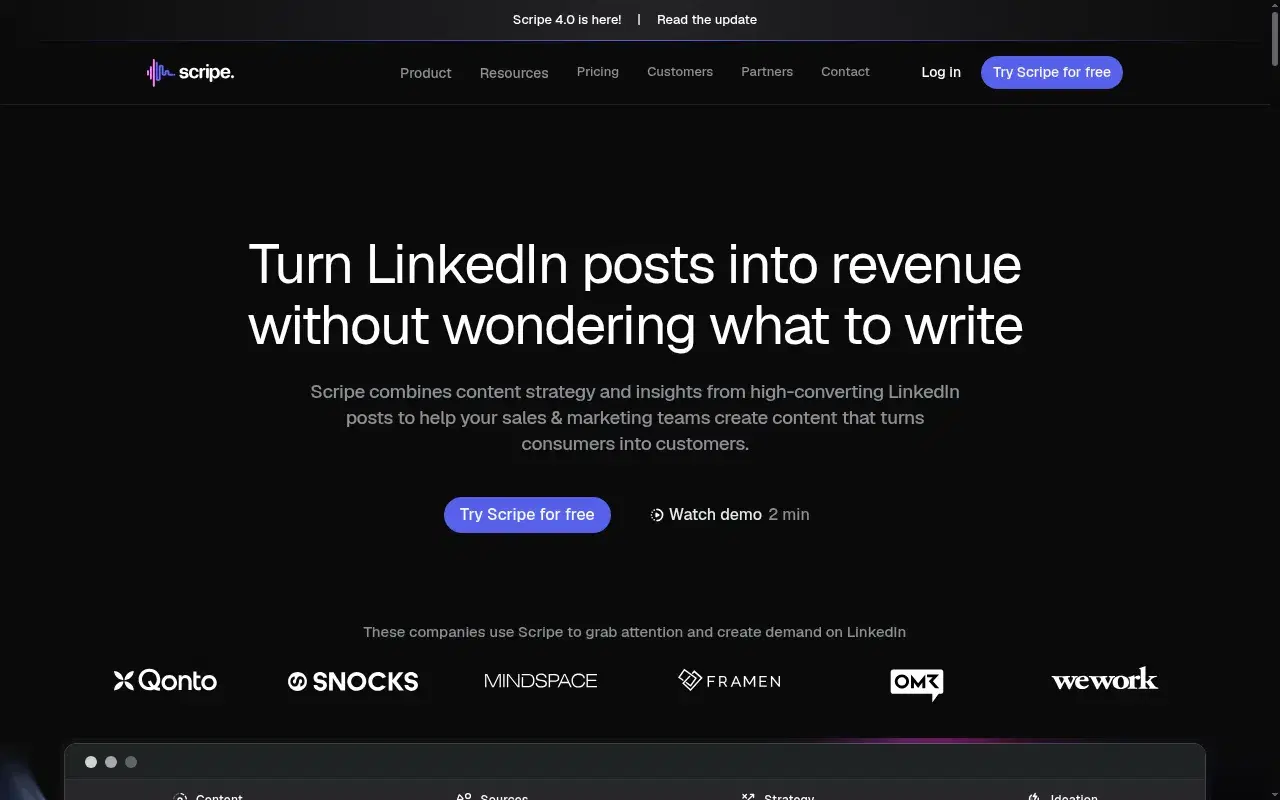
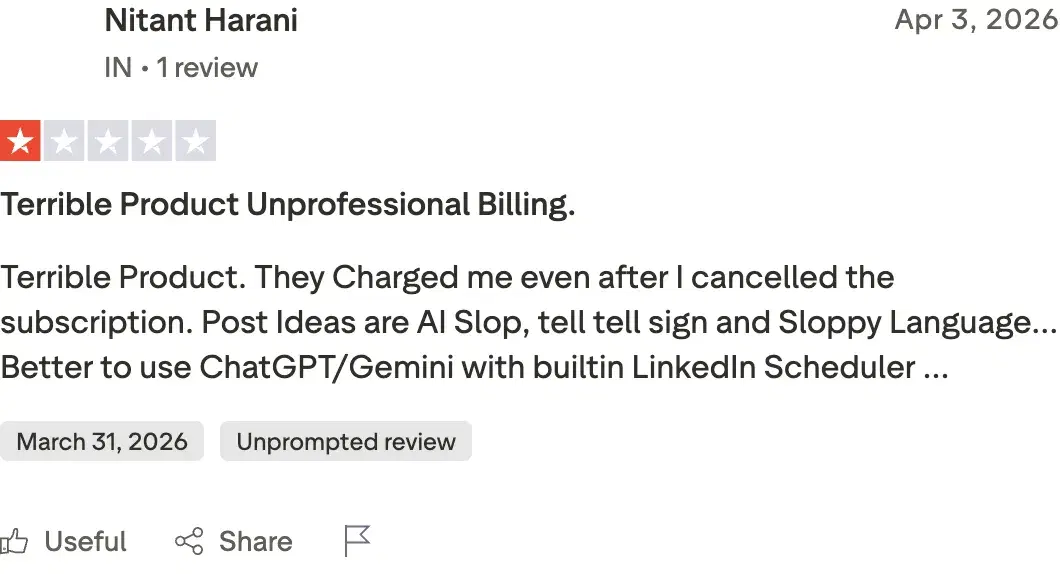
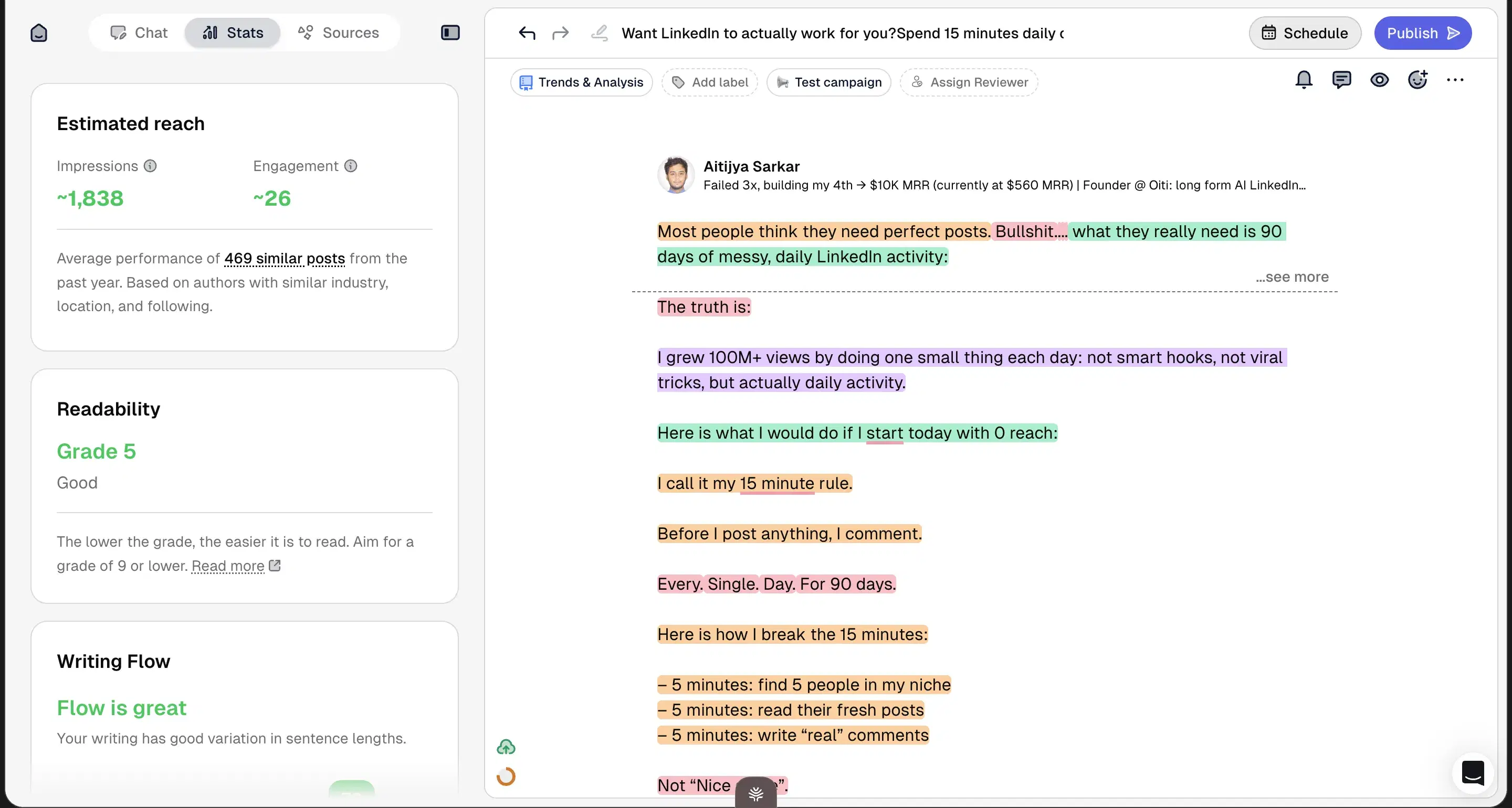
Viral-pattern bias flattens everyone's output to the same shape. A paying customer's review says it outright: "Post Ideas are AI Slop." Scripe's team workflows are the real strength: approval flows, a shared Kanban, a workspace Knowledge Base, Amplifier seats. The content plateaus for the usual reasons. Ideas are a snapshot of what's viral right now, there's no long-term memory, and the tone setup is a "describe how you sound" form instead of a real extraction of who you've been online. At scale it flattens voice. I spoke to an agency that ran it for a finance founder and called the output AI slop, credibility-damaging in a serious niche, and switched to Oiti.
When I tested it
Tried it in 2026. On Trustpilot, Nitant Harani's 1/5 review is verbatim: "Post Ideas are AI Slop."
Review receipts
Inside Scripe
Best for
- 5+ person teams that need workflow discipline more than per-post voice quality.
Pricing
€69 – €149 / month (+€45/mo per extra account) · 14-day
Pros
- Deepest team workflows. The deepest team workflows in this list.
Cons
- Generic at scale, no memory, viral-pattern bias. Plus billing-after-cancellation reports.(source)
Best for someone who wants viral-format content for one account, in a consumer niche
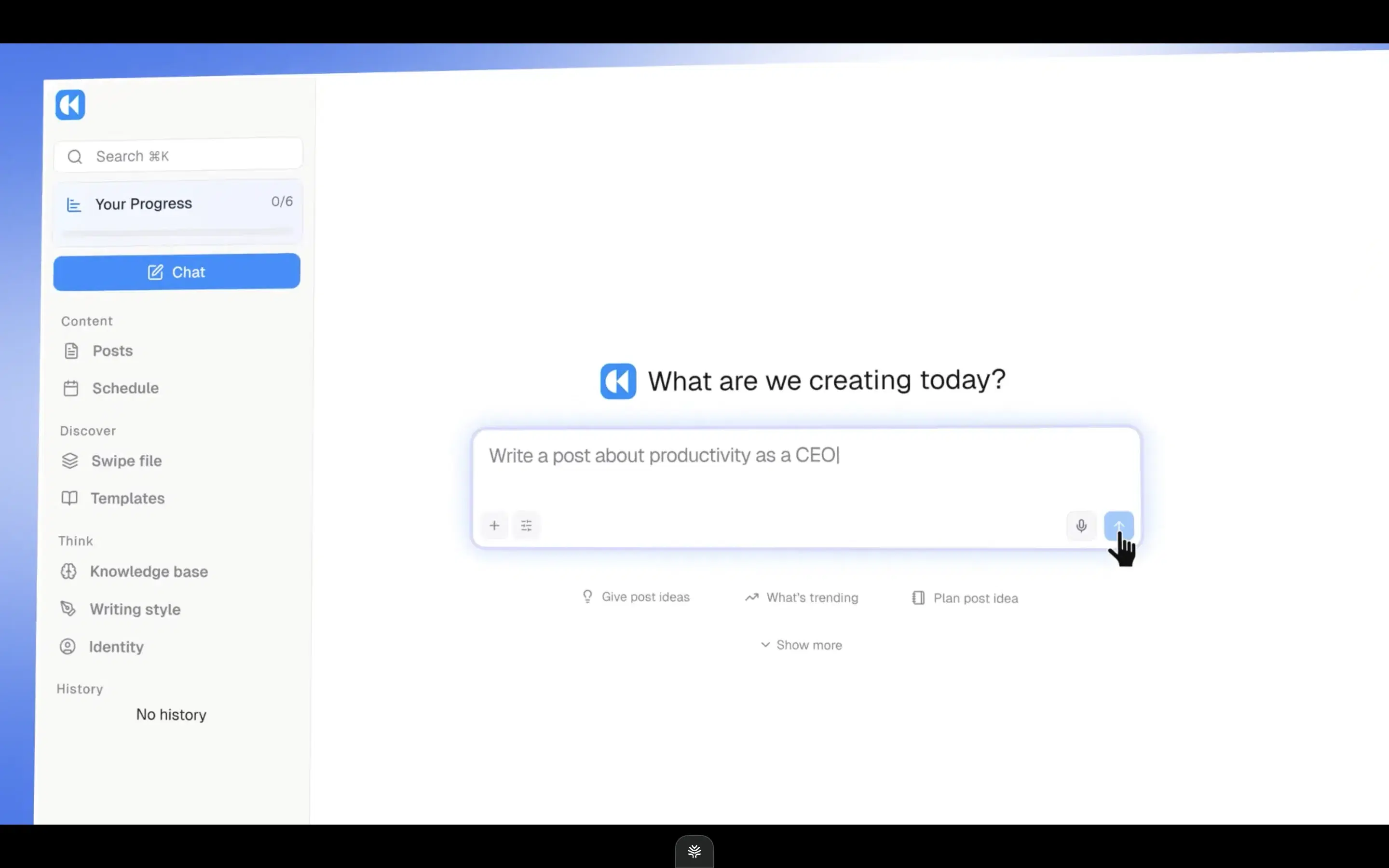
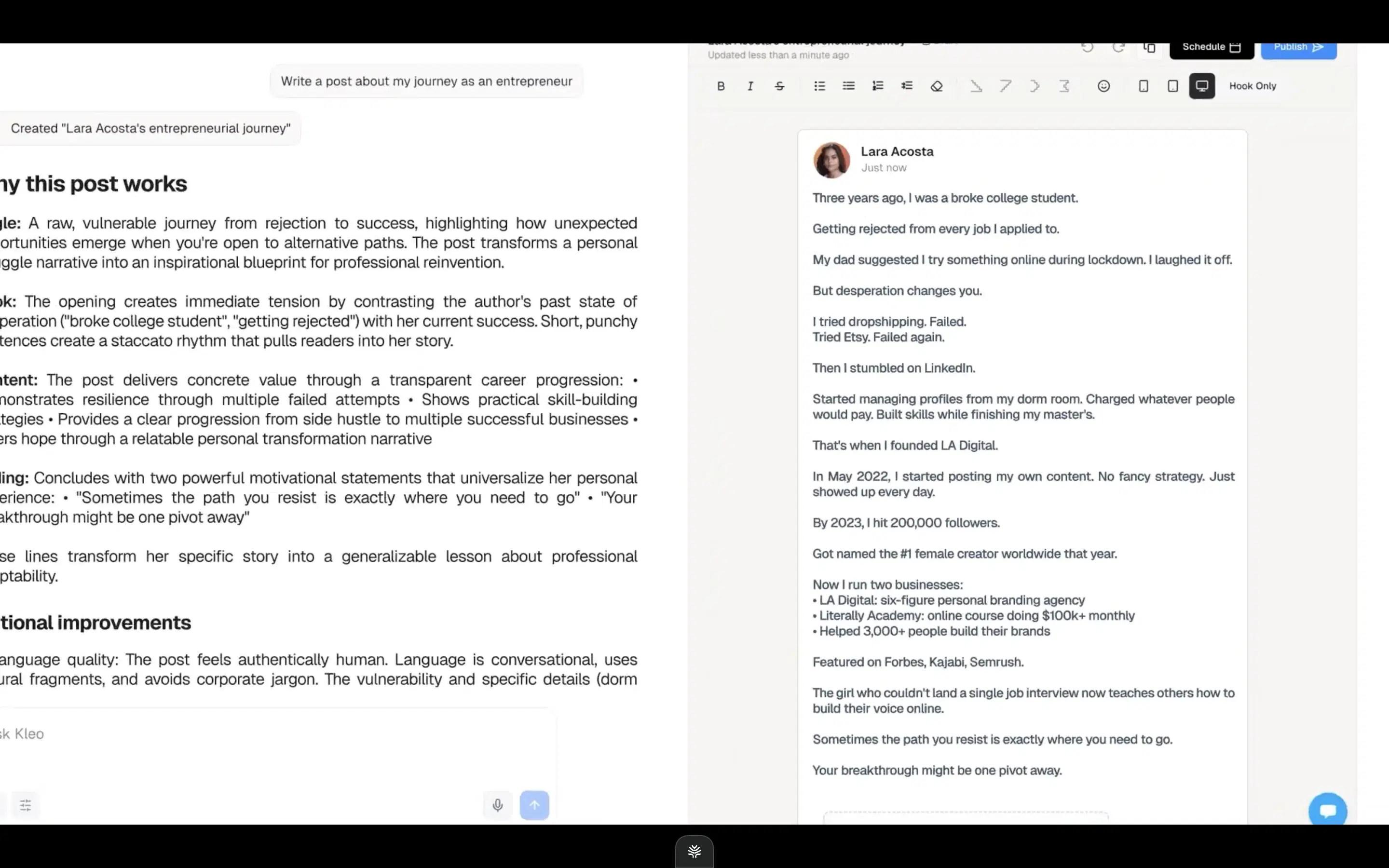
It optimizes for viral, and chasing viral flattens voice harder than anything else here. Kleo rebuilt as a full-stack tool after LinkedIn shut its Chrome extension down (70,000+ users displaced). The rebuild is competent: chat composer, inspiration swipe file, a Context Engine, decent infographics. The core problem is the opinion baked into the AI. It chases viral patterns, and viral is the wrong play for a boring niche, an educated audience, anyone whose distribution runs on credibility. The 2026 algorithm rewards dwell time, not skims. The KB is primitive and there's no long-term memory, so every session starts fresh, at $99/mo single-account with no trial.
When I tested it
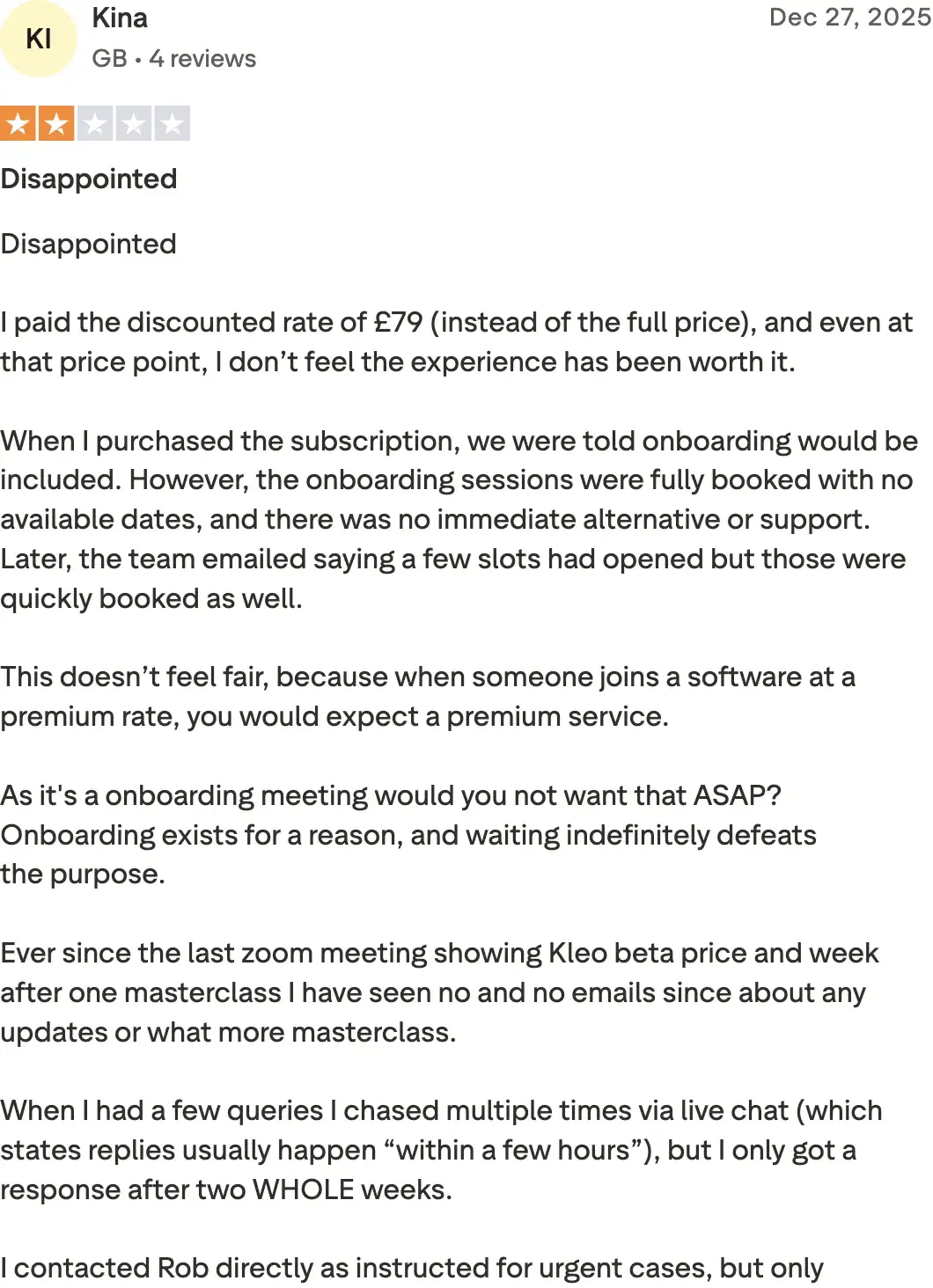
Tried it in 2026. Used the original extension before LinkedIn forced it offline. On Trustpilot, Kina in the UK gave it 2/5: even at a discounted £79, "I don't feel the experience justifies it."
Review receipts
Inside Kleo
Best for
- Someone who specifically wants viral-format content for one account, in a consumer niche, and doesn't mind paying $99 to find out.
Pricing
$99 / month ($999/yr) · No trial currently
Pros
- Full-stack rebuild. Full-stack rebuild with a real writing surface and fast viral output.
Cons
- Viral bias flattens voice. Primitive KB, no memory, no trial.
How to choose
If you want posts that read like you typed them → Oiti. The persona + memory + Knowledge Base stack is the only one here built to get less generic over time.
If you want to talk your ideas out loud, not type a prompt → Meet Sona for the spoken interview, or Leaps for the guided one. Run Oiti's free trial beside either and compare the second-read output.
If you want to write it yourself and just format it → AuthoredUp, or Oiti's free formatter if you don't want the extension risk.
If your top need is scheduling across accounts → Supergrow for scheduling-first, or Oiti Pro at $79, which covers 3 personal profiles plus 10 company pages and adds the writing layer Supergrow doesn't have.
If you're a ghostwriter or agency running 3+ voices → Oiti Pro. Each client gets a separate Clone, KB, and memory. Pro isn't agency-only; plenty of solo users opt up for the multi-Clone headroom.
If you need team workflow discipline for 5+ people → Scripe, knowing the writing plateaus.
If you want the cheapest test-bed → RedactAI's free tier. Good tone match, shallow underneath.
The verdict
AI slop is the new floor, and most tools in this category never clear it, because they have no self-evolving context. The re-read test catches them fastest: read the first draft twice and watch the AI show itself. Oiti is the pick if you want output that reads like you typed it and keeps getting closer. Persona, Knowledge Base, and memory are the only combination built to get less generic over time. Meet Sona and Leaps are the honest runners-up if you'd rather talk your ideas out first. AuthoredUp is for people who'd rather write it themselves. Yearly plans are 50% off for early adopters: $49 Creator → $245/year, $79 Pro → $395/year. 7-day free trial, no usage caps, AI Clone built in 30 seconds.
7 days free · No usage limits