I Tried EasyGen vs Taplio: Features, Pricing, Cons, Which Is Better (2026)?
Taplio does far more and lets you try it free. EasyGen is the cheaper, no-risk text generator. Both make you sound like AI slop.

I’ve spent close to six years ghostwriting LinkedIn content for 50 to 60 founders, coaches, consultants, and CXOs — something north of 100 million organic views between them — and I’ve run tools like these across dozens of client accounts. So when I say I tried EasyGen and Taplio, I mean I onboarded and made both write against live topics.
Taplio is the stronger LinkedIn tool in 2026 for most people — it simply does more, and does it better. EasyGen is a one-trick AI text-post generator. Taplio bundles a million-post-plus inspiration library, a scheduler, analytics, a lightweight CRM, and AI writing into one platform. EasyGen still wins two rounds: it’s cheaper if all you want is AI text posts ($59.99/mo flat versus the $69/mo Growth tier where Taplio’s AI writing actually unlocks), and it never connects to your LinkedIn account, so it can’t put you at risk the way Taplio’s Chrome-extension automation can. Taplio itself is now banned from LinkedIn.
They share one trap.
EasyGen force-feeds an expired 2020 broetry playbook, Taplio matches you to whatever already went viral, and neither one remembers who you are between sessions or looks anything up about you before drafting — so both make you sound like AI slop. For drafts grounded in your unique POV instead, the tool I keep coming back to is Oiti, the AI clone for LinkedIn content.
EasyGen vs Taplio at a glance
| EasyGen | Taplio | Oiti — AI clone for LinkedIn contentMy pick | |
|---|---|---|---|
| Best for | Cheap, fast prompt-to-text-post and nothing else | All-in-one LinkedIn content + outbound platform | Anyone who wants posts grounded in their POV |
| Starting price | $59.99/mo ($599.88/yr) | $39/mo Starter (no AI) · $69/mo Growth (AI writing) · $199/mo Pro | $49/mo Creator · $79/mo Pro |
| Real price for AI writing | $59.99 | $69 (Starter ships zero AI credits) | $49 / $79 |
| Free trial | 3 free posts, then 7-day trial | 7-day free trial, full app access | 7-day |
| LinkedIn’s terms of service | Never connects to LinkedIn (copy-paste only) | Content side is fine; outbound + Chrome-extension automation risks account flags (Taplio banned from LinkedIn) | Safe — official LinkedIn API |
| Standout strength | Fast prompt-to-draft, cheaper than Taplio’s AI tier | 1M+-post inspiration library + all-in-one workspace | Long-term memory + Knowledge Base |
| Biggest weakness | Generic 2020 broetry, text-only, no publishing via official APIs | Templated AI output, account-ban risk on outbound, renewal complaints | Not a viral/growth-hack machine by design |
| Overall winner | — | ✓ (does more, does it better) | — (parallel pick, not the referee) |
Prices captured May 2026: EasyGen $59.99/mo · $599.88/yr; Taplio $39 / $69 / $199 per mo, yearly billing -25%. EasyGen’s price is login-gated — there’s no public pricing page, so you only see $59.99 once you’re signed in. Taplio’s marketed $39 Starter ships zero AI credits, so the real cost of Taplio’s AI writing is the $69 Growth tier shown here.
How I Tested EasyGen v/s Taplio – My Testing Methodology
I tried both tools on both client and my own accounts. I was a Taplio user back in 2021, two months of it while I was growing my own account, when Taplio was one of the only tools on the market and pre-AI. I logged back in this year, 2026, and found almost nothing had changed under the hood beyond a new chatbot bolted on top.
EasyGen I signed up and tried in 2025: onboarded, generated real posts against a live topic, and read what came back (the setup broke on the way in — more on that below).
Here’s what I weighed, and I weighed the writing highest.
Real price for AI writing
What it actually costs to get a draft out of each, past the teaser tier.
Content quality
Does the output read like a person with a specific POV, or a template?
Features & breadth
How much you get for the money: scheduling, analytics, inspiration, CRM.
LinkedIn’s terms of service
Can either one get your account flagged or banned?
Inspiration depth
How far the “here’s what went viral” layer actually takes you.
What Is EasyGen – Can It Really Write LinkedIn Posts Like Creators With 100M+ Views?
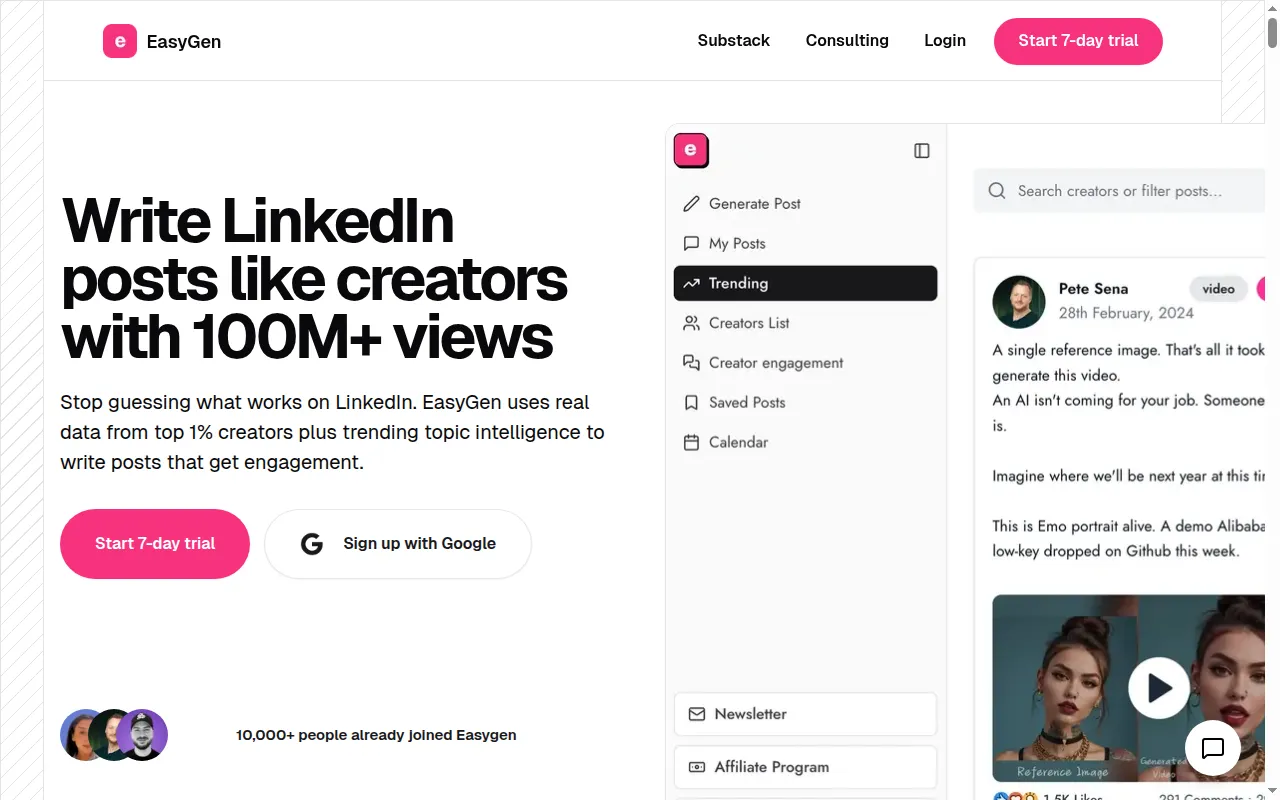
That’s the promise plastered across the homepage: “Write LinkedIn posts like creators with 100M+ views.” EasyGen is built by Ruben Hassid, and it’s a single-purpose text-post generator — type a topic, get a draft, ship it. Around that sit a “Trending” feed and a “Creators List” that surface high-performing posts from people you follow, plus a “My Posts” workspace, a saved-posts shelf, and a calendar. Text posts only: no carousels, no analytics depth, and no publishing through LinkedIn’s official APIs, so you copy-paste each post into LinkedIn yourself. The homepage counts “10,000+ people already joined Easygen.”
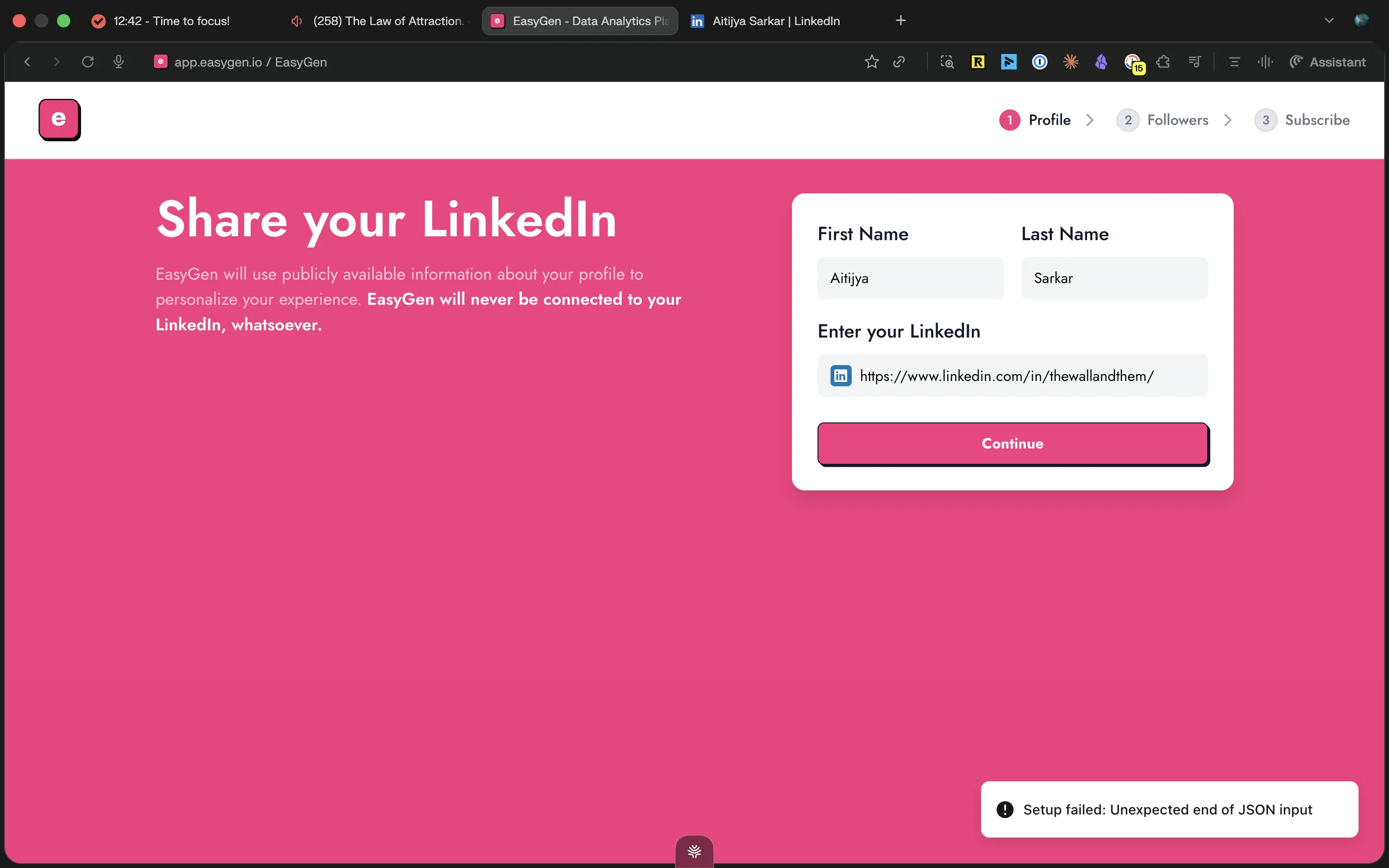
I went in hopeful — I’d heard about it from Ruben himself — and the first thing it did was break.
Adding my LinkedIn URL during setup threw “Setup failed: Unexpected end of JSON input,” and I retried three or four times before it let me through.
What Is Taplio – the All-in-One Tool to Turn LinkedIn Into Your #1 Client Channel?
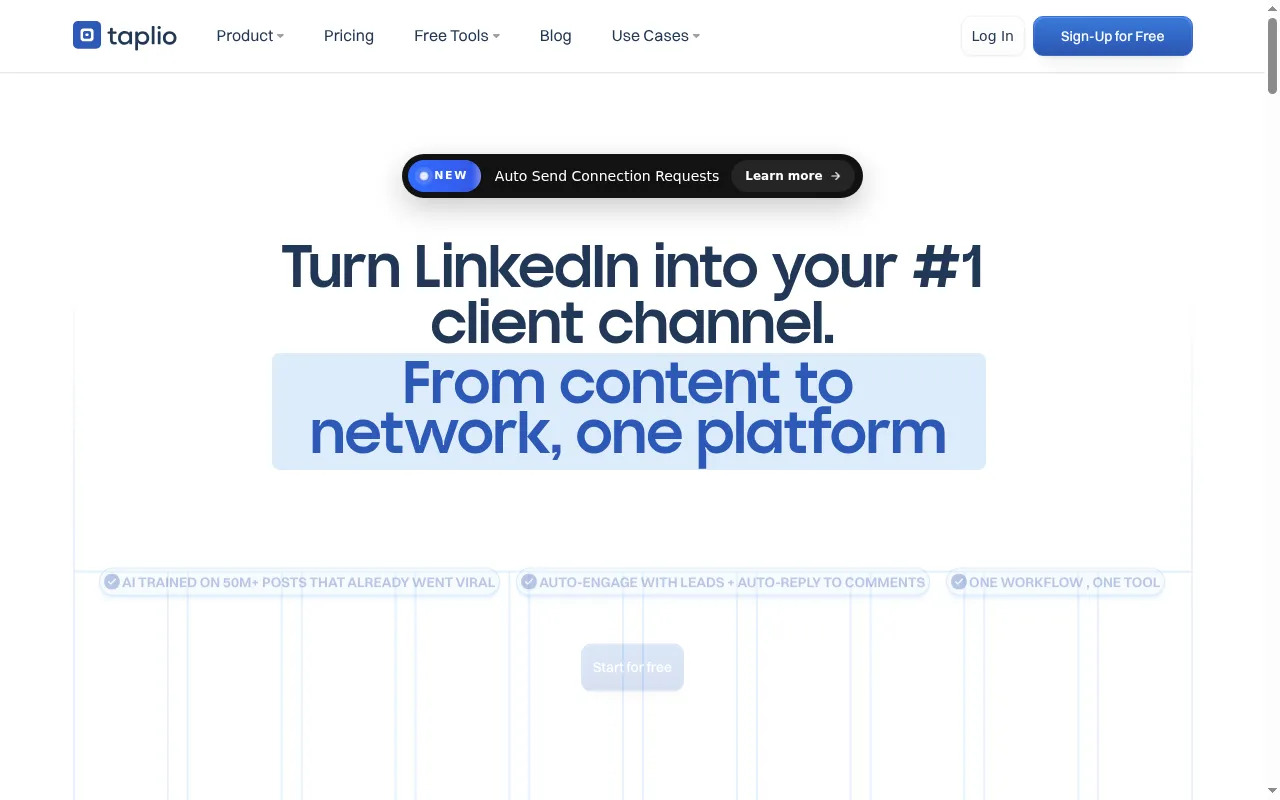
Taplio’s pitch is much broader: “Turn LinkedIn into your #1 client channel. From content to network, one platform.” It’s an all-in-one LinkedIn growth stack — AI trained on 50M+ viral posts, a searchable million-post-plus inspiration library, a scheduler, analytics, a lightweight CRM, and an outbound layer that auto-sends connection requests and auto-replies to comments. Lemlist acquired it. The outbound half of that stack runs on a Chrome extension.
When I logged back in this year, they’d slapped AI on top of a pre-AI codebase — a new chatbot wrapper, the same slow, cluttered app underneath. The inspiration library is still the best part; most of the rest hasn’t kept up.
Now on to testing both platforms, one by one — starting with $$$.
1. EasyGen vs Taplio Pricing: What’s the Best Value for Money?
If the only thing you’re buying is AI text posts, EasyGen is cheaper, full stop. It’s $59.99/mo flat. Taplio markets a $39 Starter, but that Starter ships with zero AI credits — it buys you scheduling, analytics, and posting consistency, and the AI writer only unlocks at the $69/mo Growth tier (Taplio’s own “top choice”), with a $199/mo Pro above it. So the head-to-head on “write me a LinkedIn post with AI” is EasyGen $59.99 versus Taplio $69.
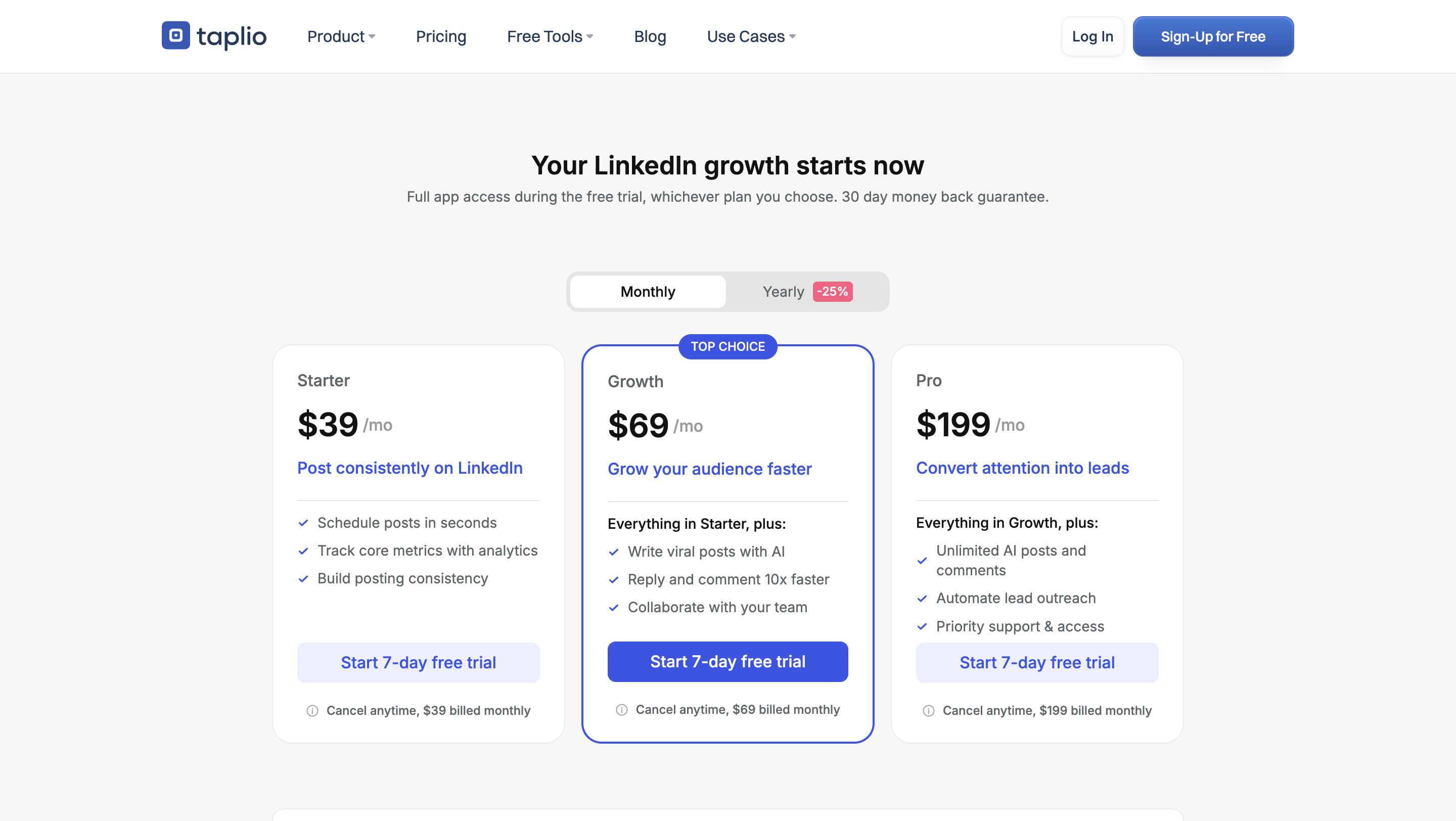
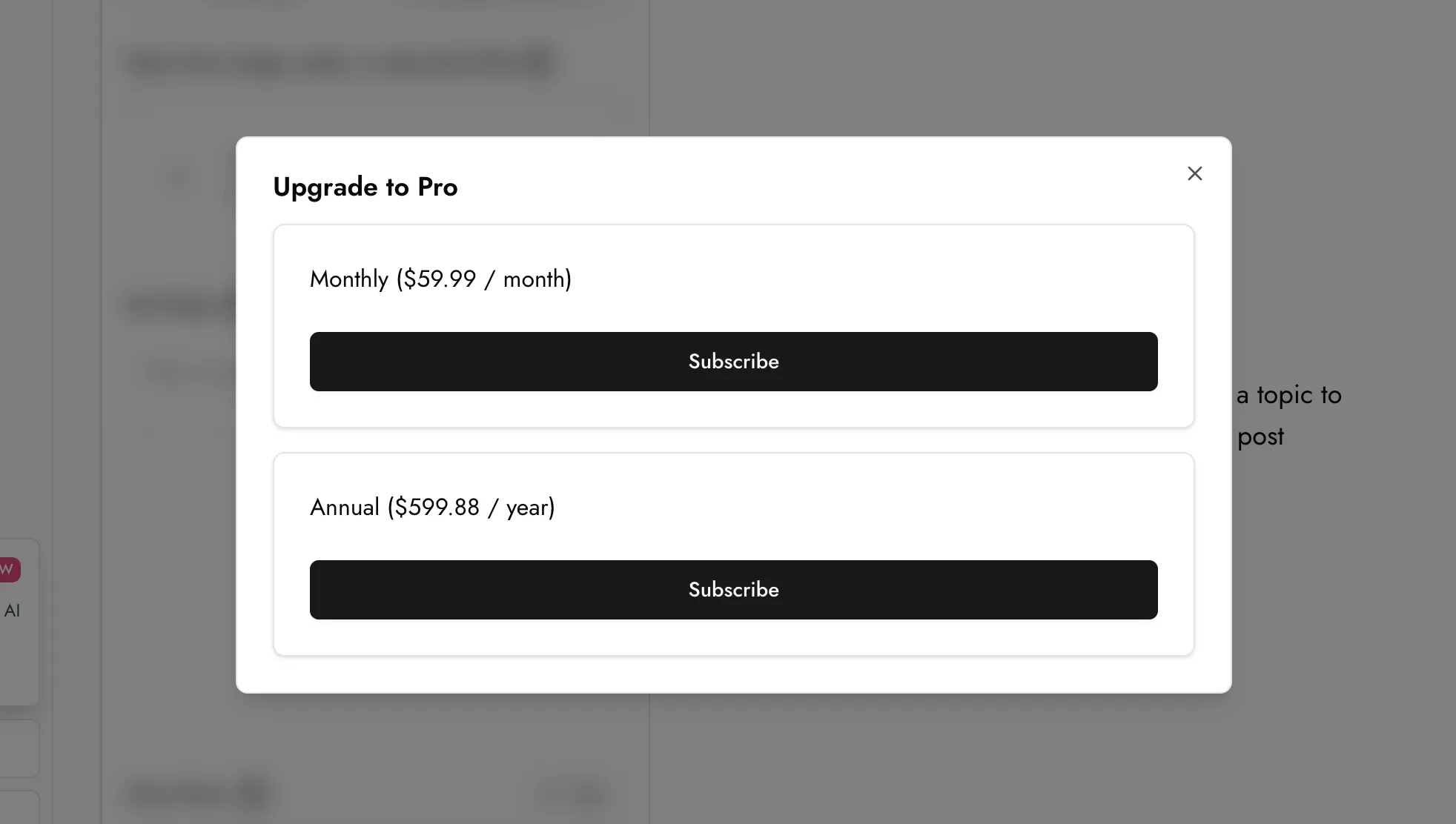
Two things keep this from being a clean win. First, Taplio’s $69 buys a lot more than writing — the scheduler, the analytics, faster comment replies, and that million-post inspiration library are all in the box, so you stop comparing like for like the moment you leave the narrow “AI text posts only” frame. (The CRM and the automated lead outreach sit a tier higher, at $199 Pro.) Second, cheaper doesn’t mean the writing is worth it. One EasyGen reviewer put it bluntly:
“I didn’t find it useful — maybe it is in the future, but not worth the money today.”
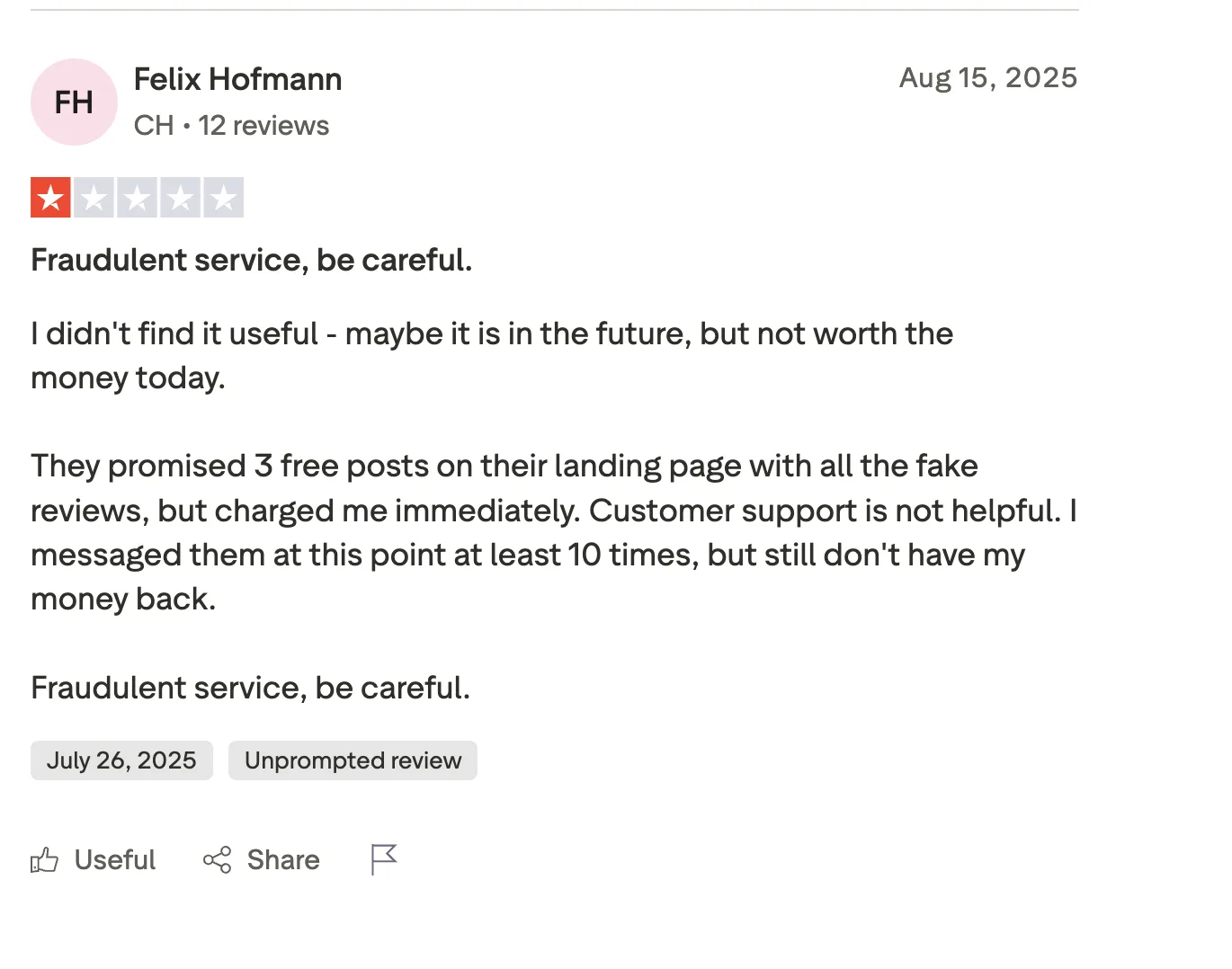
Taplio’s own billing is worth a glance before you commit: its Trustpilot profile sits at 2.0/5 across 12 reviews, and the complaints there cluster on silent renewals and cancellation rather than the product. Set a cancel reminder if you trial it. And a note that applies to both: you’re paying $60 to $70 a month for output that reads templated either way — Oiti runs $49 and grounds each draft in your actual POV, not a formula.
Winner: EasyGen takes this round — cheaper, and you can try the AI for less than Taplio’s $69 Growth tier.
Next up: the money question aside, does either one actually write anything good?
Stop overpaying for generic AI
For $49 Creator, Oiti grounds every draft in your POV, memory, and Knowledge Base — not a $69 template tier.
7 days free · No usage limits
2. EasyGen vs Taplio Content: Which Tool’s AI Writing Is Better in 2026?
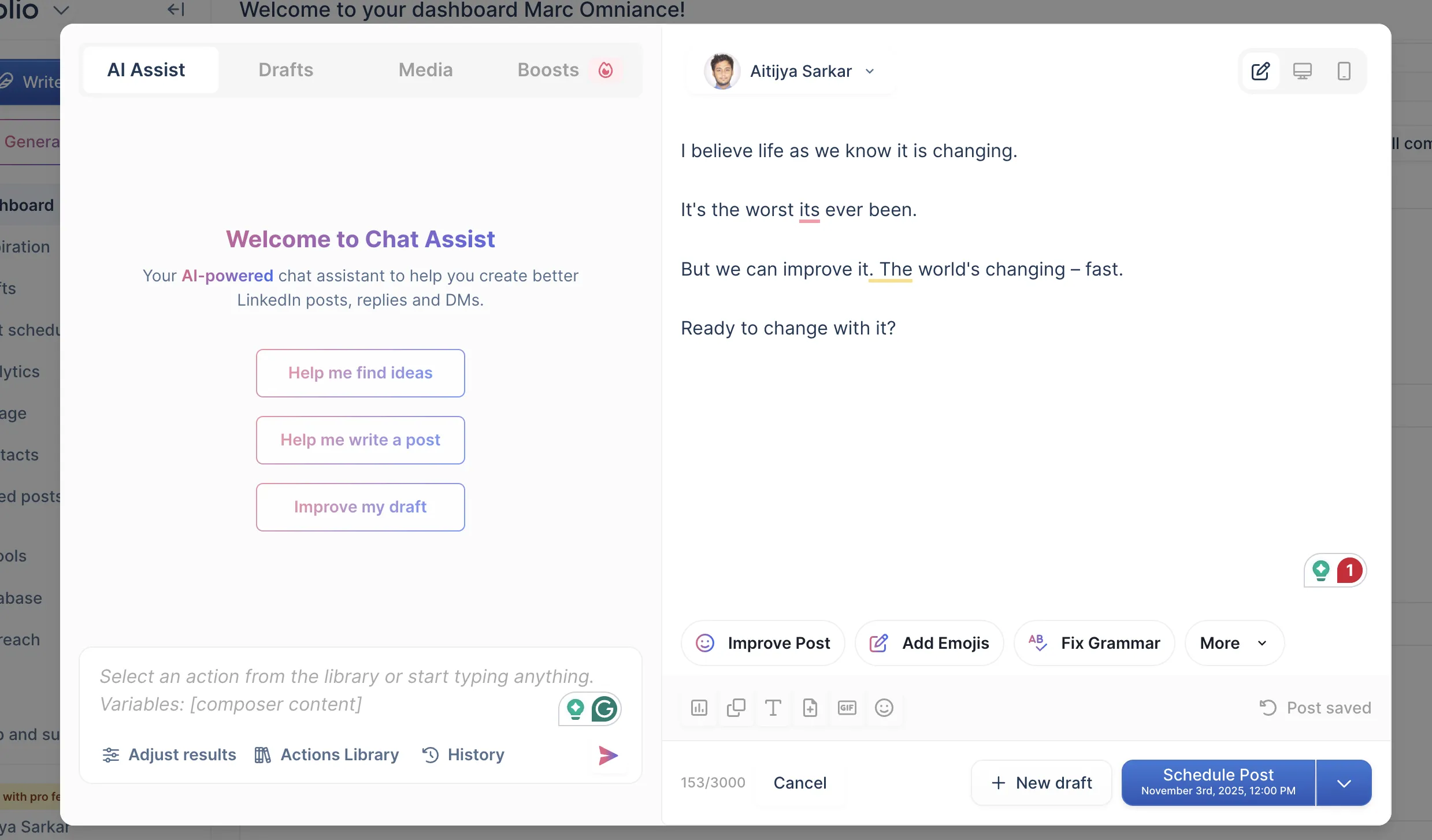
Both of these write generic posts. Taplio edges it, narrowly, for two reasons. It has a chat-style “AI Assist” you can iterate with — Improve Post, Fix Grammar, Add Emojis, a back-and-forth composer — and it has that library to lift hooks from. EasyGen is a one-shot form: topic in, post out, no conversational second pass. So Taplio wins on workability — but read the output before you celebrate.
I tested EasyGen on a real topic — AI taking away jobs — and here’s what came back:
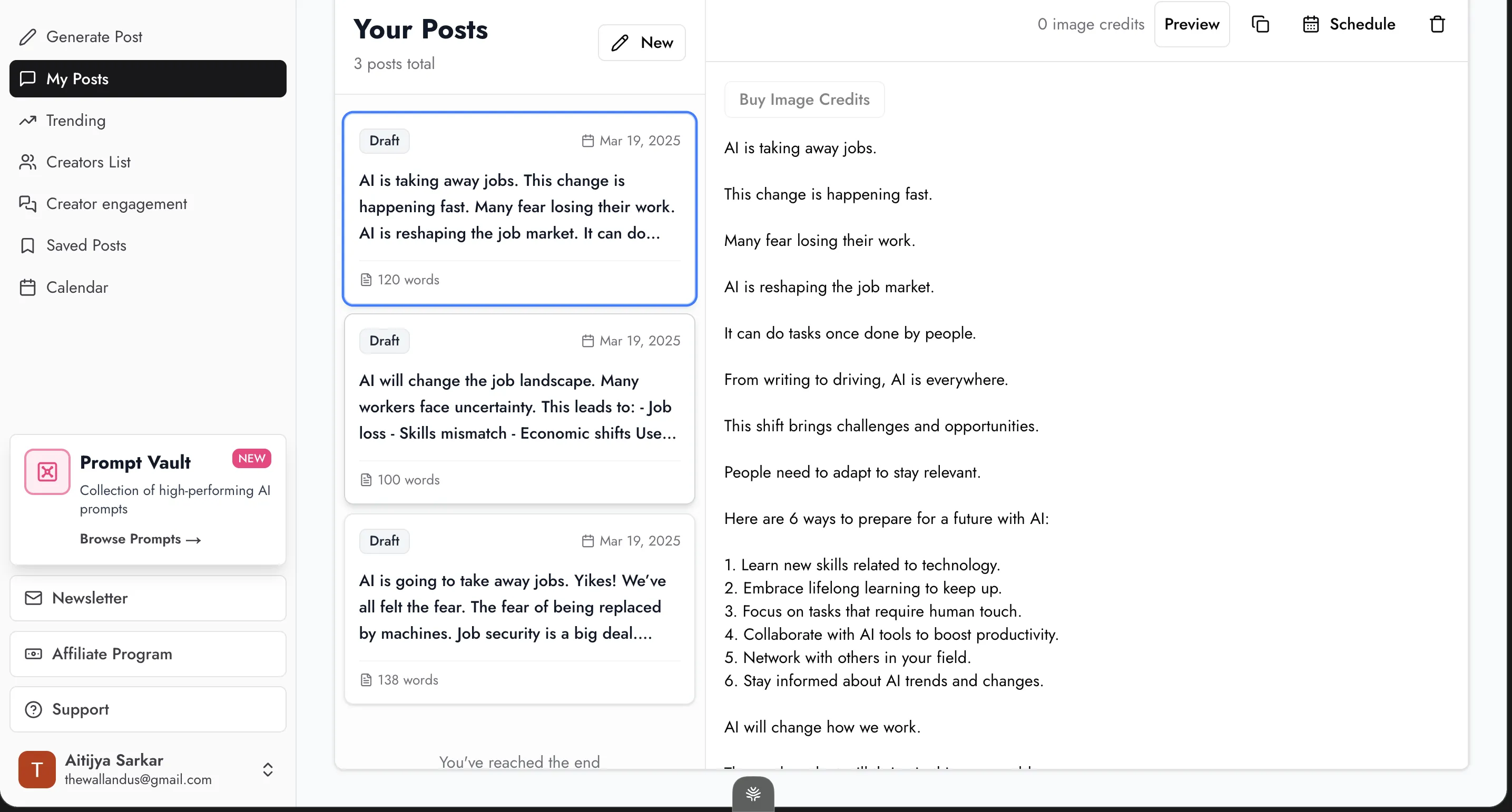
One sentence per line, every line a flat declarative, a numbered listicle in the middle, a nothing-sentence at the end. That’s broetry — the template that printed engagement in 2019 and 2020, and the register LinkedIn’s 2026 algorithm now penalises. It reads like someone who’s never had a specific thought about the topic. Even ChatGPT does better, because ChatGPT lets you push back and refine. A form that fires off one draft doesn’t give you that.
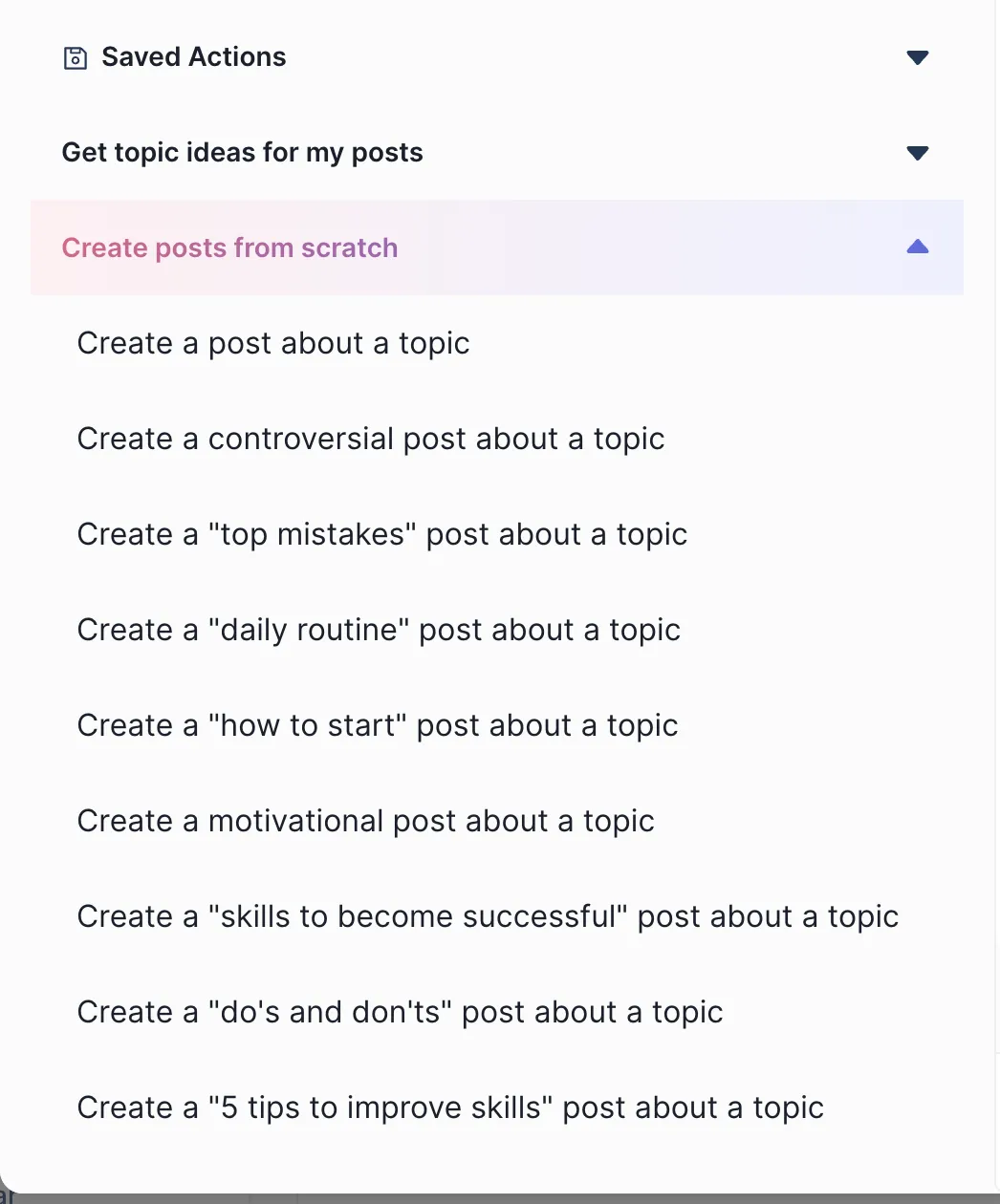
Taplio’s output is more workable but not more yours. It prompts a generic LLM with light tone instructions, and its “Create posts from scratch” menu — “Create a ‘top mistakes’ post,” “Create a ‘daily routine’ post,” “Create a ‘do’s and don’ts’ post” — tells you exactly how formula-shaped the result will be.
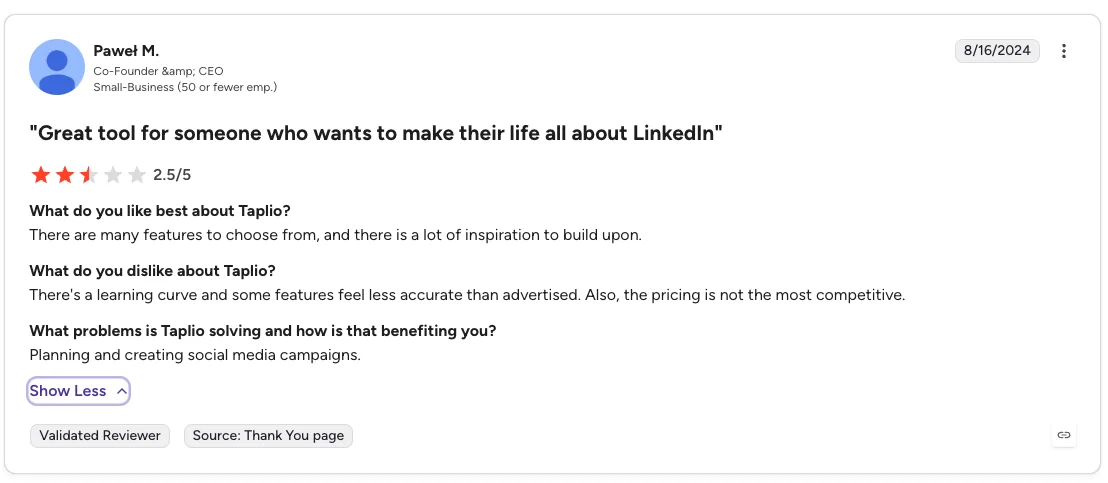
Here’s Paweł on G2, who bought the breadth and still found the delivery short of the pitch:
“There’s a learning curve and some features feel less accurate than advertised. Also, the pricing is not the most competitive.”
Winner: Taplio, narrowly, on workability — but cleaner, more workable slop is still slop, and both make you sound like AI slop.
The catch applies to both: both make you sound like AI slop. One flattens you toward an expired influencer playbook, the other toward whatever’s going viral this week. This is the exact gap Oiti was built to close: it fires parallel fetches across your long-term memory and Knowledge Base before it drafts, so the post starts from who you are and what you believe rather than a template. Try Oiti free for 7 days, no usage limits and write the same post in all three.
Now on to what you actually get for the money — breadth.
Want a week of LinkedIn posts that aren’t AI slop?
Oiti’s voice clone drafts from your long-term memory + Knowledge Base — your past posts, site, YouTube, and PDFs — so it reads like you typed it.
7 days free · No usage limits
3. EasyGen vs Taplio Features & Breadth: Which Does More?
This one isn’t close. EasyGen is text posts, a viral-post feed, and a calendar to keep them in order. That’s the whole product. Taplio is a workspace: the inspiration library, a scheduler, analytics, a CRM, and outbound, all sitting on top of the writing. Scheduling that actually publishes, analytics, a CRM, outbound — Taplio is the only one of the two that has any of it.
The single feature I’d pay for is Taplio’s inspiration tab — a searchable archive of a million-plus high-performing posts you can query by topic and lift hook patterns straight out of. It’s the one part of Taplio still clearly ahead of the category.
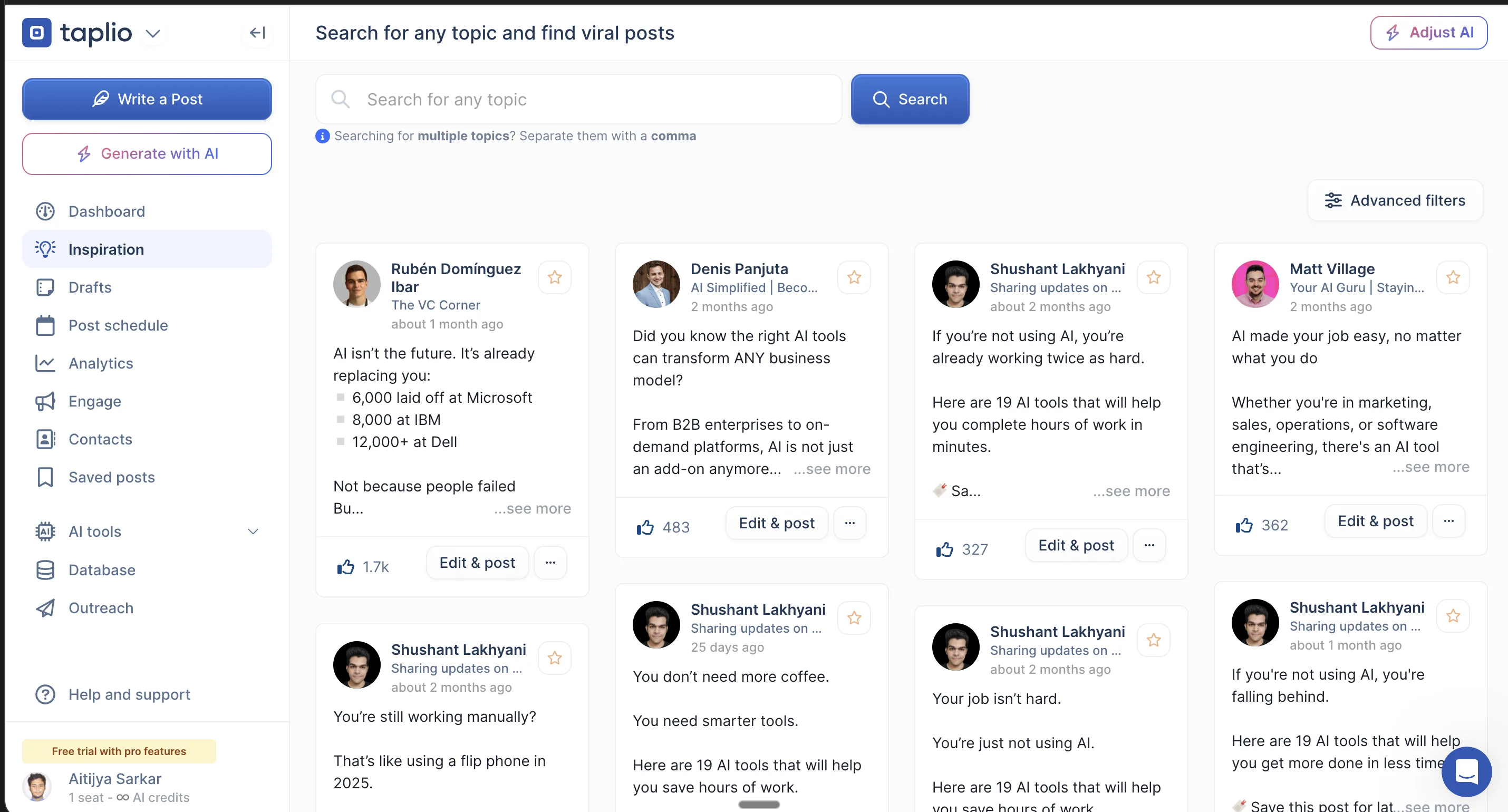
EasyGen’s answer is “Creators List,” and it’s shallower by design. It surfaces viral creators — Ruben Hassid, Pete Sena, Anisha Jain, Axelle Malek — and each creator’s outlier posts, and that’s where it stops. No line-by-line teardown of why a post worked, nothing you can turn into a reusable template.

Breadth isn’t freshness, though. A lot of the posts in that library are years-old patterns that don’t work today. And logging back in this year, the AI clearly felt slapped on top of a pre-AI codebase: slow, cluttered, with content and outbound and comment automation and analytics all crowded into one dashboard, so I wasn’t sure where to start. You do get all of it. It just isn’t polished. On the raw question of what you actually get, Taplio still wins outright.
Winner: Taplio — it does far more.
Now the one that matters most if you value your account — safety.
4. EasyGen vs Taplio and LinkedIn’s Terms of Service: Which Is Safe?
EasyGen wins this round precisely because it does less. It never connects to your LinkedIn — its own onboarding copy says “EasyGen will never be connected to your LinkedIn, whatsoever” — so it cannot get you flagged. The flip side is that it also can’t publish: you copy-paste every post over by hand.
Taplio’s content side (writing, scheduling) is fine. The risk is the outbound layer. Taplio’s CRM and engagement features run on a Chrome extension that automates actions LinkedIn’s terms of service prohibit — connection requests at scale, auto-replies, profile scraping, all of it using your LinkedIn cookies to act on your behalf — and that class of behavior is what gets accounts penalized.
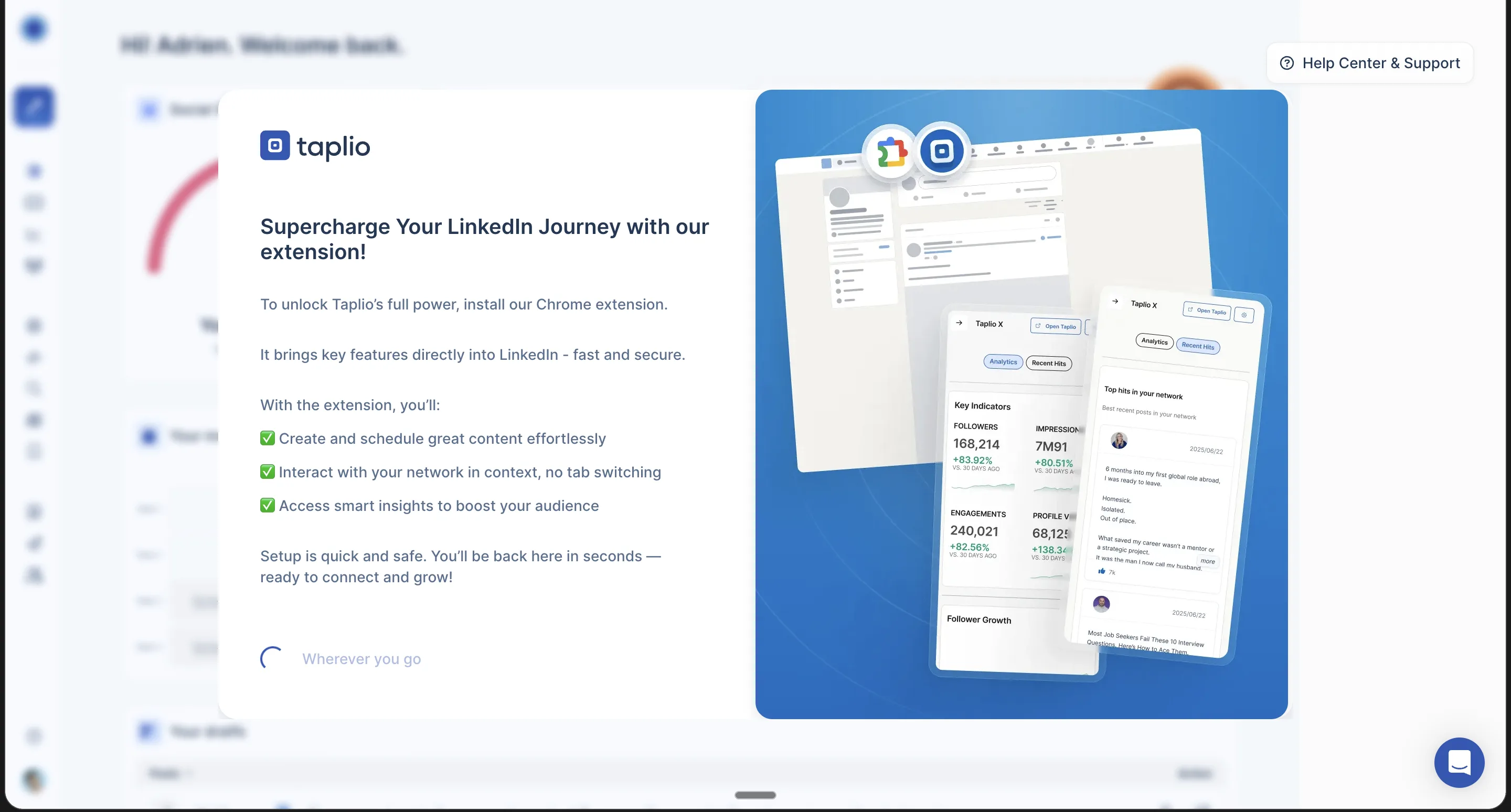
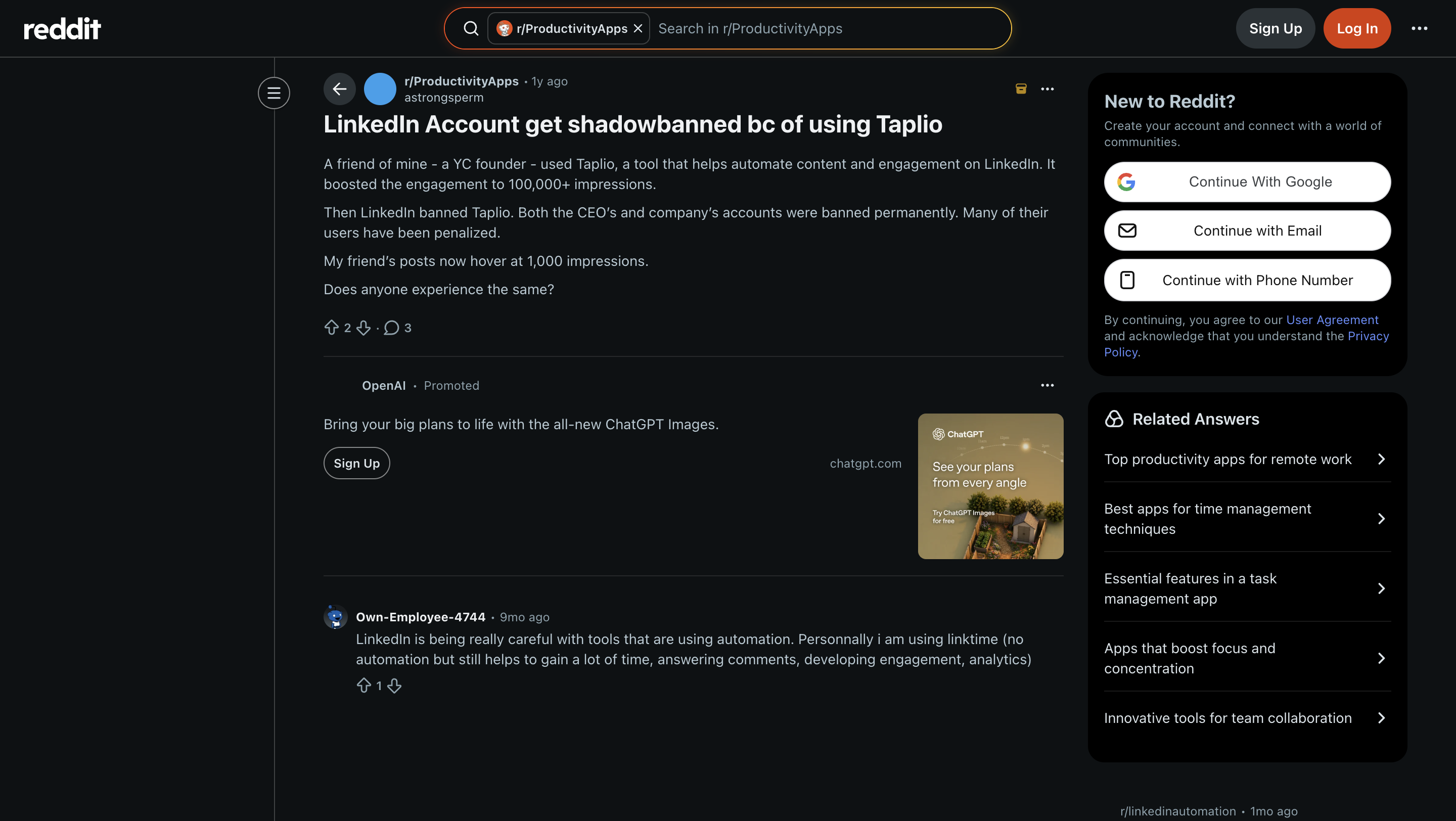
This isn’t hypothetical. Taplio itself has been banned from LinkedIn over exactly this. A client of mine had their account restricted after using Taplio’s extension, before they came to me. Shield Analytics, another LinkedIn tool, shut down in May 2026 over the same class of risk. Users describe the pattern:
“A friend of mine — a YC founder — used Taplio… Then LinkedIn banned Taplio. Both the CEO’s and company’s accounts were banned permanently. Many of their users have been penalized. My friend’s posts now hover at 1,000 impressions.”
EasyGen’s “safety” is a byproduct of it not publishing at all. That’s less a feature you’d pick than a risk you happen to avoid. If you do use Taplio, my flat advice is to stay on the content side — the viral library, the scheduler, the post writing — and leave the automation switched off. Without LinkedIn Premium or Sales Navigator to absorb an account flag, don’t touch the extension at all. There’s a third path: Oiti publishes and schedules through LinkedIn’s official APIs, so you get publishing with no extension and no ToS exposure.
Winner: EasyGen — it can’t put your account at risk, because it never connects to LinkedIn.
Want the safety without the AI slop?
Oiti runs entirely on LinkedIn’s official APIs — no Chrome extension, no cookie automation, no ban risk — and every draft is grounded in your POV, not a template.
7 days free · No usage limits
Which Should You Pick? EasyGen or Taplio in 2026
Pick EasyGen if you want a cheap, fast way to turn a topic into a LinkedIn text post and literally nothing else — no scheduling, no analytics, no CRM, and no account risk. You’re fine copy-pasting into LinkedIn yourself, you want AI writing for less than Taplio’s $69 tier, and you’d rather have one uncluttered screen than a platform. The catch: the output is formula-shaped and even ChatGPT iterates better, so this is a “cheap and fast” pick, not a “best writing” one.
Pick Taplio if you want an all-in-one LinkedIn platform — content plus the biggest inspiration library in the category plus scheduling plus analytics plus outbound and CRM — and you’ll actually use more than the writer. For the content half — writing, scheduling, analytics, the inspiration library — start at Growth ($69), not the AI-less $39 Starter. The outbound and lead automation is another tier up at $199 Pro, and that half is only worth buying if you have LinkedIn Premium or Sales Navigator to absorb the risk to your account and you don’t mind running the Chrome extension.
Pick neither if what you actually want is posts grounded in your unique POV and your real world. Both flatten you toward whatever went viral.
When Neither EasyGen nor Taplio Is the Answer: Try Oiti, the AI Clone for LinkedIn Content
Both of these write posts, and both write them toward a template. Neither one remembers who you are between sessions or looks anything up about you before drafting. So you end up with generic (EasyGen) or same-as-everyone (Taplio), and you spend your time re-teaching the tool preferences it forgot last session.
That’s the gap Oiti, the AI clone for LinkedIn content, was built to close. It runs on long-term memory and a Knowledge Base. Every time you write, it fires several parallel fetches across both, working out who you are, what you believe, and the way you actually talk before a word hits the page.
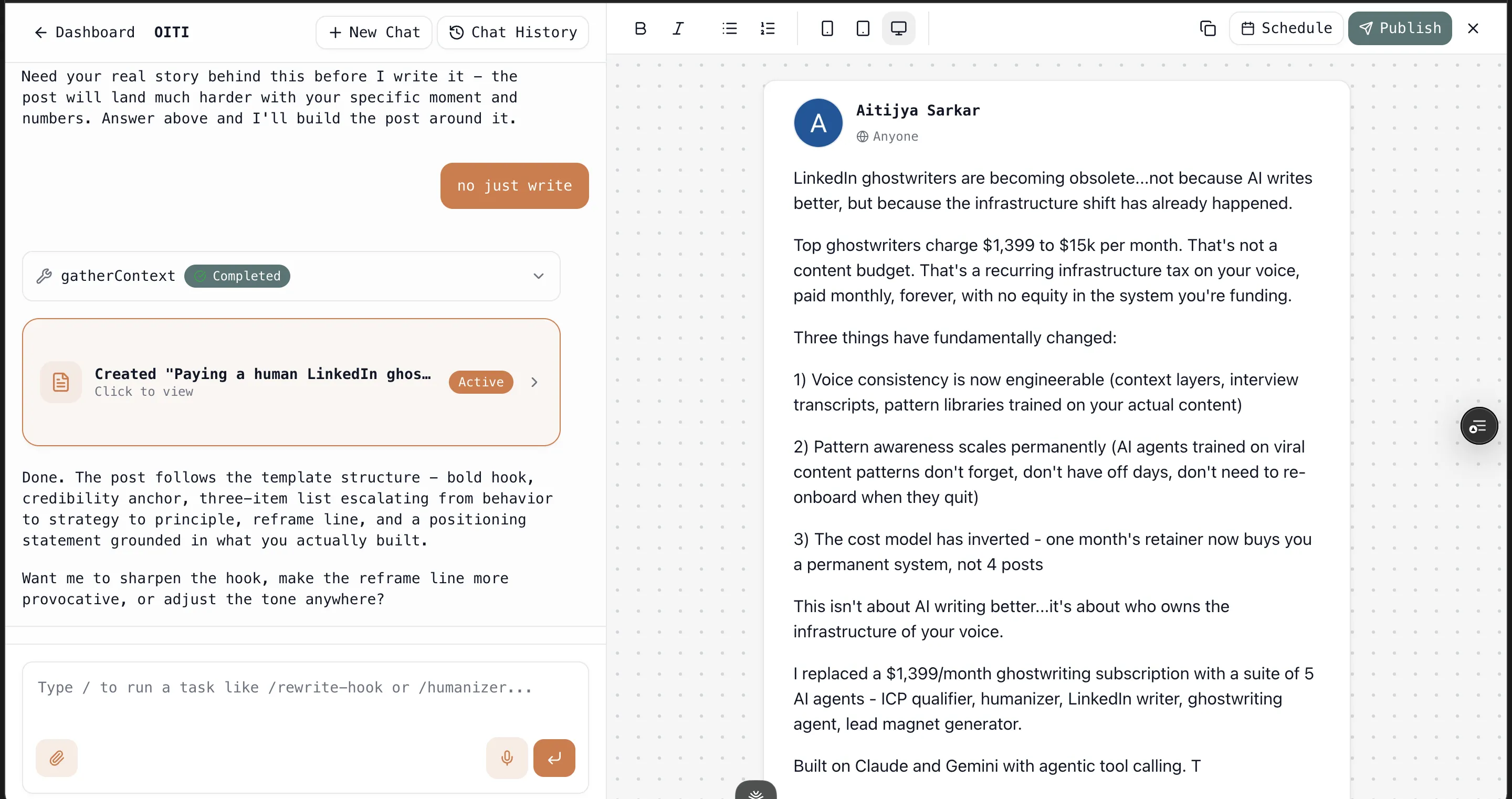
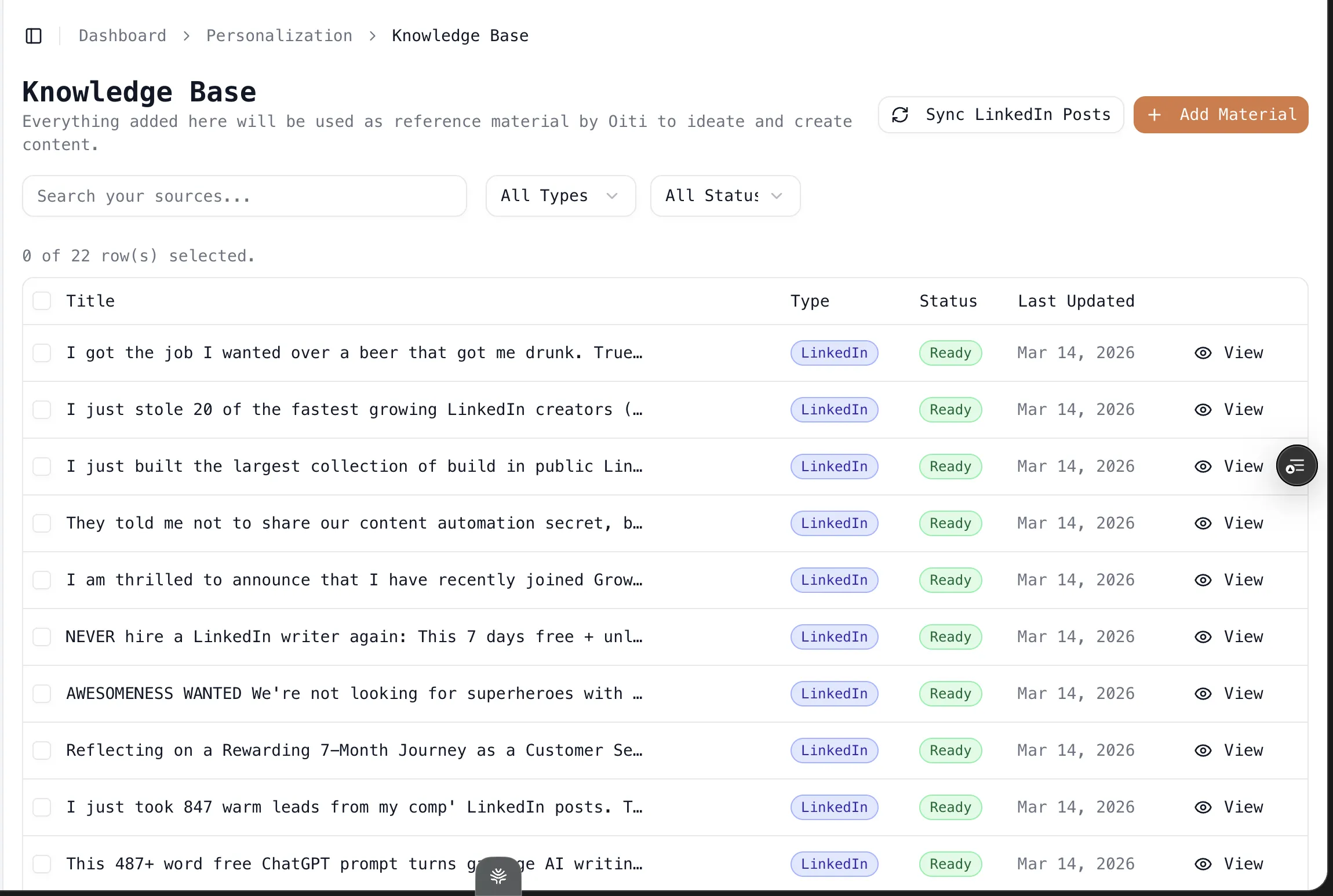
The Knowledge Base ingests your past LinkedIn posts, your website, YouTube videos, and PDFs. The long-term memory absorbs every “no, not like that,” so the system gets more like you over time instead of resetting each chat.
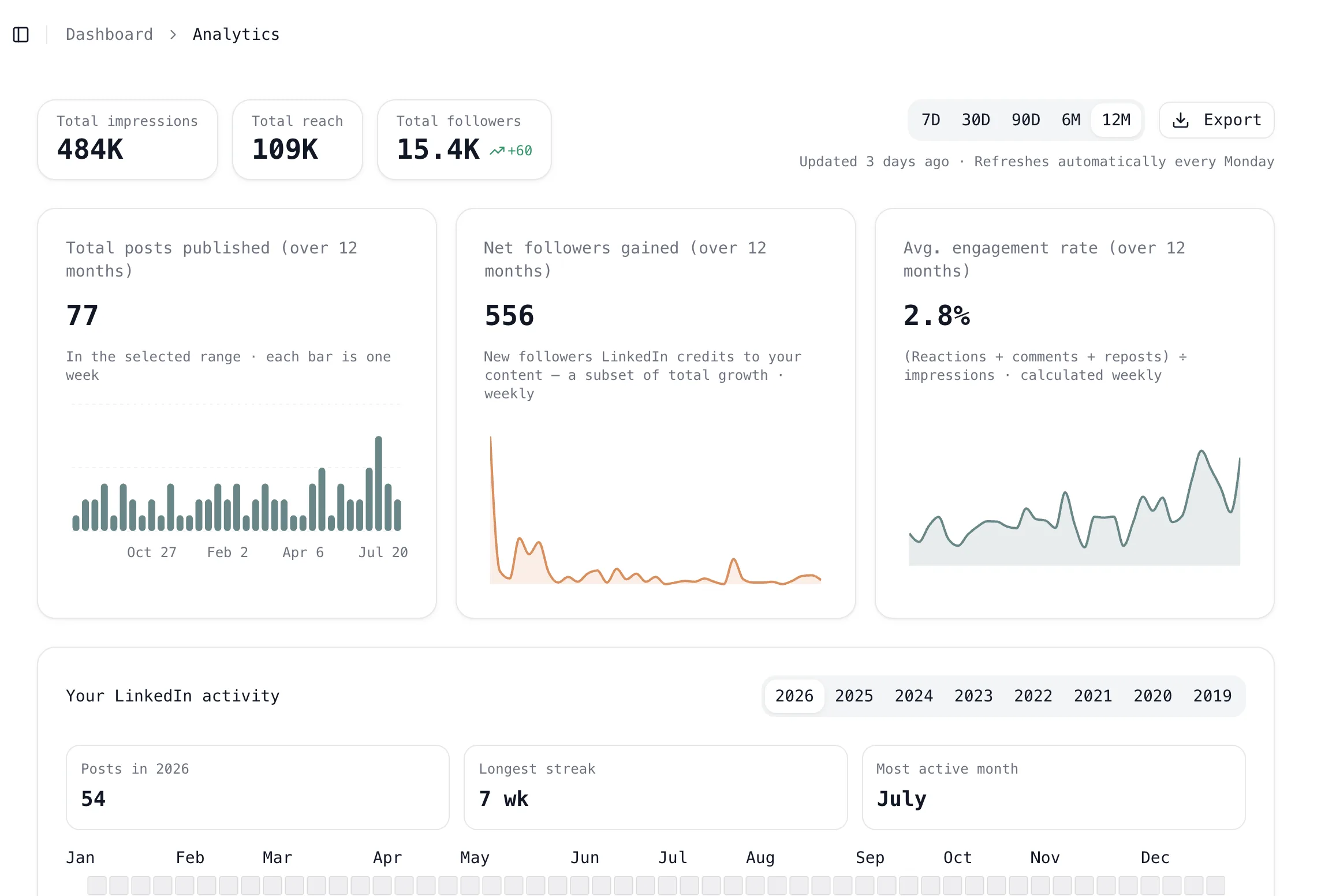
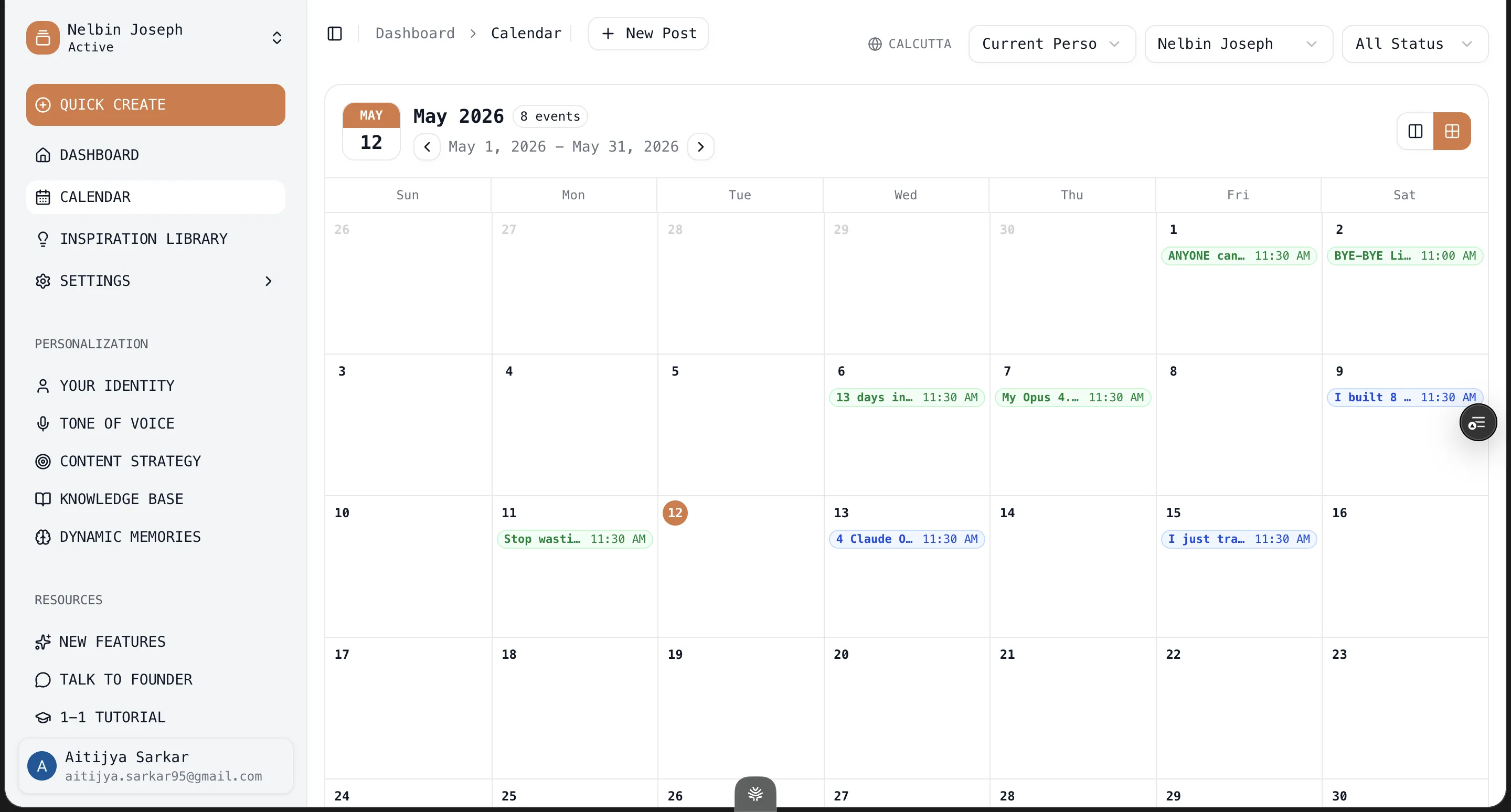
It publishes and schedules through LinkedIn’s official APIs, so there’s no extension and no ToS risk, and the analytics run on the same official access. The inspiration-to-one-click-template loop sits on top of all that.
Where Oiti isn’t the answer: if you only want a cheap, fast text-post generator and you honestly don’t care about originality, EasyGen is fine and Oiti is overkill. If you want content plus outbound in one tool and you accept the ToS risk, Taplio is the pick, and Oiti — content-first by design — isn’t trying to be that.
Oiti starts at $49/mo on Creator, with a 7-day free trial so you can see it before you commit. The AI Clone builds in about 30 seconds. Try Oiti free for 7 days, no usage limits and write the same post in all three — read the drafts side by side.
Frequently asked questions
Is EasyGen cheaper than Taplio?
Does EasyGen or Taplio have a free trial?
Does EasyGen or Taplio’s AI actually sound like me?
Is Taplio safe for my LinkedIn account?
Is there a better alternative to both EasyGen and Taplio?
The verdict
Taplio is the stronger, more capable tool for most people: the million-post inspiration library, the scheduler, analytics, the CRM, and a writing surface you can actually iterate with. EasyGen wins two narrow rounds — it’s cheaper if all you want is AI text posts, and it can’t put your account at risk because it never touches LinkedIn. If you want an all-in-one platform, go Taplio: start at the $69 Growth tier, not the AI-less $39 Starter, and leave the extension automation off unless you’re buying the $199 Pro tier specifically for outbound and can absorb the account risk. If all you want is a cheap, fast AI text-post generator, go EasyGen.
And if what you want is posts grounded in your unique POV — from a tool that remembers your feedback between sessions — that’s the gap neither of them closes. Oiti runs on long-term memory and a Knowledge Base built exactly for that. The AI Clone builds in about 30 seconds, and you can write the same post in all three before you decide.
7 days free · No usage limits